


Last updated April 2026. Prices verified from Amazon.in. All products listed are currently in stock.
₹70,000 Is the Real Sweet Spot for Gaming Laptops in India Right Now
At ₹70,000 you get something that did not exist two years ago: a laptop with an RTX 4050 GPU, 16GB DDR5 RAM, a 144Hz or 165Hz IPS display and a modern processor. The RTX 4050 is the GPU that changes everything at this budget. It handles Valorant at 200+ FPS, BGMI at 90+ FPS on high, CS2 at 150+ FPS, and even GTA V at 70 to 80 FPS on high settings. Two years ago, this kind of performance cost ₹90,000 or more.
The alternative is saving ₹8,000 to ₹10,000 and going with an RTX 3050 at ₹58,000 to ₹62,000. The 3050 is still a solid GPU for esports titles but it struggles with newer AAA games. We cover both options in this guide so you can decide whether the extra money for the RTX 4050 is worth it for your use case.
Here is what actually matters at this price, who each laptop is for, and what games you can realistically play on each one.
Best Gaming Laptops Under ₹70,000 in India (2026)
1. HP Victus 15 (RTX 4050, Ryzen 7 7445HS)
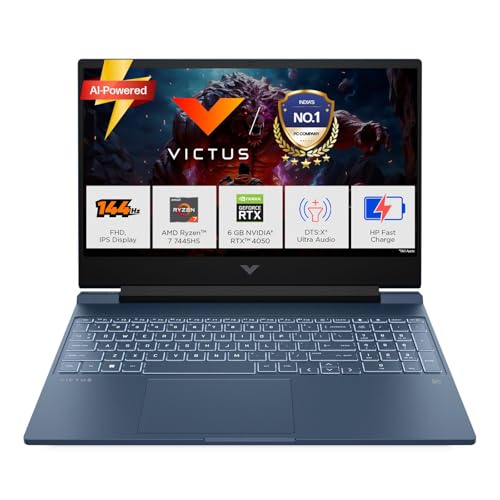
HP Victus 15 RTX 4050 Gaming Laptop (Ryzen 7)
The HP Victus with Ryzen 7 7445HS and RTX 4050 is the best gaming laptop under ₹70,000 in India right now. The RTX 4050 with 6GB VRAM is the main reason this laptop exists on this list. It runs Valorant at 200+ FPS on competitive settings, CS2 at 150 to 170 FPS on medium, BGMI at 90+ FPS on high, and GTA V at 70 to 80 FPS on high. Cyberpunk 2077 is playable at 45 to 55 FPS on medium with DLSS enabled.
The Ryzen 7 7445HS has 8 cores and 16 threads. It does not bottleneck the RTX 4050 in any game at 1080p. The 16GB DDR5 RAM runs in dual channel which matters for Ryzen CPUs because the memory controller directly affects frame rates. The 512GB SSD is NVMe and fast, but it fills up quickly with modern games (Warzone alone is 150GB+). Budget ₹2,000 for a 1TB SSD upgrade within the first few months.
The 144Hz IPS display is 300 nits bright, which is usable outdoors in shade but not in direct sunlight. For indoor gaming, it looks good. Colour accuracy is decent for this price range. The laptop weighs 2.29kg, manageable for daily college carry but not light.
Thermals in Indian conditions: Without AC at 35 degree ambient, the CPU runs at 85 to 92 degrees under sustained gaming. Light throttling kicks in after 40 to 50 minutes at high ambient. A cooling pad (₹800 to ₹1,200 on Amazon) keeps it stable. With AC at 25 degrees, no throttling at all during extended sessions. HP Victus thermal design has improved significantly from 2023 models.
2. Acer Nitro V 15 (RTX 4050, Ryzen 7 7445HS)
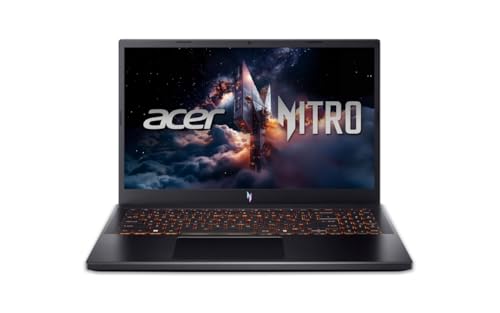
Acer Nitro V 15 RTX 4050 Gaming Laptop (Ryzen 7)
The Acer Nitro V with the same Ryzen 7 + RTX 4050 combo sits about ₹1,000 cheaper than the HP Victus. The performance is nearly identical because both run the same CPU and GPU. Where the Nitro V wins is the 165Hz display (versus 144Hz on the Victus). For competitive Valorant and CS2 players who care about every frame, those extra 21Hz give a slightly smoother experience at high FPS.
Acer’s cooling solution uses dual fans with the CoolBoost feature that manually pushes fans to maximum speed. In our experience this keeps the CPU 3 to 5 degrees cooler than the Victus under identical workloads. The trade off is noise. At full fan speed, the Nitro V is noticeably louder than the Victus. If you game with headphones (which most people do), this does not matter.
Build quality is the main compromise versus the Victus. The Nitro V uses more plastic in the chassis and the keyboard flex is slightly more noticeable. The HP Victus feels more solid in hand. Both have the same port selection: USB C, USB A, HDMI, and an ethernet port. Both weigh around 2.1 to 2.3 kg.
If the Acer is cheaper when you buy, get it. If both are the same price, get the HP for better build quality. The gaming performance difference between the two is negligible.
3. Acer Nitro V 15 (RTX 4050, Intel i5 13420H)
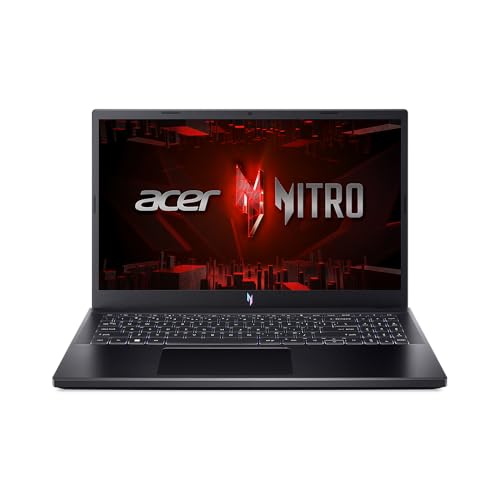
Acer Nitro V 15 RTX 4050 Gaming Laptop (Intel i5)
This is the Intel variant of the Nitro V. The i5 13420H has 8 cores (4 performance + 4 efficiency) and handles gaming well at 1080p. The RTX 4050 delivers the same frame rates as the Ryzen models because at this resolution the GPU is the bottleneck, not the CPU.
Where Intel wins over Ryzen at this price: slightly better single core performance (important for games like CS2 that are CPU sensitive), better compatibility with some older games, and Thunderbolt support on the USB C port (Ryzen models typically do not have Thunderbolt). Where Ryzen wins: better multi threaded workload handling (video editing, streaming while gaming) and better battery efficiency.
For pure gaming, both CPUs are equal at this price. Pick based on availability and price. Whichever is cheaper by ₹1,000 or more when you check, go with that one.
4. HP Victus 15 (RTX 3050, Intel i5 13420H)
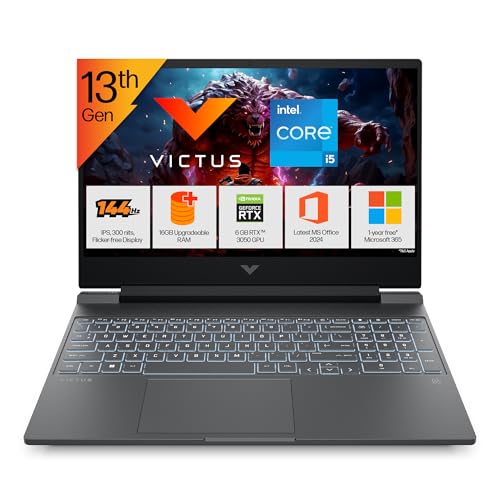
HP Victus 15 RTX 3050 Gaming Laptop (Intel i5)
If your budget is firm at ₹60,000 and cannot stretch to ₹67,000 for the RTX 4050, the HP Victus with RTX 3050 is the best value pick. You save ₹9,000 compared to the RTX 4050 model. That ₹9,000 could buy a cooling pad, a gaming mouse, and still have change left.
The RTX 3050 runs Valorant at 140 to 170 FPS, CS2 at 120 to 140 FPS, BGMI at 70 to 90 FPS on medium high, and GTA V at 55 to 70 FPS on high. These are very playable frame rates. The 3050 starts struggling with newer AAA games like Cyberpunk 2077 (30 to 40 FPS on medium) and Alan Wake 2 (barely playable). If you play mostly esports titles and older AAA games, the 3050 is genuinely enough.
One important difference: this model has DDR4 RAM instead of DDR5. In practice, the gaming FPS difference between DDR4 and DDR5 is 3 to 5% at 1080p. Not worth paying extra for DDR5 alone. The rest of the specs (same i5 13420H, same 512GB SSD, same 144Hz display) are identical to the more expensive models.
5. HP Victus 15 (RTX 3050, Ryzen 7 7445HS)
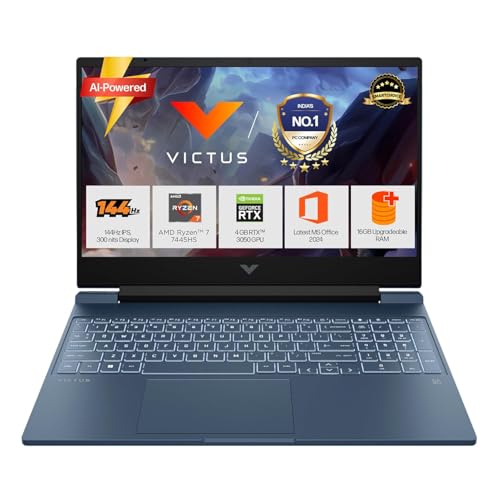
HP Victus 15 RTX 3050 Gaming Laptop (Ryzen 7)
The Ryzen 7 variant of the Victus with RTX 3050 costs about ₹4,000 more than the Intel variant above. The extra money gets you DDR5 RAM (instead of DDR4) and a stronger multi threaded CPU. If you plan to stream your gameplay or do video editing alongside gaming, the Ryzen 7 + DDR5 combo handles multi tasking noticeably better.
For pure gaming only, the ₹4,000 premium over the Intel i5 variant is not worth it. The in game FPS difference is minimal. But if your laptop is also your primary work machine (coding, content creation, college assignments alongside gaming), the Ryzen 7 earns its price premium.
RTX 3050 vs RTX 4050: The Real Difference at ₹70,000
This is the most important decision at this budget. Here are actual FPS numbers at 1080p medium to high settings:
| Game | RTX 3050 6GB | RTX 4050 6GB | Difference |
|---|---|---|---|
| Valorant (competitive) | 140 to 170 FPS | 200+ FPS | +30 to 40% |
| CS2 (medium) | 120 to 140 FPS | 150 to 170 FPS | +20 to 25% |
| BGMI (high) | 70 to 90 FPS | 90 to 110 FPS | +25 to 30% |
| GTA V (high) | 55 to 70 FPS | 70 to 85 FPS | +25% |
| Cyberpunk 2077 (medium, DLSS) | 30 to 40 FPS | 45 to 55 FPS | +40% |
| Fortnite (high) | 90 to 110 FPS | 120 to 140 FPS | +25% |
| Elden Ring (medium) | 40 to 50 FPS | 55 to 65 FPS | +30% |
The RTX 4050 is roughly 25 to 35% faster than the RTX 3050 across the board. Both GPUs have 6GB VRAM. The 4050 also supports DLSS 3 with frame generation, which the 3050 does not. In games that support DLSS 3 (Cyberpunk, Hogwarts Legacy, Alan Wake 2), the 4050 gets an additional 30 to 50% FPS boost from frame generation alone.
The honest verdict: If you play Valorant, CS2 and BGMI primarily, the RTX 3050 at ₹58,000 is perfectly fine. Save the ₹9,000 for peripherals. If you play AAA games or want your laptop to stay relevant for 3 to 4 years, stretch to the RTX 4050 at ₹67,000. The 4050 ages significantly better because of DLSS 3 frame generation support.
Full Comparison Table
| Laptop | GPU | CPU | RAM | Display | Weight | Price |
|---|---|---|---|---|---|---|
| HP Victus (Ryzen 7, 4050) | RTX 4050 6GB | Ryzen 7 7445HS | 16GB DDR5 | 144Hz IPS | 2.29kg | ₹67,990 |
| Acer Nitro V (Ryzen 7, 4050) | RTX 4050 6GB | Ryzen 7 7445HS | 16GB DDR5 | 165Hz IPS | 2.1kg | ₹66,990 |
| Acer Nitro V (i5, 4050) | RTX 4050 6GB | i5 13420H | 16GB DDR5 | 165Hz IPS | 2.1kg | ₹65,990 |
| HP Victus (Ryzen 7, 3050) | RTX 3050 6GB | Ryzen 7 7445HS | 16GB DDR5 | 144Hz IPS | 2.29kg | ₹62,990 |
| HP Victus (i5, 3050) | RTX 3050 6GB | i5 13420H | 16GB DDR4 | 144Hz IPS | 2.3kg | ₹58,990 |
Which Laptop for Which Gamer?
Competitive esports (Valorant, CS2, BGMI): Any RTX 4050 model from the list. The Acer Nitro V with 165Hz display is the best pick for competitive players because the higher refresh rate matters in fast paced shooters.
AAA gaming (GTA V, Cyberpunk, Elden Ring): HP Victus RTX 4050. Better thermals under sustained load and DLSS 3 frame generation makes AAA titles significantly more playable.
College student on a budget: HP Victus RTX 3050 (i5) at ₹58,990. Saves ₹9,000 for a mouse, cooling pad, and external hard drive. Handles esports and older AAA titles without any problems. Use the savings for a gaming mouse under ₹2,500 and you are set.
Streaming and content creation alongside gaming: HP Victus RTX 4050 (Ryzen 7). The 8 core Ryzen 7 handles OBS streaming + gaming simultaneously better than the Intel i5. DDR5 RAM helps with multitasking overhead.
Battery Life Reality Check
No gaming laptop gives you good battery life while gaming. Plan for 90 minutes to 2 hours max on battery under gaming load. Always carry the charger.
For non gaming tasks (browsing, documents, YouTube, college lectures), these laptops last 4 to 5 hours on battery. The Ryzen 7 models last 30 to 45 minutes longer than the Intel i5 models on light workloads because of better power efficiency. If battery life during college hours matters, the Ryzen 7 variant is the smarter pick.
Should You Wait for a Sale?
If Amazon Prime Day or Great Indian Festival is within 4 to 6 weeks, yes. These laptops typically drop ₹3,000 to ₹8,000 during sale events. An RTX 4050 laptop that costs ₹67,000 today could hit ₹61,000 to ₹63,000 during Prime Day (expected mid July 2026). Add the 10% bank discount and you are looking at ₹55,000 to ₹57,000 for an RTX 4050 machine. That is exceptional value. See our Prime Day 2026 gaming deals guide for sale timing and strategy.
If the sale is more than 6 weeks away, buy now. Prices can go up as well as down, and losing 6 weeks of gaming time to save ₹3,000 is a poor trade unless money is genuinely tight.
