

Updated October 2026 with current Indian retail prices.
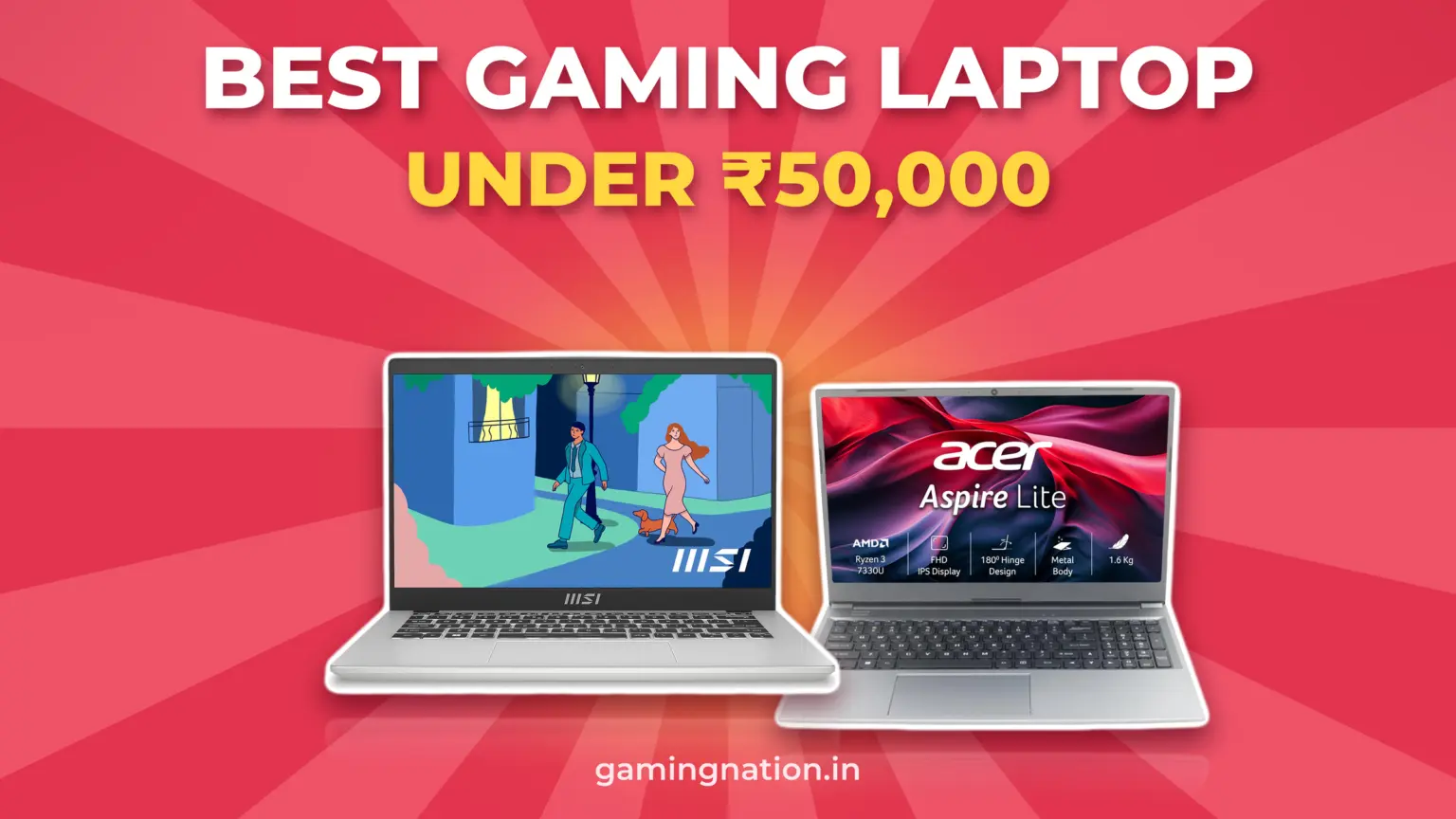
No new laptop with a graphics card costs ₹50,000 or less. For light games, the MSI Modern 14 Ryzen 5 7430U at ₹45,990 has the strongest built in graphics we could order.
Our picks
- Best for games: MSI Modern 14 Ryzen 5 7430U, ₹45,990
- Best on Amazon: Acer Aspire Lite Ryzen 3 7330U, ₹46,900
- Cheapest with a graphics card: Acer Aspire 7 GTX 1650, ₹68,999 (over budget)
Jump to
Looking for the best cheap gaming laptop under ₹50,000? No new laptop with a separate graphics card costs that little in India today. What ₹50,000 buys is a laptop with built in graphics, and the chip inside decides how well it games. We rebuilt this page on 23 Oct 2026 after checking what you can actually order.
Best gaming laptop under ₹50,000: quick comparison
Prices checked 23 Oct 2026: Flipkart with Mumbai and Delhi pincodes, Amazon.in with a delivery pincode set. Prices change, so always check before buying. Amazon links are affiliate links and the Flipkart link is a plain link; neither changes the picks.
| Pick | Laptop | Price | Best for | Buy |
|---|---|---|---|---|
| Best for games |  | ₹45,990 | Light games: the most graphics cores here | Flipkart |
| Best on Amazon |  | ₹46,900 | Amazon buyers: 2 RAM slots, up to 32GB | Amazon |
Can you get a gaming laptop with a graphics card under ₹50,000?
Some lists, including an earlier version of this page, named an RTX 3050 laptop under ₹50,000, and one recent list puts the ₹68,999 GTX 1650 Acer under it too. We couldn’t find either at that price. If you can stretch, our best gaming laptop under 70,000 and under 1 lakh guides cover the first laptops with real graphics cards.
Why the chip matters more than the Ryzen 5 badge
With no graphics card, games run on the graphics built into the processor. AMD’s chips at this price have between 2 and 7 graphics cores, and the name on the box doesn’t tell you which you get:

The Ryzen 5 7520U is the trap. It sits in many Ryzen 5 laptops at this price, but its Radeon 610M has 2 graphics cores, the same as the cheaper Ryzen 3 7320U. For games, a Ryzen 3 7330U with 6 graphics cores is the better chip. Intel laptops have their own catch: Intel says its Iris Xe chips only run as Iris Xe with dual channel memory, usually two matching sticks; with one stick they run as the slower UHD Graphics.
MSI Modern 14 Ryzen 5 7430U: the best for games under ₹50,000
This is the laptop under ₹50,000 we’d pick for games. It’s ₹45,990 on Flipkart, sold by SVPeripherals (seller rating 4.5), and it showed a delivery date for both our Mumbai and Delhi pincodes. The listing has 448 ratings at 4.3 stars.
The reason is the chip. The Ryzen 5 7430U has 6 processor cores and Radeon graphics with 7 graphics cores, the most of any laptop we could order at this price. That’s the biggest single factor in how light games such as Valorant or League of Legends run on a laptop with no separate graphics card. Minecraft Java is the exception: it now wants 12GB of RAM on built in graphics, so add a stick first.
It weighs 1.4 kg and has a 14 inch Full HD screen. Two catches: it ships with 8GB of RAM, so plan on a second stick, and the screen covers 45% of the NTSC colour range, so colours look muted. Amazon.in lists the same Modern 14 body with a Ryzen 5 7530U at ₹60,990, well over budget.
MSI Modern 14 C7M: Ryzen 5 7430U laptop
Flipkart price checked 23 Oct 2026448 Flipkart ratingsSold by SVPeripherals
Acer Aspire Lite Ryzen 3 7330U: the best pick on Amazon
If you’d rather buy on Amazon, this Acer Aspire Lite AL15-41 is ₹46,900, sold by MURCHI INFOTECH, and it showed a delivery date for our pincode. It’s the most reviewed laptop on this page, with 324 ratings.
It uses the Ryzen 3 7330U: 4 processor cores and Radeon graphics with 6 graphics cores, one fewer than the MSI. What makes it a sensible gaming base is the memory layout: the listing says it has two RAM slots, runs dual channel and takes up to 32GB. It ships with one 8GB stick, so adding a matching 8GB stick gets you to 16GB in two channels, which built in graphics benefit from.
It’s a 15.6 inch laptop at 1.6 kg, with a Full HD screen at 60Hz. We first lined up a 16GB Acer Travel Lite 14 for this slot, but its Amazon photos show a different model with a Ryzen 3 7320U and 8GB, so we dropped it.
Acer Aspire Lite AL15-41: Ryzen 3 7330U laptop
Amazon price checked 23 Oct 2026324 Amazon ratingsSold by MURCHI INFOTECH
Laptops to skip at this price
These came up again and again while we checked laptops under ₹50,000 on 23 Oct 2026:
What these laptops can play
We haven’t measured frame rates on these laptops, so here’s what the game makers themselves ask for, set against what a ₹50,000 laptop has:
- Valorant: Riot’s support page lists 4GB of RAM and Intel HD 4000 graphics, an old integrated chip, as the minimum. Both picks are well clear of it.
- League of Legends: Riot lists 2GB of RAM and Intel HD 4600 graphics. Also well within reach.
- Minecraft Java: since July 2026 Mojang asks for 12GB of RAM with integrated graphics. That rules out both picks as shipped; add an 8GB stick to either and they meet it.
- Fortnite and GTA V Enhanced: both list 8GB of RAM. Check the graphics minimum on the store page before you buy; built in graphics may fall short.
- Big new games: recent open world games are beyond built in graphics at this price. For those you need a graphics card; the price section below shows what that costs.
For more ideas that run well on this kind of laptop, see our list of the best games for a low end laptop.
Add RAM: the cheapest upgrade for games
Built in graphics have no memory of their own; they share the laptop’s RAM. Two things help: more RAM, and RAM in both channels, which means two sticks rather than one. The MSI ships with 8GB; the same Modern 14 C7M body on Amazon.in lists two slots and up to 16GB, so a second, matching 8GB stick should give it 16GB in two channels. Confirm the free slot with the seller. The Acer lists two slots, dual channel and up to 32GB.
Before you buy a stick, check the RAM type (both picks use DDR4) and that a slot is free; ask the seller if the listing doesn’t say. Check the brand’s warranty terms first; some ask that an authorised service centre fits it. Keep the original stick either way.
What ₹50,000 buys, and what the next step costs

So the step from built in graphics to a real graphics card is about ₹23,000 over our top pick. If you mostly play esports games and need a laptop for study or work too, the MSI is enough. If you want new AAA games, save toward the ₹79,990 RTX 3050 6GB tier instead.
If you can stretch a little, an Acer TravelLite with the same Ryzen 5 7430U, still with 8GB, was ₹52,749 on Amazon.in on 21 Oct. It’s over ₹50,000 and has no more RAM than the MSI, so it isn’t a pick.
Used and refurbished RTX laptops under ₹50,000
Search for a gaming laptop under ₹50,000 on Google and the shopping results fill with used RTX and GTX laptops, many listed between ₹24,000 and ₹39,000 when we looked on 23 Oct 2026. These can be good value, but you take on the risk a new laptop doesn’t carry. If you go that way:
- Written warranty. Buy only from a seller that gives one, ideally at least 6 months, plus a GST invoice in your name.
- Check the graphics card is real. On delivery, open Task Manager, then Performance, and confirm the NVIDIA or AMD card and its memory are listed.
- Battery and charger. Gaming laptops wear batteries hard. Ask for the battery health report and check the charger is the original wattage.
- Return window. Run a game for 20 minutes in the return window and watch for crashes or overheating.
What to check before you buy
- Pincode and delivery date. No delivery date means the price doesn’t apply to you.
- The exact chip. Read the processor number, not the Ryzen 3 or Ryzen 5 badge. Check its graphics cores in the chart above.
- RAM slots. Make sure a second slot is free if the laptop ships with 8GB.
- Screen. The MSI has a 60Hz Full HD screen; check the refresh rate on any listing.
- Seller and warranty. Read the seller rating and whether the warranty is onsite or carry in.
- Bank offers. Card offers and no cost EMI change the final price. Compare the price after offers.
Thin laptops get warm under load; a cooling pad helps. Here are our picks for the best cooling pads for a laptop.
How we chose
On 23 Oct 2026 we searched Amazon.in and Flipkart for laptops between ₹40,000 and ₹50,000, including searches for every gaming capable chip by name. We read the likely picks with a delivery pincode set: Flipkart with Mumbai, Delhi and Bengaluru, and Amazon.in with a single delivery pincode, because Amazon throttled our usual checks that day. We compared chips by graphics cores from AMD’s specifications. We haven’t used these laptops ourselves; nothing here is a hands on review.
Decision time
Frequently Asked Questions
Which is the best gaming laptop under 50000 in India?
For light games, the MSI Modern 14 Ryzen 5 7430U: 7 built in graphics cores, 6 processor cores and 1.4 kg. Checked 23 Oct 2026.
Can I get an RTX or GTX laptop under 50000?
Not new, when we checked. The cheapest new laptop with a graphics card we could order was the Acer Aspire 7 GTX 1650, well over this budget. Used RTX laptops do turn up at this price; see the used section for what to check.
Is Ryzen 5 better than Ryzen 3 for gaming?
Not always. The Ryzen 5 7520U has 2 graphics cores, the same as the Ryzen 3 7320U, while the Ryzen 3 7330U has 6. Check the exact chip number.
Can a laptop under 50000 run Valorant?
Yes on paper. Riot lists Intel HD 4000 graphics as the minimum, and both picks have much newer built in graphics. Frame rates depend on RAM and settings.
Is 8GB RAM enough for a gaming laptop?
It’s tight. Built in graphics share the RAM, and Minecraft Java now asks for 12GB with integrated graphics. Add a second stick to reach 16GB in two channels.
Which laptop is best for students under 50000?
The MSI Modern 14 Ryzen 5 7430U. It’s light at 1.4 kg, its 6 core chip handles study work, and it has the stronger graphics of our two picks for games after class.
What’s the cheapest laptop for gaming?
The cheapest new laptop with a graphics card we found was the Acer Aspire 7 GTX 1650. Below that, laptops rely on built in graphics, which suit esports and older games.
Can I upgrade the graphics on a laptop later?
No. Built in graphics are part of the processor, so the only upgrades are RAM and storage. If you’ll want new AAA games, save for a laptop with a graphics card.
Is MSI or Acer better under 50000?
Neither brand wins outright at this price. Our MSI pick has the stronger graphics, our Acer pick is the one to buy on Amazon; compare the chip and RAM, not the logo.
Should I buy a used gaming laptop instead?
It can be good value if the seller gives a written warranty and a GST invoice. Check the graphics card, battery health and charger as soon as it arrives.