
Updated August 2026 with current Indian retail prices.
While you’re just a click aways before getting those fantastic looking RGB-lit gaming keyboards, a lot is going on inside that gaming keyboard that you must know before buying it the next time.
Heads up: some links here are affiliate links. If you buy through them, we earn a small commission at no extra cost to you. This helps keep GamingNation running.
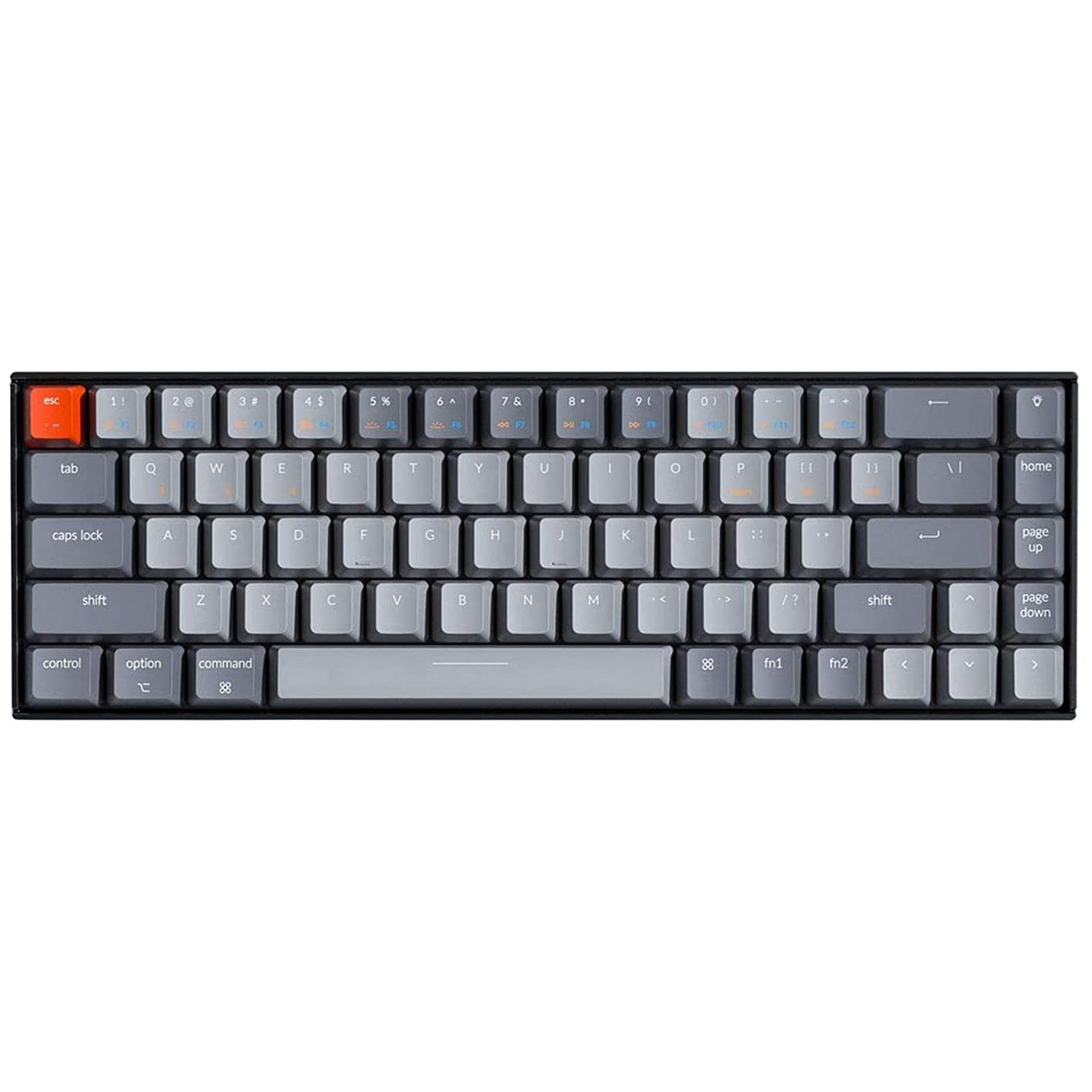
Oh, and not to forget, most of the gaming keyboards you see in the market aren’t ACTUAL gaming keyboards. Want to know how? Please read the complete gaming keyboard buying guide because I’ve spent countless hours before writing down this complete guide.
At Gaming Nation, we’ve been providing authentic and unbiased information about your gaming accessories so brands don’t fool you and you save your money.
Whether you’re interested in getting a mechanical keyboard for your next gaming setup or just an upgrade to those RGB keyboards, this guide is based on the gaming keyboards available in the market as of 2026 and we’ll make sure to bring updates to this guide whenever something interesting happens in this space.
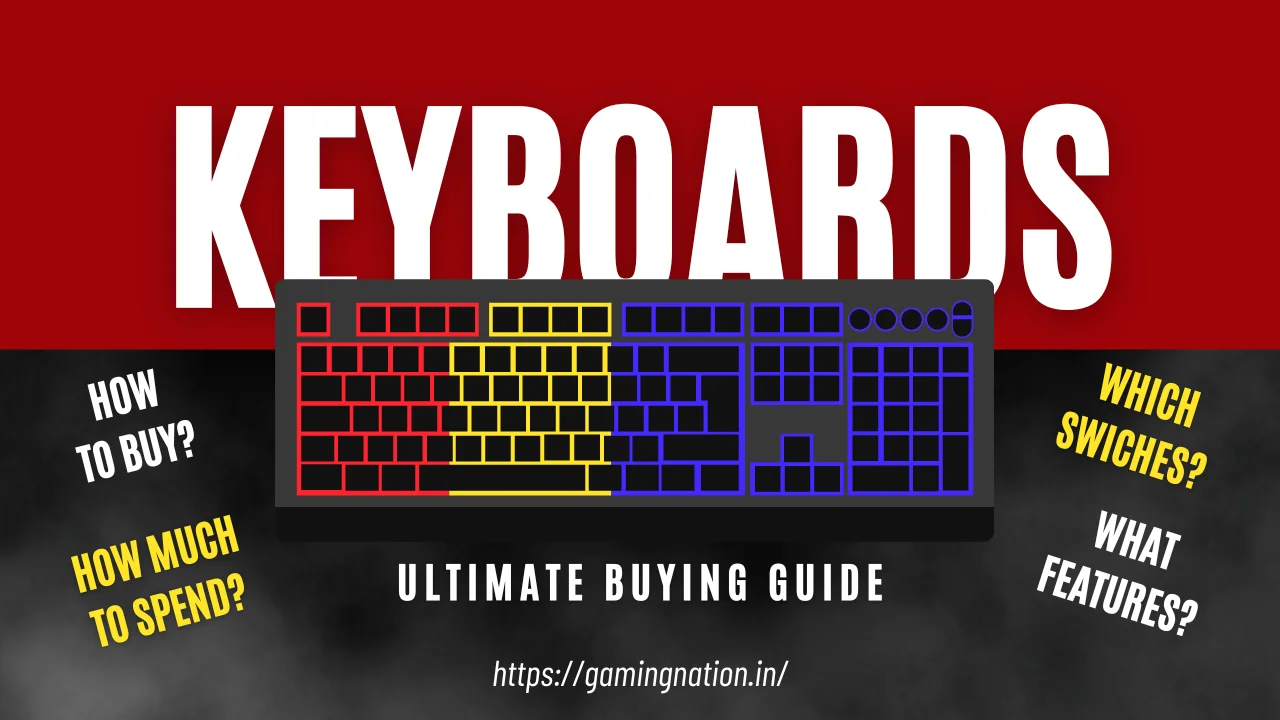
So, check out this guide on how to buy a gaming keyboard in 2026. If you seem to hurry, I’ve included the industry standards that might be helpful for you for that quick purchase.
So what makes a keyboard “actually” good for gaming? If that’s your question, I’ve answered it below.
Hand-picked articles articles you might find interesting;
What makes a Gaming Keyboard Good for Gaming?
While there’s no black and white area here. Primarily grey since it entirely depends on the “type of” features and gaming you want to do.
For the most part, if you’re more into story games or a causal gamer going for the mechanical keyboard might not be the right choice. They’re expensive, but you might be mostly fed up with that extra clicky sound.
If you are more into serious gaming opting for a mechanical keyboard with features like mechanical switches, anti-ghosting, higher polling rate, fast gaming switches, and RGB lighting should make more sense. These aren’t necessarily the “must” have features, but more like promising to have. I’ve mentioned about these features here so you can have a fair idea on it.
Also check: Gaming Keyboard And Mouse Combo
These features aren’t usually seen in your regular keyboards, so preferring “gaming keyboards” over regular ones is a smart choice for gamers. Of course, it may depend on the person and the games you want to play.
Try Before You Buy
One of the best ways of trying a gaming keyboard before hitting that buy button is to visit one of the gaming cafés nearby. We’ve already created a complete list of the best gaming cafes in major tier 1 and 2 cities in India with their gaming setups. 😊
Optical Vs Mechanical Vs Membrane 🧐
One of the fascinating things about gaming keyboards is the switches. It’s an endless topic with endless debates. The reason for this is the different key switches, like, mechanical switches, rubber dome, mecha-membrane switches, and many more, available in the market now.
My first mechanical was a Rs 2,800 Redgear with brown switches. Survived college hostel life including one chai spill. Still works in 2026 as a backup keyboard.
Whether you’ve been gaming for a while or just started out, one thing you must have heard is the mechanical keyboard
So, what are they? How are mechanical switches different from Optical, and are Membrane keyboards worth considering for gaming? I’ve already explained more about this here.
Here we’ll be discussing only the different mechanical switches available in India. Because, hey, most gamers still prefer mechanical switches in 2026. Let’s check them out.
Cherry MX Switches
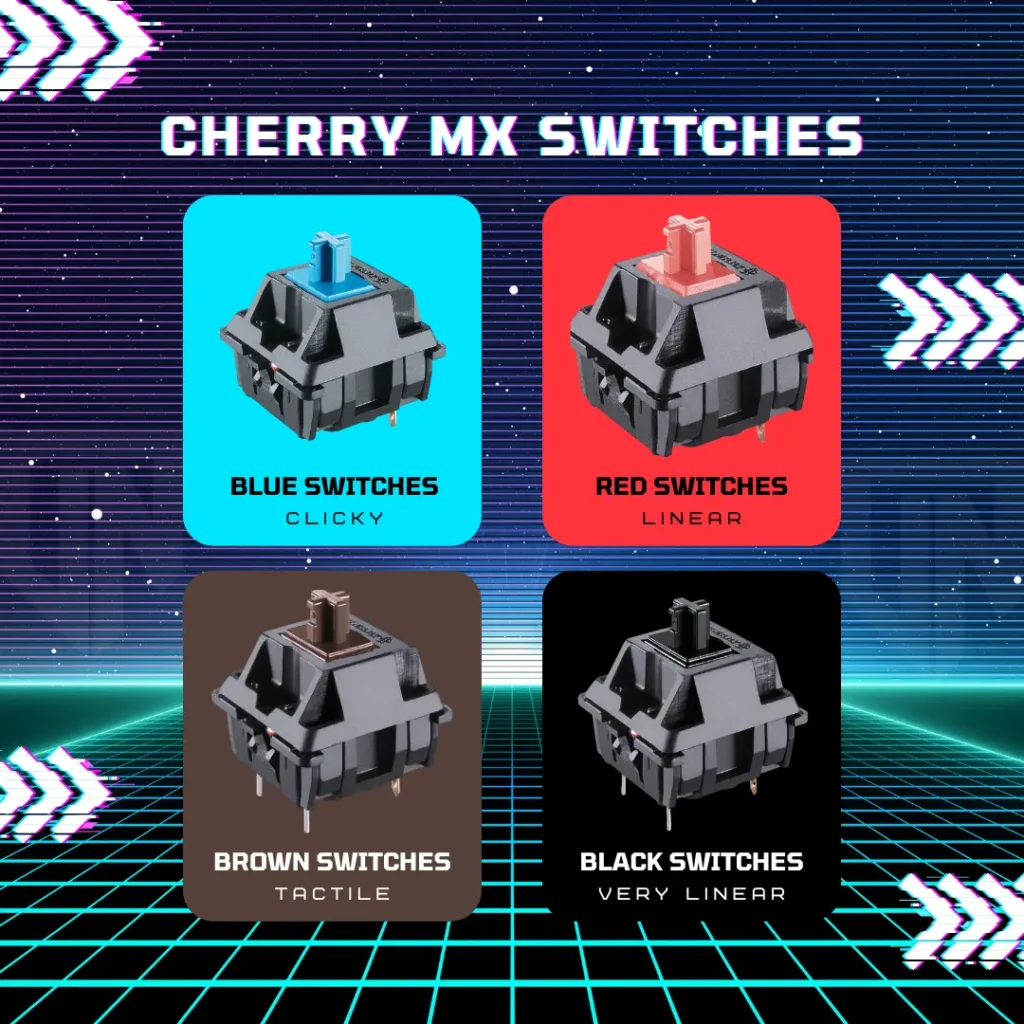
One of the most genuine and widespread mechanical switches is the Cherry MX, and they have numerous switches in the market, think of a random color, and you’ll have it.
They’ve been in the market for a long time and are considered the best for some known reasons.
CherryMX switches aren’t only distinct by their colors, but a lot goes inside. You might think that changes the feel and gaming experience altogether.
Some of the most popular CherryMX switches are;
- Blue Switches
- Brown Switches
- Red Switches
- Black Switches
Blue Switches
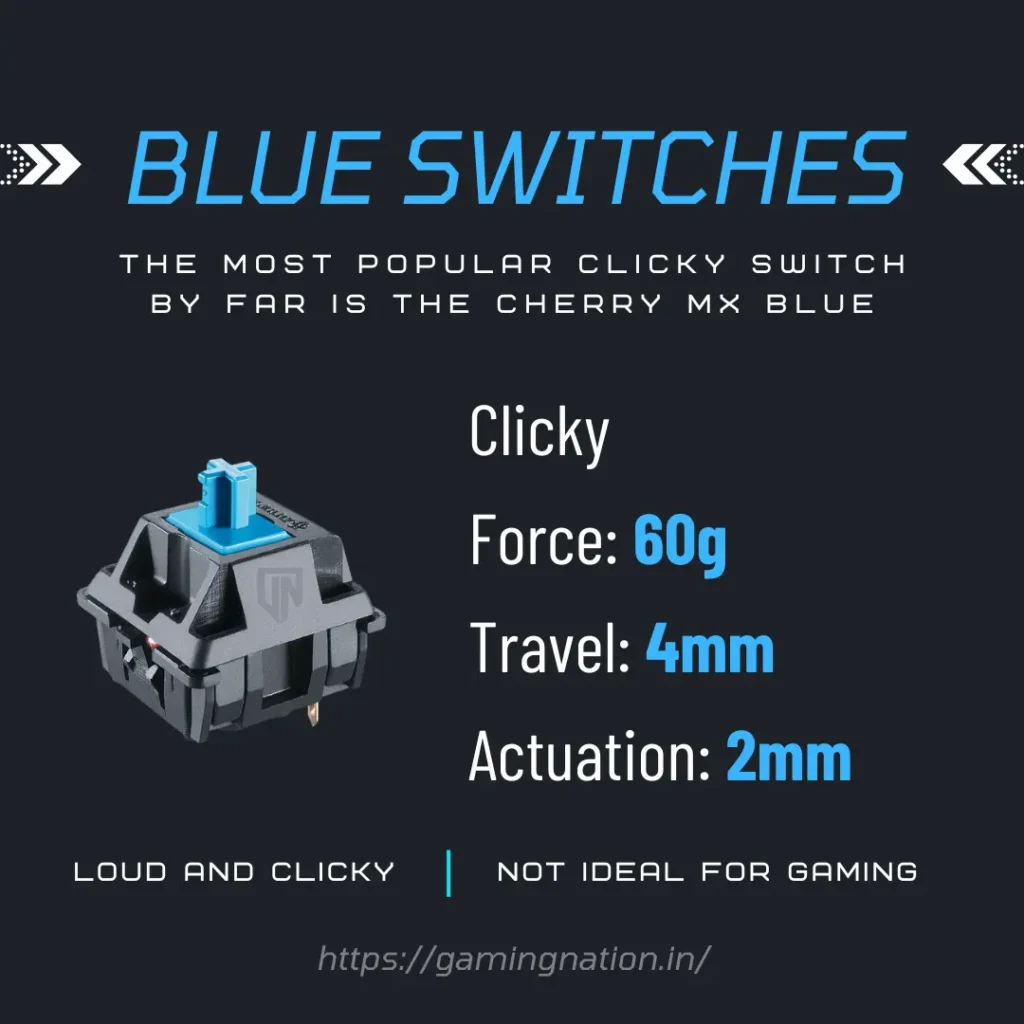
- Preferred by: Who want those clicky and loud sound while typing.
Red Switches
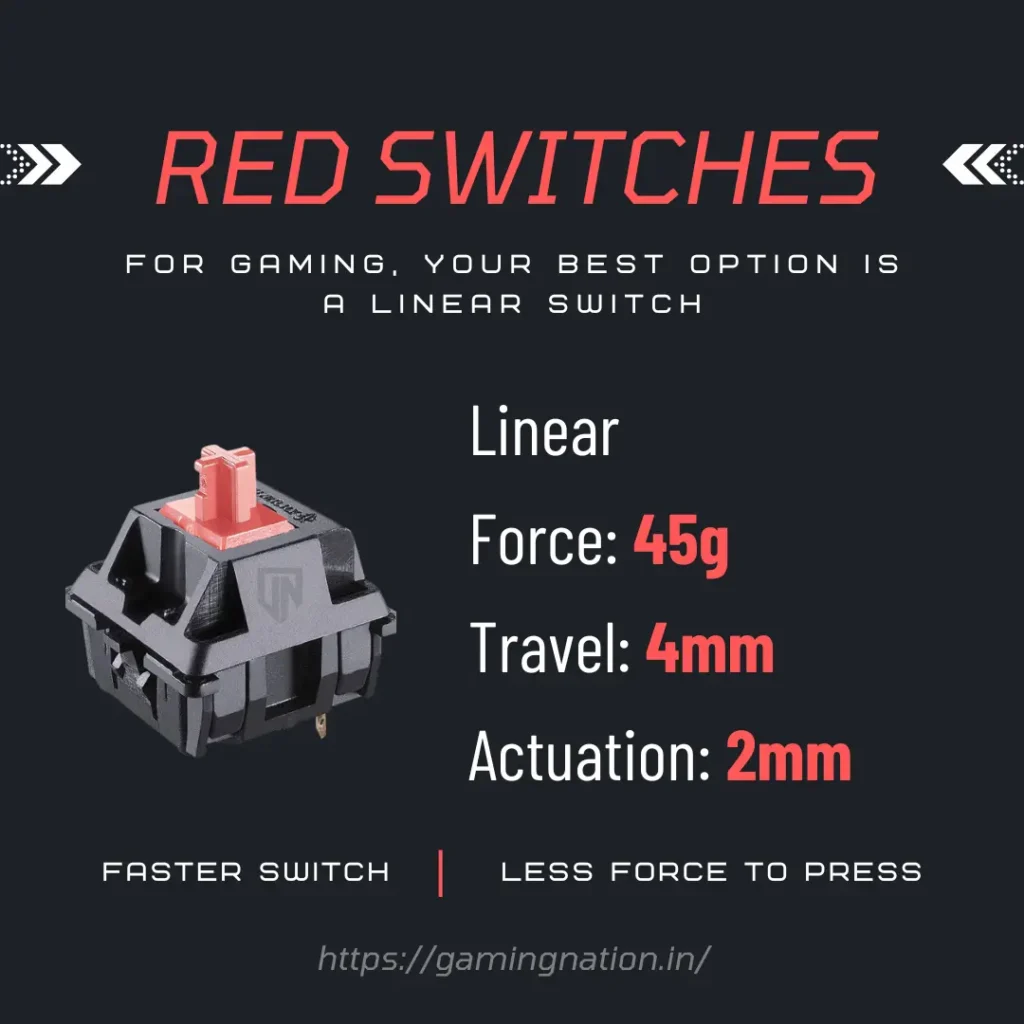
- Preferred by: Those who wants the quietest presses.
Brown Switches
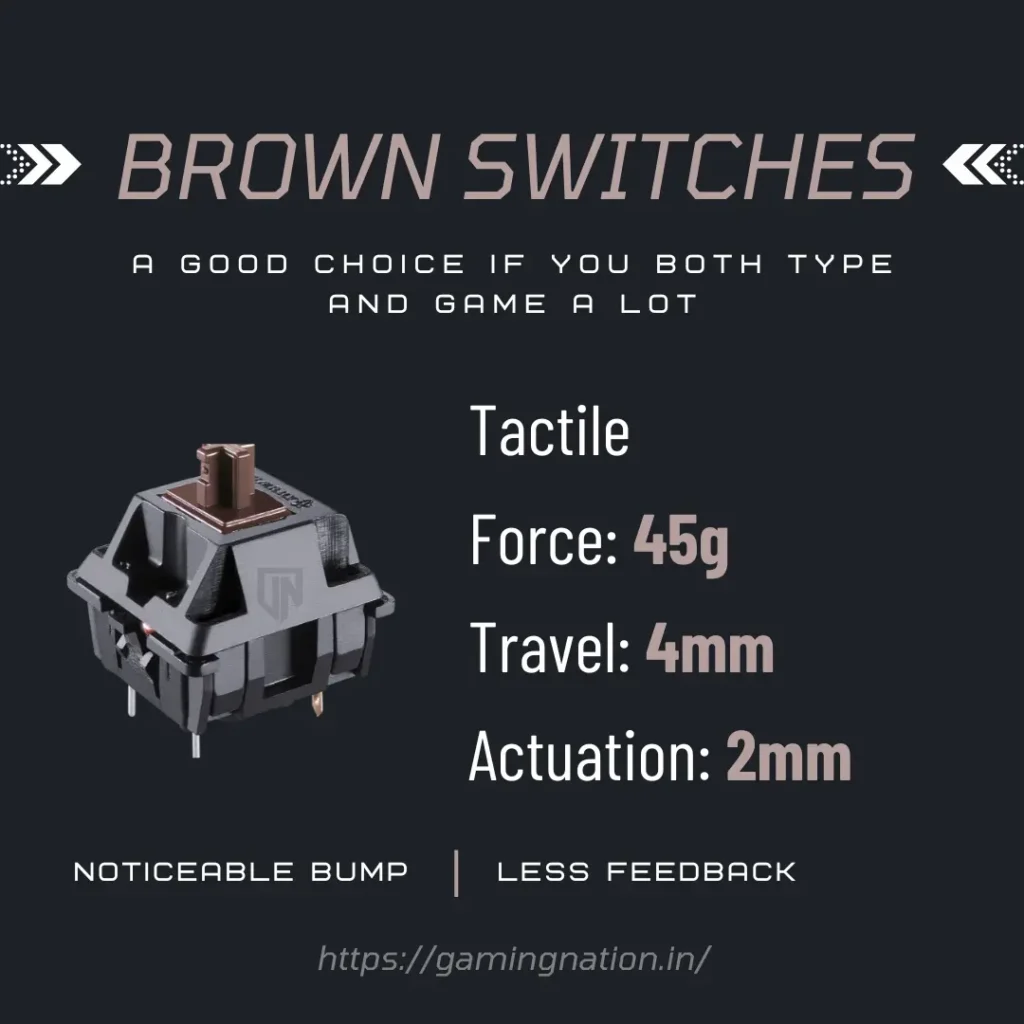
- Preferred by: Those who want that perfect balance between click and quiet feel.
Black Switches
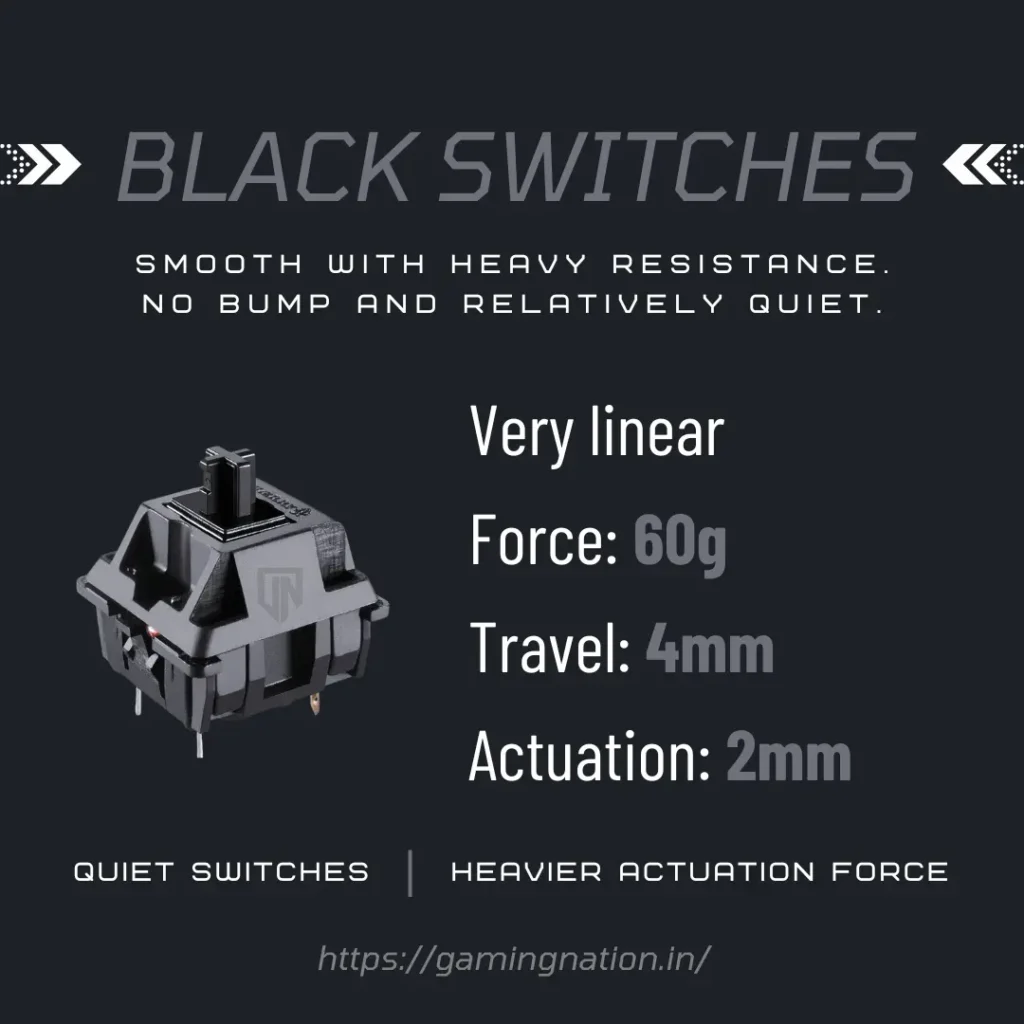
- Preferred by: Those who want quiet switches and heavy switches.
Other Switches
Kailh Switches
These are the Chinese clone or knockoffs of Cherry MX switches. Build exactly; just a cheaper chinses version.
Exact specifications for all Cherry MX switches of Blue, Brown, Black, and Red.
Gateron Switches
They’re a little better and quieter than the Kailh switches but still not up to the eve of Cherry MX switches.
Razer Green Switches
These switches are available in almost all mechanical keyboards from Razer.
- Very clicky
- Force: 55g
- Travel: 4mm
- Actuation: 1.9mm
- Preferred by: Who want the loudest and mostly clicky switches.
Size 😏
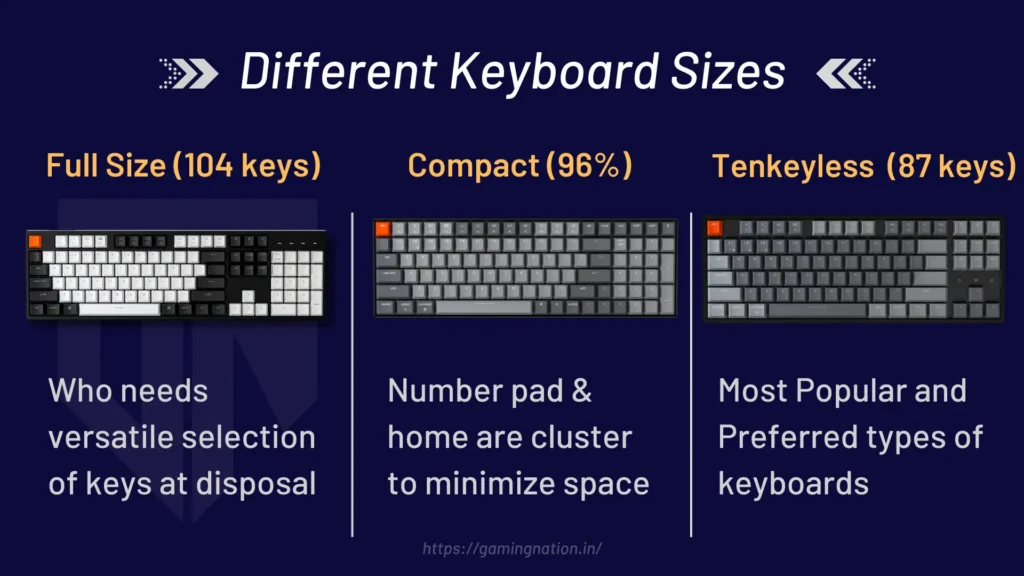
While you might be in this regular zone where size doesn’t matter, with gaming keyboards, that’s usually not the case.
If your gaming desk needs an upgrade for that full-size gaming keyboard and XXL mouse pad to fit in, you might well want to keep those extra funds on the table.
Please make a note that the layout of the keyboard and the size of the keyboards are used interchangeably; however, both are different things altogether.
Gaming keyboards in India usually come in three sizes.
These are;
- Full Size Keyboard (104 keys)
- Compact (96%) Keyboard
- Tenkeyless Keyboard (87 keys)
75% Keyboard65% Keyboard
And, you can trim as much as you want.
Lets understand them one by one, so you’ll better understand which one is the right for you.
Full Size Keyboards
As the name suggests, full-size keyboards are your regular, complete keyboards with 104 keys on the frame.
If you’re a gamer and want a keyboard suitable for typing and regular work that uses those number pads, this one is for you.
Positives
- Suitable for a wider audience
- Most people are used to this layout
- Not necessarily the old fashioned
Negatives
- Bulky
- Take much space
- A bit expensive
Compact (96%) Keyboards
These gaming keyboards saw considerable demand back in 2014. Since then, if you know the demand and supply rule and the Indian distributors, they’re complicated to find and quite a bit more expensive than other keyboards in the market. If you see, a compact-size keyboard has those number pads but not necessarily the keys that repeat themselves, and that’s great if you don’t want your keyboard taking those extra space left for customizations.
Positives
- Small but worth experiencing
Negatives
- Not the usual layout
Tenkeyless Keyboards
This one is the most popular and preferred layout for most gamers across the globe. Coming with 87 keys, this keyboard is a perfect balance between functionality and size.
It doesn’t come with those number pads, making it compact, but let’s face the fact, how many of you want those number pads in 2026? Not many, to be honest.
Positives
- Compact yet Functionally the same
Negatives
- It can’t make you a good gamer?
Quality 🫣
The quality of the keyboard is one of the most important things that most gamers don’t even consider when buying a keyboard.
Not only does the material used in the keyboard determine how the keys will sound after pressing, but the case quality makes much difference when using a gaming keyboard in the long run.
Here are a few things that you might want to consider when checking the quality of a gaming keyboard;
Stabs/ Stabilizers
It’s an old fashion where stabs were a feature, but not anymore. The stabilizers/stabs help prevent the keys from wobbling and are necessary if you don’t want to press the backspace accidentally.
Key Cap Material
![ABS vs PBT vs Rubber! What Are The Best Budget Keycaps in 2023? [RK61 Giveaway Closed]](https://gamingnation.in/wp-content/plugins/wp-youtube-lyte/lyteCache.php?origThumbUrl=https%3A%2F%2Fi.ytimg.com%2Fvi%2FJhpvzEiudr0%2F0.jpg "[MUST KNOW] Before Buying a Gaming Keyboard in 2026 30")
While most gamers want to go with Double Shot PBT, it’s essential to know the difference between the PBT and ABS material.
So the PBT is durable plastic with that nice texture for extra grip that doesn’t reveal the fingerprints or oil on the keyboard.
On the other hand, ABS is the cheap, smooth plastic found on the cheapest keyboards.
Go with the PBT material if you want to get the premium gaming keyboard.
Case Material
What’s the material used inside the keyboard? Is it plastic, aluminum, brass, or a combination of both?
While this can take us to a debate again, metal is aways an excellent option to go with since plastic is prone to wear and tear easily, reducing the life of your gaming keyboard.
Connectivity 🤝
Choosing a wired or wireless gaming keyboard over another is quite a debatable topic. While some gamers prefer wired gaming keyboards because of the “no lag or delay whatsoever” experience, other gamers prefer the wireless ones due “tangle-free” experience.
This is entirely subjective, and you might want to choose what you’ll prefer over the other and not just the herd mindset.
Wired gaming keyboards indeed offer you that lag-free experience At the same time, gaming, but if your budget is too high (>10000 Rs), these differences, like delay in response, are quite negligible, and too small to even notice or feel.
But if you’re a Gamer of Gamers and want to squeeze in those milliseconds in your favor, wired gaming keyboards would be your preferred choice.
If you want me to make a separate dedicated article on the best wireless gaming keyboards, do let me know in the comments below.
Features
Since there’s always a flood of gaming keyboards when you visit any popular eCommerce website, you should know the must-have features to distinguish a gaming keyboard from a bad and a good one.
Hot Swappable
This feature helps you to customize your key switches completely with a switch puller.
For example, you bought a gaming keyboard with blue switches and are not a fan of it, with just a switch puller; now, use the other switches at your convenience.
N-key Rollover
This is quite basic, this helps you to register multiple keys at the same time. Previously only 2 or 3 keys rover was possible. If you’re buying a keyboard in 2026, it must have all key Rollover, depending upon the size of your keyboard.
Polling rate
If you go by definition, it is how many times the keyboard sends the signal to your computer, so it gets the feedback quicker. Nowadays, keyboards come with 1000hz, 2000hz or even 3000hz polling rates.
Media Keys
This is a good to have feature when buying a gaming keyboard. Suppose you’re streaming and gaming simultaneously, media keys or the macro keys become handy since they help you to assign a function based on the keys you press.
Definitely something that can make or break that buying button.
Spill/Splash Resistance
Water being a fluid can take you to places once it’s on your gaming keyboards, so, spill resistance is a must have feature.
This is an excellent to-have feature when buying a gaming keyboard. Suppose you’re streaming and gaming simultaneously, media keys or the macro keys become handy since they help you to assign a function based on the keys you press.
Something that can make or break that buying button.
Price 🤩
You might have researched for a good time and realized that whatever price you choose, there’s some lack of value you pay for while buying a gaming keyboard. That’s true, but the point we usually miss while purchasing a gaming keyboard is quality over the features.
And quality comes with a price tag depending upon where you live and how dealers might want to treat you, that’s a concern.
What In the end sets that bar on your budget so you don’t overspend on a gaming keyboard for your gaming setup? Well, there’s no such rule as my limits in the gaming community on r/pcmasterrace India threads, but the good thing to consider will be the 3% rule.
If you’re gaming setup costs 1 lakh rupees, I think you shouldn’t be spending more than 3000 Rs on a gaming keyboard
And yes, as I mentioned, there’s no golden rule that works for all, especially in gaming.
So, once your price is capped based on the budget, you can choose the gaming keyboard with the best specifications under that category. For a tighter budget, see our best gaming keyboard under Rs 2,500.
FAQs
What to look in a gaming keyboard?
Most of the regular keyboards in the market come with a tag of gaming keyboards. To be an smart buyer and gamer, you need to have at least Anti-Ghosting, a decent switch (depending upon the price you’re paying), stabilizers/stabs, PBT material for keycaps, and most importantly, the excellent build quality of the case.
How much should I spend on a Gaming keyboard?
This is a very subjective topic, however, if you buy a gaming keyboard that’s meant for gaming with a decent experience, I think $100 will get you a decent keyboard in 2023.
Which is the best mechanical Keyboard for gaming?
If you’re looking for the ultimate mechanical gaming keyboard without a budget cap, you should go with the Keychron Q6. It costs around $195, with different Gateron G Pro switches. Check it out here to know more.
Is mechanical keyboard good for gaming?
Yes, yes and a big yes. There is much to like about mechanical gaming keyboards, whether the clicky, linear or tactile switches, mechanical gaming gives you that unique gaming experience.
Is a Gaming Keyboard Worth It?
If you ask someone who isn’t into serious gaming, they might have different thoughts on this. But if you ask gamers, a gaming keyboard makes a huge difference in the feel and experience it can give.
While most of the regular keyboards have similar features to a gaming keyboard nowadays, the story is different when a game with fast gaming switches and other types of switches.
Suppose you’re on a decent budget and want a keyboard primarily for gaming. In that case, I recommend you only choose a gaming keyboard. If you need help finding the best gaming keyboard under any price range, we’ve made a list here
And suppose you’re someone who casually plays games and doesn’t carry a budget for a gaming setup In that case, a regular keyboard will do its job perfectly for you.
So, the takeaway is to buy a gaming keyboard because it’s defiantly worth it!