

Updated November 2026 with current Indian retail prices.
At Rs 25,000 the gaming monitor question gets easy and hard at the same time. Easy, because this budget comfortably buys a 27 inch QHD 1440p panel at 180 to 200Hz, the resolution and refresh sweet spot for most gamers. Hard, because a dozen near identical panels fight for your money. I checked the live specs, stock and prices on every pick here on 29 Oct 2026, and the prices and stock again on 3 Nov 2026, so these are the five genuinely worth buying under Rs 25,000 right now, and the honest truth about how little you actually need to spend.
My pick is the Lenovo Legion 27Q-10 at Rs 17,098, a 240Hz QHD IPS well inside the budget. Want a curve, the LG 27GS60QC is Rs 14,999, and the cheapest pick is the BenQ GW2790Q at Rs 14,888. Five 27 inch QHD monitors, prices checked on Amazon.in on 3 Nov. Confirm the live price before paying.
Worth knowing first
- The sweet spot is Rs 15,000 to Rs 18,000 for a 27 inch QHD 1440p panel at 180 to 240Hz. You do not need to spend the full Rs 25,000.
- 1440p at 180Hz plus needs a real GPU. Without at least an RTX 4060 class card you will not fill those frames in modern titles.
- Four of these are IPS for colour and angles, one is a VA curved for contrast and immersion. Pick by what you play.
What Rs 25,000 buys, and why Rs 16,000 is the real sweet spot
Here is the part the spec sheets bury. A 27 inch QHD 1440p panel at 180 to 200Hz, the spec most gamers actually want, sits at roughly Rs 15,000 to Rs 18,000 from real brands, and every pick on this list lands in or near that band (prices checked 3 Nov). Spend the full Rs 25,000 and you are not buying a meaningfully better 1440p panel. The news this month is 240Hz: the Lenovo Legion 27Q-10 brings 240Hz QHD in under Rs 18,000, so the next real step up is now 4K or OLED, not refresh rate. So treat Rs 25,000 as a ceiling, buy the right Rs 16,000 monitor, and put the saved Rs 9,000 into a better GPU, which matters far more for how your games actually look. My Rs 1,00,000 PC build guide covers that side.
The 5 best gaming monitors under Rs 25,000

Lenovo Legion 27Q-10 (240Hz)
Price checked 3 NovSold by Clicktech Retail240Hz IPS, 3 year warranty
The Legion 27Q-10 is the surprise of this list. It is a 27 inch QHD IPS panel at 240Hz with a listed 0.5ms response, AMD FreeSync Premium and NVIDIA G-Sync Compatible support, for ₹17,098 when we checked on 3 Nov. That is a 240Hz 1440p screen well inside this budget, and it replaces our old top pick, the Legion R27qe Gen 2, which Amazon.in lists as currently unavailable.
The listing also gives 99% sRGB and 90% DCI-P3 colour, two HDMI ports and a DisplayPort 1.4, and a 3 year Lenovo warranty. The catch is the review count: 37 ratings when we checked, so it is less proven than the LG and BenQ picks. And to actually see 240 frames at 1440p you need a strong GPU, which the GPU section below covers.
What works
- 240Hz QHD IPS, the fastest panel here
- FreeSync Premium and G-Sync Compatible
- Height, tilt, swivel and pivot stand
- 99% sRGB and a 3 year warranty
What is bad
- Few ratings so far (37 when checked)
- Flat panel, no curve
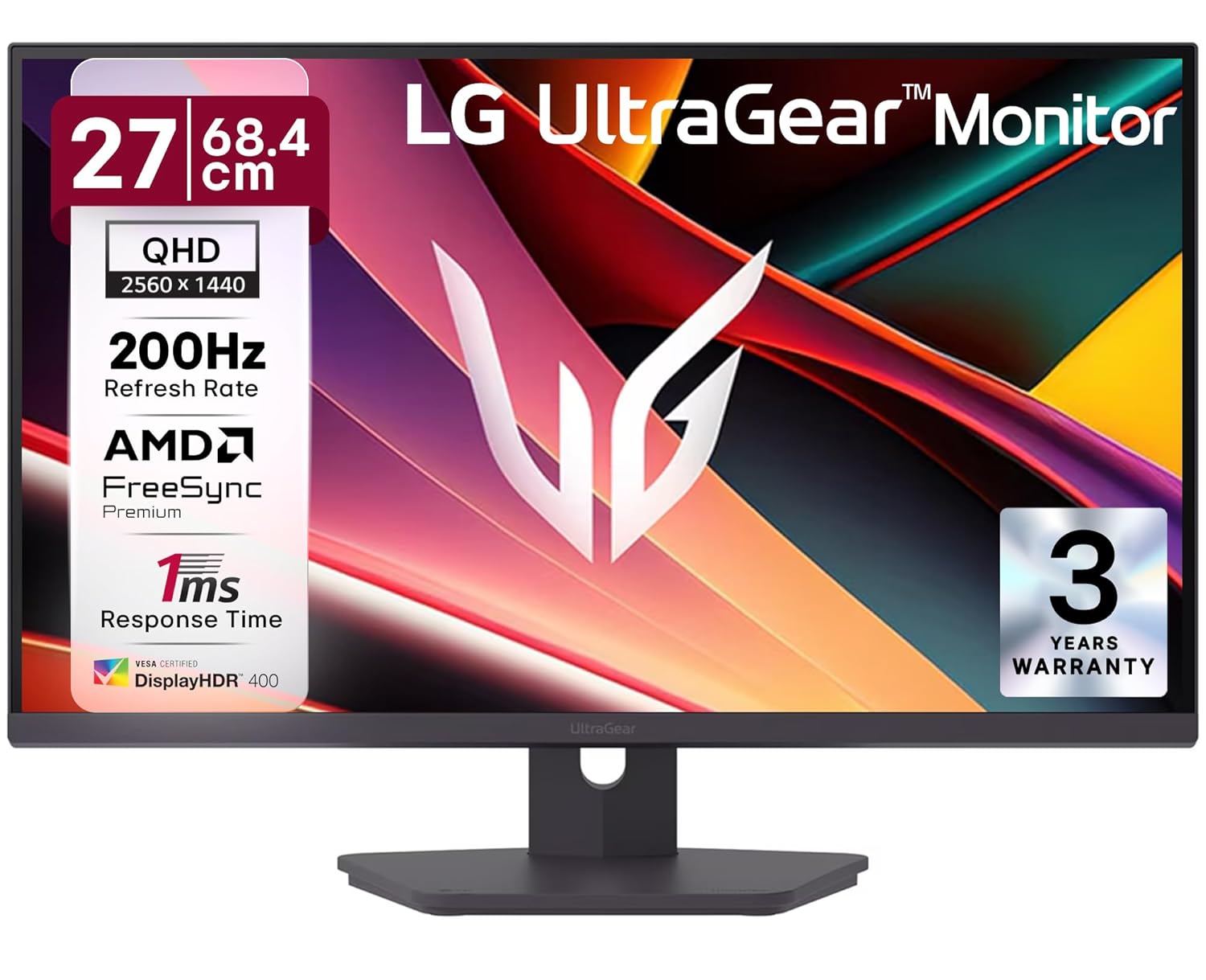
LG 27G610A UltraGear
Price checked 3 NovSold by Clicktech RetailDisplayHDR 400, full stand
LG’s 27G610A is the pick if you want an established monitor brand at 200Hz. The listing gives a 27 inch QHD IPS panel at 200Hz with a 1ms GtG response, VESA DisplayHDR 400, 99% sRGB and factory colour calibration, with two HDMI 2.0 ports and a DisplayPort 1.4.
The stand adjusts for height, tilt, swivel and pivot (the Lenovo and ViewSonic listings name the same four adjustments), and LG gives a 3 year warranty. At ₹16,499 when we checked on 3 Nov it costs a little less than the Legion; what you give up is 40Hz of refresh you will only see with a high end GPU. It is newer on Amazon.in too, with 56 ratings when we checked.
What works
- 200Hz IPS from LG UltraGear
- DisplayHDR 400 and factory calibration
- Height, tilt, swivel and pivot stand
- 3 year warranty
What is bad
- Fewer ratings so far (56 when checked)
- Lists FreeSync Premium, no G-Sync Compatible badge

ViewSonic VX2758A-2K-PRO
Price checked 3 NovSold by Clicktech RetailFreeSync + G-Sync
The ViewSonic VX2758A-2K-PRO is the pick for competitive players. It is a 27 inch QHD IPS panel at 180Hz, and crucially it lists both AMD FreeSync Premium and NVIDIA G-Sync Compatible, so you get tear free gameplay whichever GPU you run. ViewSonic has a long track record in gaming displays.
The 180Hz refresh is a step below the 200Hz LG and the 240Hz Lenovo, but in practice the gap to 200Hz is hard to see mid match. HDR10 is listed, plus two HDMI 2.1 ports and a 3 year on site warranty. At ₹16,699 when we checked on 3 Nov it is fairly priced for a dual sync IPS panel, and the safe choice if you are not sure whether your next GPU will be AMD or NVIDIA.
What works
- Lists FreeSync Premium and G-Sync Compatible
- 27 inch QHD IPS, sharp and fast
- Strong gaming display pedigree
- Height, tilt, swivel and pivot stand
What is bad
- 180Hz, behind the 200Hz LG and 240Hz Lenovo
- Few ratings so far (27 when checked)
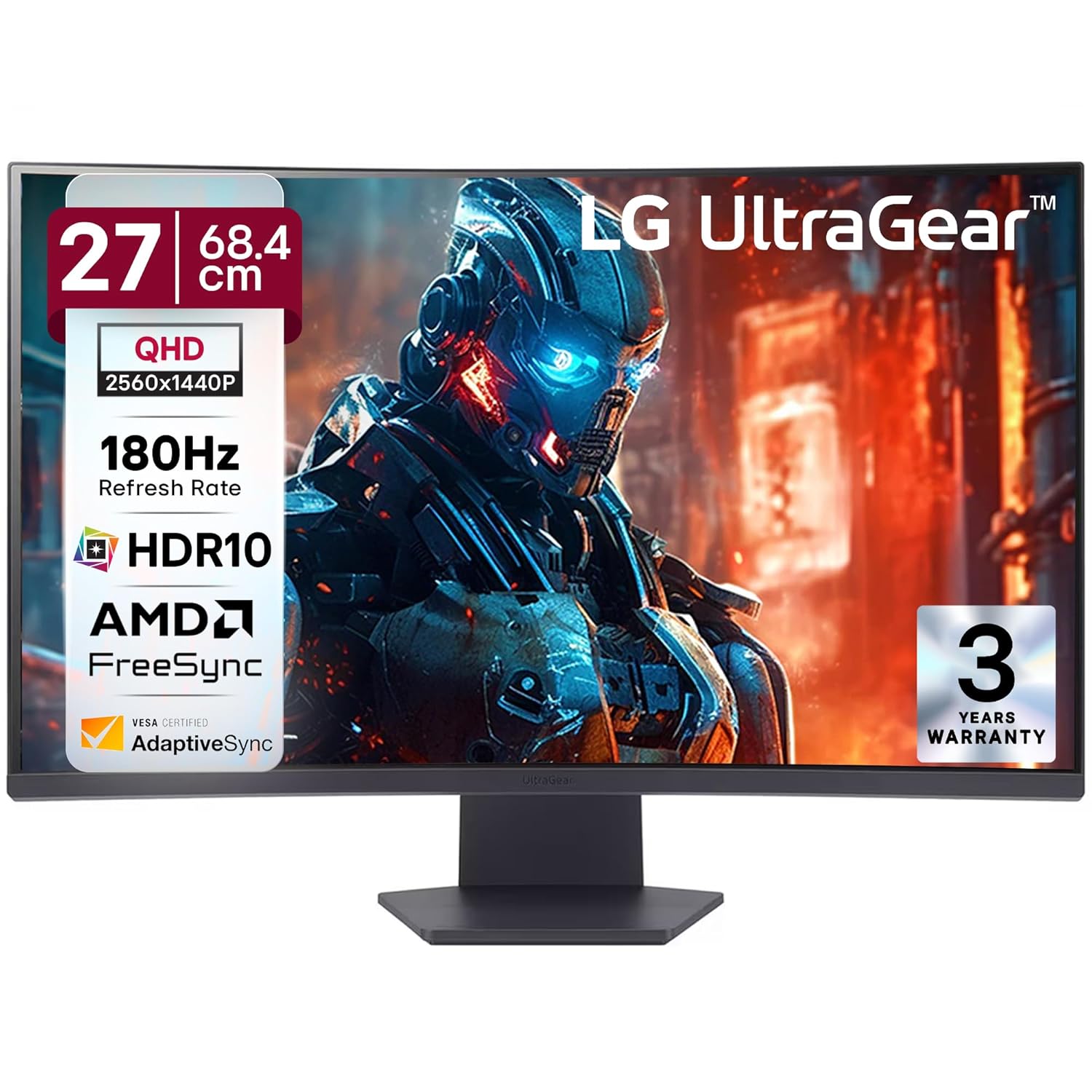
LG 27GS60QC UltraGear Curved
Price checked 3 NovIn stock when checked1000R VA curve
The LG 27GS60QC UltraGear is the immersion pick. It uses a VA panel with an aggressive 1000R curve, which means the screen bends to match the curve of your eye and contrast is deeper than any IPS here, so dark scenes in single player games look richer. It runs 27 inch QHD at 180Hz with FreeSync.
VA is the trade off. Blacks are better but viewing angles are narrower and fast motion can smear a touch more than IPS, so it is less ideal for competitive shooters or colour work. For atmospheric single player gaming at ₹14,999 when we checked on 3 Nov, the curve and contrast are worth it, and it is the cheapest 180Hz pick on this list. Stock ran low on 29 Oct (only 2 left then), so check stock before you plan around it.
What works
- 1000R curve, genuinely immersive
- VA contrast, deeper blacks than IPS
- Cheapest high refresh pick here
- LG UltraGear gaming pedigree
What is bad
- VA viewing angles narrower than IPS
- Not the best for fast competitive play or colour work

BenQ GW2790Q
Price checked 3 NovSold by Clicktech RetailEye-care IPS
The BenQ GW2790Q is the odd one out, and that is the point. It is a 27 inch QHD IPS built for productivity, with BenQ eye care features like Low Blue Light+ and automatic brightness that help on a long work day. At 100Hz it is smoother than a 60Hz office screen but it is not a competitive gaming panel.
Think of it as a work monitor that games casually rather than the reverse. The listing gives 99% sRGB and a 1500:1 contrast ratio, good for the price, and the Eyesafe name. At ₹14,888 when we checked on 3 Nov it is the cheapest monitor here, and the pick if your desk is mostly spreadsheets and creative work with evening gaming on the side.
What works
- Colour accurate IPS, great for work
- BenQ eye-care, easier on long days
- Cheapest entry to QHD here
- 100Hz is smooth for casual play
What is bad
- 100Hz, not for serious gaming
- No fast response or high refresh
All five compared
| Best for | Monitor | Price | Panel | Refresh | Buy |
|---|---|---|---|---|---|
| Overall | Lenovo Legion 27Q-10 | Rs 17,098 | IPS | 240Hz | Amazon |
| 200Hz | LG 27G610A UltraGear | Rs 16,499 | IPS | 200Hz | Amazon |
| For FPS | ViewSonic VX2758A-2K-PRO | Rs 16,699 | IPS | 180Hz | Amazon |
| Curved | LG 27GS60QC UltraGear | Rs 14,999 | VA, 1000R | 180Hz | Amazon |
| Work + play | BenQ GW2790Q | Rs 14,888 | IPS | 100Hz | Amazon |
Amazon.in prices checked 3 Nov 2026. They change often, so check the live price before you buy.
Read across and the choice clarifies. Four of the five are IPS panels, all under Rs 18,000 when we checked on 3 Nov, separated mostly by refresh rate and stand. The LG is the lone VA curved option for immersion, and the BenQ trades refresh for work focused colour and eye care. The two decisions that actually matter are panel type and refresh rate, which the next sections settle.
IPS or VA at 1440p, which panel suits your games
Panel type changes how your games look more than any other spec at this price. IPS, which four of these five use, gives accurate colour and wide viewing angles, so the picture holds up off centre and it doubles as a work and creative screen. The trade is that blacks look slightly grey in a dark room. VA, which the curved LG uses, flips that, deeper blacks and stronger contrast that make night scenes in single player games look richer, at the cost of narrower viewing angles and a touch more smearing in fast motion. The simple rule, IPS for competitive games and colour work, VA for atmospheric single player and movies. Most gamers are better served by IPS, which is why it dominates this list.
180Hz or 200Hz, and the GPU you need to use it
The jump from 180Hz to 200Hz is real but small, and honestly you will not feel it mid match, so do not let a 20Hz difference override panel quality or price. What matters far more is whether your graphics card can actually push those frames. A 1440p panel at 180Hz is only as good as the GPU feeding it, and in modern titles you need at least an RTX 4060 or RX 7600 class card to get near those numbers, more for demanding AAA games. Buying a 200Hz monitor to pair with a weak GPU is money in the wrong place. If your card is older, either upgrade it alongside the monitor or accept that you are buying headroom for a future GPU rather than frames you can use today. The 240Hz Lenovo raises the bar again, so it makes most sense for esports titles that already run at very high frame rates.
Curved or flat at 27 inches
At 27 inches a curve is a genuine choice rather than a gimmick, but it is not for everyone. The LG 27GS60QC uses an aggressive 1000R curve, the tightest common curvature, which wraps the edges of the screen toward you and pulls you into single player worlds. On a single 27 inch panel the effect is subtle but pleasant for immersion. The downside is that straight lines bow slightly, which bothers some people for design or spreadsheet work, and curved VA panels shift more off angle. If you mostly play story driven games and sit dead centre, the curve adds something. If you do creative work or share the screen at angles, a flat IPS is the safer pick.
FreeSync, G-Sync and HDR10 at this price, what actually matters
Two features get oversold at this price, so here is the honest read. Adaptive sync matters, it removes screen tearing, and every monitor here lists AMD FreeSync, while the ViewSonic and the Lenovo Legion also list NVIDIA G-Sync Compatible, the safe choice if you are unsure which GPU brand you will run next. HDR is the overhyped one. Most panels here list HDR10 and the LG 27G610A lists DisplayHDR 400, but none lists the local dimming that real HDR needs, so treat it as a checkbox, not a reason to buy. Judge these monitors on panel, refresh and price, enjoy the tear free gameplay from sync, and do not pay a premium chasing an HDR badge that the hardware cannot back up.
For more 240Hz options, see our 240Hz gaming monitor breakdown before spending.
The verdict
At Rs 25,000 the smart move is to buy the right Rs 16,000 monitor, not the most expensive one. The Lenovo Legion 27Q-10 at Rs 17,098 (price checked 3 Nov) is my top pick, a 240Hz QHD IPS for about 600 rupees more than the 200Hz LG. The LG 27G610A is the 200Hz choice from a big monitor brand, the ViewSonic VX2758A-2K-PRO is the safe pick for any GPU with dual sync, the LG 27GS60QC is the immersive curved pick, and the BenQ GW2790Q is the cheapest here and the one for a work first desk. Pick the panel that fits your games, pair it with a GPU that can feed it, and pocket the rest of the budget.
Building the full setup? Step down to the best gaming monitor under Rs 20,000 or the best under Rs 15,000, up to the best under Rs 40,000, or pair your screen with the right tower from the Rs 1,00,000 PC build and a seat from the best gaming chair under Rs 15,000.
Best Gaming Monitors by Budget
Jump to the right price band for your setup. Every list is India-priced and updated for 2026.
See all best gaming monitors in IndiaFrequently asked questions
Which is the best gaming monitor under Rs 25,000 in India?
The Lenovo Legion 27Q-10 for most buyers. It is a 27 inch QHD IPS panel at 240Hz that lists FreeSync Premium and G-Sync Compatible, and it costs well under this budget. For a curve, pick the LG 27GS60QC; for a work first desk, the BenQ GW2790Q.
Do I need to spend the full Rs 25,000?
No. Every pick on this list cost well under the budget when we checked on 3 Nov 2026, including a 240Hz model. Spending more at 1440p mostly buys a brand name, not a better panel, so put the difference into your GPU.
IPS or VA for gaming at 1440p?
IPS for fast and competitive games and any colour work, thanks to wider angles and quicker pixel response. VA, like the curved LG here, for atmospheric single player games where deeper black levels and contrast matter more than viewing angles.
What GPU do I need for 1440p at 180Hz?
At least an RTX 4060 or RX 7600 class card to push high frame rates at 1440p in modern titles, and more for demanding AAA games. A high refresh panel is wasted on a weaker GPU, so balance the two.
Is 240Hz worth it at 1440p?
Only if your GPU can get near 240 frames, which mostly happens in esports games like Valorant or CS2 on a strong card. For story games, 180Hz or 200Hz looks the same in practice, so pick by panel and stand instead.
Are these prices accurate?
We checked every price and stock status on Amazon.in on 3 Nov 2026, but monitor prices move with sales and stock. Confirm the live price on the product page before you buy. The buy buttons go straight to the listing.