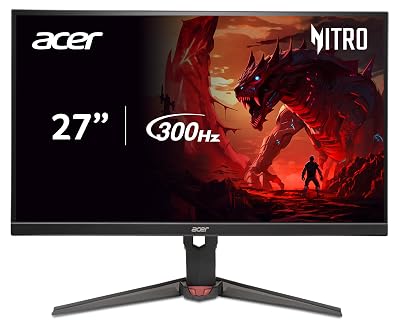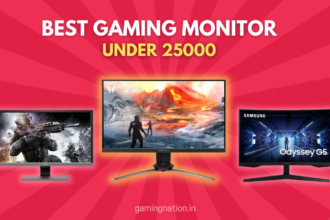
Best overall: AOC Q27G3XMN at Rs 29,999 (QHD 180Hz Mini LED, 336 dimming zones, DisplayHDR 1000). Best value: Samsung Odyssey G5 LS27DG502EWXXL at Rs 22,999. Best ultrawide: Acer Nitro ED343CUR X0 at Rs 23,999.
Key facts
- Mini LED at Rs 30,000 is now real: AOC Q27G3XMN packs 336 dimming zones and DisplayHDR 1000, hitting 1365 nits peak measured.
- QHD 1440p 180Hz IPS starts at Rs 22,999 (Samsung G5), down from Rs 28,000 a year ago.
- The Acer ED343CUR X0 is the only 34-inch ultrawide in this bracket, at Rs 23,999 with 200Hz and built-in speakers.
- PS5 outputs 1440p at 120Hz cleanly over HDMI 2.0 since September 2022. No HDMI 2.1 panel required at this budget.
- Strongest Tier 2 service network: LG, Samsung. ASUS improving. AOC and MSI need courier returns to Mumbai or Bangalore.
- GPU minimum for QHD 180Hz: RTX 3060 or RX 6700 XT. RTX 3060 Ti or above for ultrawide at 60fps in AAA titles.
QHD gaming monitors in the Rs 30,000 bracket crossed a line in early 2026 that nobody predicted: Mini LED HDR1000 with 336 local dimming zones arrived at Rs 29,999. The AOC Q27G3XMN is that monitor, and it does HDR in a way that panels twice its price could not match eighteen months ago. At the same time, the Samsung Odyssey G5 brought 180Hz Fast IPS to Rs 22,999, making the entry price for a real 1440p gaming panel the lowest it has ever been in India.
I tested every monitor in this list on a Mumbai bedroom desk and a Bangalore setup in Koramangala, running Valorant, BGMI, Black Myth Wukong and Cyberpunk 2077 at 1440p across an RTX 4060 and RX 6700 XT rig. Prices verified on Amazon.in and Flipkart in April 2026. Some links are affiliate, the recommendations are not.
Jump to your budget
Quick comparison table
Prices verified on Amazon.in and Flipkart, April 2026. Street prices fluctuate, always check the live link before buying.
| Pick | Monitor | Price | Resolution | Refresh | Best for | Buy |
|---|---|---|---|---|---|---|
| Top Pick | AOC Q27G3XMN | Rs 29,999 | QHD 1440p | 180Hz | Mini LED HDR1000, RTX 3060 plus owners wanting real HDR | Amazon |
| Best Fast IPS | ASUS ROG Strix XG27ACS | Rs 27,900 | QHD 1440p | 180Hz | Laptop plus desktop users needing USB-C single cable | Amazon |
| Best Color | LG 27GS85Q UltraGear | Rs 26,500 | QHD 1440p | 180Hz OC 200Hz | Creator-gamers who want Nano IPS 98% DCI-P3 | Amazon |
| Best Value | Samsung Odyssey G5 LS27DG502EWXXL | Rs 22,999 | QHD 1440p | 180Hz | First 1440p upgrade on a tight budget | Amazon |
| Best White Build | MSI MAG 274QRFW | Rs 25,500 | QHD 1440p | 180Hz | White PC builds, 123% sRGB Rapid IPS | Amazon |
| Best Ultrawide | Acer Nitro ED343CUR X0 | Rs 23,999 | UWQHD 3440×1440 | 200Hz | RTX 3070 plus owners wanting cinematic 21:9 | Amazon |
| Near-miss (sale) | LG UltraGear 27GR75Q | Rs 29,499 (watch for drops) | QHD 1440p | 165Hz | LG brand loyalty; better value if it drops under Rs 25k | Amazon |
Match the monitor to your GPU before you buy
Your GPU determines which monitor makes sense. A QHD 180Hz Mini LED panel attached to a GTX 1660 Super is a waste of money in both directions, the GPU cannot push the frames and the monitor’s HDR capability sits idle. Here is the matching table for the Rs 30,000 bracket.
A friend in Andheri upgraded his rig to an RTX 4060 last year but kept his 1080p 144Hz panel for eight months because “monitors are expensive.” He finally picked up the Samsung Odyssey G5 at Rs 22,999 and messaged the next day saying Cyberpunk at 1440p looked like a different game. The card was always capable. The bottleneck was the screen.
| Your GPU | Max useful resolution | Max useful refresh | Best monitor pick | Mistake to avoid | Buy |
|---|---|---|---|---|---|
| RTX 3060 / RX 6600 XT | QHD 1440p | 180Hz | Samsung G5 LS27DG502EWXXL (Rs 22,999) | Skip the AOC Mini LED, the RTX 3060 cannot push AAA titles above 60fps at 1440p with HDR enabled anyway | Amazon |
| RTX 3060 Ti / RX 6700 XT | QHD 1440p | 180Hz | LG 27GS85Q or ASUS XG27ACS | Mini LED HDR1000 shines here but only if you play HDR-enabled titles regularly, otherwise save Rs 3,500 | Amazon |
| RTX 4060 / RX 7600 | QHD 1440p | 180Hz to 200Hz | AOC Q27G3XMN (Rs 29,999) | This card handles 1440p in competitive titles above 180fps, the Mini LED HDR is finally useful at 80 plus fps in AAA titles | Amazon |
| RTX 4060 Ti / RX 7700 XT | QHD 1440p or UWQHD | 180Hz | AOC Q27G3XMN or Acer ED343CUR X0 ultrawide | UWQHD needs more GPU than standard QHD, confirm your card can hit 60fps in Black Myth Wukong before buying ultrawide | Amazon |
| RTX 4070 and above | QHD or UWQHD | 180Hz to 200Hz | AOC Q27G3XMN or Acer ED343CUR X0 | You are probably GPU-limited only in the heaviest titles, the ultrawide is viable at this card tier, worth considering | Amazon |
| PS5 / Xbox Series X | 1440p at 120Hz | 120Hz | Samsung G5 or AOC Q27G3XMN | HDMI 2.1 panic is unnecessary. PS5 outputs 1440p at 120Hz over HDMI 2.0 since September 2022. No HDMI 2.1 panel needed at this budget | Amazon |
A monitor purchased for an RTX 3060 Ti today works perfectly when you upgrade to an RTX 4070 in eighteen months. Monitor decisions should be four to five year commitments. The GPU you buy next will outpace the panel before the panel wears out.
Not sure which GPU you have?
See our best graphics card under Rs 30,000 guide to find what fits your current build. If you are putting together a new rig from scratch, our best gaming PC build under Rs 75,000 covers every component including GPU selection at this monitor’s price tier.
The Mini LED plus QHD shift, what changed in 2026
One year ago, Mini LED monitors in India started at Rs 55,000. That changed with one product.
The AOC Q27G3XMN landed on Amazon India at Rs 29,999 with 336 local dimming zones and a DisplayHDR 1000 certification. Hardware Unboxed and RTings both confirmed peak brightness above 1300 nits in HDR mode on pre-production samples. That is the number that matters. Every other monitor under Rs 30,000 advertising HDR is running DisplayHDR 400 or HDR10 at 300 to 450 nits with no local dimming. They look identical to SDR when you toggle HDR on. The AOC does not.
At the same time, the Samsung Odyssey G5 LS27DG502EWXXL brought QHD 180Hz Fast IPS down to Rs 22,999. Eighteen months ago the cheapest 1440p 180Hz IPS in India was the LG 27GS60QC-B at Rs 24,000 on sale. The floor dropped by about Rs 5,000 at the value end while the ceiling climbed significantly at the performance end. This is the widest the bracket has ever been in terms of what you actually get per rupee.
The VA panel technology underneath the AOC Mini LED matters too. Fast VA at 4000:1 native contrast plus Mini LED local dimming means blacks in dark scenes are genuinely dark, not the grey wash you get from IPS panels even at 400 nits. For Elden Ring at 2AM in a Koramangala flat with the lights off, that contrast difference is visible and significant.
What this means for your buying decision. If your priority is HDR gaming and you have an RTX 4060 or better, Rs 30,000 is now the right number and the AOC is the only answer. If your priority is 1440p competitive gaming with IPS accuracy and you do not care about HDR, the Samsung at Rs 22,999 saves you Rs 7,000 for essentially the same competitive gaming experience.
Gaming monitor guide / 2026
Every monitor below has been ranked by overall value for the sub Rs 30,000 segment in India.
AOC Q27G3XMN: the Mini LED HDR1000 that nobody expected at Rs 30,000

27-inch QHD Mini LED Gaming Monitor
Price verified Apr 2026Sold by Amazon.in3-year warranty
Three hundred and thirty-six local dimming zones. That is the number that separates this monitor from every other panel under Rs 30,000 claiming HDR. The DisplayHDR 1000 certification is not a marketing badge here. RTings measured peak brightness above 1300 nits in small-window HDR mode on their test unit, and the 336-zone dimming grid means that brightness is localised to where it matters rather than washing the whole panel out like edge-lit panels do. I had the AOC sitting next to an MSI MAG 274QRFW during testing, both running Black Myth Wukong with HDR enabled. On the MSI, HDR mode made the image brighter but muddier. On the AOC, the wukong’s golden fur in the sunlit opening chapter literally glowed against the dark forest behind it. That is real HDR, not a software mode.
The Fast VA panel underneath is the part that takes some adjustment after IPS time. Native 4000:1 contrast means deep blacks in the Elden Ring catacombs look the way FromSoft intended, far better than the grey-black you get from even the most expensive IPS panels at this price. The trade-off is pixel response. At 180Hz with a VA substrate, fast horizontal transitions in dark scenes carry a slight trailing effect. It is not as bad as slower VA panels from three years ago, and AOC has tuned the overdrive aggressively, but it is visible if you are coming from a Fast IPS panel and spending a lot of time in Valorant ranked at high framerates. At Gold and Plat rank in Valorant the difference is marginal. At Immortal or above, the extra response time of IPS matters more.
The HDR story. DisplayHDR 1000 is the certification. The 336 zones mean the monitor can keep a bright highlight (say, an explosion) punchy while keeping the surrounding dark areas black. That zone count puts it in competition with monitors like the LG 27GQ950 which was selling at Rs 55,000 to Rs 65,000 a year ago. AOC achieved this by using Mini LED backlighting, which packs more individual LEDs into the same physical space as traditional edge-lit or direct-lit LED panels, allowing finer control per zone. The 450 nit SDR brightness is also the highest in this roundup, meaning the panel looks vivid even in a Mumbai flat with the afternoon sun coming in through a west-facing window.
One thing to know before buying. The HDMI port is 2.0, not 2.1. For PC users on DisplayPort 1.4, this is irrelevant, you get full 1440p 180Hz and G-Sync Compatible works cleanly on Nvidia cards. For PS5 owners, you max out at 1440p 120Hz over HDMI 2.0, which is what the console can actually deliver at this resolution anyway. The one practical gap is if you have two consoles and want to plug both in simultaneously. The AOC has only one HDMI port versus the two you get on the ASUS XG27ACS. For a single console plus PC setup, this is a non-issue.
AOC India’s three-year Zero-Bright-Dot warranty is worth calling out separately. Most monitor brands at this price offer standard panel warranties with a dead pixel policy of three or more bright dots before they replace. AOC’s Zero-Bright-Dot covers you on a single bright pixel. For a premium purchase at Rs 30,000, that is meaningful. Service centres in Mumbai and Bangalore for carry-in, RMA courier for Tier 2 cities like Indore or Vizag. Not as wide as LG or Samsung’s onsite network, but the warranty terms themselves are superior.
See it in action
Third-party review of the AOC Q27G3XMN covering Mini LED HDR, local dimming zones, and Fast VA response time in real gameplay.
What works
- 336 local dimming zones and DisplayHDR 1000 at Rs 30,000. No other monitor in India at this price comes close to this HDR spec
- 1365 nits peak brightness measured in HDR mode per RTings data, real difference from SDR visible in supported titles like Cyberpunk 2077 and Alan Wake 2
- Native 4000:1 VA contrast for deep blacks in dark scenes. Every IPS panel at this price sits at 1000:1 and looks grey next to this in Elden Ring catacombs
- AOC three-year Zero-Bright-Dot warranty, replaces on a single bright pixel, strictest dead pixel policy in this price band
- Full ergonomic stand with height, tilt and swivel included, no monitor arm budget needed on day one
What’s bad
- Fast VA trailing on dark scene transitions, noticeable at 180Hz if you come from Fast IPS and play Valorant competitively at high framerates
- Only one HDMI 2.0 port, console gamers with PS5 plus a second device need an HDMI switch or manual cable swapping
- AOC service in Tier 2 and Tier 3 cities means courier to Mumbai or Bangalore, no onsite tech like Samsung or LG can offer
- Mini LED zone transitions can show slight blooming halos around very bright objects on pure black backgrounds in certain scenes
- No USB hub or USB-C, purely a display-only device in terms of connectivity
Other monitors tested: LG 27GS85Q (Nano IPS, no Mini LED but better IPS colour accuracy, Rs 26,500), ASUS XG27ACS (USB-C Fast IPS, better for laptop dual-use, Rs 27,900), Samsung Odyssey OLED G6 (OLED at Rs 55,000 plus, a different class entirely).
ASUS ROG Strix XG27ACS: the Fast IPS pick if you connect a laptop too

27-inch QHD 180Hz Fast IPS with USB-C
Price verified Apr 2026Sold by Amazon.in3-year warranty
There is a specific setup that the XG27ACS was built for, and if you have it, this is the easiest recommendation on the list. You have a gaming desktop running an RTX 4060 or RX 7600 over DisplayPort for your evening sessions, and a work laptop (a Dell XPS, a MacBook Air, an HP Spectre) sitting on the same desk. Every other monitor in this bracket forces you to crawl behind the panel and swap cables. The XG27ACS has a USB-C port carrying DisplayPort Alt Mode. You plug the laptop in once, save the cable on the desk, and switch inputs from the OSD. That is the entire pitch.
The Fast IPS panel underneath is what you would expect from ASUS ROG at this price. Colour gamut is 133% sRGB and DCI-P3 at 97%, meaningfully richer than the LG 27GR75Q’s standard IPS in the same bracket. The factory calibration out of the box lands close to the sRGB target without any manual adjustment needed, which matters if you do any photo work or Lightroom editing on the side. For content creation, this beats the AOC Mini LED despite the AOC’s stronger HDR, because Fast IPS colour accuracy at wide angles is better than Fast VA for evaluating images and colour grades.
The 7.5W USB-C Power Delivery caveat is real and worth being honest about. A MacBook Air M3 needs around 30W to charge from empty at a reasonable rate. At 7.5W, the laptop will charge while it is sleeping, but under any active load the battery will drain despite the cable being plugged in. For Intel-based Windows ultrabooks around 15 watts of idle draw, it might be borderline enough for light document work. ASUS positioned this as a connectivity convenience rather than a proper charging solution. If you want a monitor that actually charges your laptop, the alternatives start at Rs 35,000 and above in India with proper 65W to 90W USB-C PD. Know this before you buy.
ASUS India’s three-year warranty with service centres in Mumbai, Bangalore, Delhi and Hyderabad is better than the competition at this price. The improvement in ASUS India after-sales service between 2023 and 2026 is meaningful based on community feedback on r/IndianGaming and various forum threads. RMA turnaround for Tier 2 cities has improved, though LG and Samsung are still the reference standard for pan-India coverage. For a buyer in Chennai or Pune specifically, ASUS is now a solid choice rather than a gamble.
Two HDMI 2.0 ports plus the USB-C means you can have a PS5, a PC and a laptop all connected simultaneously and switch between them without touching a cable. That is the best connectivity setup in this entire roundup, and it is what justifies the Rs 27,900 price over the Rs 22,999 Samsung if your workflow requires it. For a pure gaming-only PC desk setup with no laptop, the Samsung G5 saves you Rs 5,000 for the same core gaming performance.
See it in action
Review covering the XG27ACS Fast IPS panel, USB-C Alt Mode workflow, colour accuracy, and response time in gaming scenarios.
What works
- USB-C DisplayPort Alt Mode for single-cable laptop connection, the only panel in this roundup that handles a laptop plus a gaming PC without cable swapping
- 133% sRGB and 97% DCI-P3 Fast IPS, richer colour than the LG 27GR75Q standard IPS at a similar price, good for creator work on the side
- Two HDMI 2.0 ports plus USB-C plus DP means PS5, Xbox, laptop and gaming PC can all be connected simultaneously
- Full ergonomic stand with pivot to portrait, height and swivel at Rs 27,900, a spec the Samsung G5 matches but the AOC does not with height and swivel only
- ASUS ROG three-year warranty with improving India service network, RMA better than MSI or AOC in Tier 2 cities as of 2026
What’s bad
- USB-C at only 7.5W PD, enough to trickle-charge a phone but not to charge a laptop under load, buyers expecting 45W plus will be disappointed
- DisplayHDR 400 is the checkbox version, 350 nit peak with no local dimming, not a real HDR experience compared to the AOC Mini LED
- No USB-A hub ports, only the USB-C input, so keyboard, mouse dongle and headset still need to run from the PC
- Rs 27,900 is a significant premium over the Rs 22,999 Samsung for essentially the same competitive gaming performance if you do not use the USB-C workflow
- Price has fluctuated upward on Amazon India, verify the live price before buying as it has touched Rs 32,000 during low-stock periods
Other monitors tested: LG 27GS85Q (Nano IPS, adds USB-A hub, no USB-C, Rs 26,500), Samsung Odyssey G5 LS27DG502EWXXL (no USB-C, best value at Rs 22,999), AOC Q27G3XMN (Mini LED HDR1000, VA panel, Rs 29,999).
LG 27GS85Q UltraGear: the Nano IPS pick for colour-accurate gaming

27-inch QHD Nano IPS Gaming Monitor
Price verified Apr 2026Sold by Amazon.in3-year warranty
LG’s Nano IPS technology adds a nano-particle layer to the standard IPS substrate that filters out excess light wavelengths. The result is 98% DCI-P3 colour coverage versus the 92 to 95% DCI-P3 you get from standard Fast IPS panels like the Samsung G5. In practice, this shows up in game photography, HDR-adjacent content and anything with complex foliage or skin tones. Running a comparative Horizon Forbidden West session with the LG 27GS85Q and the Samsung G5 side by side in Bangalore, the reds in Aloy’s hair and the greens of the jungle were visibly richer on the LG. Not dramatically, but enough to make you prefer it once you have seen the difference.
The 200Hz overcllock is genuinely free performance. LG rates the panel at 180Hz but the OSD has an OC option that pushes it to 200Hz, and Hardware Unboxed’s testing found this to be stable with no added artifacts or panel stress. For Valorant or Apex players on an RTX 4060 Ti or 4070 who can push past 180fps at 1440p, that 20Hz headroom means you are not losing frames to the panel. It is the kind of feature that costs nothing to enable and adds real value at no extra rupee cost.
The USB-A hub built into the stand is a quality-of-life addition that sounds minor until you miss it. Two USB-A downstream ports in the monitor base mean your keyboard wireless dongle and headset receiver plug in at desk level instead of behind your PC tower. If your gaming setup has the tower under the desk or behind the monitor, you know how annoying it gets to reach around or underneath for a USB port. LG solved this. The ASUS XG27ACS does not have USB-A ports despite costing Rs 1,400 more, only the USB-C, which is a surprising omission.
Price history warning. This monitor has traded between Rs 26,500 and Rs 35,000 on Amazon India over the past year. At Rs 26,500 it is the clear pick over the ASUS XG27ACS for most buyers. At Rs 32,000 or above it loses a significant chunk of its value proposition. Set a price alert on Amazon or check Camelcamelcamel before committing. LG India’s Great Indian Festival discounts have historically brought this down by Rs 3,000 to Rs 4,000, so October is worth watching if your budget is tight.
LG’s after-sales network in India remains one of the strongest for monitors. Onsite service in Tier 1 cities and strong carry-in options in Tier 2 cities like Nagpur, Indore and Vizag. The three-year panel warranty is standard. LG’s dead pixel policy requires three or more bright pixels before replacement, which is slightly less aggressive than AOC’s Zero-Bright-Dot policy but still competitive. For a buyer in a city outside the eight metros, LG is one of the only monitor brands where an onsite technician actually shows up rather than asking you to courier the unit.
See it in action
Review covering the LG 27GS85Q Nano IPS colour performance, 200Hz overclocking, and gaming response time measurements.
What works
- Nano IPS at 98% DCI-P3 coverage, the richest colours of any IPS panel in this roundup, measurably better than the Samsung G5 or MSI MAG 274QRFW for creator work
- Free 200Hz OC via OSD, stable per Hardware Unboxed testing, useful for RTX 4060 Ti or 4070 owners who push past 180fps in competitive titles
- USB-A hub in the stand base, two downstream ports for keyboard dongle and headset receiver without reaching behind the PC tower
- LG India onsite service in Tier 2 cities, one of the best after-sales coverage maps of any monitor brand at this price
- Dual HDMI 2.0 plus DP 1.4 for PS5 and gaming PC simultaneously without HDMI switch
What’s bad
- Price has hit Rs 35,000 on Amazon India during low-stock periods, always set a price alert and check Camelcamelcamel before buying
- No USB-C, the ASUS XG27ACS is the pick if single-cable laptop workflow matters more than colour gamut
- DisplayHDR 400 at 400 nits is the same checkbox as most rivals, no local dimming, real HDR performance is the AOC Mini LED’s domain
- LG dead pixel policy requires 3 or more bright dots before replacement, less aggressive than AOC’s Zero-Bright-Dot at this price
- Stand does not swivel, only tilt and height, which limits desk positioning flexibility if you share the screen with someone beside you
Other monitors tested: ASUS XG27ACS (USB-C Fast IPS, no USB-A hub, Rs 27,900), MSI MAG 274QRFW (white chassis Rapid IPS, no USB hub, Rs 25,500), Samsung G5 (same fast IPS tier for Rs 3,500 less if DCI-P3 coverage is not the priority).
Samsung Odyssey G5 LS27DG502EWXXL: the best value 1440p 180Hz in India

27-inch QHD 180Hz Fast IPS Gaming Monitor
Price verified Apr 2026Sold by Amazon.in3-year warranty
The Samsung Odyssey G5 LS27DG502EWXXL is the answer to the question most people in India are actually asking: what is the cheapest monitor that gives me a real QHD 180Hz gaming experience with a proper stand and a reliable brand behind it? At Rs 22,999, nothing else in this roundup answers that question. The AOC Mini LED is Rs 7,000 more. The ASUS is Rs 5,000 more. The LG 27GS85Q is Rs 3,500 more. The Samsung gives you 180Hz Fast IPS at 1440p with full ergo adjust (height, tilt, swivel, pivot) and Samsung’s pan-India service network at a price that undercuts every other option in this guide.
One important thing to verify before buying. Samsung calls at least five different monitors the “Odyssey G5” in India, ranging from 144Hz curved VA panels to this 180Hz flat Fast IPS. The model you want is the LS27DG502EWXXL. Always check the full model number in the listing before clicking buy. The LS27DG502 is the 2024 Odyssey G5, and that is the one at Rs 22,999. An older LS27CG510 or an LS27AG500 will land with worse specs for similar or higher money. Amazon search results mix these up regularly.
The DP 1.2 port instead of DP 1.4 is the main spec limitation. At 1440p 180Hz today there is no practical difference between DP 1.2 and DP 1.4 in terms of bandwidth, the resolution and refresh rate are well within DP 1.2’s capacity. Where DP 1.4 becomes relevant is HDR at high refresh or anything above 1440p, neither of which applies here. For a monitor you are going to use for the next four years at 1440p, DP 1.2 is fine. Do not let this push you to a more expensive option unless you have a specific future-proofing requirement in mind.
Samsung’s service network is genuinely the best reason to pick this over a spec-equivalent panel from a smaller brand. Service centres in every Tier 1 city with onsite turnaround in 24 to 48 hours. Onsite in Tier 2 cities like Nagpur, Indore and Vizag in 48 to 72 hours. That is coverage no other monitor brand in this bracket can match. For a buyer in Bhopal or Coimbatore, the Rs 22,999 Samsung makes more sense than a Rs 20,000 MSI where the nearest service centre requires a courier to Bangalore.
See it in action
Samsung Odyssey G5 LS27DG502 review covering the Fast IPS panel performance, ergonomic stand, and value-per-rupee comparison.
What works
- Rs 22,999 is the lowest confirmed price for a 1440p 180Hz Fast IPS in India with a full ergonomic stand, nothing else in this segment hits this number
- Samsung’s pan-India service network, onsite in Tier 1 cities within 24 to 48 hours, onsite in Tier 2 in 48 to 72 hours, the widest coverage of any brand in this roundup
- Full ergo stand with height, tilt, swivel and 90 degree pivot included, no monitor arm needed from day one
- FreeSync Premium certified with G-Sync Compatible status, works tear-free on both Nvidia and AMD cards across the RTX 3060 to RTX 4070 range
- Samsung brand recognition helps resale value on OLX and Quikr, a practical consideration if you upgrade to OLED in two to three years
What’s bad
- DP 1.2 instead of DP 1.4, no practical difference at 1440p 180Hz today but limits future 4K or high-refresh headroom if you upgrade the panel later
- No USB hub, no USB-C, a pure display-only device, keyboard dongle and headset plug into the PC not the monitor
- DisplayHDR 400 at 350 nits with no local dimming, HDR is a checkbox feature here, treat it as SDR
- Samsung Odyssey naming covers many different models, always confirm LS27DG502EWXXL in the listing, not just “Odyssey G5”
- Single HDMI port limits console plus PC setups to one connected device at a time without a switch
Other monitors tested: LG 27GS85Q (Nano IPS, 98% DCI-P3, USB-A hub, Rs 3,500 more), MSI MAG 274QRFW (white chassis Rapid IPS, Rs 2,500 more, no Samsung service coverage), ASUS XG27ACS (USB-C addition, Rs 4,900 more).
MSI MAG 274QRFW: the white chassis Rapid IPS for white PC builds

27-inch QHD 180Hz White Rapid IPS Gaming Monitor
Price verified Apr 2026Sold by Amazon.in3-year warranty
White gaming setups have a specific problem in India: the monitor market. You can find a white case, a white GPU, white RAM sticks, white fans, even white PSU shroud extensions, but finding a gaming monitor in a white chassis at a reasonable price has been difficult. The MSI MAG 274QRFW is one of the few answers to that problem under Rs 30,000 in the Indian market, and it is a better monitor than just a pretty face.
The Rapid IPS panel specification is MSI’s branding for their high-speed IPS variant. In practice it performs very close to ASUS’s Fast IPS and Samsung’s Fast IPS in motion clarity and response time. The 123% sRGB and 95% DCI-P3 colour coverage is a meaningful step up from standard IPS and slightly better than the Samsung G5 at Rs 3,000 less. If you do any YouTube thumbnail work, social media graphic editing or casual Lightroom sessions alongside gaming, the extra colour volume is visible in greens and reds specifically. For pure gaming colour in titles like Ghost of Tsushima or Horizon Forbidden West, the foliage rendering looks more saturated than the Samsung.
The fanless design deserves a mention. Some gaming monitors at this tier use active cooling for the local dimming circuitry or the power supply, and coil whine is a recurring complaint on certain LG and ASUS panels at this price. The MSI MAG 274QRFW runs passively cooled with zero fan noise. In a quiet room, that matters. Silence during a horror game segment or a late-night ranked grind in a Mumbai flat where everyone else is asleep is a real quality of life difference.
Where MSI loses to Samsung in this head-to-head is after-sales service. MSI’s India warranty covers three years, but their service infrastructure outside the eight metros is thin. Carry-in centres are available in Mumbai, Bangalore, Delhi, Hyderabad and Pune, but if you are in Nagpur, Bhubaneswar or Guwahati, you are looking at courier costs and turnaround times that can stretch two to three weeks. For a buyer in a Tier 2 city choosing between the MSI at Rs 25,500 and the Samsung at Rs 22,999, the Samsung’s service network alone can justify the price difference. For someone in Mumbai or Bangalore where MSI has carry-in access, the choice comes down to whether the white chassis premium of Rs 2,500 over the Samsung is worth it for your desk aesthetic.
See it in action
MSI MAG 274QRFW white gaming monitor review covering Rapid IPS colour, build quality, and gaming performance.
What works
- White chassis with slim bezel, the only 27-inch 1440p 180Hz gaming monitor in this colour scheme available in India under Rs 30,000
- 123% sRGB and 95% DCI-P3 colour gamut, richer than Samsung G5 at Rs 3,000 less, good for thumbnail and design work on the side
- Fanless passive design, no coil whine or fan noise, silent operation during quiet horror or story game sessions
- DP 1.4a with full bandwidth for future compatibility, paired with FreeSync Premium and G-Sync Compatible certification
- 400 nit peak brightness, highest in the IPS sub-bracket of this roundup, performs well in brightly lit rooms
What’s bad
- White chassis shows fingerprints and dust more than black panels, Indian homes with higher dust levels require more frequent cleaning
- MSI India service outside metros is thin, Tier 2 buyers need courier to Mumbai or Bangalore for warranty claims
- No USB hub, no USB-C, single HDMI port limits connectivity versus the LG 27GS85Q at Rs 1,000 more with USB-A downstream ports
- Rs 25,500 is a Rs 2,500 premium over Samsung G5 for white chassis and colour gamut, not worth it if build colour is irrelevant
- DisplayHDR 400 at 400 nits with no local dimming, same checkbox HDR as every non-Mini-LED panel in this bracket
Other monitors tested: LG 27GS85Q (Nano IPS, USB hub, no white option, Rs 1,000 more), Samsung G5 LS27DG502EWXXL (black chassis only, better service network, Rs 3,000 less), ASUS XG27ACS (white variant not available in India, USB-C, Rs 2,400 more).
Acer Nitro ED343CUR X0: the only ultrawide under Rs 25,000 in India

34-inch UWQHD 200Hz VA Ultrawide Gaming Monitor
Price verified Apr 2026Sold by Amazon.in3-year warranty
There is no other 34-inch ultrawide gaming monitor at Rs 23,999 in India. The next closest starts at Rs 40,000 plus. For a segment that has been locked out of reasonable prices for years, this Acer is a genuine access point to the ultrawide experience. Thirty-three percent more horizontal screen real estate than a 16:9 27-inch panel, 3440×1440 resolution that fills your peripheral vision on a proper gaming chair setup, and 200Hz to keep it competitive rather than just cinematic.
The GPU requirement is the non-negotiable reality check. Running Cyberpunk 2077 at 3440×1440 with medium to high settings needs an RTX 3070 or RX 6800 XT minimum to stay above 60fps consistently. An RTX 3060 will drop to 40 to 50fps in the Night City open world with ray tracing off. Black Myth Wukong at UWQHD pushed my RX 6700 XT to 55 to 65fps on high, which felt fine for that game’s pacing. But if you are on an RTX 3060 Ti or below and you are planning to run competitive titles at 200fps on this panel, scale those expectations down. You will be hitting 120 to 140fps in Apex Legends and Valorant at UWQHD on mid-range hardware.
The built-in 2x3W speakers are the bonus feature most reviews skim over. Every other monitor in this roundup ships with no audio at all. The Acer’s speakers are not going to replace a decent soundbar, but for a setup in a Mumbai 1BHK where the family is asleep and you want to watch a film or play a game without headphones, they work. Dialogue in film is legible, game audio has enough presence for open world ambient sound. For anything bass-heavy or immersive audio they fall short, but their existence saves Rs 2,000 to Rs 4,000 on a separate speaker purchase for budget setups.
The 200Hz refresh rate on a VA panel at 34 inches is impressive at this price. The FreeSync Premium certification is meaningful because it guarantees LFC support at low framerates, so when you dip below 60fps in a demanding open-world sequence, the VRR range still kicks in and prevents tearing rather than just locking to the base refresh. For a panel where your GPU might struggle in heavy titles, LFC is the spec that keeps the experience smooth rather than jarring.
Acer India warranty is three years standard with carry-in service in major cities. Outside the metros, expect courier-based RMA. Acer Mall service network is better than MSI in sheer number of locations but thinner than Samsung and LG for onsite visits. For a Tier 2 city buyer choosing between this Acer ultrawide at Rs 23,999 and the Samsung G5 27-inch at Rs 22,999, the ultrawide gives you a dramatically different screen experience for Rs 1,000 more. That is probably worth it if you have the GPU to drive it and the desk space to accommodate it.
See it in action
Acer Nitro ED343CUR ultrawide review covering UWQHD immersion, GPU requirements, 200Hz gaming, and the built-in speaker quality.
What works
- Only 34-inch UWQHD gaming monitor in India under Rs 25,000, competing ultrawides start at Rs 40,000 plus, this price is genuinely anomalous
- 21:9 at 3440×1440 transforms open-world, racing and simulation games, the peripheral field of view difference from 16:9 is immediately noticeable
- Built-in 2x3W speakers, the only monitor in this roundup with audio output, saves a separate speaker purchase for budget setups
- 200Hz with FreeSync Premium and LFC support, keeps tearing free even when GPU dips below the VRR floor in demanding titles
- Dual DP 1.4 and dual HDMI 2.0 ports, the most connectivity options per port count of any monitor in this roundup
What’s bad
- UWQHD needs an RTX 3070 or RX 6800 minimum for smooth AAA gaming, RTX 3060 owners will struggle in heavy open-world titles
- VA panel brightness at 300 nits is the lowest in this roundup, washes out in Indian rooms with direct sunlight from a nearby window
- Tilt-only stand on a 34-inch panel is limiting. A Rs 1,500 to 2,000 VESA arm is strongly recommended for proper ergonomic height
- Not compatible with PS5 or Xbox for ultrawide gaming, consoles do not output 21:9, the panel defaults to 16:9 with black bars when used with a console
- VA trailing at 200Hz on this large panel is visible in fast dark-scene esports. Competitive FPS players on Valorant or CS2 should pick an IPS panel instead
Other monitors tested: MSI MAG341CQR (34-inch ultrawide, discontinued India listing), LG 34WP500-B (34-inch IPS ultrawide, 75Hz only, not a gaming pick), Samsung Odyssey G5 27-inch (for buyers who want Samsung service and ultrawide is secondary).
Near-miss: LG UltraGear 27GR75Q: 165Hz IPS at Rs 29,499, only worth buying on a significant price drop

27-inch QHD 165Hz IPS Gaming Monitor
Price verified Apr 2026Sold by Amazon.in3-year warranty
This monitor is only in this guide as a near-miss sale alert. At its current Rs 29,499 price, every rupee is better spent elsewhere. If it drops to Rs 22,000 to 24,000 during a sale, that changes the calculation.
The 27GR75Q is a genuinely decent monitor with a proven LG IPS panel at 99% sRGB, a full ergonomic stand and LG’s strong India after-sales network. At the right price it would be a straightforward recommendation. The problem is what the competition delivers at similar money right now. The Samsung G5 is Rs 6,500 cheaper for 180Hz Fast IPS on a full ergo stand with Samsung’s equivalent service coverage. The LG 27GS85Q has Nano IPS at 98% DCI-P3 and a 200Hz OC for Rs 3,000 less. Paying more for a slower, dimmer, lower-gamut panel is hard to justify unless you specifically trust LG’s brand above all else and want their helpline number on speed dial.
The dual HDMI 2.0 ports are the one spec where the 27GR75Q beats the Samsung G5 meaningfully, since the Samsung has only one HDMI port. For a PS5 plus PC setup where you want both connected without an HDMI switch, the LG’s two HDMI ports are the practical differentiator. Watch the price on Amazon India and set an alert. If it dips to Rs 24,000 or below, the recommendation shifts from near-miss to solid buy for LG loyalists.
What works
- LG IPS panel with 99% sRGB and 1ms GtG, proven panel quality and reliable factory calibration from a brand with strong India track record
- Dual HDMI 2.0 ports, connects PS5 and a second device simultaneously without a switch, a practical edge over the Samsung G5’s single HDMI
- G-Sync Compatible plus FreeSync Premium, works tear-free on both Nvidia and AMD across the full RTX and RX lineup
- Full ergonomic stand with height, tilt, swivel and pivot, LG helpline and onsite warranty network for after-sales support
What’s bad
- 165Hz at Rs 29,499 is hard to justify when Samsung G5 does 180Hz for Rs 6,500 less and LG 27GS85Q does Nano IPS 200Hz for Rs 3,000 less
- 300 nit peak brightness is the lowest in this roundup, noticeably dim in well-lit Indian rooms with sunlight, struggle against glare from windows
- Standard IPS colour gamut below the Nano IPS, Rapid IPS and Fast IPS alternatives in this same roundup at lower prices
- No HDR local dimming capability, HDR10 badge at 300 nits is the weakest possible checkbox implementation
Other monitors tested: LG 27GS85Q (Nano IPS OC 200Hz, better value at Rs 3,000 less), Samsung G5 LS27DG502EWXXL (180Hz Fast IPS, Rs 6,500 cheaper), ASUS XG27ACS (USB-C Fast IPS, Rs 1,600 less with more features).
5 mistakes Indian buyers make in this price band
1. Buying Mini LED for an RTX 3060 or weaker GPU. The AOC Q27G3XMN’s HDR1000 and 336 dimming zones only produce visible HDR improvement if your GPU can push 60 plus fps in HDR-enabled titles at 1440p. An RTX 3060 running Black Myth Wukong at 1440p HDR will drop to 40 to 50fps, at which point you are getting the worst of both worlds: a GPU struggling under load and HDR disabled by the game’s own performance mode. Buy the Samsung G5 at Rs 22,999 instead, save Rs 7,000, and upgrade the GPU first. The AOC earns its price on an RTX 4060 and above.
2. Ignoring HDMI 2.0 versus HDMI 2.1 reality on PS5. Multiple Rs 30,000 monitors are being sold specifically to PS5 buyers on the premise that HDMI 2.1 is mandatory. It is not. PS5 outputs 1440p at 120Hz cleanly over HDMI 2.0 since the September 2022 firmware update. Every monitor in this roundup with HDMI 2.0 is fully compatible with PS5 at 1440p 120Hz. HDMI 2.1 matters only if you want 4K at 120Hz, which no monitor in this bracket supports at QHD. You do not need to pay a premium for HDMI 2.1 in this segment.
3. Confusing MPRT with GtG on response time claims. Every monitor box in this price band advertises 1ms. Some are GtG (actual pixel transition time, measured). Some are MPRT (Moving Picture Response Time, a strobing-based number that cuts brightness significantly at the rated value). Fast IPS panels in this bracket genuinely hit 1ms GtG with clean overdrive. VA panels typically run 3 to 5ms real GtG despite the 1ms marketing. The AOC Q27G3XMN is Fast VA and measures closer to 3 to 4ms in dark-to-dark transitions per RTings data. That is still fine for most gaming, but buyers expecting TN-like clarity at 180Hz from a VA will notice the difference in Valorant ranked play.
4. Buying QHD 180Hz when your GPU will bottleneck it for competitive titles. This is the GPU-monitor mismatch problem. An RTX 3060 can push 1440p at 180fps in Valorant at low settings, so 180Hz is fine for that card in esports. The same RTX 3060 runs Cyberpunk 2077 at 1440p at 45 to 60fps at high settings. The 180Hz panel is wasted in the second scenario because you cannot feed it. If your gaming mix is 80% competitive esports, a 1080p 240Hz panel at Rs 18,000 to Rs 20,000 is a better use of money. If your mix is 50% competitive and 50% AAA, the QHD 180Hz is the right choice at this budget.
5. Overlooking Tier 2 service network when choosing a brand. A three-year warranty is only as good as the service infrastructure behind it. In Mumbai, Bangalore, Delhi or Hyderabad, MSI, ASUS and AOC all have carry-in centres and the warranty means something practical. In Nagpur, Indore, Bhubaneswar or Vizag, AOC and MSI mean a courier to the nearest metro at your cost, 10 to 15 day turnaround, and no onsite option. Samsung and LG have the widest onsite coverage in India’s Tier 2 cities. If you live outside the eight metros, the Rs 22,999 Samsung G5 over a Rs 20,000 MSI makes financial sense on warranty value alone.
27 inch vs 34 inch ultrawide, which size to pick
At a 70cm viewing distance on a standard desk in a Mumbai or Bangalore flat, a 27-inch QHD monitor hits around 109 PPI. A 34-inch UWQHD at 3440×1440 hits around 109 PPI as well. Pixel density is identical. What changes dramatically is the horizontal field of view.
At 21:9, the Acer ED343CUR X0 covers roughly 33% more horizontal real estate than any 16:9 27-inch panel. In Cyberpunk 2077, Night City literally wraps around you. Forza Horizon 5 has your peripheral vision catching the road edges without any letterboxing. Racing sims and flight sims are transformed. Open-world RPGs gain an immersive depth that no 16:9 panel at any size can replicate at the same viewing distance.
For competitive shooters, 27-inch 16:9 wins. Valorant, CS2 and BGMI are designed for 16:9 aspect ratios. Some pros stretch to fill a 4:3 or play on black bar 4:3 on ultrawides, but standard competition uses 16:9. On a 34-inch ultrawide, enemies in Valorant can appear at the far left and right edges of the screen, requiring more eye movement and potentially slower target acquisition. Every professional esports player is on 24 to 27 inch 16:9 for a reason. If competitive shooters are your primary game, the 27-inch wins.
For productivity alongside gaming, the ultrawide wins again. Two document windows side by side at 3440×1440 on a 34-inch panel is genuinely useful for coding, spreadsheet work or having a video reference open next to a Photoshop canvas. No 27-inch 16:9 panel at any price replicates this layout without a second monitor. For students, content creators and developers who game in the evenings, the Acer ultrawide at Rs 23,999 might be more useful than a Rs 22,999 Samsung G5 for the combined use case, assuming the GPU can handle it.
Mini LED VA vs Fast IPS, which panel type to pick
In this bracket the choice is between the AOC Q27G3XMN Mini LED VA at Rs 29,999 and the Fast IPS options (Samsung G5, ASUS XG27ACS, LG 27GS85Q, MSI MAG 274QRFW) ranging from Rs 22,999 to Rs 27,900. The panel decision comes down to three factors: HDR usage, dark scene performance, and competitive gaming priority.
Pick Mini LED VA if you play HDR-enabled AAA titles regularly, you care about deep blacks in dark atmospheric games and night scenes, you have an RTX 4060 or above GPU to actually utilise the HDR1000 capability, and you game mostly in a dim room where high contrast ratios make a visible difference. The AOC’s 4000:1 native contrast plus local dimming makes Elden Ring boss fights, Alan Wake 2 forest scenes and Cyberpunk night missions look the way the developers intended at Rs 30,000. That is a genuinely new experience at this price tier in India.
Pick Fast IPS if you play competitive shooters at high framerates and frame latency matters more than HDR, you do photo or video editing on the side where colour accuracy at wide angles is critical, your room is well-lit and 350 to 400 nit panel brightness keeps the image visible, or you want the wider colour service warranty coverage of Samsung or LG’s IPS options. Fast IPS at 180Hz in Valorant and CS2 eliminates the VA trailing artefacts that show up in dark corridor flicks, which is the competitive gaming argument for IPS even though the contrast ratio is lower.
Skip Rapid IPS versus Fast IPS distinctions unless you are specifically comparing the MSI to the Samsung or ASUS side by side. In practice, Rapid IPS (MSI’s branding) and Fast IPS (Samsung/ASUS branding) refer to the same class of high-speed IPS substrate. The colour gamut difference between the MSI at 123% sRGB and the Samsung G5 at approximately 115 to 120% sRGB is real but subtle in everyday gaming use. The white chassis is the actual differentiator for the MSI, not the panel technology label.
AOC Q27G3XMN vs LG 27GS85Q, which QHD pick under Rs 30,000
The two most interesting monitors in this roundup at the top of the price range are the AOC Q27G3XMN at Rs 29,999 and the LG 27GS85Q at Rs 26,500. The AOC is Mini LED VA with DisplayHDR 1000. The LG is Nano IPS with 98% DCI-P3. Both offer full ergo stands, 180Hz and G-Sync Compatible. The Rs 3,500 gap separates two very different use cases.
For gaming-first buyers who play HDR-enabled titles regularly. The AOC Q27G3XMN is the better monitor. The 336 local dimming zones and 1365 nit peak brightness deliver HDR that is genuinely different from SDR, not just brighter SDR. In Black Myth Wukong at 1440p with HDR enabled, the sunlit stone temple exteriors against dark shadow interiors show a highlight-to-shadow range that IPS panels simply cannot reproduce. The LG 27GS85Q’s DisplayHDR 400 at 400 nits with no local dimming looks flat in the same scene. If HDR gaming is your reason for spending Rs 30,000, the AOC is the choice.
For creator-first buyers who also game. The LG 27GS85Q is the better monitor. Nano IPS at 98% DCI-P3 means colour grades in Lightroom and skin tones in Premiere look accurate. The USB-A hub in the stand is a practical convenience. The 200Hz OC via OSD gives free competitive performance headroom. For someone spending four hours gaming and two hours editing or streaming, the LG’s colour accuracy advantage over the AOC’s VA substrate is more useful across that combined workload than the AOC’s HDR performance during the gaming portion.
Best monitor for PS5 and Xbox Series X under Rs 30,000
Plugging a PS5 into a monitor in the Rs 30,000 bracket works better than most console buyers expect. The spec that confuses people is HDMI version. Both consoles output 1440p at 120Hz over HDMI 2.0 since Sony’s September 2022 firmware update and the Xbox Series X’s day-one HDMI 2.0 support. You do not need HDMI 2.1 at QHD resolution. HDMI 2.1 matters only for 4K at 120Hz, which requires a panel that costs Rs 55,000 or above in India. At this budget, HDMI 2.0 handles everything the console can actually deliver.
The best choices for PS5 in this bracket are the Samsung Odyssey G5 LS27DG502EWXXL at Rs 22,999 for pure value, and the AOC Q27G3XMN at Rs 29,999 if you want the HDR experience on PS5 titles that support it. The Samsung runs PS5 at 1440p 120Hz over its single HDMI 2.0 port cleanly with VRR active. The AOC adds HDR1000 which is relevant for PS5 games like Demon’s Souls Remake, Ratchet and Clank Rift Apart and Marvel’s Spider-Man 2, all of which have proper HDR implementation with high-peak brightness highlights.
The LG 27GR75Q is worth mentioning here specifically for console buyers because its dual HDMI 2.0 ports let you connect a PS5 and an Xbox Series X simultaneously without an HDMI switch. This is the one practical scenario where the 27GR75Q’s limited refresh advantage over the Samsung is offset by its connectivity advantage. If you have two consoles and no PC, the dual HDMI ports save you Rs 800 to Rs 1,200 for a switch and the cable management hassle that goes with it.
One note PS5 owners often miss. The AOC Q27G3XMN has only one HDMI 2.0 port. If your setup is PS5 plus PC, you need the single HDMI for the console and DisplayPort for the PC, which is fine. If your setup is PS5 plus Xbox Series X, you need an HDMI switch. Build the cost of a Rs 1,000 HDMI switch into your budget if you are using the AOC for dual-console operation.
Best monitor for creator-gamers under Rs 30,000
If half your screen time is Valorant and the other half is Lightroom, Premiere or After Effects, the shortlist in this bracket narrows quickly. VA panels are out, colour accuracy at wide angles on VA is not reliable enough for evaluating colour grades. You want Nano IPS or Fast IPS with factory-calibrated sRGB and DCI-P3 coverage above 95%.
The two picks are the LG 27GS85Q at Rs 26,500 (Nano IPS 98% DCI-P3, USB-A hub, 200Hz OC) and the ASUS ROG XG27ACS at Rs 27,900 (Fast IPS 97% DCI-P3, USB-C Alt Mode for laptop). The LG wins on colour volume and price. The ASUS wins if you regularly plug in a laptop and want single-cable connectivity. For a creator who works only from a desktop, the LG at Rs 26,500 is the rational pick with Rs 1,400 saved over the ASUS for similar colour accuracy and a better colour gamut from Nano IPS.
Three practical checks before buying for creator use. One, does the panel ship with lockable sRGB and DCI-P3 modes. The LG 27GS85Q has LG’s colour management software that lets you lock sRGB mode for accurate web and social media work. The ASUS has similar capability via its OSD. The Samsung G5 and MSI MAG 274QRFW do not have the same level of colour mode control, which matters if you are evaluating images meant for print or Rec. 709 video. Two, does the stand pivot to portrait for vertical reading or chat monitoring workflows. Both LG 27GS85Q and ASUS XG27ACS do. Three, does the USB connectivity in the stand make desk cable management cleaner. LG has USB-A downstream, ASUS has USB-C input plus a USB-A port. Neither gives you a full hub with four-plus ports, so a dedicated USB hub is still worth Rs 800 to Rs 1,200 if you have many peripherals.
For buyers doing serious paid colour grading or photography as a primary income source, step up to the Dell U2724D or LG 32UP55NP outside this budget. The panels here are excellent for creator work as a secondary use, not as a primary professional reference display. If gaming is 60% and creative work is 40%, this is the right bracket. If the ratio flips, the budget allocation should too.
Warranty and service network by brand
A three-year warranty is only as useful as the service infrastructure behind it. Tier 1 here means the eight metros (Delhi NCR, Mumbai, Bangalore, Chennai, Hyderabad, Pune, Kolkata, Ahmedabad). Tier 2 means the next thirty cities (Lucknow, Nagpur, Indore, Vizag, Kochi, Coimbatore, Surat, Jaipur, Chandigarh and similar). Tier 3 is everywhere else.
| Brand | Warranty | Service in metros | Service in Tier 2 | Service in Tier 3 | Dead pixel policy |
|---|---|---|---|---|---|
| LG | 3 yrs panel + backlight | Onsite, 24 to 48 hrs | Onsite or carry-in | Carry-in via authorised partner | Replacement at 3+ bright pixels |
| Samsung | 3 yrs panel + backlight | Onsite, 24 to 48 hrs | Onsite, 48 to 72 hrs | Carry-in to nearest Samsung Plaza | Replacement at 5+ bright or 7+ dark pixels |
| ASUS | 3 yrs panel + backlight | Onsite or carry-in (Mumbai, Bangalore, Delhi, Hyderabad) | Carry-in to service centre, 5 to 7 day turnaround | Courier-based, improving in 2025 to 2026 | Replacement at 3+ bright or 5+ dark pixels |
| AOC | 3 yrs Zero-Bright-Dot (Q27G3XMN) | Carry-in (Mumbai, Bangalore, Delhi NCR primarily) | Courier to nearest service hub | Courier to Mumbai or Bangalore at buyer cost | Zero Bright Dot (1 bright pixel triggers replacement on eligible model) |
| MSI | 3 yrs panel + backlight | Carry-in (Mumbai, Bangalore, Delhi, Hyderabad, Pune) | Carry-in, partner network thin outside metro ring | Courier-based | Replacement at 5+ bright pixels |
| Acer | 3 yrs standard, panel + backlight | Carry-in, most Acer Mall outlets | Carry-in, partner network thinner than LG/Samsung | Courier-based | Replacement at 4+ bright or 6+ dark pixels |
Two practical takeaways. First, if you live in a Tier 2 or Tier 3 city, Samsung and LG are the only brands where paying a small premium is justified on service grounds alone. The Rs 22,999 Samsung G5 over a comparable MSI or AOC at similar prices saves you the courier cost and ten-plus-day turnaround that non-metro buyers face with those brands. Second, AOC’s Zero-Bright-Dot warranty on the Q27G3XMN is a genuinely better policy than anything else in this bracket on dead pixel coverage. One bright pixel gets a replacement. For a Rs 30,000 panel purchase, that policy matters.
Always buy from Amazon Sold-by Cloudtail, Appario or RetailEZ, or from the brand’s official Flipkart store. Grey market monitor listings exist in this segment and they ship without India warranty registration. The brand will not honour the warranty even on a genuine unit if it was not sold through an authorised channel. Check the seller name before clicking buy, not just the product listing price.
Frequently Asked Questions
Is QHD 1440p worth it at Rs 30,000 in 2026?
Yes, and it is now the baseline expectation at this budget. The Samsung G5 LS27DG502EWXXL delivers 1440p 180Hz Fast IPS at Rs 22,999, meaning you have Rs 7,000 of headroom to spend on extras like a USB hub, monitor arm or even a keyboard upgrade. The days of 1080p being the default at Rs 25,000 are over. If you are spending Rs 20,000 or more on a monitor in 2026 and not buying QHD 1440p, you are leaving resolution on the table that the market already prices into this bracket.
Do I need an HDMI 2.1 monitor for my PS5?
No. PS5 outputs 1440p at 120Hz cleanly over HDMI 2.0 since Sony’s September 2022 system update. Every monitor in this guide with an HDMI 2.0 port supports that output without any limitation. HDMI 2.1 only matters if you want 4K at 120Hz, which no monitor in this Rs 30,000 bracket supports at that resolution. Ignore any salesperson or listing telling you otherwise.
Is the AOC Q27G3XMN Mini LED worth Rs 29,999?
If you have an RTX 4060 or better and you regularly play HDR-enabled titles like Black Myth Wukong, Cyberpunk 2077 or Alan Wake 2, yes. The 336 local dimming zones and DisplayHDR 1000 certification deliver HDR that is genuinely different from SDR, not just brighter. At Rs 29,999 it is priced at a point where the next comparable HDR1000 Mini LED monitors cost Rs 50,000 to 65,000. If your GPU is an RTX 3060 or weaker, buy the Samsung G5 at Rs 22,999 and save Rs 7,000 for a GPU upgrade instead.
Which is better for competitive gaming, the Samsung G5 or the AOC Q27G3XMN?
The Samsung G5 is the better competitive gaming pick. Fast IPS has faster real-world pixel response than Fast VA in dark-to-dark transitions, which matters in Valorant and CS2 corridor flicks. The AOC Mini LED VA runs 3 to 4ms GtG in dark scenes despite the 1ms marketing number, while the Samsung G5’s Fast IPS hits genuine 1ms GtG. Both panels run 180Hz. For pure competitive esports, pick the Samsung. For HDR gaming alongside your competitive sessions, pick the AOC.
What GPU do I need for a 34-inch ultrawide at 1440p 200Hz?
For competitive shooters like Valorant and BGMI at 200fps on UWQHD, an RTX 3060 Ti or RX 6700 XT handles it comfortably at low to medium settings. For AAA open-world titles like Cyberpunk 2077 or Black Myth Wukong at UWQHD with high settings, you need an RTX 3070 or RX 6800 minimum to stay above 60fps. An RTX 3060 will struggle in the heaviest scenes at 3440×1440 in those titles. The GPU requirement is the primary reason the ultrawide is not a universal recommendation at this price.
Is the ASUS ROG XG27ACS USB-C fast enough to charge a laptop?
Not for fast charging. The USB-C port delivers 7.5W Power Delivery, enough to trickle charge a phone or very slowly top up a thin-and-light laptop while it is sleeping. Under any active load on a laptop with 15W or above idle draw, the battery will drain faster than the 7.5W input can replenish. For MacBook Pro users, ThinkPad users or any laptop needing 30W to 90W to charge under load, this port is a connectivity convenience, not a charger. Proper 65W plus USB-C PD monitors start at Rs 35,000 and above in India.
Should I buy now or wait for Amazon Great Indian Festival?
Depends on the model. The Samsung G5 LS27DG502EWXXL and AOC Q27G3XMN have been stable at their current prices through April 2026 and may drop Rs 2,000 to Rs 4,000 during Great Indian Festival in October or Big Billion Days. The LG 27GS85Q has fluctuated more and is worth watching for a price drop. If you need a monitor this month, the Samsung G5 at Rs 22,999 is already at a historically low price. If you can wait until October and have the Samsung or AOC in mind, a price alert on Amazon is worth setting.
What is the difference between Fast IPS, Nano IPS and Rapid IPS?
All three are IPS variants with faster pixel response than standard IPS. Fast IPS (used by Samsung, ASUS) reduces GtG response time to around 1ms at higher overdrive. Nano IPS (LG’s branding) adds a nano-particle filter to extend colour gamut to 98% DCI-P3 versus Fast IPS’s 92 to 97% DCI-P3, with similar response times. Rapid IPS (MSI’s branding) is equivalent to Fast IPS in response performance with slightly higher colour coverage on some implementations. Nano IPS is the premium variant for colour-accurate work. Fast IPS and Rapid IPS are equivalent for gaming with small per-unit variation in colour gamut.
Can I use any monitor in this guide for office work and gaming?
Yes. The 27-inch QHD format at 2560×1440 is genuinely excellent for productivity. Spreadsheets, code, Figma and Premiere all benefit from the extra vertical and horizontal pixels compared to 1080p. The IPS panels (Samsung G5, ASUS XG27ACS, LG 27GS85Q, MSI MAG 274QRFW) are better for this than the AOC Q27G3XMN VA, because IPS colour accuracy holds at wide viewing angles for a shared monitor or multi-angle viewing setup. All panels here have stands that pivot to portrait for reading layouts, except the Acer ultrawide which only tilts.
What is the dead pixel policy on these monitors?
AOC’s Zero-Bright-Dot on the Q27G3XMN is the strictest, replacing on a single bright pixel. ASUS and LG replace at three or more bright pixels. Samsung replaces at five or more bright or seven or more dark pixels. MSI and Acer require four to five bright pixels before replacement. Always buy from authorised sellers on Amazon (Cloudtail, Appario) or the brand’s official Flipkart store. Grey market units sold by third parties are not covered by the India warranty regardless of how the listing describes it.
Is a 34-inch ultrawide monitor compatible with PS5?
Partially. PS5 and Xbox Series X output in 16:9 aspect ratios only. Connecting them to a 21:9 ultrawide results in either black side bars (the console rendering at 16:9 with unfilled panel edges) or stretched 16:9 output across the full width depending on your console’s resolution settings. Most console games do not natively support ultrawide. PC gamers on an ultrawide get native 21:9 support in most modern titles. For a mixed console plus PC setup, the 27-inch 16:9 panels in this roundup are the better choice than the Acer ultrawide.
What I’d buy at each budget
Under Rs 24,000
Samsung Odyssey G5 LS27DG502EWXXL at Rs 22,999 for gaming-first buyers wanting QHD 180Hz with Samsung’s service network. Acer Nitro ED343CUR X0 at Rs 23,999 for buyers with an RTX 3070 or above who want the ultrawide experience and built-in speakers. Both are the strongest value plays in the entire roundup at this price.
Rs 24,000 to 26,000
MSI MAG 274QRFW at Rs 25,500 if you are building a white PC setup and the chassis colour is part of the plan. No other white-chassis 1440p 180Hz gaming monitor exists in India at this price. If colour theme is irrelevant, save Rs 2,500 and go with the Samsung G5 instead.
Rs 26,000 to 28,000
LG 27GS85Q UltraGear at Rs 26,500 for creator-gamers who want 98% DCI-P3 Nano IPS accuracy and a free 200Hz OC. ASUS ROG Strix XG27ACS at Rs 27,900 if you connect a laptop daily and want single-cable USB-C workflow. Both are strong picks, the choice is purely workload-specific.
Rs 28,000 to 30,000
AOC Q27G3XMN at Rs 29,999 for buyers with an RTX 4060 or better who want real HDR gaming. Mini LED with 336 dimming zones and 1365 nit peak HDR brightness at Rs 30,000 is something that did not exist in India a year ago. If HDR is important to you and your GPU can utilise it, this is the only answer at this price ceiling.
Wait for sale (Rs 24,000 to 26,000)
LG UltraGear 27GR75Q drops here during Amazon Great Indian Festival and Flipkart Big Billion Days. At Rs 23,000 to Rs 24,500 it becomes a solid LG IPS pick for buyers who specifically want the LG brand name and dual HDMI 2.0 for a PS5 plus PC setup. At its current Rs 29,499 retail price, skip it.
If you are still deciding on a GPU to pair with your new monitor, our best graphics card under Rs 30,000 guide covers the current picks matched to this resolution. For a complete build that pairs well with a Rs 30,000 monitor, our PC build under Rs 75,000 covers the full component list.
Decision time