
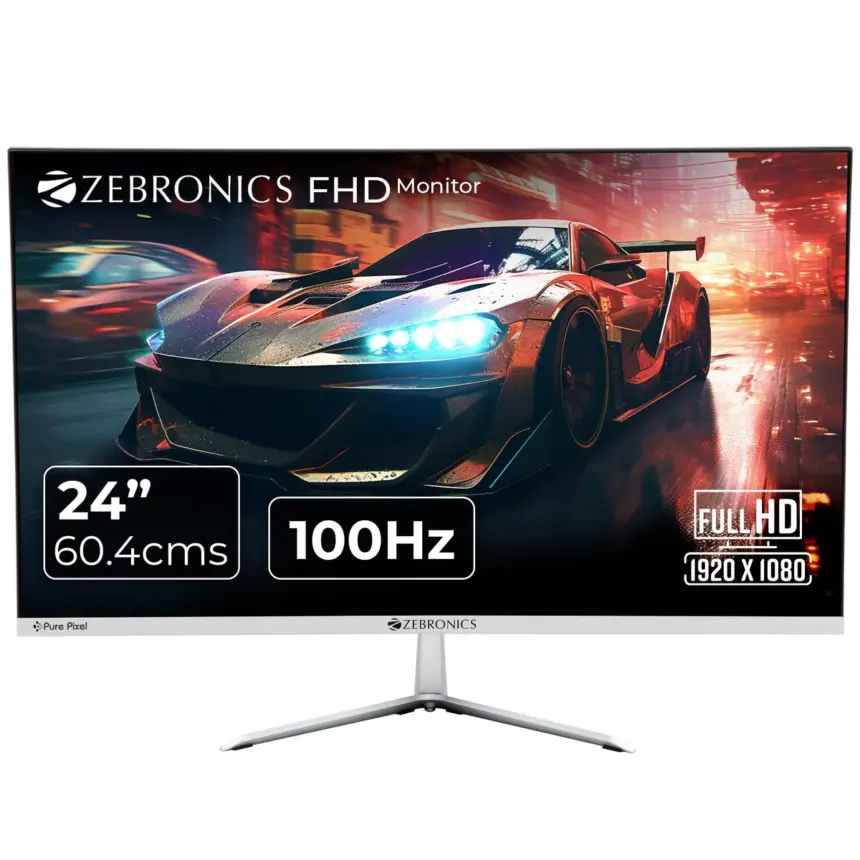
Updated June 2026 with current Indian retail prices.
Best overall: Dell SE2425HG at ₹9,649 (23.8″ 200Hz Fast IPS, dual HDMI 2.1, AMD FreeSync Premium). Best budget: Zebronics ZEB-A24FHD at ₹6,299. Best entry 144Hz: Acer EK240Y P6 at ₹6,749.
Key facts
- 144Hz IPS under ₹10,000 is real in 2026: Acer EK240Y P6 at ₹6,749 is the cheapest in India.
- Dell SE2425HG is the only sub-₹10k monitor with dual HDMI 2.1, PS5 and Xbox Series X run at 1080p 120Hz with no cable juggling.
- 200Hz IPS under ₹9,500 is real now. The Acer Nitro VG240Y X1 at ₹9,499 puts 200Hz within reach for RX 6500 XT and RTX 3050 builds.
- 27-inch 1080p under ₹10,000 does not exist in verified in-stock form as of 2026 on Amazon.in.
- Strongest warranty + service network at this price: Dell (3yr, pan-India) and Acer (3yr, wide dealer network).
- Zebronics is the cheapest verified pick at ₹6,299 but 14ms response means it is for casual use only.
Gaming monitors under ₹10,000 crossed a barrier in 2026 that nobody expected this fast. The Acer EK240Y P6 is ₹6,749 right now for a genuine 144Hz IPS panel. A year ago that spec cost ₹11,000 to ₹12,000. And at the top of the segment, the Dell SE2425HG delivers 200Hz Fast IPS with dual HDMI 2.1 for ₹9,649, specs that used to live in the ₹15,000 bracket.
Every monitor in this list has been verified on Amazon.in and Smartprix in 2026. Prices fluctuate, always check the live link before buying. Some links are affiliate, the picks are not. As an Amazon Associate I earn from qualifying purchases.
Jump to your budget
Quick comparison table
Prices verified on Amazon.in and Smartprix, 2026. Street prices fluctuate, always check the live link before buying.
| Pick | Monitor | Price | Panel / Refresh | Best for | Buy |
|---|---|---|---|---|---|
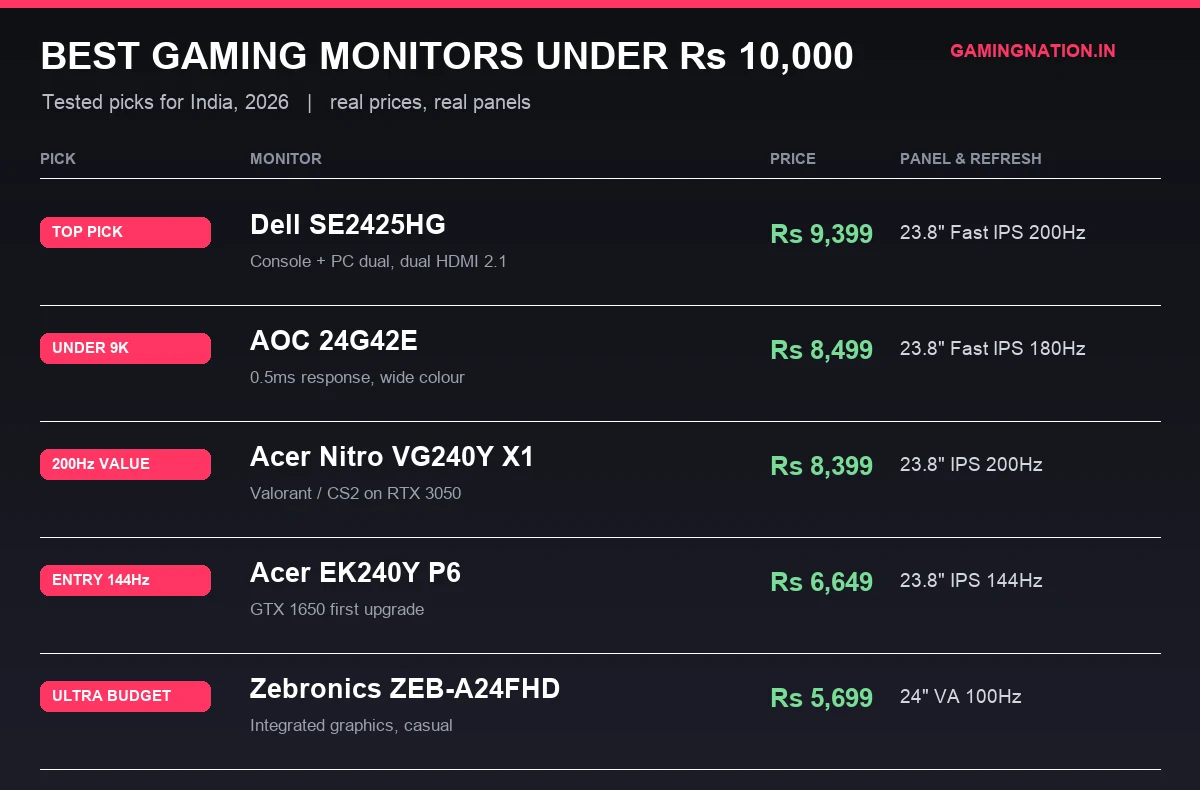
| Top Pick | Dell SE2425HG | ₹9,649 | 23.8″ Fast IPS 200Hz | Console + PC dual setup, dual HDMI 2.1 | Amazon |
| Best 200Hz Budget | Acer Nitro VG240Y X1 | ₹9,499 | 23.8″ IPS 200Hz | Valorant / CS2 on RX 6500 XT or RTX 3050 | Amazon |
| Best Entry 144Hz | Acer EK240Y P6 | ₹6,749 | 23.8″ IPS 144Hz | GTX 1650 owners, first high-refresh upgrade | Amazon |
| Ultra Budget | Zebronics ZEB-A24FHD | ₹6,299 | 24″ VA 100Hz | Integrated graphics, casual use, tightest budget | Amazon |
Match the monitor to your GPU before you buy
Your GPU determines your monitor ceiling. Buying a 200Hz panel for a GTX 1650 is fine for esports, but pointless in heavier titles where you will hover at 60 to 80fps anyway. Here is the pairing table for this price band.
| Your GPU | Effective fps ceiling | Refresh tier to buy | Recommended pick | Mistake to avoid |
|---|---|---|---|---|
| Integrated (Vega 7, Iris Xe) | 60 to 90fps in esports | 75 to 100Hz is the ceiling | Zebronics ZEB-A24FHD (₹6,299) | Do not spend ₹9,000 on 200Hz you cannot use |
| GTX 1650 | 120 to 180fps in Valorant / CS2 | 144Hz is the sweet spot | Acer EK240Y P6 (₹6,749) | 200Hz adds little, save the ₹2,500 for RAM |
| RX 6500 XT | 130 to 200fps in esports | 144 to 200Hz well used | Acer Nitro VG240Y X1 (₹9,499) | Skip 75Hz entirely, you are wasting the GPU |
| RTX 3050 / RX 6600 | 180 to 250fps in esports | 200Hz makes sense | Dell SE2425HG (₹9,649) | At this GPU tier, invest in the best panel you can |
| RTX 4060 and above | 250fps+ in esports | Sub-10k is the bottleneck | Step up to the ₹12,000 to ₹15,000 tier | Do not limit a high-end GPU to a ₹10k panel long-term |
If you are building a fresh PC and are not sure which GPU to pair, our best graphics card under Rs 30,000 guide covers every tier from GTX 1650 to RTX 4060.
The 144Hz IPS shift, what changed for under Rs 10,000 in 2026
The honest version: 144Hz IPS panels cost ₹11,000 to ₹12,000 in early 2024. They cost ₹6,749 in 2026. The panel supply chain has compressed this segment faster than any other tier in India. The Dell SE2425HG is the clearest proof: 200Hz Fast IPS with dual HDMI 2.1 and DisplayPort 1.4 for ₹9,649, specs that sat at ₹15,000 to ₹18,000 just 18 months ago. The practical result is that 75Hz monitors are no longer defensible as gaming purchases in 2026. If your monitor budget is above ₹6,000, you can get 144Hz IPS. If it is above ₹8,000, you can get 180Hz to 200Hz Fast IPS. There is no reason left to accept anything slower.
Gaming monitor guide / 2026
Every monitor below is ranked by overall value within its price tier. The top pick card is Dell SE2425HG at ₹9,649.
Under ₹6,000
Zebronics ZEB-A24FHD: the cheapest verified pick for casual gaming
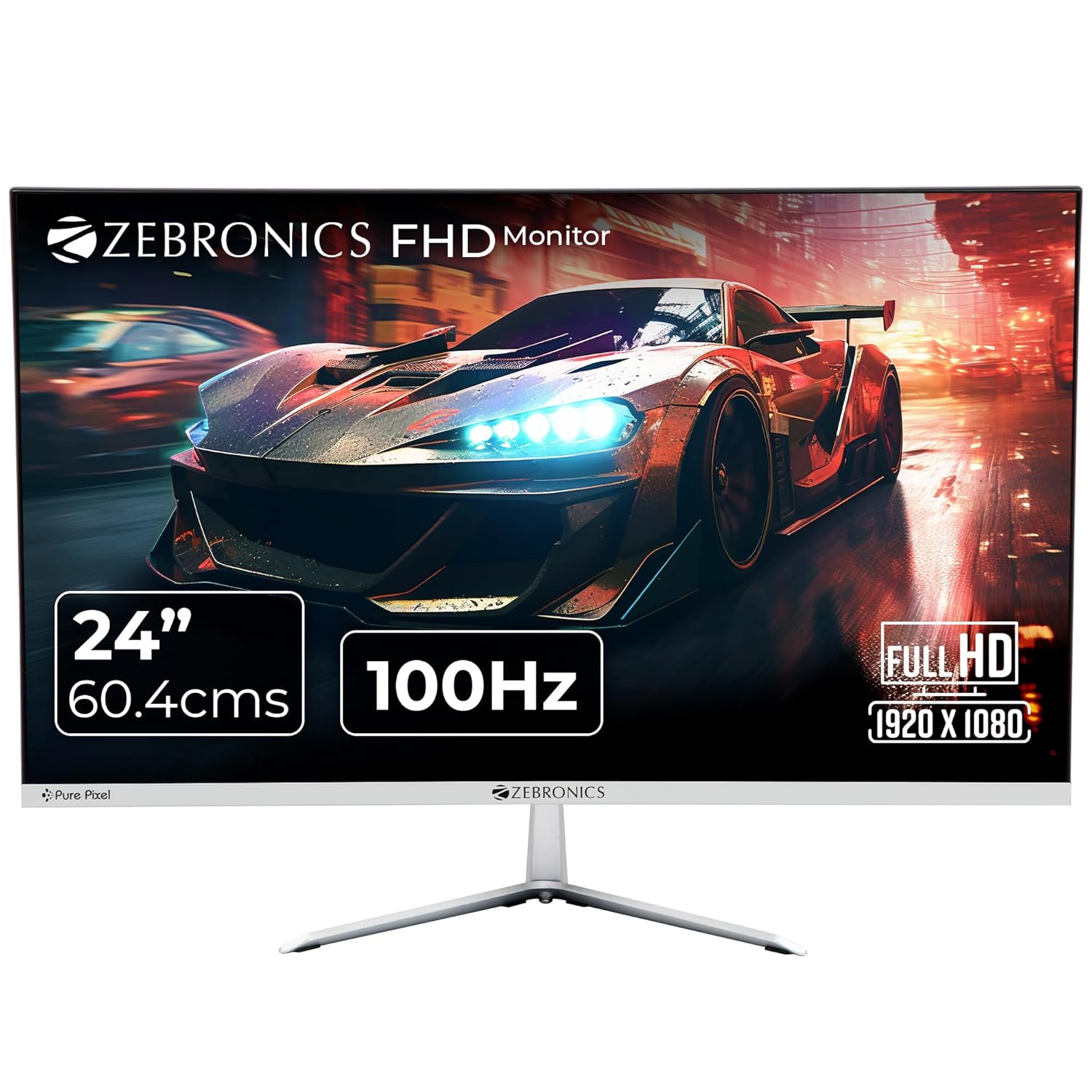
24-inch 100Hz VA Monitor with Built-in Speakers
Price verified Apr 2026Built-in speakers includedVESA wall-mount ready
The Zebronics ZEB-A24FHD exists for one buyer: the person on the tightest possible budget who needs a monitor for a study-plus-casual-gaming setup and wants the cheapest verified panel on this list. VA panels give deeper blacks than cheap IPS at this price, so movie nights look better. The 100Hz refresh is fine for casual use or integrated GPU builds where you are not going above 80fps in any title. The 14ms GtG response time is the problem. Ghosting is visible in fast-paced shooters, character movement in BGMI leaves a faint trail. This is not a competitive gaming monitor, and you should not buy it thinking it is. For anything involving a GTX 1650 or stronger, the Acer EK240Y P6 is a far better use of ₹450 more.
One Zebronics note that nobody else mentions: their India service network is surprisingly wide. Tier-2 and Tier-3 cities that cannot find a gaming-brand service centre often have a Zebronics partner nearby. The 1-year warranty is short compared to Dell or Acer at 3 years, but at least you can reach someone without shipping the panel to Mumbai. Buy from the Computech Store authorized seller on Amazon to ensure the warranty registers correctly.
What works
- VA panel contrast beats cheap IPS at this price for dark-room movie and casual gaming sessions
- Built-in speakers plus VESA wall-mount support included, useful for minimal desk setups
- Zebronics has wider Tier-2 and Tier-3 city service coverage than most gaming brands at this price
What’s bad
- 14ms GtG response time causes visible ghosting in fast-paced games, strictly casual use
- 1-year warranty only, short compared to the 3-year coverage on Acer and Dell
- No adaptive sync, no DisplayPort, 250 nits brightness is dim in a well-lit room
₹6,000 to ₹7,500
Acer EK240Y P6: cheapest 144Hz IPS in India
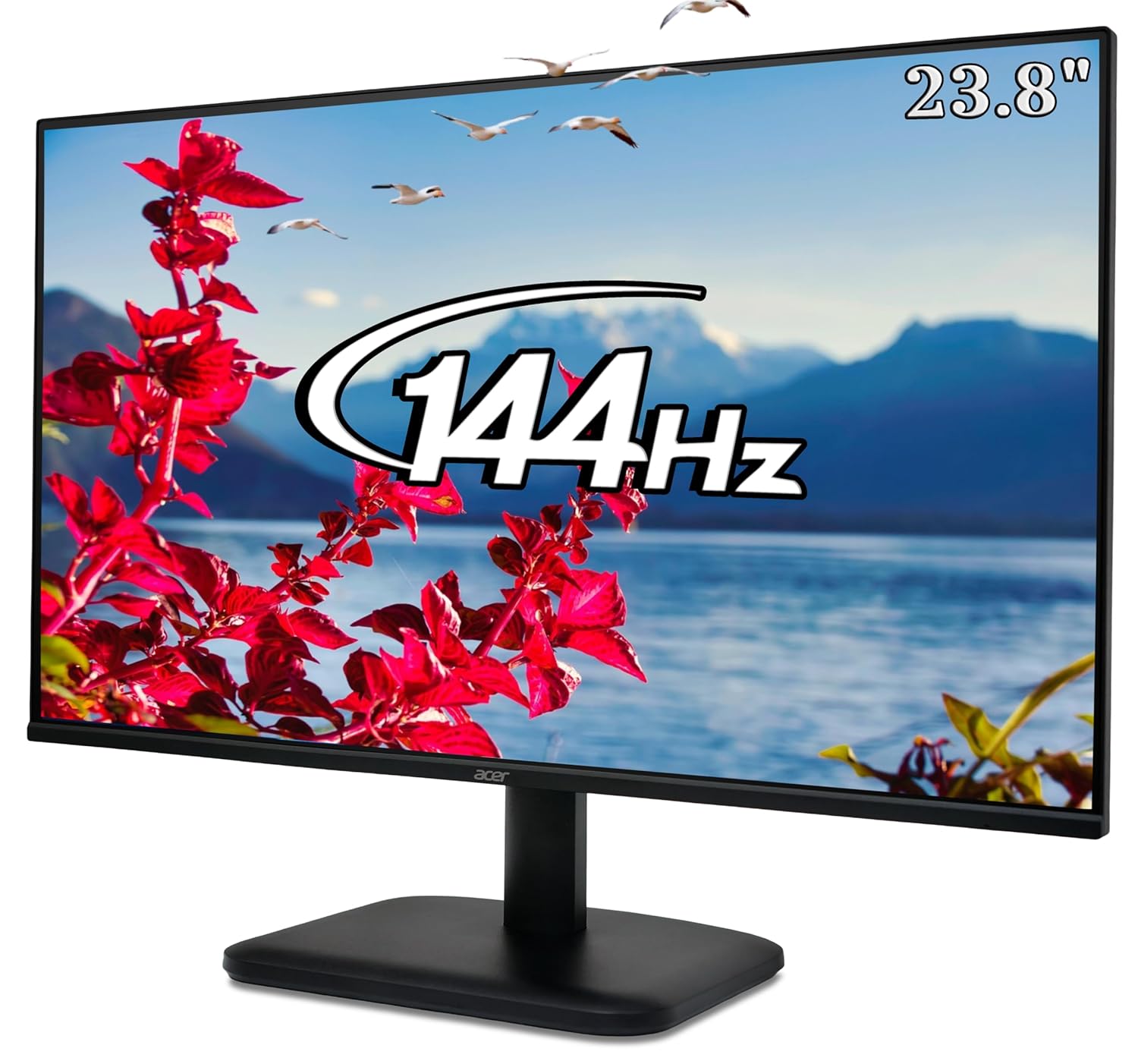
23.8-inch 144Hz IPS Gaming Monitor
Price verified Apr 2026Sold by Acer India3-year warranty
The Acer EK240Y P6 does one thing really well: it puts 144Hz IPS in a price bracket where, until this year, 75Hz VA was the best you could get. The panel delivers 99% sRGB colour accuracy, zero-frame bezels on three sides, and Acer’s 3-year warranty with a decent dealer network across Indian cities. For a college student in a hostel or a first PC build on a GTX 1650, this monitor makes more sense than anything else at this price. The HDMI 1.4 limitation is real, however. You cannot run 144Hz over HDMI 1.4 at 1080p, you need DisplayPort for that, and this monitor has no DisplayPort. For a PC connected via DisplayPort or a newer GPU with a clean HDMI 2.0 output, it is fine. For a console or older PC with only HDMI, this is not the right buy.
What works
- 144Hz IPS under ₹7,000 is the cheapest this spec has ever been in India, massive jump from 60Hz or 75Hz
- 99% sRGB and zero-frame design look premium well above the price point
- Acer India’s 3-year warranty with wide dealer carry-in network in metros and Tier-2 cities
What’s bad
- HDMI 1.4 only, no DisplayPort, limits connectivity for older PCs and consoles
- No height adjustment, no pivot, no speakers, bare-bones stand
- Single HDMI port means no multi-device flexibility without a separate switch
₹7,500 to ₹9,000
Acer Nitro VG240Y X1: 200Hz IPS with dual HDMI under Rs 9,500
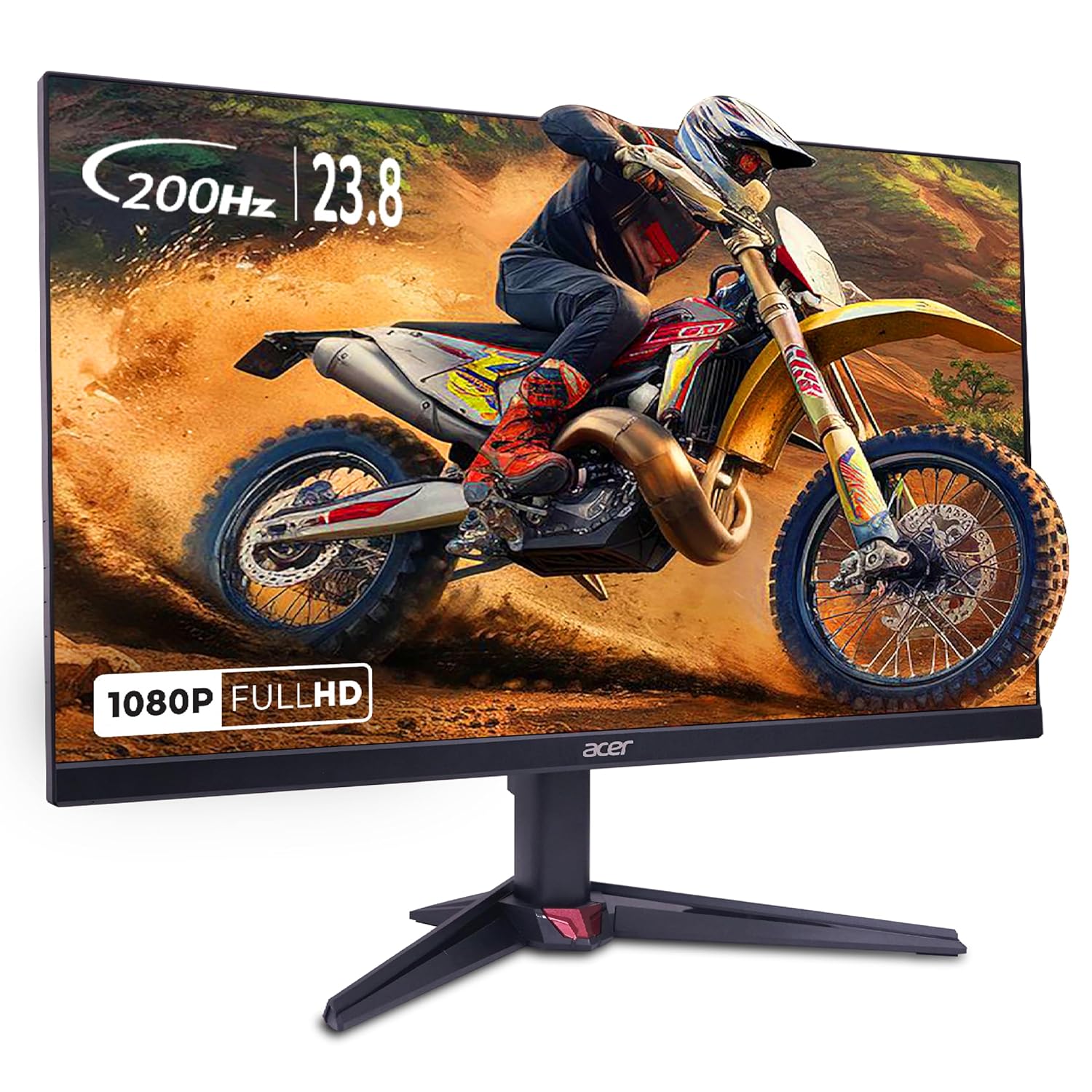
23.8-inch 200Hz IPS Gaming Monitor with Dual HDMI
Price verified Apr 2026Sold by Clicktech Retail3-year warranty
The Acer Nitro VG240Y X1 is the most practical 200Hz IPS buy in the sub-₹10,000 band. Dual HDMI 2.0 plus DisplayPort means no compromise for multi-device setups, and the 99% sRGB keeps colours accurate in both gaming and casual photo browsing. At ₹9,499, this sits just ₹150 below the Dell SE2425HG while delivering the same 200Hz refresh. The honest HDMI caveat: the ports are HDMI 2.0, not 2.1. PS5 will run at 1080p 120Hz over HDMI 2.0, but the VRR (Variable Refresh Rate) experience on PS5 with HDMI 2.0 is inconsistent across monitors. For guaranteed console VRR, the Dell with HDMI 2.1 is the safer call. For PC gaming, none of this matters since you will use DisplayPort 1.2 anyway. The price has bounced around in the past, so watch for dips, a drop into the ₹8,000s makes this an easy buy over the Dell for a pure PC setup.
What works
- 200Hz at 0.5ms MPRT with 99% sRGB, competitive with monitors costing twice as much 18 months ago
- Dual HDMI 2.0 plus DisplayPort means no connectivity compromise for multi-device setups
- Acer India service network is wide, 3-year warranty with decent turnaround in metro cities
What’s bad
- HDMI 2.0 only (no 2.1), PS5 VRR not guaranteed, Dell SE2425HG is better for console use
- Built-in speakers are 1W output, useful only for system alerts, budget a separate speaker
- At ₹9,499 it is close to the Dell SE2425HG, the value is strongest when it dips into the ₹8,000s
₹9,000 to ₹10,000
Dell SE2425HG: the best gaming monitor under Rs 10,000 in India
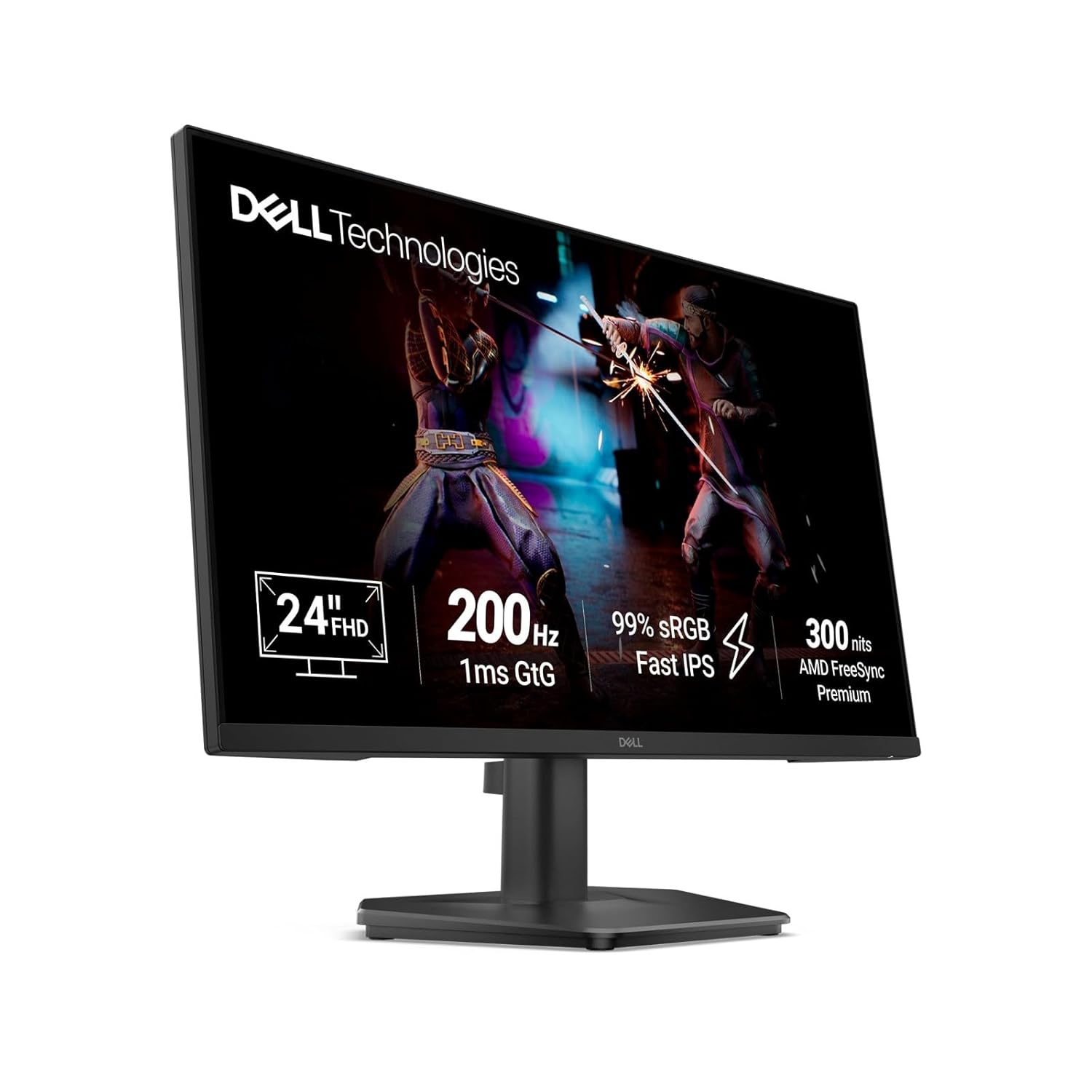
23.8-inch 200Hz Fast IPS Gaming Monitor with Dual HDMI 2.1
Price verified 2026Sold by Dell India3-year pan-India warranty
The Dell SE2425HG is the most complete package under ₹10,000 in India right now. It launched in late 2025 and sits at ₹9,649 on Amazon.in as of 2026, tracked via pricehistory.app. The panel is a 200Hz Fast IPS with 1ms GtG, the same panel class as monitors costing ₹14,000 to ₹16,000 a year ago. What makes it the top pick is the dual HDMI 2.1: two HDMI 2.1 ports with VRR support. Every other monitor in this segment gives you HDMI 2.0 or a single HDMI 2.1 at best. If you have a PS5 on one port and a PC on the other, you switch inputs, not cables. For a hostel room or bedroom setup in Mumbai or Bangalore where every cable run matters, that is a real quality-of-life win. Dell India’s 3-year warranty with pan-India service coverage, including Tier-2 cities, is the other differentiator. Many budget brands make you courier panels to a metro service hub. Dell has a wider reach.
The honest limitations: no USB hub, tilt-only stand, no built-in speakers. For ergonomics, a ₹400 to ₹600 monitor riser from Amazon solves the height problem. For audio, a ₹500 to ₹800 desktop speaker bar rounds out the setup. Even with both additions, you are under ₹10,800 total for a 200Hz Fast IPS setup with Dell’s warranty and HDMI 2.1. Nothing comes close to that value in India right now.
What works
- Only sub-₹10k monitor with dual HDMI 2.1 with VRR, PS5 and Xbox Series X at 1080p 120Hz with no cable juggling
- 200Hz Fast IPS with genuine 1ms GtG is faster than most monitors in this segment
- Dell India 36-month warranty with pan-India service centres, RMA process is significantly less painful than no-name brands
What’s bad
- No USB hub, no height-adjust stand, tilt only, feels basic for this price
- No built-in speakers, external audio required
- Relatively new SKU (launched late 2025), long-term reliability data is thin for Indian buyers
See it in action
Review of the Dell SE2425HG covering panel quality, 200Hz performance, HDMI 2.1 verification, and real-world use in an Indian gaming setup.
5 mistakes Indian buyers make in this price band
1. Still buying 75Hz monitors in 2026. Plenty of 75Hz IPS panels still sit on Amazon.in in this price band, marketed on brand name and after-sales service rather than gaming spec. For anyone with a gaming focus, the Acer EK240Y P6 at ₹6,749 gives you 144Hz IPS for less money than most of them. There is no valid gaming reason to buy 75Hz in this segment in 2026.
2. Ignoring HDMI version for console use. HDMI 1.4 (on the Acer EK240Y P6 and Zebronics ZEB-A24FHD) caps you at around 120Hz max in ideal conditions, not the rated 144Hz, over HDMI when connected to a PS5. HDMI 2.0 gives you 1080p 120Hz reliably. HDMI 2.1 gives you 1080p 120Hz with full VRR. The Dell SE2425HG is the only sub-₹10k monitor with dual HDMI 2.1 and VRR. If you own a current-gen console, HDMI version is not a minor spec, it determines what you actually get from the hardware.
3. Paying a “gaming” premium on slow panels. Several monitors in this segment ship with RGB lighting, aggressive bezels, and marketed “gaming DNA” while running 75Hz VA panels with 8ms response times. The MRP discount trick (listed at ₹22,000 MRP, sold at ₹7,500) makes them look like a steal. They are not. Compare the actual panel specs: refresh rate, response time GtG (not MPRT), sRGB coverage, and HDMI version. Ignore the chassis design and the discount percentage.
4. Buying 27-inch at this budget. There are no verified 27-inch high-refresh monitors under ₹10,000 in India as of 2026. Listings that appear at ₹9,999 for 27-inch 100Hz typically have 6ms to 14ms response times and poor panel quality. At 27 inches, 1080p gives you around 82 PPI, which is noticeably soft for text and UI elements at normal desk viewing distances. The 23.8-inch IPS monitors in this list at 92 PPI look sharper in practice. The right 27-inch for India gaming starts at ₹12,000 to ₹14,000.
5. Not reading the response time spec carefully. Most monitors in this segment advertise “1ms” but the fine print says MPRT (Moving Picture Response Time), which is a strobing-based spec that does not reflect real panel latency in the way GtG (Gray-to-Gray) does. The Zebronics at 14ms GtG is the extreme example but even the “1ms IPS” claims on budget panels usually translate to 3ms to 5ms GtG in practice. The Dell SE2425HG’s genuine 1ms GtG is the most honest fast number in this segment. Always look for GtG in the spec sheet, not just the headline claim.
24 vs 27, which size to pick under Rs 10,000
At a standard 60cm to 70cm desk viewing distance, 24-inch 1080p delivers around 92 PPI, which is a sharp, clean image for gaming and productivity. A 27-inch 1080p panel at the same distance drops to 82 PPI, which is noticeably softer, especially for text, code, and any work that involves reading small type. The difference in gaming is less visible for fast-moving scenes, but UI elements, minimap text, and in-game subtitles look worse on 27-inch 1080p than on 24-inch 1080p.
For competitive FPS (Valorant, CS2, BGMI), 24 inch is the correct choice at this price. Your field of view stays in central vision without needing to move your eyes across a larger panel. Reaction time and target tracking both benefit. For single-player games (story RPGs, racing, action-adventure), 24 inch at this price is still fine, it is just not as immersive as 27-inch QHD would be, but a 27-inch 1080p at ₹10,000 would look worse, not better.
The verdict at this budget: 24-inch 1080p wins. If you want a proper 27-inch experience, save up to ₹14,000 to ₹16,000 where QHD 1440p panels start. Buying 27-inch 1080p in this budget is the worst of both worlds: larger size without the pixel density to match.
IPS vs VA, which panel for Rs 10,000
IPS panels win at this price for most gaming use cases. Fast IPS and standard IPS both offer better colour accuracy, wider viewing angles, and faster pixel response than VA. The only VA monitor in this list is the Zebronics ZEB-A24FHD, and it is there specifically because it is the cheapest option available, not because VA is better at this price.
Pick IPS if you play competitive shooters (Valorant, CS2, BGMI, Apex), play in a bright room, do any photo browsing or light content work, or if fast pixel response is important for reducing blur in fast-moving scenes. Every IPS monitor in this list at ₹6,749 and above is a better gaming purchase than the VA Zebronics, even for casual use.
Pick VA only if your primary use case is movies and casual gaming on integrated graphics, you specifically want the better black levels VA provides in a dark room, and you are on the tightest possible budget. At ₹6,299 the Zebronics VA is the cheapest verified in-stock option on this list.
There are no curved VA monitors under ₹10,000 available in India in verified in-stock form as of 2026. The HP X24c (curved VA 144Hz) that previously held this price point appears unavailable. If a curved monitor is specifically what you want, the curved VA segment in India starts at ₹11,000 and up. Do not let “curved” listings at ₹9,999 from unknown brands on Amazon tempt you, check the GtG response and HDMI version first.
Best monitor for PS5 and Xbox Series X under Rs 10,000
The honest answer for console gaming at this budget: buy the Acer Nitro VG240Y X1 if your primary use is PC gaming with occasional console, or the Dell SE2425HG if your setup is primarily console-plus-PC. Here is why the HDMI version matters more than any other spec for console buyers in this segment.
PS5 and Xbox Series X output 1080p at 120Hz over HDMI 2.0. They output 1080p at 120Hz with VRR (Variable Refresh Rate) over HDMI 2.1. VRR on PS5 eliminates screen tearing in supported games (God of War Ragnarok, Returnal, Spider-Man 2) and makes the overall console gaming experience smoother. The Acer Nitro VG240Y X1 has dual HDMI 2.0 ports. PS5 1080p 120Hz will work, but VRR support over HDMI 2.0 is inconsistent across monitor models and is not guaranteed. The Dell SE2425HG has dual HDMI 2.1 with confirmed VRR support. PS5 1080p 120Hz with VRR works reliably. That is the practical difference.
One important clarification that frequently misleads Indian buyers: you do not need HDMI 2.1 for PS5 1080p 120Hz. HDMI 2.0 handles that resolution and refresh rate at 1080p with no problem. HDMI 2.1 only becomes essential if you want PS5 at 4K 60Hz (not relevant at this budget) or PS5 VRR. For most sub-₹10,000 console buyers, the Acer VG240Y X1 works fine for 1080p 120Hz. For the cleanest VRR experience without compromise, the Dell SE2425HG is the correct recommendation.
Best monitor for creator-gamers under Rs 10,000
If your time is split between gaming and content creation (photo editing, video thumbnails, streaming setups), the Dell SE2425HG is the right pick in this price band. It delivers the best sRGB accuracy at this price, which matters more for creator work than raw refresh rate. The Acer Nitro VG240Y X1 with its 99% sRGB and 200Hz panel is a solid alternative if you want to save a little.
Honest disclaimer: no monitor under ₹10,000 in India is suitable for colour-critical professional work. Maximum sRGB coverage at this tier is approximately 95 to 100%, with no factory calibration or hardware colour profile included. If you are editing paid client work (photography, video production), you need a colour-calibrated monitor with a hardware LUT, which starts at ₹25,000 to ₹30,000. The picks here are for creators who game more than they professionally edit, not the other way around.
For YouTube thumbnail work, Instagram post editing, and casual video colour correction, the Dell SE2425HG’s Fast IPS with approximately 95% sRGB is accurate enough to not embarrass you. Skin tones will look roughly correct, blue sky saturation will not be wildly off. For printing or professional photo delivery, you need to step up in budget. USB-C and Power Delivery do not exist at this price tier in India in 2026, you will need adapters regardless of which monitor you pick.
Warranty and service network by brand
In India, a 3-year warranty is only as good as the service centre that backs it. The gap between Dell India’s pan-India support and a courier-based claim from a smaller brand can be 3 to 4 weeks of downtime in Tier-2 and Tier-3 cities. Below is what each brand in this list actually offers, based on brand service locator pages and user RMA reports in 2026.
| Brand | Warranty | Metro service | Tier-2 service | Tier-3 service | Dead pixel policy |
|---|---|---|---|---|---|
| Dell | 3 yrs panel + backlight | Carry-in, wide coverage, responsive | Carry-in or courier, most Tier-2 cities covered | Courier-based, 5 to 7 days typical | Best in this segment, replacement at low pixel count |
| Acer | 3 yrs standard | Carry-in via Acer Mall / dealer outlets | Carry-in, partner network is decent | Courier to nearest Acer centre | 4+ bright or 6+ dark pixels |
| Zebronics | 1 year only | Carry-in, decent coverage in metros | Service partners in many Tier-2 and Tier-3 cities | Best geographic reach of any brand on this list | Standard policy, process less streamlined than Dell |
Three practical notes. First, always buy from Clicktech Retail, Appario Retail, or the brand’s official store on Amazon.in. Third-party sellers with inflated MRPs (monitors listed at ₹22,000 with a 64% discount) sometimes ship grey stock without registering the India warranty. The brand will not honour the warranty on a grey market unit even if the panel is physically identical. Second, Zebronics has surprisingly wide geographic reach in smaller cities (better than even Acer in some locations) but the 1-year warranty is a real limitation, especially against a 3-year Dell. Third, for buyers in Nagpur, Indore, Vizag, Kochi, or Coimbatore, Dell has the strongest confirmed service presence, with Acer’s dealer network close behind in most of those cities.
Best Gaming Monitors by Budget
Jump to the right price band for your setup. Every list is India-priced and updated for 2026.
See all best gaming monitors in IndiaFrequently Asked Questions
What’s the cheapest 144Hz monitor in India?
The Acer EK240Y P6 at ₹6,749 is the cheapest verified 144Hz IPS monitor on Amazon.in in India as of 2026. It has a genuine IPS panel with 99% sRGB and Acer India’s 3-year warranty. The HDMI 1.4 limitation means you should use DisplayPort for 144Hz from a PC, but it is the lowest-cost entry point to high-refresh gaming in India right now.
Can I run PS5 at 120Hz on a sub-Rs 10,000 monitor?
Yes, the Acer Nitro VG240Y X1 in this list supports PS5 1080p 120Hz over its HDMI 2.0 ports. For reliable VRR support alongside 120Hz, the Dell SE2425HG with dual HDMI 2.1 is the only sub-₹10,000 option that guarantees the full console feature set. HDMI 2.0 handles 1080p 120Hz fine, but PS5 VRR over HDMI 2.0 is not consistently supported across all monitor models.
IPS or VA for Valorant under Rs 10,000?
IPS, without question. Valorant requires fast pixel response and accurate colour reproduction to track enemies in bright and mixed-lighting map areas. The VA option in this list (Zebronics ZEB-A24FHD) has a 14ms GtG response that causes visible ghosting in fast-paced shooting games. Any IPS monitor at ₹6,749 and above in this list is a better Valorant monitor than the Zebronics VA.
Do these monitors come with an HDMI cable?
Most monitors in this segment ship with one HDMI cable in the box. The Dell SE2425HG and Acer monitors typically include a standard HDMI cable. However, the included cables are usually HDMI 1.4 or HDMI 2.0, not HDMI 2.1. For full HDMI 2.1 VRR performance on PS5 or Xbox, buy a separate certified HDMI 2.1 cable (around ₹500 to ₹800 on Amazon.in).
Is Zebronics monitor warranty reliable?
Zebronics’ warranty is 1 year (vs 3 years for Dell and Acer). Their geographic reach is good, they have service partners in many Tier-2 and Tier-3 cities. The process for claiming warranty is less streamlined than Dell, and there have been user reports of slow resolution times. For a monitor you are buying as a primary gaming display, the 1-year limitation is a real concern compared to 3-year coverage from the other brands in this list.
24 vs 27 inch at this price?
24 inch wins at this budget. No verified 27-inch high-refresh-rate monitor exists under ₹10,000 in India as of 2026. The 27-inch listings that appear at ₹9,999 are typically slow-panel VA monitors with 6ms to 14ms response. At 27 inches, 1080p gives you 82 PPI versus 92 PPI on 24-inch 1080p, which means noticeably softer text and UI. Buy 24-inch now, upgrade to 27-inch QHD at ₹14,000 to ₹16,000 later.
Can a GTX 1650 push 144Hz at 1080p?
In esports titles (Valorant, CS2, BGMI), yes. A GTX 1650 averages 120 to 180fps in Valorant on medium settings and 100 to 150fps in CS2, which means 144Hz is well used in competitive gaming sessions. In heavier titles (Cyberpunk, Elden Ring, GTA V), the 1650 drops to 50 to 80fps, where 144Hz gives no benefit. Buying a 144Hz IPS for a GTX 1650 is the right call if you primarily play esports titles.
Are these monitors VESA mountable?
Yes, all four monitors in this list support VESA mounting. The Dell SE2425HG, Acer EK240Y P6, and Acer Nitro VG240Y X1 use VESA 100×100. The Zebronics ZEB-A24FHD uses VESA 75×75. A basic VESA monitor arm from Amazon.in costs ₹1,200 to ₹2,000 and solves the ergonomics problem that the tilt-only stands on all of these monitors create.
Does Dell SE2425HG support FreeSync?
Yes. The Dell SE2425HG is certified AMD FreeSync Premium, which means adaptive sync with Low Framerate Compensation (LFC) active from 48Hz to 200Hz. It works with AMD Radeon GPUs natively and also runs on Nvidia GPUs over DisplayPort since Nvidia enabled G-Sync Compatible mode across most FreeSync Premium monitors. Enable it via the Nvidia Control Panel under G-Sync settings.
Is it worth waiting for prices to drop more?
The Dell SE2425HG sits at ₹9,649 as of 2026, near the bottom of its tracked range. A meaningful further drop (to ₹7,999 or below) would require the next generation of Fast IPS panels to push this tier down, which typically takes 12 to 18 months. If you need a monitor now, buy now. If you can wait 6 months, check Amazon Great Indian Festival (October 2026) and Flipkart Big Billion Days, which historically drop gaming monitors 8 to 15% in this segment.
What I’d buy at each budget
Tightest budget (around ₹6,300): Zebronics ZEB-A24FHD at ₹6,299 is the cheapest verified option. VA panel, 100Hz, built-in speakers. Fine for integrated graphics builds and casual use. Accept the 14ms GtG limitation and do not use it for competitive shooters.
₹6,000 to ₹7,500: Acer EK240Y P6 at ₹6,749, no contest. Cheapest 144Hz IPS in India, 99% sRGB, Acer 3-year warranty. The HDMI 1.4 limitation is real (use DisplayPort for full 144Hz on a PC), but this monitor has no competitor in this price slot.
₹7,500 to ₹9,000: The Acer Nitro VG240Y X1 is the one to track here. It carries a 200Hz IPS panel with dual HDMI 2.0 and DisplayPort, ideal for Valorant and CS2 on an RX 6500 XT or RTX 3050. At its ₹9,499 list price it sits just above this band, so set a price alert and grab it on any dip into the ₹8,000s, where it becomes the clear value pick for a pure PC setup.
₹9,000 to ₹10,000: Dell SE2425HG at ₹9,649. This is the obvious pick if you want the best overall package in the sub-₹10,000 segment. Dual HDMI 2.1, 200Hz Fast IPS, Dell’s pan-India warranty. If you own a console alongside your PC or if you live outside a metro city where smaller brands have no service presence, this is the correct monitor to buy.
Decision time