
Updated May 2026 with current Indian retail prices, surface guidance and pad sizing for Valorant, CS2, BGMI and Apex players.
A good gaming mousepad is the cheapest upgrade you can make after a half decent mouse. The surface decides how stable your aim feels, how big a swipe you can make before running off the edge, and how long your setup actually lasts in Indian heat and humidity. The brutal truth is that most of the Rs 200 to Rs 1,000 pads sold on Amazon and Flipkart are the same Chinese OEM cloth rolls with different stickers, so the picks below focus on the few that get the basics right, sizing, stitched edges, a flat consistent weave and a base that does not slide.
Below are seven mousepads under Rs 1,000 worth buying in 2026, sorted by use case from the cheapest desk mat to the best control cloth for FPS aiming. Every pick is in stock on Amazon India as of May 2026, prices are checked live, and the size and surface type are listed so you can pick by playstyle, not by the picture on the listing. If you already own a decent mouse, this guide is the partner article to our best gaming mouse India guide and the best gaming mouse under Rs 2,500 shortlist, both updated for this year.
Heads up: some links here are affiliate links. If you buy through them, we earn a small commission at no extra cost to you. Prices are as of May 2026, please confirm the live price on Amazon before buying.
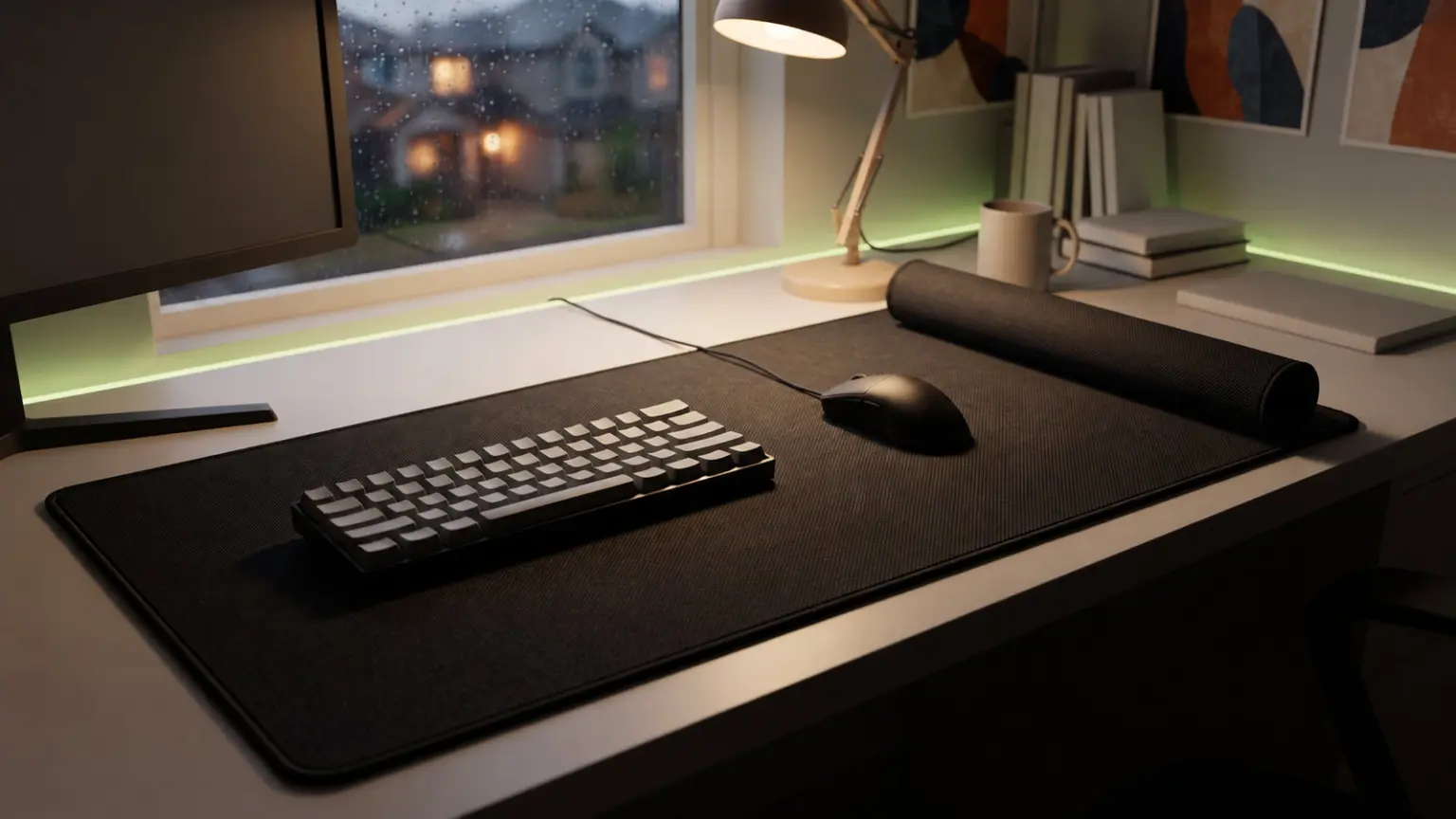
Cloth, hybrid or hard, which surface is right for you
Before the picks, the single biggest decision is surface type. Under Rs 1,000 you mostly get cloth, with a few cheap hard plastic and so called hybrid options. The shortest possible summary is that cloth gives control, hard gives speed, and hybrid sits in the middle but compromises both. Indian competitive players overwhelmingly play on cloth, and that is also what almost every Valorant and CS2 pro uses globally, so cloth is the safe default.
Cloth control pads have a tightly woven, slightly textured surface that adds friction. The mouse feels like it grips the pad, which is what you want for FPS aiming. Small flicks, micro adjustments and crosshair placement on heads in CS2 or Valorant all feel more stable. Spray control in CS2 is easier because the pad slows the mouse just enough to keep recoil patterns inside your fingers, not your wrist. The trade off is that fast 180 flicks need more arm force, and the pad can feel sluggish in dry weather if you have sweaty palms.
Examples in this guide are the Logitech G240 and the Cosmic Byte Dwarf Control, dense cloth pads tuned for tracking.
Cloth speed pads have a smoother, almost waxy weave. The mouse glides more freely, which is what BGMI and Apex players who use higher sensitivity often prefer. You can flick across the whole pad with finger and wrist alone, and quick scope adjustments need less effort. The downside is less stopping power. If your aim already overshoots heads, a speed pad will make it worse.
The Redgear MP44 Speed and the Ant Esports MP400 RGB lean speed, with a slicker surface than the G240.
Hard pads use a thin layer of plastic, glass or coated metal over a rubber base. They glide very fast, never absorb sweat, never wick water and never fray. They also wear out mouse feet faster, sound louder under the mouse and offer almost no stopping power. Under Rs 1,000 the hard pads on sale are mostly thin plastic mats that warp inside a year, so this guide skips them. If you really want a hard pad, save up for a proper Razer Atlas or Logitech G440 instead.
Hybrid surfaces are marketed as the best of both, usually a smooth cloth weave with a slightly waxy coating. In practice they pick a point on the speed to control slider, so think of them as a cloth pad with a specific glide tuning rather than something magical. The SpinBot Armor XXL falls in this category.
If you are not sure, default to a cloth control pad. It is what competitive shooter players use, it is forgiving to learn on, and it lasts longer because the weave is denser.
Mousepad sizing, what fits your desk and your sensitivity
Size matters more than brand. A small pad with a great surface still loses to a large pad you can actually swipe across. Mousepads come in roughly four useful sizes for gaming.
Small (around 24×20 cm or 25×21 cm). Fits in front of your keyboard. Only useful if you play at very high DPI, above 1,600 with low in game sensitivity, or if your desk is genuinely tiny. Most cafe rigs and laptop desks use this size by default. Not recommended for competitive FPS, because a hard right click flick will run you off the edge.
Medium (around 32×27 cm to 36×28 cm). The classic gaming size. The Logitech G240 (340×280 mm) and the Cosmic Byte Dwarf Control (320×270 mm) sit here. Good for shooters at medium sensitivity, fine for MOBAs, fits next to a tenkeyless or 65 percent keyboard. If you play Valorant at 800 DPI and around 0.4 in game, a medium pad is the floor of what you need.
Large or XL (around 45×40 cm to 90×30 cm extended). An extended pad that goes under both keyboard and mouse. This is the sweet spot for Indian setups, because it covers a glass or melamine desk that would otherwise eat your mouse feet, and gives room for big arm swipes. The Redgear MP44 and Ant Esports MP400 RGB both live here.
Desk mat (80×30 cm, 90×40 cm or larger). A full desk cover that fits keyboard, mouse, monitor stand and even a coaster. The SpinBot Armor XXL and STRIFF World Map extended are in this class. Best if you stream, run a wide keyboard, or just hate the look of bare laminate. You lose some pure tracking precision because the pad has to compromise between several jobs, but for most home setups the convenience wins.
A rough rule of thumb: if your in game sensitivity needs more than 25 cm of mouse travel for a 180 degree turn, go XL or bigger. If you can do a 180 in 15 cm, medium is fine. To check your own, open any FPS, press a wall, mark where the mouse is, do a 180, mark again, measure with a ruler. Anything above 20 cm and a medium pad will frustrate you.
Stitched edges, the one feature that decides if your pad survives India
Stitched edges are not a luxury at this price, they are the difference between a pad that lasts two years and a pad that peels in six months. Unstitched cloth pads have the cloth glued to the rubber base around the perimeter. In Mumbai, Chennai or Bangalore monsoon humidity, that glue softens, the cloth lifts, and within a few months you have a frayed brown ring around your mouse area that catches your hand and looks awful. Once it starts, it spreads.
Stitched edges sew the cloth and base together with a tight nylon thread loop. The edge can still fray with extreme abuse, but in practice a stitched pad will outlast an unstitched one by two to three times. Every pick in this guide except the cheapest STRIFF option has stitched edges, and even the STRIFF has a heat sealed perimeter rather than raw glue.
The Redgear MP35, MP44 and MP80, the Cosmic Byte Dwarf Control, the Logitech G240 and most named brand pads here all have factory stitched edges. The Ant Esports MP400 RGB has stitching plus a waterproof coating, which is the right combination for a humid Indian desk.
The 7 best gaming mousepads under Rs 1,000
1. Logitech G240, the best cloth control pad
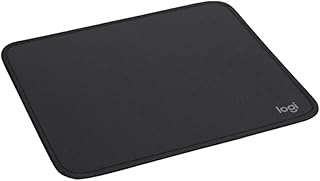
The Logitech G240 is the pad I would put on the desk of any serious FPS player under Rs 1,000. The surface is a dense cloth weave tuned for control, the kind that makes your crosshair stop where you want it instead of skating past. The size (340x280x1 mm) fits a tenkeyless keyboard area perfectly, and Logitech sells these by the truckload globally, so you get years of consistent quality rather than a random Chinese OEM batch.
Buy it if you play Valorant, CS2 or any tactical shooter at 400 to 800 DPI and want stable micro adjustments. The control surface punishes high sensitivity setups but rewards anyone who plays low sens with their arm.
Skip it if you want a big extended pad that also covers your keyboard. The G240 is medium sized, mouse only.
2. Cosmic Byte Dwarf Control, the cheapest real Indian brand pad
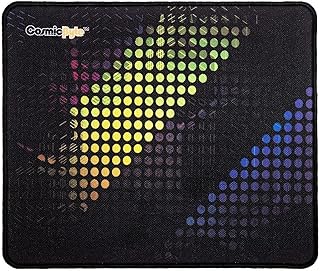
Cosmic Byte is a Mumbai based gaming brand and the Dwarf Control is their entry cloth control pad, 320x270x4 mm with a thicker 4 mm base and a non slip rubber underside. At around Rs 149 it is one of the cheapest real cloth gaming pads on Amazon.in with a brand name behind it, half the size of an extended desk mat but the standard mouse only footprint most FPS players actually use. The control texture is closer to the G240 than to a speed pad, so spray control in CS2 and crosshair placement in Valorant both feel stable.
Buy it if you want a real Indian brand cloth control pad on the tightest possible budget. Cosmic Byte warranty replacements in India are also faster than dealing with Logitech support for a Rs 150 mat.
Skip it if you want an extended desk mat that covers your keyboard too. The Dwarf is a mouse only medium pad, not a full desk cover.
3. Redgear MP44 Control, the durable budget control pad
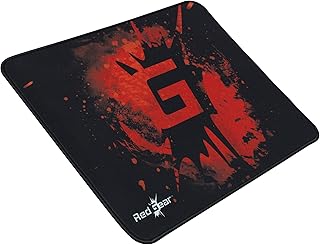
Redgear is owned by Cosmic Byte and aimed at the cyber cafe and entry esports market. The MP44 Control (440x350x4 mm) is a thicker than usual cloth pad with proper stitching, sold in both control and speed variants. At around Rs 398 it is the value sweet spot if you want a control surface without paying Logitech prices, and the 4 mm thickness gives a slight cushion for long sessions. Long term Indian reviews on Amazon report pads from 2019 still in usable condition in 2024, which is unusual at this price.
Buy it if you want a control pad for under Rs 400 and do not care about brand prestige. Pair it with a budget mouse from our under Rs 2,500 mouse list and you have a full FPS setup for less than Rs 2,000.
Skip it if you want an extended desk mat. The MP44 is large but not full desk wide.
4. Ant Esports MP400 RGB XL, the best RGB pick
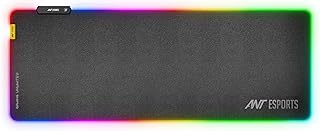
The Ant Esports MP400 RGB is the pad to get if you want lighting that matches the rest of your setup without paying Razer money. 800x300x4 mm extended size, 14 lighting modes on a USB powered LED strip around the edge, a smooth cloth surface that leans slightly toward speed, and a waterproof coating on top so chai spills wipe off. The waterproof layer is the part that matters in India, because it stops sweat and condensation getting into the cloth and softening the glue.
Buy it if you stream or just want an RGB pad to round out a lit setup. The cloth glide is closer to speed than the G240, so it suits BGMI and higher sensitivity players better than CS2 grinders.
Skip it if you find LED light around the pad distracting in your peripheral vision during ranked games. Once it is on, it is on.
5. SpinBot Armor XXL, the best desk mat
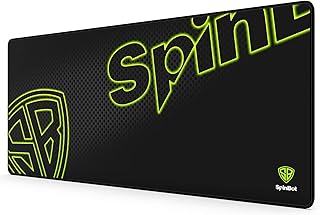
The SpinBot Armor XXL is a 900x400x3 mm full desk mat with stitched edges, a hybrid cloth surface and a heavy rubber base that does not creep across the desk. At around Rs 898 it is the upper end of this budget but you get a pad that covers a full keyboard, mouse, drink coaster and still has space for a phone. The surface sits between control and speed, so it is a good compromise pad for someone who plays a mix of FPS, MOBA and RPG titles, not a CS2 only player.
Buy it if your desk is glass, melamine or any slick surface that eats mouse feet. Covering the whole work area with a single mat also makes the desk look cleaner. Pairs especially well with the setup ideas in our best L shape gaming desk guide.
Skip it if you want a focused esports surface. The hybrid texture is fine for general gaming but loses to a pure control cloth for tournament style play.
6. Seagull XXXL Extended, the biggest pad you can get
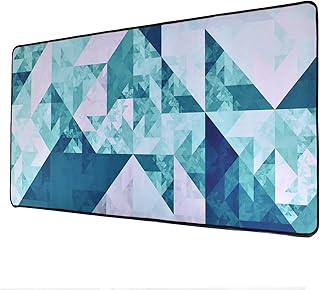
The Seagull XXXL extended at around Rs 419 is the largest pad here, useful if you play at very low sensitivity (say 200 DPI with 0.3 in Valorant) and want enough room to swipe with your whole arm. The cloth is a generic speed leaning weave, not as refined as the G240, but the size advantage outweighs the surface compromise if your aim is built around big arm movements rather than wrist micro adjustments.
Buy it if low sensitivity arm aim is your style and you cannot afford a larger Logitech. Seagull mats are also popular in cyber cafes for this reason, they cover the whole counter cheaply.
Skip it if you play at 1,600 DPI or higher and never need more than a wrist motion. You will be paying for surface area you never use.
7. STRIFF World Map Extended, the cheapest still worth buying
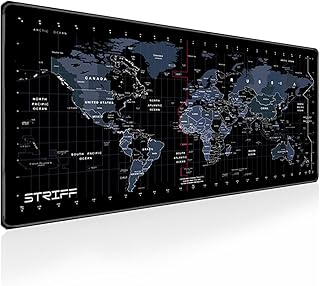
The STRIFF World Map (800×300 mm) is the absolute floor of what is worth buying. At around Rs 229 you get an extended pad with a printed world map design, a heat sealed edge (not full stitching) and a thin rubber base. The surface is closer to a speed pad, the build will not survive heavy abuse, but for a student or first time setup it does the basic job: a flat, consistent surface that beats playing on a wooden desk.
Buy it if you genuinely have under Rs 300 for a pad and just want to stop using bare laminate or glass. It is also a good travel pad to keep in a backpack for LAN visits.
Skip it if you can spend Rs 400 or more. At Rs 398 the Redgear MP44 is a much better pad in every measurable way.
Quick comparison, all 7 picks
| Mousepad | Size (mm) | Surface | Stitched | Best for | Price |
|---|---|---|---|---|---|
| Logitech G240 | 340x280x1 | Cloth control | Yes | FPS aimers, CS2, Valorant | Rs 994 |
| Cosmic Byte Dwarf Control | 320x270x4 | Cloth control | Yes | Cheapest Indian brand control pad | Rs 149 |
| Redgear MP44 Control | 440x350x4 | Cloth control | Yes | Budget control, cushioned | Rs 398 |
| Ant Esports MP400 RGB | 800x300x4 | Cloth, speed lean | Yes | RGB lit setups, streamers | Rs 645 |
| SpinBot Armor XXL | 900x400x3 | Hybrid | Yes | Full desk mat coverage | Rs 898 |
| Seagull XXXL Extended | 900x400x3 | Cloth, speed lean | Yes | Biggest pad, low sens arm aim | Rs 419 |
| STRIFF World Map | 800x300x2 | Cloth, speed | Heat sealed | Cheapest, student setup | Rs 229 |
Which pad for which player
The right pad depends less on price and more on how you play. Here is the short version, by player type.
FPS aimer, Valorant or CS2 ranked grinder. Go cloth control. The G240 if you have Rs 994 to spend, the MP44 Control if budget is tight, the Cosmic Byte Dwarf Control if you want the cheapest brand pad that still tracks cleanly. Avoid anything labelled speed, hybrid or RGB. Your aim will thank you in three weeks.
BGMI or Free Fire player on a phone clone setup. Speed leaning cloth works better here, because BGMI on emulator uses higher mouse sensitivity to match thumb travel. The Ant Esports MP400 RGB or Seagull XXXL both fit. If you are building a full BGMI setup from scratch, see our BGMI setup under Rs 30,000 guide for what to spend the rest of your budget on.
MOBA player, Dota 2 or LoL. Almost any cloth pad works because MOBAs need cursor accuracy, not big swipes. A Medium G240 or Cosmic Byte Dwarf Control is plenty. Save the money for a better mouse instead, the picks in our best gaming mouse India guide matter more here than the pad does.
General use, college student, work plus casual gaming. An XL cloth pad like the Ant Esports MP400 RGB or a medium control pad like the Cosmic Byte Dwarf gives the best balance. Big enough for productivity, smooth enough for evening games, cheap enough to replace in a couple of years.
Streamer with a wide cam setup. Desk mat territory. SpinBot Armor XXL or a similar 900×400 pad gives a clean look on camera, covers cable mess and protects the desk finish from gear scratches. Pair it with a good keyboard and mouse combo, see our keyboard and mouse combo under Rs 1,500 list if you are building from scratch.
Low DPI arm aimer. If you run 400 DPI with sens below 0.4 in Valorant or 1.0 in CS2, you do a 180 in roughly 30 cm of mouse travel. You need at least a 45 cm wide pad. The MP44, Ant Esports MP400 RGB or Seagull XXXL all work. The G240 and Cosmic Byte Dwarf Control will run you off the edge during a hard right click flick.
Sensor compatibility and mouse feet wear
Modern optical sensors, PMW3360, Hero 25K, PAW3395, Focus Pro 30K, all track flawlessly on every cloth pad in this guide. You do not need to match a specific pad to a specific sensor at this level. The myth that some pads break optical tracking is just that, a myth. Older laser sensors had issues with reflective surfaces, but cloth pads were always safe.
What does matter is mouse foot wear. Cloth pads are gentle on PTFE mouse feet, expect two to three years of use before the skates noticeably wear down. Hard pads chew through skates in three to six months of heavy use. If you have a mouse with replaceable feet (Logitech G Pro, Razer Viper, Pulsar X2) this is less of a worry. If you have a budget mouse with glued feet, stay on cloth.
Glass and ceramic mat fans should also know that those surfaces wear PTFE feet faster than even hard plastic pads, and at this budget the few glass options are very small and very low quality. Skip them.
How to clean a gaming mousepad without ruining it
Indian dust and skin oil build up on a cloth pad within a couple of months. A dirty pad tracks worse, picks up smells and starts to look grimy along the mouse path. Cleaning it properly extends life by a year or two.
The right way: fill the bathroom sink or a tub with lukewarm water, add a few drops of mild liquid soap (Pears or Dove handwash works, not Surf Excel or detergent powder), lay the pad face up, and scrub gently with a soft brush or microfibre cloth in small circles. Pay attention to the mouse path where the cloth darkens. Rinse with clean water by holding the pad under a slow tap, do not wring or twist. Pat dry with a towel, then lay flat on a dry towel out of direct sunlight for 24 hours. Direct sun bleaches the print and softens the rubber base.
What not to do: never put a mousepad in a washing machine, no matter what some Indian brand marketing says. The agitation peels the rubber off the cloth and ruins the stitching. The phrase “machine washable” on a Cosmic Byte or Redgear listing usually means it can survive a gentle hand wash, not a centrifuge. Also avoid hot water (above 40 degrees), harsh detergents, hairdryers and ironing. Each of those will deform the rubber base permanently.
For a quick freshen up between deep cleans, a microfibre cloth lightly damp with water and a drop of soap, wiped along the mouse path, is enough.
India specific buying notes
A few things matter more in India than in the typical global mousepad review.
Monsoon humidity. Coastal cities (Mumbai, Chennai, Kolkata, Goa) and the monsoon months (June to September) put real stress on cloth pads. The cloth absorbs moisture, the rubber base softens, and unstitched edges peel within one rainy season. Stitched edges and a waterproof top coat (like the Ant Esports MP400 RGB) help a lot. Store the pad flat, not rolled, and keep the room ventilated.
Warranty and replacements. Cosmic Byte, Redgear and Ant Esports all have local Indian RMA channels, faster than dealing with imported brand support. Logitech warranty claims for a sub Rs 1,000 pad are not worth the effort, the company will usually replace if you complain hard, but you spend two weeks on email. Bake the cost of a replacement after two years into your decision rather than counting on warranty.
Where to buy. Amazon India has the widest selection and the most honest reviews because of verified purchase tagging. Flipkart sometimes has flash deals on Redgear and Ant Esports below Amazon prices, especially during Big Billion Days and Republic Day sales. Local computer markets (Lamington Road in Mumbai, Nehru Place in Delhi, SP Road in Bangalore) carry Cosmic Byte, Redgear and Ant Esports stock at MRP or close, useful if you want to feel the surface before paying. Imported brands like Logitech are more reliable from Amazon than from random offline shops, which sometimes sell grey market stock with no India warranty.
Counterfeits. Fake Logitech G240 pads exist on Amazon through third party sellers. Buy from Amazon directly (sold by Cloudtail or Appario Retail) or from the official brand store. A real G240 has a black Logitech logo silk screened in the corner, a fake has a printed sticker that peels.
Frequently asked questions
Does a gaming mousepad really make a difference?
Yes, more than most people expect. A consistent surface lets the sensor track every micro movement without skipping, and a large pad lets you swipe without running off the edge. The jump from a bare desk or a tiny cafe pad to a proper Rs 500 cloth pad is bigger than the jump from a Rs 1,500 to a Rs 5,000 mouse.
How long should a gaming mousepad last?
A stitched cloth pad used daily lasts two to four years before the surface visibly wears in the mouse path. Without stitched edges, expect six months to a year before the edge frays. Replace when the mouse path looks shiny or feels different under your fingers compared to the rest of the pad.
Is a cloth or hard mousepad better for Valorant?
Cloth control for almost every player. The extra friction keeps your crosshair on heads during micro adjustments, which is the entire skill ceiling in Valorant. The G240 and Cosmic Byte Dwarf Control are the safe medium picks, the MP44 Control if you want extended size.
What size mousepad is best for BGMI on a PC setup?
An XL or extended pad (800×300 mm or larger) is best. BGMI on emulator uses higher mouse sensitivity than CS2 or Valorant for fast scope flicks, but you still want room for occasional big swings. The Ant Esports MP400 RGB or Redgear MP44 Control both fit.
Can I use a normal cloth mousepad with a wireless mouse?
Yes. Wireless mice work on any surface a wired mouse works on, including all the cloth pads here. The only mousepad type that can interfere with very old wireless mice is one with a thin metal sheet inside, none of the picks here have that.
Do I need an RGB mousepad?
No. RGB on a pad is purely aesthetic, it does not affect tracking. If your setup is already lit and you want the pad to match, the Ant Esports MP400 RGB is the only sensible pick here. If you do not care about lighting, skip it and put the money into a better cloth surface.
Is it worth buying a glass mousepad under Rs 1,000?
No. Glass pads under Rs 1,000 in India are thin tempered sheets with poor flatness, sold at gimmick prices. A real glass pad (Razer Atlas, X raypad ESN) costs Rs 5,000 plus. Stick with cloth at this budget.
The verdict
For most Indian players the answer is simple. If you play FPS seriously, buy the Logitech G240 at around Rs 994 for a proven cloth control surface. For the cheapest Indian brand cloth control pad, the Cosmic Byte Dwarf Control at around Rs 149 is hard to beat. For RGB lit setups go Ant Esports MP400 RGB, for a full desk mat go SpinBot Armor XXL, and on the tightest budget under Rs 400 the Redgear MP44 Control at Rs 398 beats everything cheaper at that size.
Skip RGB if you only care about aim. Skip hard pads under Rs 1,000. Skip unstitched pads regardless of price. Get cloth, get stitched, get a size that matches your sensitivity, and the pad will last long enough to stop mattering as the cheapest part of your setup.
All seven picks were in stock on Amazon India as of May 2026. Prices fluctuate, so confirm live before buying.