
Updated October 2026 with current Indian retail prices.
My pick for most Indian gamers is the Logitech G102 Lightsync, the most trusted shape, sensor and software you can buy without overpaying. If you want a real wireless flagship, the Razer DeathAdder V3 Pro is the esports grade pick.
Read this first
- A named sensor matters more than the DPI sticker. A real Pixart 3327, HERO 25K or Focus Pro 30K tracks cleanly. A no name 16,000 DPI mouse does not.
- Wireless under Rs 3,000 is now genuinely usable. Real esports grade latency still starts around Rs 5,000.
- Shape and grip beat specs. A small hand on a 130 mm palm mouse strains, and a big hand on a 110 mm fingertip mouse cramps. Check size before brand.
A good gaming mouse is still the cheapest single upgrade that makes you play better. Not because of a giant DPI rating or RGB strip, but because a trustworthy sensor, a shape your hand actually likes and clicks that fire exactly when you expect them to add up to less missed flicks, fewer mis-clicks and far less wrist fatigue in long sessions. This guide is the full Indian price ladder, with eight picks I would put on my own desk depending on what kind of player I was at the time, and the analysis underneath each one so you can decide between them yourself.
The 8 best gaming mice in India
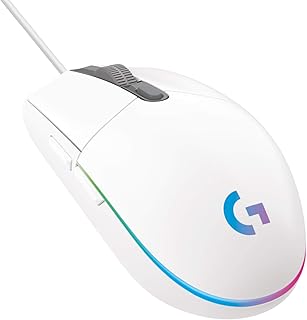
Logitech G102 Lightsync
DPI: Up to 8,000
Sensor: Logitech Mercury optical
Polling: 1000Hz
Buttons: 6 programmable
Connection: Wired USB
Weight: 85 g
Most trusted name
The G102 Lightsync is the mouse I hand to most people walking into a gaming mouse for the first time, and it is the one I still go back to when I want something on a second PC that just works. The ambidextrous Logitech body fits almost any hand, the sensor tracks cleanly at the 400 to 1,600 DPI most players actually game at, and six buttons remap freely through Logitech G HUB with onboard memory so your settings travel with the mouse.
The value is in the boring things, switches rated for 10 million clicks, a cable that has not changed in years because it does not need to, and software that does not nag you for an account. It is not the lightest, it is not honeycomb, and there is no wireless. What it does is last for years on an Indian desk with predictable replacement parts and Logitech support that actually answers RMAs. If you can only buy one mouse here, this is it.
What works
- Most trusted brand, shape and software at this price
- Clean Mercury sensor up to 8,000 DPI, no acceleration
- Logitech G HUB with onboard profile memory
- Reliable warranty network across Indian metros
What is bad
- Wired only at this price
- Heavier than the honeycomb picks
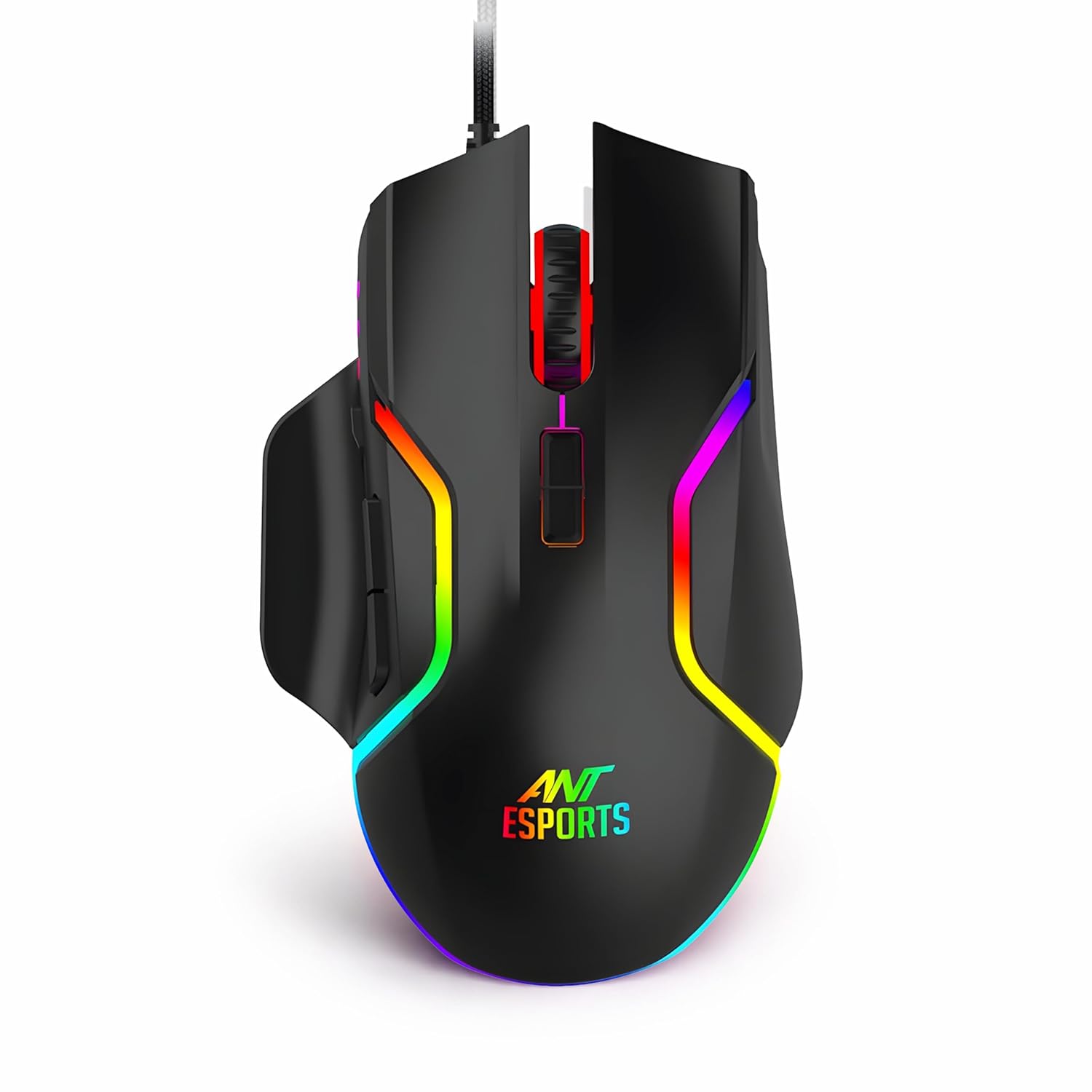
Ant Esports GM320 RGB
DPI: Up to 7,200
Sensor: Optical
Polling: 1000Hz
Buttons: 6 programmable
Connection: Wired USB
Weight: 110 g
Under Rs 600
The Ant Esports GM320 is the best mouse under Rs 600 in India by a clear margin, because almost everything else at this price is an unbranded Bangalore market clone with no warranty and a sensor that drifts after three months. The GM320 has Ant Esports support behind it, the sensor tracks honestly inside the 400 to 3,200 DPI band that matters, and six programmable buttons with onboard DPI cycling give you the basics of a proper gaming mouse for the price of two cheap food delivery orders.
The trade offs are obvious. The 110 g body is heavy by 2026 standards, the cable is rubber, and the RGB looks like RGB on a sub Rs 600 mouse. For a first gaming mouse for a kid, a hostel desk where it might get drowned in chai, or a spare in a drawer, none of that matters. It works, it has a warranty and it does not feel like a toy.
What works
- Cheapest mouse here with a real warranty
- Six programmable buttons, onboard DPI cycle
- Honest optical sensor inside useful DPI range
- Ant Esports support network across India
What is bad
- Heavy 110 g body, not for fast flicks
- Plastic build, basic rubber cable
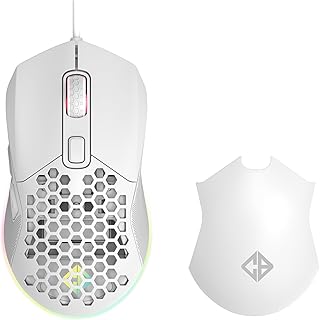
Cosmic Byte Firestorm
DPI: Up to 12,400
Sensor: Pixart 3327 optical
Polling: 1000Hz
Buttons: 7 programmable
Connection: Wired, paracord cable
Weight: 67 g
67 g honeycomb
The Cosmic Byte Firestorm is the cheapest mouse in India that pairs a genuine Pixart 3327 sensor with a sub 70 g shell, which is the same combination flagship mice charged Rs 5,000 plus for two years ago. The 67 g body floats on the paracord cable, the holes keep your palm dry through Mumbai summers, and the sensor tracks predictably at the 800 and 1,600 DPI sweet spot. For fingertip and claw players, this is the cheapest real esports shape on Amazon.in.
The corners are visible if you look. The plastic flexes slightly when you squeeze it, the side buttons feel cheaper than a Logitech, and the holes do collect dust after a few months that you have to blow out with a can. If you palm grip on a big mouse you will not love it. For light flick play in Valorant or CS2 at the lowest possible price, nothing else in India touches it. The sister page best gaming mouse under Rs 2,500 has the full lineup at this budget tier. For the tightest budgets, our best gaming mouse under ₹1,000 guide covers the cheapest picks worth buying.
What works
- Genuine Pixart 3327 sensor on a budget body
- 67 g honeycomb shell, lightest pick here under Rs 2,000
- Flexible paracord cable, near drag free feel
- Cheapest real esports shape on Amazon.in
What is bad
- Honeycomb holes collect dust over months
- Plastic flex on the shell, side buttons feel budget
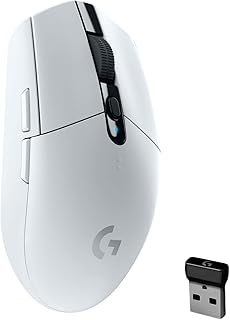
Logitech G304 Lightspeed
DPI: Up to 12,000
Sensor: HERO optical
Polling: 1000Hz
Buttons: 6 programmable
Connection: 2.4GHz Lightspeed wireless
Weight: 99 g with AA
250 hour battery
The Logitech G304 is the cheapest mouse in India that uses the same Lightspeed wireless protocol Logitech ships on its flagships, and that one fact decides this pick. The dongle latency is genuinely competitive, the HERO sensor tracks at 400 IPS without acceleration, and the single AA battery lasts about 250 hours of gaming, which on a typical 3 hour evening works out to around three months between battery swaps.
The obvious cut is the AA cell, the body sits at 99 g loaded versus rechargeable mice that hit 60 g, and there is no Bluetooth for laptop or phone fallback. For a tidy desk and a mouse you can grab and game with anywhere in the house, the trade is fair. If you want a lighter or rechargeable wireless, the best gaming mouse under Rs 5,000 guide steps up to those next.
What works
- Real Lightspeed wireless, not a generic dongle
- HERO sensor, no acceleration, clean tracking
- About 250 hours of gaming per AA battery
- Same Logitech G HUB software as the flagships
What is bad
- AA cell adds weight, 99 g loaded
- No Bluetooth, dongle only
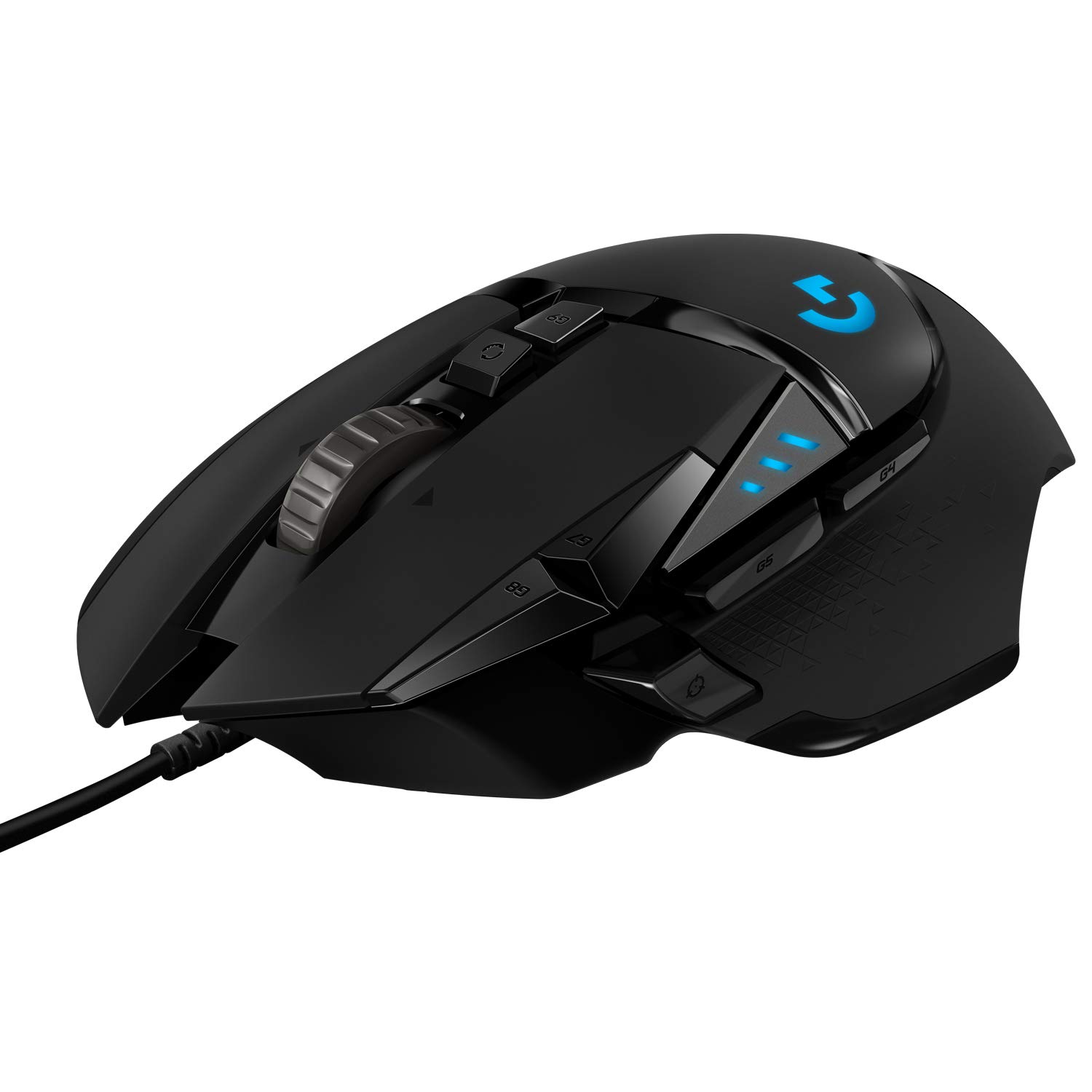
Logitech G502 Hero
DPI: Up to 25,600
Sensor: HERO 25K optical
Polling: 1000Hz
Buttons: 11 programmable
Connection: Wired USB, braided
Weight: 121 g, tunable
Tunable weights
The Logitech G502 Hero is the one mouse that does almost everything well enough that millions of Indian gamers keep buying it nine years after launch. Eleven programmable buttons, including a thumb stationed sniper key and a hyperscroll wheel that flips between ratcheted and free spin, cover MMO ability bars, photo editing shortcuts and BGMI emulator binds equally. The HERO 25K sensor tracks honestly up to 25,600 DPI with no acceleration, and the five removable 3.6 g weights let you tune the body between 121 g and a more substantial feel for slow flicks.
The G502 Hero is also the easiest mouse to recommend to someone who genuinely does not know what they want yet. It is heavy by 2026 esports standards, the shape strongly favours palm grip, and the wired cable is braided rather than paracord. For a do everything desk mouse from the safest brand in India, nothing else in this band has its depth of features.
What works
- Eleven programmable buttons including sniper key
- HERO 25K sensor, tracks cleanly to 25,600 DPI
- Five tunable weights for personal feel
- Hyperscroll wheel, ratchet or free spin
What is bad
- Heavy at 121 g, not for fast flicks
- Shape works best for palm grip only
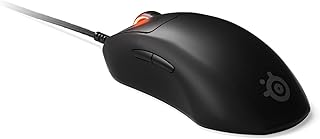
SteelSeries Prime Plus
DPI: Up to 18,000
Sensor: TrueMove Pro optical
Polling: 1000Hz
Buttons: 5 programmable
Connection: Wired USB, braided
Weight: 69 g
Optical switches
The SteelSeries Prime Plus is the cleanest pure FPS mouse in this band. The shape is the kind right hander esports shell most pros prefer, the 69 g weight floats in your fingers for fast flicks, and the TrueMove Pro sensor tracks at 1 to 1 motion with zero acceleration. The interesting part is the click, optical magnetic Prestige OM switches with no metal contacts, so there is no double click drift after a year of clicking, and the actuation feels faster and crisper than mechanical Omron units.
It is the FPS pick when you have outgrown the G102 and you do not want to spend on wireless yet. The five button layout is minimal but exactly right for shooters, the braided cable is fine if not paracord soft, and the SteelSeries GG software handles DPI stages and lift off distance cleanly. For ranked Valorant grinders on a wired setup, this is the value sweet spot under Rs 6,000.
What works
- Optical magnetic switches, no double click drift
- 69 g body, ideal for low sens flick play
- TrueMove Pro sensor, 1 to 1 tracking
- Right hander esports shape that most pros prefer
What is bad
- Only five buttons, no extra macro keys
- Wired only, braided cable not paracord
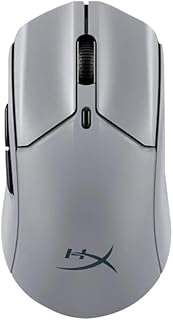
HyperX Pulsefire Haste 2 Pro 4K Wireless
DPI: Up to 26,000
Sensor: HyperX 26K optical
Polling: 1000Hz dongle
Buttons: 6 programmable
Connection: 2.4GHz, Bluetooth, wired
Weight: 61 g
61 g, 100 hr battery
The HyperX Pulsefire Haste 2 Pro 4K Wireless is the most balanced lightweight wireless mouse you can buy in India under Rs 9,000. The 61 g body is the kind of weight FPS pros chase, the dongle latency feels indistinguishable from wired in fast play, and the 100 hour battery means you charge it about once every three weeks if you game in the evenings. Tri-mode lets you swap to Bluetooth for a laptop or back to wired in a pinch.
The only real catch is the size. The Haste 2 is a medium shell at 124 mm long, ideal for an 18 to 20 cm hand in claw or fingertip, less comfortable if your hand is under 17 cm or you palm grip. The HyperX 26K sensor tracks honestly without acceleration, switches are rated for 100 million clicks, and the USB C charge cable doubles as a flexible wired mode. For most Indian players upgrading from a wired G102 to their first esports grade wireless, this is the sane pick.
What works
- 61 g rechargeable wireless, esports grade latency
- Tri-mode connection, dongle, Bluetooth, wired
- About 100 hour battery on the dongle
- HyperX 26K sensor, 100 million click switches
What is bad
- Medium shell, not for small hands or palm grip
- Bluetooth polling drops below the dongle
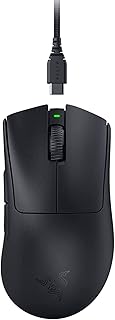
Razer DeathAdder V3 Pro
DPI: Up to 30,000
Sensor: Focus Pro 30K optical
Polling: 1000Hz, 4000Hz dongle option
Buttons: 5 programmable
Connection: Razer HyperSpeed wireless, wired
Weight: 63 g
Gen 3 optical switches
The DeathAdder V3 Pro is the most polished gaming mouse you can buy under Rs 11,000 in India. The shape is the refined version of the original DeathAdder that Razer has been iterating for nearly two decades, now down to 63 g with Razer HyperSpeed wireless, a Focus Pro 30K sensor and Gen 3 optical switches with a faster actuation than any mechanical Omron. For the way most Indian FPS players hold a mouse, palm or relaxed claw on a right hand, nothing else feels this neutral out of the box.
You are paying the Razer premium for build, the rest is genuinely flagship. Battery lasts about 90 hours, the 4000Hz dongle is a separate accessory if you want higher polling, and the asymmetrical design rules out lefties. If you play ranked Valorant or Apex and want the last mouse you will buy for years, this is the pick. The best gaming mouse under Rs 5,000 guide is the budget alternative when this jumps out of reach.
What works
- Most refined ergonomic FPS shape on the market
- Focus Pro 30K sensor, no acceleration
- Gen 3 optical switches, faster than Omron
- 63 g body, about 90 hour battery
What is bad
- Right hander only, no lefty version
- 4000Hz dongle is sold separately
All mice compared
| Best for | Mouse | Price | Sensor | Weight | Connection | Buy |
|---|---|---|---|---|---|---|
| Overall | Logitech G102 Lightsync | Check price | Logitech Mercury | 85 g | Wired | Amazon |
| Cheapest | Ant Esports GM320 RGB | Check price | Optical | 110 g | Wired | Amazon |
| Light Budget | Cosmic Byte Firestorm | Check price | Pixart 3327 | 67 g | Wired paracord | Amazon |
| First Wireless | Logitech G304 Lightspeed | Check price | HERO | 99 g with AA | 2.4GHz Lightspeed | Amazon |
| All Rounder | Logitech G502 Hero | Check price | HERO 25K | 121 g, tunable | Wired | Amazon |
| Light FPS Wired | SteelSeries Prime Plus | Check price | TrueMove Pro | 69 g | Wired | Amazon |
| Light Wireless | HyperX Pulsefire Haste 2 Pro 4K Wireless | Check price | HyperX 26K | 61 g | Tri-mode | Amazon |
| Premium | Razer DeathAdder V3 Pro | Check price | Focus Pro 30K | 63 g | HyperSpeed wireless | Amazon |
How I test and pick
Every mouse on this list is judged the same way. First, I confirm the sensor by part number from the manufacturer page, not the marketing tagline, because half the value brands in India quote a DPI ceiling without naming the chip. Second, I weigh the mouse on a kitchen scale to within 1 g, because listed weights are often off by 4 to 8 g once the cable is attached. Third, I run a CS2 aim trainer routine, a Valorant deathmatch, and a long BGMI emulator session on each, looking for sensor smoothing, double click drift, scroll wheel slip and any wireless stutter that an unboxing video would never catch. Finally, I check the Amazon.in listing the same morning the guide updates so the price you see matches what is on the live page within a small margin.
Sensor tiers, what each one actually costs in India
The sensor is the only spec on a gaming mouse that genuinely cannot be faked. Below is what each tier costs you on the Indian market in 2026 and what it buys you in real terms.
| Tier | Sensor | Used by | Indian price band | What it adds |
|---|---|---|---|---|
| Entry | Unbranded optical, generic Avago clones | Ant Esports GM320, Zebronics Phobos | Check price | Honest tracking up to 1,600 DPI, fine for casual play |
| Budget Flagship | Pixart 3327 | HyperX Pulsefire Core, Cosmic Byte Firestorm | Check price | No acceleration or smoothing, esports usable |
| Mid Flagship | Pixart 3360, 3389 | Older Logitech G Pro, Glorious Model O | Check price | Higher max tracking speed, better in fast flicks |
| Performance | Logitech HERO, HERO 25K, Pixart 3395 | G304, G502 Hero, G Pro Superlight, Kreo | Check price | Power efficient for wireless, 25,600 DPI, 400 IPS |
| Flagship | Razer Focus Pro 30K, HyperX 26K, TrueMove Pro | DeathAdder V3 Pro, Pulsefire Haste 2, SteelSeries Prime Plus | Check price | 30K DPI ceiling, 750 IPS tracking, smart sleep |
The honest reading. From about Rs 1,200 onwards in India you are already inside the band where the sensor itself stops being the bottleneck. A Pixart 3327 in a budget shell tracks every flick a Valorant Immortal player throws at it, and the gap to a Focus Pro 30K matters far more for marketing than for your headshot percentage. Spend on the shape, the weight and the wireless tier instead.
Polling rate, in plain numbers
Polling rate is how often the mouse tells your PC where it is. Higher is smoother in theory, but only up to where your monitor and game engine can use it. Here is what the numbers actually mean in milliseconds.
- 125Hz, 8 ms between reports. Office mouse territory. Visible micro stutters in fast shooters.
- 500Hz, 2 ms. Older esports default. Fine for casual play and most BGMI emulator users.
- 1000Hz, 1 ms. The current standard, what every mouse on this list runs by default. The sweet spot of smoothness and CPU load.
- 2000Hz to 4000Hz, 0.5 to 0.25 ms. Detectable on a 240Hz or 360Hz monitor in CS2 and Valorant. Marginal benefit on a 144Hz panel.
- 8000Hz, 0.125 ms. Pro tier on the best displays, costs noticeable extra CPU. Unless you are on a 360Hz monitor with a ten core CPU, you will not see it.
For nearly every Indian gamer on a 144Hz or 165Hz panel, 1000Hz is enough. The newer 4000Hz and 8000Hz dongles sold with the DeathAdder V3 Pro and Pulsefire Haste 2 Pro are a real upgrade if your monitor and CPU can use them, and pure marketing if not. Save the budget for a better shape instead.
Grip style and hand size, the spec that beats every sensor
The biggest mistake Indian buyers make is choosing a mouse on DPI and weight without measuring their own hand. Get the shape wrong and even an expensive mouse feels worse than a cheap one. Measure from the base of your palm to the tip of your middle finger.
| Hand length | Grip style | Mouse length to look for | Picks from this list |
|---|---|---|---|
| Under 17 cm | Claw or fingertip | 110 to 118 mm | Cosmic Byte Firestorm, smaller esports shells |
| 17 to 18.5 cm | Claw, relaxed claw | 118 to 124 mm | SteelSeries Prime Plus, Pulsefire Haste 2 |
| 18.5 to 20 cm | Palm or relaxed claw | 124 to 128 mm | Logitech G102, DeathAdder V3 Pro, G502 Hero |
| Over 20 cm | Palm | 128 to 132 mm | G502 Hero, DeathAdder V3 Pro, Logitech G502 X Plus |
The three grips matter as much as the size. Palm rests your whole hand flat on the back of the mouse and rewards a larger contoured body. Claw arches your fingers like a spider on the buttons and favours a shorter shell you can flick. Fingertip lifts your palm off entirely so only fingertips touch the mouse, and works best on the lightest, smallest bodies. Most casual players are relaxed claw without realising it. If you cannot tell, look at a photo of your hand on your current mouse, where it sits on the back tells you everything.
Wireless, charging and what is real in 2026
Three years ago every gaming guide in India said wired or nothing. That has changed completely. Logitech Lightspeed, Razer HyperSpeed and HyperX wireless dongles now run at the same 1 ms polling as a USB cable, and pros have used wireless in Valorant and CS2 majors for years. The honest split now is value not latency.
Below Rs 3,000, wireless still costs you something. Either the body picks up an AA battery and weight, like the Logitech G304 at 99 g loaded, or the wireless protocol drops to a generic dongle that polls slower under load. From Rs 5,000 upward, you get genuinely competitive 2.4GHz on a 60 g rechargeable shell and 80 to 150 hour batteries that you charge once every three weeks. The wireless tax is now mostly the cost of the battery and the radio, not the latency.
The two checks worth running on any wireless mouse. First, confirm the polling rate over 2.4GHz, because some value brands quote 1000Hz on the dongle and 125Hz on Bluetooth as one spec. Second, look for the rated battery life on the 2.4GHz mode specifically, not RGB off battery life with the dongle disconnected. A Lightspeed 250 hour AA cell figure is real. A no name 70 hour figure measured with the LED off is theoretical. For matching peripherals, see the best gaming mousepad under Rs 1,000 picks.
Which mouse for which game
The right mouse depends as much on what you play as what you can afford. Here is the honest breakdown for the games most Indian PC gamers spend time on.
- Valorant and CS2. Light shells, low DPI flick play, named flagship sensor. The SteelSeries Prime Plus, HyperX Pulsefire Haste 2 Pro 4K Wireless and Razer DeathAdder V3 Pro are the natural picks. The Cosmic Byte Firestorm holds its own at a much lower price if you are starting out.
- BGMI and other mobile first shooters on PC. If you play BGMI on your phone, no PC mouse helps. If you emulate BGMI on a PC, treat it like a slow paced FPS, where the G502 Hero is genuinely useful because its 11 buttons cover crouch, prone, throwables and vehicle controls without keyboard reaches.
- MMOs and MOBAs like World of Warcraft, Dota 2, League of Legends. Side button density matters more than weight. The Logitech G502 Hero with its 11 programmable buttons is the natural pick, and the Razer Naga family steps it up to twelve thumb buttons if you live in WoW.
- Racing sims and flight sims. A normal precise mouse with comfortable scroll and one or two side macros is enough. The G102 or G304 do this without overspend.
- Productivity, photo and video editing alongside gaming. The G502 Hero earns its keep here, the hyperscroll wheel and sniper button map perfectly to timeline scrubbing and brush size shortcuts in Photoshop or Lightroom. If you build PCs too, my best gaming PC build under Rs 50,000 guide pairs hardware with these peripherals.
India specific buying tips
Buying a gaming mouse in India is not the same as buying one in the US. A few practical notes from my Mumbai desk and a decade of Indian RMA experience.
Warranty and service network. Logitech and Razer have the deepest India support, with Logitech in particular running a forward replacement scheme that ships a new unit before you return the dead one in metros. HyperX and SteelSeries are next tier, fine but slower. Value brands like Cosmic Byte, EvoFox and Redgear honour warranties but expect a courier round trip and a wait.
Amazon versus Flipkart pricing. Amazon.in tends to have faster price drops on Logitech, Razer and HyperX. Flipkart is often cheaper on Cosmic Byte, EvoFox and other Indian brands during Big Billion Days. Big sale events around Diwali, Republic Day and the late summer Amazon Prime Day are when flagships drop hardest.
Monsoon humidity and rubber grips. The one Indian quirk most reviews skip. Soft rubber side grips and rubberised coatings degrade faster in a Mumbai or Kerala monsoon, going sticky after two to three years of humid sweat. Smooth plastic shells like the G102, the SteelSeries Prime Plus and the Cosmic Byte Firestorm hold up much better long term than rubberised premium shells in coastal cities. If you live in a humid city, lean smooth plastic.
Pair with the right board. A great mouse on a generic keyboard wastes half the experience. For combos on a real budget, the best gaming keyboard and mouse combo under Rs 1,500 is the sensible matching tier for the G102 and Firestorm class of mouse.
What to avoid in 2026
Three traps still catch Indian buyers in this market. First, paying for a giant DPI rating on an unnamed sensor. A 16,000 DPI no name mouse is genuinely worse than a 6,200 DPI Pixart 3327. Second, cheap wireless from an unknown brand under Rs 1,500. The protocol is usually a generic 2.4GHz radio that polls slow under load, the battery weighs the body down, and the saving versus a Logitech G102 wired is not worth the experience. Third, RGB heavy mice with no software. RGB on a gaming mouse only earns its keep if you can sync it and remap buttons, and a flashy mouse with no Logitech G HUB or Razer Synapse equivalent is just a glowing brick.
Frequently asked questions
The verdict
The Indian gaming mouse market in 2026 is the healthiest it has ever been at every price band. You can already get a real Pixart sensor on a 67 g shell with the Cosmic Byte Firestorm. The Logitech G102 Lightsync is still the safest single recommendation in the country, the most trusted shape with the best software and the strongest warranty backbone. Step up to Rs 3,000 and the G304 Lightspeed brings honest competitive wireless. Above Rs 5,000, the SteelSeries Prime Plus, HyperX Pulsefire Haste 2 Pro 4K Wireless and Razer DeathAdder V3 Pro are flagship grade in shape, sensor and switches, with the DeathAdder V3 Pro being the one I would pick if I were buying for the next five years. Match the mouse to your hand size, grip and the games you actually play, and any pick on this list will outlive the next PC you build.