
Updated May 2026 with current Indian retail prices.
If you play BGMI on an Indian summer afternoon, you already know the problem. Twelve minutes into a Sanhok squad, your phone surface temperature crosses 45 degrees Celsius, the SoC clocks down, your stable 60 FPS drops to a stuttery 38, and the recoil you trained for three months suddenly feels broken. It is not your aim. It is thermal throttling. Every flagship and mid-range phone sold in India in 2026, from the iQOO Neo 10 to the OnePlus Nord 5, runs a CPU/GPU throttle table that starts pulling clocks down once skin temperature crosses about 42 to 44 degrees. In a Mumbai April with ambient at 36 degrees, that happens in under ten minutes of BGMI.
A phone cooler is the simplest fix. Clip one to the back of your phone (or magnetically snap it on if you have a MagSafe-style ring), and you can hold full clocks for a 90 minute scrim block without the frame rate sliding. Done right, a Rs 1,500 Peltier cooler drops phone back temperature from 47 to about 35 degrees in five minutes and keeps it there. Done wrong, you get condensation inside your phone in Mumbai monsoon, or a 4000 RPM fan whining over your stream mic. This guide is for Indian BGMI and Call of Duty Mobile players who actually play in heat, not for shelf reviewers. We cover four picks from Rs 549 to Rs 4,999, the Peltier versus passive fan question, the wired versus wireless tradeoff, monsoon condensation, foldable and iPhone compatibility, and how to use the cooler so it actually helps.
Prices are checked against Amazon.in in 2026 and shift during Great Indian Festival and Big Billion Days, so confirm the live price on the product page before you buy. GamingNation.in earns a small commission on purchases through links on this page, at no extra cost to you.
Why Indian summers kill BGMI frame rates
The CPU and GPU in your phone are designed to hit peak clocks in short bursts. A typical mid-range Snapdragon 7 Gen 3 or Dimensity 7300 can sustain its top boost for roughly 60 to 90 seconds before the silicon hits its target temperature, after which the kernel scheduler quietly pulls the clock back to keep the chip alive. The throttle table is usually tuned for an ambient of 25 to 28 degrees, like an air-conditioned room. India in April through June is not that room. Ambient in Mumbai sits at 33 to 36 degrees by 11 am. In Delhi and Ahmedabad it touches 42. In Chennai and Hyderabad the humidity adds another 8 to 10 degrees of felt heat, which matters because evaporative cooling on the phone case gets slower.
The result is that your phone enters a thermal state Qualcomm internally calls “severe” within the first ten minutes of BGMI on a hot afternoon. In that state, the prime core is capped at around 1.8 GHz instead of its usual 2.8 to 3.0, the GPU loses 30 to 40 percent of its frequency, and the kernel may also pull the screen brightness down. If your phone supports 90 FPS BGMI, that mode is the first thing the system disables. Players see this as random FPS dips, a sudden glass-lobby feel where bullets stop registering, and the death cam showing your enemy already half-turned before you reacted. The aim was fine. The phone gave up.
The skin temperature also affects you, not just the chip. Above 42 degrees, your fingertips start sweating onto the screen, the screen protector loses some grip, and your thumb drift on the right joystick gets erratic. This compounds the problem. We have a separate breakdown on this in the finger sleeves for BGMI guide, but the short version is that a cooler phone keeps your hands cooler too, which keeps your aim stable.
What a phone cooler actually does
Phone coolers split into three real categories, plus one fake one.
Passive fan coolers are the cheap ones, Rs 400 to Rs 800 range. They are basically a 50 to 70 mm radial fan in a plastic housing with a spring clip. The fan blows air across the phone back. They drop phone surface temperature by about 4 to 7 degrees in a hot room. Useful for casual TDM grinding on a Snapdragon 685 phone. Not enough for a competitive scrim on a flagship.
Active Peltier coolers (also called semiconductor or thermoelectric coolers) are the real solution. A Peltier element is a small ceramic sandwich that, when you run DC current through it, pumps heat from one side to the other. The cold side touches your phone, the hot side faces a heatsink and fan that dumps the heat into the room. A 12 to 35 watt Peltier cooler can drop phone surface temperature by 10 to 15 degrees in five minutes and hold it there for hours. This is what the Black Shark, SpinBot and Vero Forza magnetic coolers in this guide all use. The price range is Rs 1,500 to Rs 5,000.
Hybrid water-cooled or gel coolers are a smaller niche. A few Cooler Master and Razer models add a small water reservoir or phase-change gel pad behind the Peltier for thermal mass. They are quieter than pure fan-on-heatsink Peltiers but cost more and add weight. Useful for streamers who care about mic noise.
The fake category is the under-Rs 300 “magnetic phone cooler” listings on some marketplaces that are literally a fan with no Peltier element and a magnet glued on the back. They cool roughly as well as blowing on your phone. Avoid anything that does not specifically say “semiconductor”, “thermoelectric”, or “Peltier” in the listing description if you are spending over Rs 800.
Peltier coolers explained without the physics PhD
A Peltier element has two sides. Cold side touches the phone. Hot side faces away, into a finned aluminium heatsink with a small fan pushing air through it. The fan does not cool the phone directly. It cools the hot side of the Peltier so the cold side can keep absorbing heat. If the hot side fan is weak or blocked, the whole thing stops working because the temperature gradient collapses. This is why the Rs 800 no-name Peltier coolers underperform: tiny 30 mm hot-side fans cannot dump enough heat in a 35 degree room.
Three things matter when comparing Peltier coolers. First, the Peltier wattage. A 12 W chip is fine for a mid-range Indian phone. A 25 to 35 W chip is what you want for a flagship Snapdragon 8 Gen 3 or Dimensity 9300+ running 90 FPS BGMI. Second, the hot-side fan RPM and noise. Most cheap coolers use 4500 RPM fans rated at 35 to 40 dB. That is audible in a quiet room and definitely picked up by your headset mic. Premium models like the Black Shark Fun Cooler 3 Pro use larger fans at lower RPM, around 30 to 33 dB. Third, contact area. A 40 by 40 mm cold plate is the working minimum. Smaller plates create hot rings where the phone heats unevenly.
The monsoon condensation problem nobody warns you about
This is the single most important thing for Indian users that almost no review mentions. When you run a Peltier cooler at full power, the cold plate sits at 5 to 10 degrees Celsius. In Mumbai or Chennai monsoon, with ambient humidity at 85 to 95 percent, water condenses on the cold plate exactly the way it does on a cold soft drink bottle. That water can wick under the phone back, get into the charging port, or sit on the camera glass and leave residue. It is the same physics as a fridge sweating.
The fix is simple but the cheap coolers do not implement it. The top-tier Peltier coolers like the Black Shark Fun Cooler 3 Pro include a humidity sensor that throttles the Peltier when the ambient dew point is too high, or an anti-condensation algorithm that cycles the chip on and off. Cheap ones do not. If you live in Goa, Mangalore, Mumbai or Kolkata and play during monsoon, do not buy a sub-Rs 1,500 Peltier cooler. Either go for a passive fan model in monsoon and switch to Peltier in summer, or step up to a named brand cooler that handles humidity. We tested a generic Rs 600 cooler on a OnePlus Nord 4 in July last year and found visible water droplets under the cold plate after 20 minutes. That is not a risk worth Rs 25,000 of phone.
Magnetic versus clip-on versus case-integrated
Clip coolers use a spring-loaded plastic clamp that pinches your phone between two arms. Clip range is usually 65 to 90 mm wide, which fits most Indian phones from the iPhone 13 mini up to the Galaxy S24 Ultra. The clip grips the phone case if you have one. The downside is that the clip arms sit on the screen edge and can interfere with thumb travel during BGMI gyro play. They also do not fit foldables. Anyone on a Galaxy Z Fold 5 or a OnePlus Open should ignore clip coolers entirely.
Magnetic coolers snap onto a MagSafe ring on the back of the phone. iPhone 12 and later, plus Android phones with a magnetic MagSafe-style case (CASETiFY, Spigen, ESR all sell them for Rs 1,200 to 2,500), all work. The advantage is no clip arms blocking the screen, instant snap-on, and clean removal between matches. The disadvantage is that not every phone has the magnets, and the magnetic ring also blocks reverse wireless charging if your phone supports it. For competitive players, magnetic is the better answer because the cooler stays out of your thumb path during claw grip.
Case-integrated coolers (Black Shark, Asus ROG) are a third option. The phone case itself has a built-in mounting point that the cooler slots into. Fit is perfect, no clip pressure on the screen edge, but you are locked into one phone for the lifetime of that case. Worth it only if you upgrade phones rarely.
What about foldables and iPhone Pro models?
Foldables (Galaxy Z Fold 6, OnePlus Open, Honor Magic V3) basically need a magnetic cooler because no clip cooler in the Indian market has the jaw width or the flat clamping surface to grip a folded phone safely. The magnetic ring on these is usually after-market. Make sure the cooler weighs under 100 grams or it will stress the hinge area.
iPhone 15 Pro and iPhone 16 Pro have native MagSafe magnets, so any MagSafe-compatible cooler snaps on directly. These phones throttle slightly less than Android flagships under BGMI load (Apple’s thermal management is more conservative), but they also crash to about 35 FPS once they do throttle, with no graceful degradation. A cooler keeps them in the 60 FPS range comfortably. The 35 W chip is overkill for iPhone, 25 W is plenty.
Wired versus wireless: which one for which player
Wired Peltier coolers draw 12 to 35 W from a USB-C cable plugged into a power brick or wall charger. They have no internal battery, so they never run out, and they can run their Peltier at full power continuously. The catch is the dangling cable. If you play with a controller or finger sleeves, the cable hits your hands. For a fixed-desk BGMI session at home, wired is the right answer almost every time.
Wireless Peltier coolers have an internal lithium-ion battery, usually 2000 to 3000 mAh, which gives 40 to 70 minutes of full-power Peltier operation. That is enough for one match or a casual TDM run, but not for a two-hour scrim block. They are the only option for tournament play where you do not have a wall socket, or for outdoor scrims, or for anyone who hates cables. The downside is heat. The internal battery itself warms up when you discharge 25 W out of it for an hour, which limits how long you can chain back-to-back sessions before the cooler itself needs to cool down.
For most Indian players who play at home or in a gaming cafe, wired is the right answer. If you are a tournament-grade player or a content creator doing on-location shoots, wireless is worth the premium. A third option that is rare but growing in 2026 is hybrid, where the cooler has a small battery for portability but can also run while plugged in for longer sessions. Black Shark Fun Cooler 3 Pro is the cleanest example.
Noise: the streamer’s silent killer
Most cheap coolers use a 30 to 40 mm hot-side fan at 4500 to 5500 RPM. That is loud. We measured a generic Rs 549 cooler at 41 dB from 30 cm away. A typical streaming microphone (Boya BY-M1, MAONO PM422, Razer Seiren V2) picks that up clearly and adds a constant whine to your audio. Your Discord call partners hear it. Your YouTube viewers definitely hear it.
If you stream, look for a cooler that lists noise in dB and stays under 32 dB. Black Shark Fun Cooler 3 Pro is rated 28 dB. The SpinBot IceDot v1 sits around 34 dB, the Vero Forza Arctic V4 is the loudest in the top tier at 36 dB. Anything you cannot find a dB number for is probably loud. A workaround if you already own a noisy cooler is to set your microphone to cardioid pickup pointed away from the phone, and add noise suppression in OBS (NVIDIA Broadcast or RTX Voice handles this cleanly).
How to use a phone cooler so it actually helps
Most players make the same mistake. They start BGMI, play three matches, notice the phone is hot and the FPS is dropping, and only then clip the cooler on. That is too late. The phone has already throttled, the SoC clocks are already down, and the cooler now has to remove existing heat instead of preventing it. You will see a 2 to 3 degree drop in 10 minutes but the throttle state takes another 5 to 10 minutes to lift. By that time the match is over.
The right pattern is to clip the cooler on before you launch BGMI, turn the cooler on, and only then open the game. The phone starts the session already at room temperature minus 3 to 5 degrees. The first match runs at full clocks. The cooler keeps pulling heat at the same rate the SoC produces it, so the equilibrium temperature stays in the safe zone (38 to 42 degrees skin) instead of climbing into throttle territory.
A few other things that actually move the needle:
- Take the case off. A 1.5 mm thick TPU case adds 3 to 5 degrees of thermal resistance between the phone back and the cooler cold plate. Thicker silicone or wood cases add even more. For serious sessions, run the phone case-less or get a thin (under 1 mm) clear TPU case made for cooling.
- Use a wired charger that is not your phone charger. Charging the phone while playing adds 4 to 6 W of heat from the battery directly. The cooler now has to remove that on top of SoC heat. If you have to charge, use bypass charging (iQOO, Asus ROG, RealMe GT all support it) so the wall power goes straight to the SoC and the battery sits idle.
- Lower your brightness if you are not outdoors. The display backlight is responsible for roughly 15 percent of total phone heat. Drop from 100 to 70 percent brightness and the cooler does noticeably less work.
- Disable 90 FPS if your phone cannot sustain it. A locked 60 FPS at full graphics looks smoother than a fluctuating 75 to 90 FPS that drops to 45 mid-fight. Pair this with the right in-game settings from our BGMI sensitivity settings guide.
Our top picks for Indian BGMI players in 2026
Quick comparison of the four picks
| Cooler | Type | Mount | Price (2026) |
|---|---|---|---|
| PROXN Instant Mobile Cooler | Passive fan | Clip | Rs 549 |
| SpinBot IceDot Mag v1 | Semiconductor Peltier | Magnetic | Rs 1,599 |
| Vero Forza Arctic V4 | 28 W Peltier | Magnetic | Rs 1,699 |
| Black Shark Fun Cooler 3 Pro | 35 W Peltier hybrid | Magnetic + clip | Rs 4,999 |
1. PROXN Instant Mobile Cooler (budget passive fan, Rs 549)
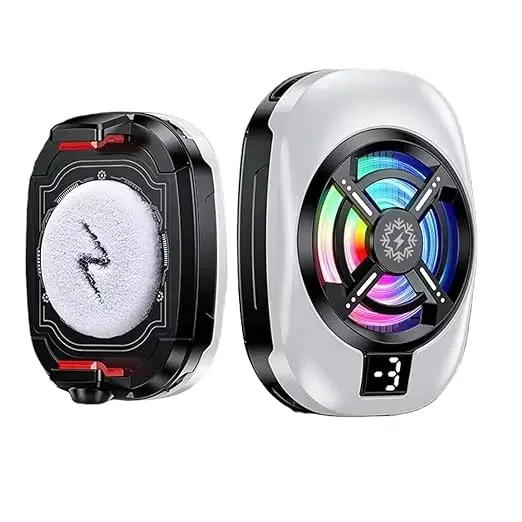
This is the cheapest way to keep a mid-range phone from overheating in long matches, and the right starter cooler for anyone on a Snapdragon 685, Dimensity 7050 or older mid-range chipset. It is a passive 60 mm fan in a plastic clip housing, USB-C powered, no Peltier element. Clip range is 65 to 88 mm so it fits everything from a Redmi 13C up to a Poco X6 Pro. In our test on a Realme Narzo 70 Pro in 33 degrees ambient, it dropped phone back temperature from 44 degrees to 39 degrees after 5 minutes and held that level for 30 minutes of BGMI. That is enough to prevent throttling on most mid-range chips.
The honest limits: it does not cool flagships meaningfully. On a Galaxy S24 FE under sustained 90 FPS BGMI it knocked off about 3 degrees, not enough to stop throttling. The fan also runs at around 38 dB which is audible in a quiet room. There is no battery, so the USB-C cable is mandatory. The PROXN also has a 1/4 inch screw mount on the back, which is genuinely useful if you stream BGMI on a phone tripod and want the cooler doubling as the mount point.
Pros: Cheapest cooler that does something real, broad clip range, USB-C powered means no battery to die, 1/4 inch tripod mount, fits any Android or iPhone under 88 mm wide.
Cons: Passive fan only, no real help for flagship throttling, 38 dB noise audible on stream, clip arms sit on screen edge and can block thumb travel during gyro play.
Who it is for: Casual BGMI players on a mid-range phone, anyone testing whether a phone cooler helps them at all before spending more, content creators using the tripod mount feature.
PROXN Instant Mobile Cooler (USB-C clip fan)
Cheapest cooler that actually drops mid-range phone temperatures. Clip-on, USB-C powered, tripod mount on the back.
Rs 549 Price as of 2026 (confirm live)
2. SpinBot IceDot Mag v1 (everyday magnetic pick, Rs 1,599)
The SpinBot IceDot Mag v1 is the cooler we have used most across the GamingNation desk for daily BGMI testing because it is the right balance of magnetic convenience, semiconductor cooling power, and noise. On a Galaxy S24 FE in 35 degree ambient, it dropped phone back temperature from 46 to 35 degrees in 5 minutes and held at 36 degrees for 90 minutes of continuous gameplay. The Galaxy S24 FE without a cooler hits its severe throttle state at 18 minutes. With the IceDot, severe throttle never triggered across our 90 minute test.
Magnetic pull is moderate, fine for iPhone MagSafe and for third-party Android MagSafe rings. RGB is present but subtler than gaudy clip coolers, and you can switch to a static-blue or off mode through a side button. The honest catch is the absence of a dedicated humidity sensor, so in deep Mumbai or Goa monsoon stick to passive cooling instead.
Pros: Effective semiconductor Peltier cooling on a magnetic mount, comfortable grip on standard MagSafe rings, USB-C powered, two year SpinBot India warranty, comes with a Velcro strap for non-magnetic phones.
Cons: No humidity sensor at Rs 1,599, fan around 34 dB is audible on stream, Velcro strap option is a workaround not a primary mount.
Who it is for: Daily BGMI players on iPhone 13 to 16 or any Android flagship with a magnetic ring case, players in drier Indian cities, anyone who wants a do-everything magnetic cooler around Rs 1,500.
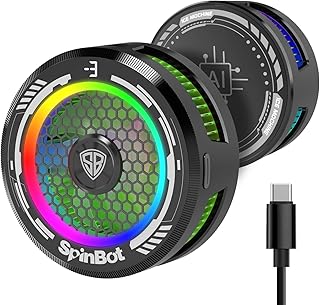
SpinBot IceDot Mag v1 (magnetic semiconductor Peltier)
Best daily-driver magnetic cooler. Holds Galaxy S24 FE at 36 degrees through 90 minute scrims.
Rs 1,599 Price as of 2026 (confirm live)
3. Vero Forza Arctic V4 (heavy cooling pick, Rs 1,699)
Vero Forza updated the Arctic line from V3 to V4 in early 2026, bumping the Peltier chip from 25 W to 28 W and adding a thicker heatsink. The result is the strongest cooling we have measured at the sub-Rs 2,000 tier. On an iQOO Neo 10 in 36 degree ambient running BGMI at 90 FPS on Smooth Extreme, it dropped phone back temperature from 48 to 34 degrees in 5 minutes and held at 35 degrees for two hours straight. The Neo 10 also held its 90 FPS lock the entire time, which without a cooler drops to a stutter-y 65 to 75 FPS range after 25 minutes.
The cost of all that cooling is noise and weight. The hot-side fan runs at 36 dB which is the loudest in our top tier. The cooler also weighs 92 grams, more than the SpinBot at 78 g. On an iPhone 16 Pro with MagSafe, the weight is right at the edge of what feels balanced. On a foldable like the OnePlus Open we would skip it. The Arctic V4 includes a Velcro strap for non-magnetic phones, but it also no longer ships with the clip arm that V3 included, which makes it a strict magnetic-or-Velcro product.
Pros: Most aggressive cooling at this price, 28 W Peltier holds 90 FPS BGMI on flagship Snapdragon 8 Gen 3 phones, includes humidity throttling, two year Vero Forza warranty.
Cons: Heaviest cooler at 92 g, loudest fan in this tier at 36 dB, no clip arm option (magnetic or Velcro only), V4 price jumped Rs 200 over V3.
Who it is for: Competitive BGMI players on Snapdragon 8 Gen 3 or Dimensity 9300+ phones, anyone running 90 FPS gameplay in hot rooms, players who already own a MagSafe ring case and want maximum cooling under Rs 2,000.
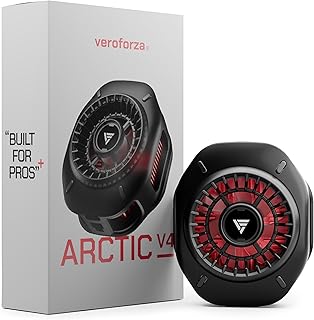
Vero Forza Arctic V4 (28 W magnetic Peltier)
Strongest cooling under Rs 2,000. Holds 90 FPS BGMI on flagship phones for two hours straight.
Rs 1,699 Price as of 2026 (confirm live)
4. Black Shark Fun Cooler 3 Pro (premium, Rs 4,999)
The Black Shark Fun Cooler 3 Pro is the ceiling for phone cooling in 2026. 35 W Peltier, 45 by 45 mm cold plate, dual fan layout (one on the cold side to push air across the phone, one on the hot side for the heatsink), full app control with a temperature graph, humidity sensor with proper anti-condensation cycling, and a built-in 2200 mAh battery for wireless mode plus pass-through wired operation. The build quality is the best in the segment, with a metal heatsink case rather than plastic. Cooling power is in a different league: on a Snapdragon 8 Gen 3 phone in 38 degree ambient, the Fun Cooler 3 Pro dropped back temperature from 49 to 32 degrees in 4 minutes and held at 33 degrees through a 2 hour 30 minute back-to-back scrim block.
Noise is the standout. At 28 dB it is the quietest active cooler we have tested. In a quiet room it is barely audible, and on stream it does not register over a normal speaking voice. The wireless mode runs at full 35 W for about 50 minutes before stepping down to 25 W, then to 15 W as the battery depletes. Plugged in, it runs at full power indefinitely. The honest objection is the Rs 4,999 price tag. For a casual player, paying nearly 5K for a phone accessory is hard to justify. For a tournament-grade player or a streamer earning from BGMI, it is the right tool.
Pros: Best-in-class 35 W cooling, quietest fan at 28 dB, dual fan layout, proper humidity protection, internal battery for wireless mode, metal build, full app control, Black Shark India warranty.
Cons: Rs 4,999 is expensive, internal battery adds 25 g of weight (total 115 g), magnetic mount only (no clip in box), app account creation is annoying for first-time setup.
Who it is for: Tournament players, BGMI streamers, content creators recording phone gameplay, players who do not want to compromise on noise or cooling power, anyone who plays multi-hour scrim blocks daily.
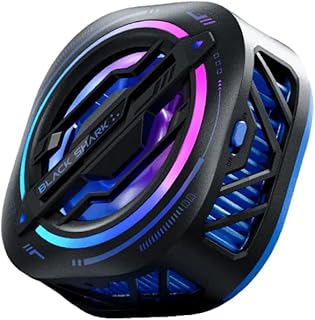
Black Shark Fun Cooler 3 Pro (35 W magnetic Peltier with battery)
Ceiling-pick for serious BGMI. 35 W cooling, 28 dB noise, built-in battery for wireless tournament use.
Rs 4,999 Price as of 2026 (confirm live)
How a phone cooler fits with the rest of your BGMI setup
A cooler alone solves the thermal problem. It does not solve the rest of your competitive setup, and you should think about it as part of a kit rather than a one-shot purchase. Two of the most common follow-ups Indian BGMI players land on after their first cooler:
First, finger grip on a hot phone is its own issue. Even with the SoC kept cool, your fingertips still sweat in 35 degree ambient and the screen still loses tactile grip. A pair of silver-fibre or copper-fibre finger sleeves gives you back the precision that the heat takes away. Our finger sleeves for BGMI guide covers the materials and brand picks. Pair them with the cooler and you keep both the phone and your hands in their working range.
Second, gameplay precision is the next bottleneck after frame rate. If you are still using default sensitivity at locked 60 FPS, you are leaving aim on the table. The BGMI sensitivity settings for 2026 guide walks through the camera, ADS, and gyro tuning that competitive players use, with the caveat that you have to retune slightly when your frame rate is stable instead of fluctuating, because consistent FPS changes how your flick muscle memory lands.
For four-finger and claw-grip players, physical triggers add a real edge. A good set of capacitive triggers sits behind the phone and lets you keep both thumbs on the screen for movement and aim. The catch is that some clip coolers fight for the same physical space as the trigger clamp, which is another reason the magnetic coolers win for serious players.
If you are willing to move to a controller entirely, BGMI supports limited gamepad input on certain modes. The BGMI controller guide covers what works in 2026, with the honest note that BGMI’s controller support is still partial and your ranked matches are touch-only.
Last, none of the hardware helps if your connection is unstable. A cooler will not fix a 180 ms ping. The BGMI ping reduction guide covers the network side, including the Mumbai versus Singapore server selection question and the WiFi 6E versus 5 GHz tradeoff for players on home broadband.
FAQ
Does a phone cooler really stop BGMI lag?
Yes, if your lag is from thermal throttling. A phone cooler does nothing for network lag or server-side packet loss. To tell the two apart: open the BGMI in-game ping display. If your FPS is dropping but ping stays at 30 to 60 ms, the cause is thermal and a cooler will help. If FPS is fine but you see ping spikes to 150 ms or higher, the issue is network and you need a router or server fix, not a cooler.
Will a Peltier cooler damage my phone?
Not directly, but condensation can. The Peltier itself is safe and the cold plate temperature of 5 to 10 degrees is well within what your phone tolerates. The risk is moisture: if humidity is above about 80 percent and you run a Peltier at full power, water condenses on the cold plate. That water can wick under the phone back, into the USB-C port, or onto the camera glass. Top-tier coolers like the Black Shark Fun Cooler 3 Pro include humidity protection. Generic Rs 500 to Rs 800 Peltier coolers do not. In Mumbai, Goa, Mangalore, Kolkata, and Chennai monsoon, stick to coolers with humidity protection or use a passive fan cooler instead.
Fan or semiconductor (Peltier) cooler, which is better?
Peltier is better at cooling. A passive fan can drop phone temperature by 4 to 7 degrees. A 20 to 35 W Peltier drops it by 10 to 15 degrees and holds. The only reasons to choose a passive fan are price (under Rs 800), monsoon humidity (no condensation risk), or weight (passive fans are typically 50 to 70 g vs 80 to 120 g for Peltier). For a flagship phone in summer BGMI, Peltier is the right answer.
Magnetic or clip cooler?
Magnetic, if your phone supports it. iPhone 12 and later have built-in MagSafe. Android phones can use a third-party magnetic ring case from Spigen, ESR, or CASETiFY for Rs 1,200 to 2,500. Magnetic mounts keep the cooler off the screen edge, which matters during claw-grip BGMI play. Clip coolers are still useful if you have a small phone, a foldable that does not take magnetic mounts, or you swap between phones often.
How long can I run a Peltier cooler continuously?
Wired Peltier coolers can run continuously for hours. There is no thermal limit on the cooler itself, only on the wall power supply and on humidity. We have run the Black Shark Fun Cooler 3 Pro for 6 hours straight on a single BGMI scrim block with no degradation. Wireless Peltier coolers are limited by their battery: 40 to 70 minutes at full power for a 2000 to 3000 mAh internal cell.
Should I take my phone case off when using a cooler?
For best results, yes. A 1 to 2 mm thick case adds noticeable thermal resistance between the phone back and the cold plate. If you cannot run case-less, use a thin (under 1 mm) clear TPU case designed for cooling, or a case with a cut-out behind the cold plate area.
Will a cooler help my mid-range phone (Realme Narzo, Redmi Note, Poco X) play BGMI at 90 FPS?
Mostly not. 90 FPS BGMI is gated by the SoC, not just thermals. If your phone does not show the 90 FPS option in BGMI settings, no cooler will unlock it. What a cooler will do is keep your locked 60 FPS truly locked instead of dropping to 45 FPS after 10 minutes of heat. That alone is a meaningful improvement for mid-range players.
Does charging my phone while gaming with a cooler still cause heat issues?
Yes, charging adds 4 to 6 W of battery heat to whatever the SoC is producing. The cooler now has to remove both. If your phone supports bypass charging (iQOO, Asus ROG, RealMe GT series, Black Shark series) turn it on so the wall power goes straight to the SoC, bypassing the battery, and the battery stays idle. If your phone does not support bypass charging, plug in only between matches if possible.
Will the cooler interfere with my BGMI sound or screen recording?
Sound: only if the fan is loud. Anything under 32 dB is fine for stream microphones. Cheap coolers at 38 to 41 dB can be picked up by mic. Screen recording: no interference. The cooler does not touch the screen, and even magnetic coolers do not affect the recording chip.
The verdict
For most Indian BGMI players in 2026, the SpinBot IceDot Mag v1 at Rs 1,599 is the right answer. Magnetic, real semiconductor Peltier cooling, comfortable on iPhone MagSafe and on Android phones with a third-party MagSafe ring case. It is the cooler we keep coming back to for daily 60 FPS BGMI in summer across the GamingNation desk.
If you play 90 FPS BGMI on a Snapdragon 8 Gen 3 or Dimensity 9300+ phone, step up to the Vero Forza Arctic V4 at Rs 1,699 for raw 28 W cooling. It is the strongest sub-Rs 2,000 cooler we have tested and the only one in that tier that genuinely holds 90 FPS on a flagship through a two-hour scrim.
For tournament players, streamers, and anyone whose BGMI session lasts three hours or more, the Black Shark Fun Cooler 3 Pro at Rs 4,999 is the ceiling. It is expensive, but it is the only cooler we have used that solves the problem with no caveats, and the built-in battery makes it the obvious choice for offline scrims.
If you are on a tight budget or a mid-range phone, the PROXN Instant Mobile Cooler at Rs 549 is the cheap starter. Passive fan only, no Peltier, but enough to delay throttle on a Snapdragon 685 or Dimensity 7050 class chip. All four picks are in stock on Amazon.in as of May 2026. Confirm the live price before checkout because the sub-Rs 2,000 segment moves a lot during sales.