

Updated August 2026 with current Indian retail prices.
₹1 lakh now buys an RTX 4050 pick, not only the 3050. Best overall: the Lenovo LOQ Essential 15ARP10E at ₹98,490. Six picks below, checked 25 Sep 2026.
What ₹1 lakh buys
- RTX 4050: the Nitro Lite 16, ₹93,990 on Flipkart, 25 Sep 2026.
- No RTX 4060 found under 1 lakh; RTX 5050 only at a Big Billion Days sale price, ₹89,990.

Video: same family, not this exact configuration. A Lenovo LOQ 15 review by EMKWAN REVIEWS, via YouTube.
Laptops compared
| Laptop | GPU | Price, 25 Sep | Buy |
|---|---|---|---|
| Lenovo LOQ Essential 15ARP10E | RTX 3050 (6GB) | ₹98,490 | Amazon |
| Acer ALG AL15G-53 (i7) | RTX 3050 (6GB) | ₹79,990 | Amazon |
| MSI Thin 15 B13UDX-129IN | RTX 3050 (6GB) | ₹88,990 | Amazon |
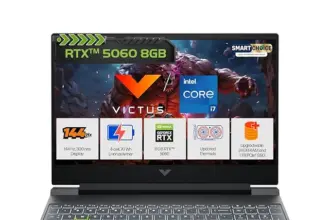
| HP Victus fa2500TX | RTX 3050 A (4GB) | ₹92,990 | Amazon |
| Acer Nitro Lite 16 NL16-71G-54MY | RTX 4050 (6GB) | ₹93,990 | Flipkart |
| MSI VenturePro 15 AI A1UDXG-009IN | RTX 3050 (6GB) | ₹95,990 | Amazon |
Prices as listed on 25 Sep 2026; they change often, so check the retailer before you buy. See gaming laptops under ₹70,000.
How we picked
We checked Amazon.in and Flipkart on 25 Sep 2026 for in-stock, new listings at or under ₹99,999, GPU confirmed from the listing, not the title. Acer’s own store couldn’t be reached; the ASUS TUF A15 we checked (FA506NCG-HN251WS) was out of stock at both retailers; Dell’s own store lists the G15 5530 as discontinued, and the Flipkart G15 we found (₹93,021) fit none of the slots below. GN researched and checked; we haven’t tested these ourselves. Order: the overall pick first, then cheapest to priciest.
1. Lenovo LOQ Essential 15ARP10E (Ryzen 7 170, RTX 3050 6GB)
Who it’s for: buyers who want the safest, most complete setup.
It’s the only laptop here with a stated GPU wattage, 65W; the cheaper ALG’s TGP isn’t listed. With 16GB RAM, 144Hz and a mainline seller, it’s the safest pick, though it uses nearly the whole budget.
Lenovo LOQ Essential 15ARP10E (83S000CRIN)
On Amazon.in, checked 25 Sep 2026. Sold by Clicktech Retail.
Pros
- GPU wattage stated (65W), so you know what you’re buying
- 144Hz panel with 300-nit brightness stated
- Sold by Clicktech Retail, not a lone third party
Cons
- Uses nearly the whole 1 lakh budget
- One 16GB stick, maxes out at 16GB RAM
- Battery and charger wattage aren’t listed
2. Acer ALG AL15G-53 (Core i7-13620H, RTX 3050 6GB)
Who it’s for: buyers who want the most CPU per rupee here.
This is the cheapest laptop here and carries a 6GB RTX 3050 and a 13th-gen i7, unusual at this price. Flipkart had no in-stock listing of this config on 25 Sep 2026; Amazon.in is where we found it.
Acer ALG AL15G-53 (i7)
On Amazon.in, checked 25 Sep 2026. Sold by Clicktech Retail.
Pros
- Joint cheapest 6GB RTX 3050 laptop we found
- 13th-gen i7 at this price is unusual
- 16GB RAM and a 144Hz panel included
Cons
- GPU wattage isn’t listed
- Out of stock on Flipkart on 25 Sep

Video: same family, not this exact configuration. “Acer ALG AL15G-53” review by Mr. Dark Mind, via YouTube.
3. MSI Thin 15 B13UDX-129IN (Core i5-13420H, RTX 3050 6GB)
Who it’s for: students who game and want a light 6GB laptop.
At 1.86kg, one of the lighter 6GB picks, with a 120W charger stated. Also coding? See our game-dev picks.
MSI Thin 15 B13UDX-129IN
On Amazon.in, checked 25 Sep 2026. Sold by a third-party seller, The Gamers Shop, only 1 left on 25 Sep.
Pros
- One of the lighter 6GB picks here
- 120W charger stated on Flipkart
- 144Hz panel and 16GB RAM included
Cons
- Sold by a third-party seller with only 1 left
- Flipkart showed the same model out of stock on 25 Sep

Video: same family, not this exact unit. “MSI Thin 15 B13UC” by Techo AV, via YouTube.
4. HP Victus fa2500TX (Core 5 210H, RTX 3050 A 4GB)
Who it’s for: HP loyalists fine with less VRAM for more system RAM.
It’s the cheapest HP we could confirm in stock under 1 lakh. Its GPU is labelled RTX 3050 A, a 4GB card, the trade-off against the 6GB picks here. It carries 24GB of RAM, the most here, a 300-nit panel and a 52.5Wh battery with a 120W charger.
HP Victus fa2500TX
On Amazon.in, checked 25 Sep 2026. Sold by Clicktech Retail.
Pros
- 24GB RAM, the most of any pick here
- 300-nit panel stated
- Sold by Clicktech Retail
Cons
- RTX 3050 A is a 4GB card, less headroom for newer textures
- Heaviest pick on this page at 2.29kg
5. Acer Nitro Lite 16 NL16-71G-54MY (Core i5-13420H, RTX 4050 6GB)
Who it’s for: buyers who specifically want an RTX 4050 under 1 lakh.
The cheapest in-stock RTX 4050 under 1 lakh we could confirm, GPU from Flipkart’s spec table. The 16-inch, 165Hz panel is a step up over the rest. TGP isn’t stated.
Acer Nitro Lite 16 NL16-71G-54MY
On Flipkart, checked 25 Sep 2026. Sold by a third-party seller, SVPeripherals.
Pros
- Cheapest confirmed, in-stock RTX 4050 laptop under 1 lakh we found
- Larger 16-inch, 165Hz panel
- Battery Wh and charger W both stated
Cons
- TGP not listed by the retailer
- Sold by a lone third-party seller
6. MSI VenturePro 15 AI A1UDXG-009IN (Core Ultra 5 125H, RTX 3050 6GB)
Who it’s for: anyone who wants 1TB built in, no spare SSD needed.
This is the only pick here with 1TB storage, at a price close to the 512GB picks above it. Amazon’s own spec table confirms a 6GB RTX 3050. Charger wattage and brightness aren’t listed; MSI’s site was unreachable.
MSI VenturePro 15 AI A1UDXG-009IN
On Amazon.in, checked 25 Sep 2026. Sold by Clicktech Retail, ships from Amazon.
Pros
- Only pick here with 1TB storage
- GPU confirmed as the 6GB RTX 3050, not a 4GB variant
- Sold by Clicktech Retail, ships from Amazon
Cons
- TGP not listed
- Charger wattage and brightness not listed
RTX 4050 vs RTX 3050: what 1 lakh actually buys this month
RTX 4050 laptops do fit under 1 lakh right now; the Nitro Lite 16 above is proof, at ₹93,990 on 25 Sep 2026. No RTX 4060 was in stock under 1 lakh; see our stretch picks.
The only RTX 5050 under 1 lakh we found on 25 Sep 2026 was a Big Billion Days sale price: the ASUS Gaming V16 at ₹89,990 on Flipkart, sold by SVPeripherals, only 2 left. That sale will likely end; Flipkart shows ₹1,25,990 as the struck-through price.
The same GPU name can ship at different power levels; a laptop’s TGP, its “Graphics power,” changes how fast it runs, and most cards above don’t list it. The RTX 3050 comes in 4GB and 6GB versions, and the related RTX 3050 A in our HP pick is 4GB; 6GB handles newer textures better at high settings. Check the spec table, not the title, before you buy.
FPS you can expect, sourced
From a named third-party source, quoted as published; one run, one CPU, one game.
| Setup | Game, settings | Avg FPS |
|---|---|---|
| RTX 4050 Laptop, Core i5-12450HX | Valorant, 1080p High, MSAA 4x | 244 (1% low 183) |
This is one player-submitted run on HowManyFPS, not a controlled review run; the page itself flags it as CPU-bound, 88% CPU load against 52% GPU load. We found no verified RTX 3050 6GB figure, so there’s no 3050 row here rather than a guess.
How to choose at this budget
Start with GPU wattage, not just the model name; two laptops badged the same GPU run differently if one has a higher TGP, so check the spec sheet’s “Graphics power” line first. 16GB RAM is the floor; every pick meets it, though the LOQ ships one stick maxed at 16GB. 512GB SSD is the norm; only the VenturePro has 1TB built in, so check for a spare M.2 slot on the rest before adding a bigger drive. A 144Hz or faster panel, which every pick has, is the upgrade you’ll actually feel in a shooter. Check your own card’s bank offers at checkout. Weight ranges from 1.8kg to 2.29kg across these six picks; carry-weight matters if it travels daily. The LOQ, the ALG and the MSI Thin don’t list battery Wh.
Heat, noise and battery
We quote spec-sheet battery Wh and charger W where stated, not measured runtimes. Gaming on battery cuts performance, so plan to stay plugged in. A cooling pad helps a thin chassis run quieter. Ask for a GST invoice, especially on a third-party listing.
If you can stretch a little past 1 lakh
The Lenovo LOQ 15ARP9 (RTX 4060 8GB, 24GB RAM, 512GB SSD, 144Hz, 2.38kg) was ₹1,04,290 on Flipkart, SVPeripherals, on 25 Sep 2026, about ₹4,300 over.
For a 4050 instead, the Acer Aspire 7 A715-79G was ₹1,04,004 on Flipkart on 25 Sep, Core 5 210H, 16GB/512GB, RTX 4050 6GB, 1.99kg. It’s sold by SmartStoreOnline, flagged on Flipkart’s own page as new to the platform, so check the seller’s return terms before you pay. See our RTX 5060 picks for a bigger step up.
Safest buy? Get the LOQ Essential. Price is the priority? The Acer ALG i7. Students, the MSI Thin 15; HP loyalists, the Victus; the RTX 4050 tier, the Nitro Lite 16; and if 1TB storage matters most, the VenturePro 15 AI. Spending less? See our gaming laptops under ₹60,000.
FAQ
What is the No. 1 gaming laptop under 1 lakh?
This month it’s the Lenovo LOQ Essential 15ARP10E at ₹98,490 on Amazon.in, checked 25 Sep 2026, the only pick here with a stated 65W GPU power.
What is the best HP gaming laptop under 1 lakh?
The HP Victus fa2500TX, RTX 3050 A, 4GB VRAM, ₹92,990 on Amazon.in, checked 25 Sep 2026; the cheapest HP we could confirm, VRAM smaller than the rest.
Can you get an RTX 4060 laptop under 1 lakh?
None on Amazon.in or Flipkart on 25 Sep 2026; the cheapest was the Lenovo LOQ 15ARP9 at ₹1,04,290. See our stretch picks.
Is there an RTX 5050 laptop under 1 lakh?
Only at a Big Billion Days sale price: the ASUS Gaming V16 at ₹89,990 on Flipkart, sold by SVPeripherals, checked 25 Sep 2026. See our GPU explainer.
Is there an RTX 4070 or RTX 4090 laptop under 1 lakh?
We found none at or under ₹1 lakh on 25 Sep 2026. If a listing claims one, check it’s new, not refurbished, and the spec table names the GPU.
What if I can spend a bit more than 1 lakh?
The Lenovo LOQ 15ARP9, RTX 4060 8GB, was ₹1,04,290 on 25 Sep 2026, about ₹4,300 over. See our stretch picks.
Which gaming laptop under 1 lakh has a 1TB SSD?
The MSI VenturePro 15 AI, ₹95,990 on Amazon.in, ships 1TB; the other five picks ship 512GB. Check the spec sheet for a spare M.2 slot before buying.
RTX 4050 or RTX 3050: which should I buy under 1 lakh?
The Nitro Lite (₹93,990, Flipkart, 25 Sep 2026) if you’ll accept an unlisted TGP; otherwise a 6GB 3050. See our GPU explainer.
Does 4GB vs 6GB VRAM on the RTX 3050 matter?
Yes, 6GB handles newer textures better than 4GB; read the spec table, not the name.
What FPS will a 1 lakh gaming laptop get in Valorant?
One player-submitted HowManyFPS run on an RTX 4050 laptop hit 244 FPS, 183 1% low, at 1080p, CPU-bound on an i5-12450HX. Yours will still vary.