


Updated October 2026 with current Indian retail prices.
Best value: Lenovo LOQ (Ryzen 7 250) (the cheapest RTX 5060 laptop we found, 100W stated in the listing). Cheapest 165Hz screen: Dell Alienware 15. Best premium: Lenovo Legion 5 (115W stated, vapor chamber cooling). The catch: two RTX 5060 laptops can differ by about 30% in speed based on wattage, and only some listings tell you the number. We show which ones do.
Key facts
- The RTX 5060 laptop GPU runs anywhere from 45W to 115W depending on the chassis. That wattage (TGP) can change real gaming speed by about 30% between two laptops with the same GPU badge. Thin, budget laptops run it slower; proper gaming chassis like the Legion and TUF run it faster.
- Only some Amazon listings state the wattage. On 22 Oct 2026, four of our six picks stated the TGP in their listing bullets: the Legion 5 at 115W, the ASUS TUF F16 at up to 115W (100W plus 15W Dynamic Boost) and both Lenovo LOQs at 100W. The Dell Alienware 15 and HP Omen listings did not, so check the brand spec sheet or a review for those two.
- 8GB VRAM is fine at 1080p, tight at 1440p ultra. The RTX 5060 laptop has 8GB of fast GDDR7, plenty for 1080p high with DLSS 4. At 1440p ultra with ray tracing on demanding new games, 8GB starts to feel limited.
- The RTX 5060 beats the RTX 4060 laptop thanks to GDDR7 memory, better efficiency and exclusive DLSS 4 Multi Frame Generation. The RTX 5070 is only about 16% faster for roughly 20% more money, so the 5060 usually wins on value.
- Prices have climbed with the 2026 RAM and component shortage. The cheapest RTX 5060 laptop we found on Amazon.in on 22 Oct 2026 was ₹1,59,990, and our six picks run from ₹1,59,990 to ₹1,90,990. Two of them, the Legion 5 and the HP Omen, showed only 1 left in stock, so confirm the live price and stock.
- Watch out for mislabelled listings. Some cheaper laptops in “RTX 5060” search results are actually RTX 4050 or RTX 5050 machines. Check the GPU on the product page; all six picks here state RTX 5060 8GB in their listing titles.
Jump to your pick
The best RTX 5060 gaming laptop for most Indian buyers in 2026 is the Lenovo LOQ with the Ryzen 7 250: at ₹1,59,990 on 22 Oct 2026 it was the cheapest RTX 5060 laptop we found on Amazon.in, and its listing states the GPU wattage, 100W. Before you buy any RTX 5060 laptop, know the one number that decides how fast it really is: the RTX 5060 laptop GPU can run at anywhere from 45W to 115W, and that difference alone changes real gaming performance by about 30%. Two laptops with the same “RTX 5060” sticker are not the same laptop, and only some Amazon listings tell you the wattage. This guide ranks six genuine RTX 5060 laptops on Amazon.in, shows which listings state the wattage and which do not, and answers the questions that actually decide the purchase: is 8GB VRAM enough, is it an AI laptop, and is it worth it over the 4060 and 5070.
 🎁 GiveawayFREE
Quick comparison table
Prices checked on Amazon.in, 22 Oct 2026, from a Mumbai address. Laptop prices move with the market, always check the live link before buying.
| Pick | Laptop | Price | Screen | Best for | Buy |
|---|---|---|---|---|---|
| Best Value | Lenovo LOQ (Ryzen 7 250) TGP 100W (listing) | ₹1,59,990 | 15.6in FHD 144Hz | 1080p + value | Amazon |
| Cheapest 165Hz | Dell Alienware 15 (Ryzen 7 260) TGP not stated | ₹1,67,490 | 15.3in WUXGA 165Hz | Esports refresh rate | Amazon |
| Value HX | Lenovo LOQ (i7-14700HX) TGP 100W (listing) | ₹1,69,990 | 15.6in FHD 144Hz | CPU-heavy work | Amazon |
| Best Build | ASUS TUF F16 (2026) TGP up to 115W (listing) | ₹1,90,990 | 16in FHD+ 144Hz | Big screen + 115W | Amazon |
| Best Display | HP Omen (Ultra 7, 24GB) TGP not stated Only 1 left on 22 Oct | ₹1,79,857 | 16in WUXGA 165Hz, 400 nits | Work + play, 24GB RAM | Amazon |
| Best Premium | Lenovo Legion 5 2025 TGP 115W (listing) Only 1 left on 22 Oct | ₹1,84,490 | 15.3in WUXGA 165Hz | 115W, 165Hz, lightest | Amazon |
Best value RTX 5060 laptop: Lenovo LOQ (Ryzen 7 250)
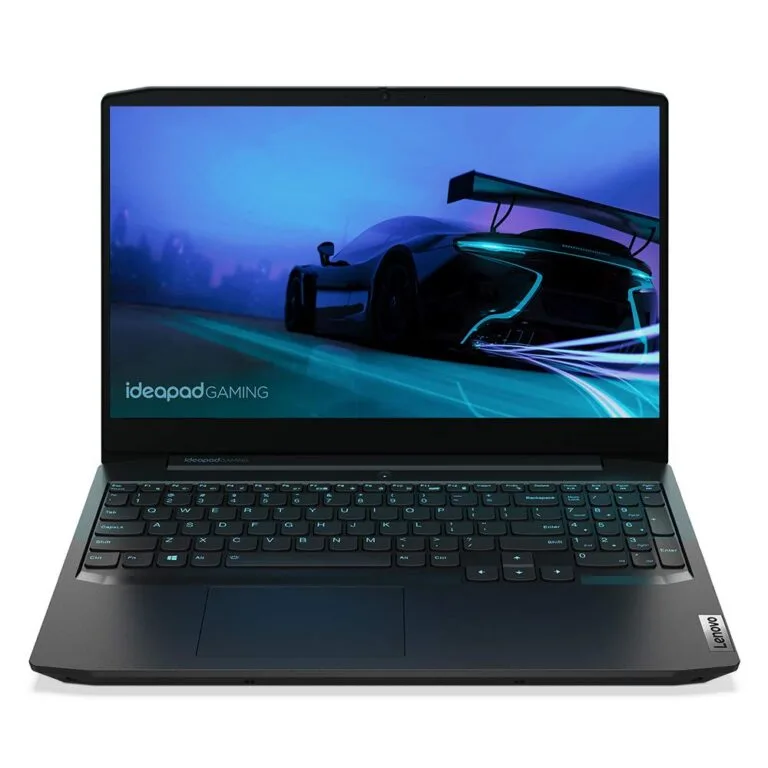
The Lenovo LOQ with the Ryzen 7 250 is the value pick. At ₹1,59,990 on 22 Oct 2026 it was the cheapest RTX 5060 laptop we found on Amazon.in, sold by Clicktech and shipped by Amazon. It is also one of the few listings that answers the wattage question up front: the bullets state a TGP of 100W for the RTX 5060, near the top of the range. You get an 8 core, 16 thread Ryzen 7 250, 16GB of DDR5 on a single stick with a second slot free (up to 32GB), a 512GB SSD and a 15.6 inch FHD 144Hz IPS screen, which is the right resolution for this GPU. The trade offs are the 512GB drive, which fills fast with modern games, the single memory stick (add a second one for dual channel) and the 2.4 kg weight. For most buyers who want RTX 5060 gaming at the lowest price on this list, this is the one to start with.

Lenovo LOQ, Ryzen 7 250, RTX 5060 8GB, 15.6in 144Hz
Price checked 22 Oct 2026Sold by Clicktech, ships from AmazonTGP 100W stated
Cheapest 165Hz screen: Dell Alienware 15 (Ryzen 7 260)
The Dell Alienware 15 is the cheapest way into a 165Hz RTX 5060 laptop on this list, at ₹1,67,490 on 22 Oct 2026. Its 15.3 inch 1920×1200 panel is 16:10, so you get a little more vertical room than a 16:9 FHD screen, and 165Hz suits fast esports games like Valorant and CS2. Read the panel line carefully, though: Dell lists 300 nits and 62.5% sRGB, so colours will look duller than on the 100% sRGB screens of the LOQ, Legion 5, TUF F16 and HP Omen. Inside are an 8 core Ryzen 7 260, 16GB of DDR5 5600, a 512GB SSD and the RTX 5060 8GB, in a 2.25 kg body. The listing does not state the GPU wattage, so check Dell’s spec sheet for this exact model before you buy. Pick it for refresh rate, not for colour accuracy.

Dell Alienware 15, Ryzen 7 260, RTX 5060 8GB, 15.3in 165Hz
Price checked 22 Oct 2026Sold by Clicktech, ships from AmazonTGP not stated
Value HX processor: Lenovo LOQ (i7-14700HX)
This Lenovo LOQ swaps the Ryzen for Intel’s Core i7-14700HX, a 20 core, 28 thread HX chip (8 performance and 12 efficiency cores) that helps in editing, compiling and heavy multitasking on top of gaming. At ₹1,69,990 on 22 Oct 2026 it costs ₹10,000 more than the Ryzen LOQ, and its bullets state the same 100W TGP for the RTX 5060 and the same 15.6 inch FHD 144Hz screen. One caution: the title and bullets say 16GB of RAM and a 512GB SSD, but the spec table on the same listing shows different RAM and storage figures. We go by the title and bullets, and you should confirm the configuration on the product page before you pay. Buy it if CPU muscle matters to you; for gaming alone the Ryzen LOQ should play about the same at 1080p, since both state the same GPU at 100W.

Lenovo LOQ, i7-14700HX, RTX 5060 8GB, 15.6in 144Hz
Price checked 22 Oct 2026Sold by Clicktech, ships from AmazonTGP 100W stated
Best build: ASUS TUF F16 (2026)
The ASUS TUF F16 is the build pick, and it is the other listing on this page that states the full wattage: the bullets give the RTX 5060 up to 115W (100W plus 15W Dynamic Boost). It pairs that with the 14th gen Core i7-14650HX (16 cores, 24 threads), 16GB of DDR5 with two slots, a 1TB PCIe 4.0 SSD, Wi-Fi 6E and a 16 inch 1920×1200 144Hz screen at 300 nits and 100% sRGB, in a 2.2 kg body. Two things to know. The battery is 70Wh, so this is not a long unplugged laptop. And at ₹1,90,990 on 22 Oct 2026 it is the dearest pick here, ₹6,500 more than the Legion 5, which states 115W too. Choose the TUF for the bigger 16 inch screen, the newer HX chip and Wi-Fi 6E, or if the Legion sells out.

ASUS TUF F16 (2026), i7-14650HX, RTX 5060 8GB, 16in 144Hz
Price checked 22 Oct 2026Sold by Clicktech, ships from AmazonUp to 115W stated
Best display: HP Omen (16 inch, 400 nits, 165Hz)
The HP Omen has the brightest screen on this list: a 16 inch IPS panel at 165Hz, 400 nits and 100% sRGB, where the other five picks list 300 nits. HP’s listing calls it 2K, but the resolution it gives is 1920×1200, the same pixel count as the Legion 5 and TUF F16, so do not expect a sharper panel than those. What it adds is memory: 24GB of DDR5 5600 and a 1TB SSD, the most RAM of our six picks, plus an 83Wh battery and an Intel Core Ultra 7 255H processor. HP’s bullets leave the GPU wattage out, and the “up to 170 TPP” on HP’s product image is above the 115W ceiling of the RTX 5060 laptop GPU, so it is not the GPU’s TGP. At ₹1,79,857 on 22 Oct 2026 it showed only 1 left in stock, so it may sell out. Buy it if you code, edit or work on the laptop all day and want a brighter screen and more RAM; for pure gaming, the Legion 5 states 115W for about ₹4,600 more.

HP Omen, Core Ultra 7 255H, RTX 5060 8GB, 24GB, 16in 165Hz
Price checked 22 Oct 2026Sold by Clicktech, ships from AmazonTGP not stated
Only 1 left in stock on Amazon.in on 22 Oct 2026
Best premium: Lenovo Legion 5 (2025)
The Lenovo Legion 5 2025 is the premium pick, and the clearest example of the wattage story. Its listing states a TGP of 115W for the RTX 5060, tied with the TUF F16 for the highest stated wattage here, and a 250W vapor chamber cooler to sustain it. You also get the lightest body of our six at 2.1 kg, a 15.3 inch 1920×1200 165Hz IPS screen at 100% sRGB, the Core i7-13650HX (14 cores, 20 threads), 16GB of DDR5 and a 1TB SSD. At ₹1,84,490 on 22 Oct 2026 it costs ₹24,500 more than the Ryzen LOQ, and it showed only 1 left in stock, so check the live listing. If it sells out, the ASUS TUF F16 is the other pick that states 115W.

Lenovo Legion 5 2025, i7-13650HX, RTX 5060 8GB, 15.3in 165Hz
Price checked 22 Oct 2026Sold by Clicktech, ships from AmazonTGP 115W stated
Only 1 left in stock on Amazon.in on 22 Oct 2026
The wattage trap: why two RTX 5060 laptops can differ by 30 percent
This is the single most important thing to understand, and most shopping pages skip it. The RTX 5060 laptop GPU does not run at one fixed power. NVIDIA allows it to run anywhere from about 45W up to 100W, plus a Dynamic Boost of another 15W, so the best-cooled laptops push it to roughly 115W. More power means higher clock speeds, and the gap between a 45 to 60W laptop and a 100 to 115W laptop is around 30 percent in real gaming performance, with the exact same GPU name on the box. Thin and light or budget laptops usually cap the wattage low to stay cool and quiet. Thick gaming chassis with big cooling, like the Lenovo Legion and ASUS TUF, run it much harder. The good news: some Amazon listings now state it. On 22 Oct 2026 the bullet points gave 115W for the Legion 5, up to 115W (100W plus 15W) for the ASUS TUF F16 and 100W for both Lenovo LOQs. The Dell Alienware 15 and HP Omen listings did not state it. Look for “TGP” or “Graphic Wattage” in the listing bullets, and when it is missing, check the brand spec sheet or a review site such as NotebookCheck for that exact model. Do not confuse it with the bigger number on some product images: the Lenovo LOQ images show “TDP up to 125W”, the Legion 5 image shows “TDP 170W” and the HP Omen image shows “up to 170 TPP”. Those numbers are above the 115W ceiling of the RTX 5060 laptop GPU, so they cannot be its TGP; the bullets give the GPU’s own figure. As a simple rule, a heavier laptop with a proper cooling system will run the RTX 5060 faster than a slim one, which is why our premium pick is the Legion 5, with 115W stated and a vapor chamber cooler.
Is 8GB VRAM enough for the RTX 5060?
Yes at 1080p, and mostly yes at 1440p with DLSS, but it is the one real limitation of this GPU. The RTX 5060 laptop comes with 8GB of fast GDDR7 memory. At 1080p high settings, which is the resolution this GPU is built for, 8GB is comfortable in almost everything, and DLSS 4 keeps frame rates high. At 1440p (2K) with ultra textures and ray tracing switched on in the most demanding recent titles, 8GB can fill up and cause stutter or forced texture downgrades. For the vast majority of Indian gamers who play at 1080p, or at 1440p with sensible settings, it is a non-issue. If you specifically want to max out brand-new AAA games at 2K with ray tracing for years, that is the case where you would look at a higher-VRAM GPU. For everyone else, 8GB on the RTX 5060 is fine.
RTX 5060 vs RTX 4060 vs RTX 5070 laptop: which to buy
The RTX 5060 is the value sweet spot in 2026. Against the older RTX 4060, the 5060 wins clearly: it has faster GDDR7 memory, better power efficiency, and exclusive access to DLSS 4 Multi Frame Generation, all for a similar price now that the 4060 is being phased out. There is no reason to choose a 4060 laptop over a 5060 at the same price. Against the pricier RTX 5070, the maths favours the 5060 for most buyers: the 5070 is only around 16 percent faster in real games but usually costs about 20 percent more, so you pay more per frame. Step up to a 5070 only if you specifically want higher 1440p settings and the budget is not a concern. For the best performance for your rupee, the RTX 5060 is the one to buy.
DLSS 4 and Multi Frame Generation, honestly
DLSS 4 is the headline feature of the RTX 50 series, and it is genuinely good, with one honest caveat. Multi Frame Generation uses AI to insert extra frames, and NVIDIA markets it as more than doubling frame rates. In supported games it really can take a 60 FPS scene to well over 100 FPS, which feels great on a high-refresh screen. The catch is that frame generation only works well when your base frame rate is already reasonable, roughly 40 to 60 FPS, because it adds a little input latency and it cannot create smoothness out of a slideshow. So treat DLSS 4 as a way to make a good frame rate excellent, not a way to rescue an unplayable one. On the RTX 5060 at 1080p, where the base frame rate is already high, DLSS 4 is a real and welcome bonus.
Is this an AI laptop? NPU versus GPU explained
Every RTX 5060 laptop gets called an “AI laptop” now, and the term hides two completely different things. The first is the GPU tensor cores, which every RTX card has and which power DLSS and creative AI tools, that is what makes it an AI gaming laptop, and all six picks here have it. The second is a separate NPU (neural processing unit) built into some newer processors, which powers Windows Copilot+ features like local AI and better webcam effects. A laptop is a Copilot+ AI PC only if its CPU has an NPU rated at 40 TOPS or more, which only some Intel Core Ultra and AMD Ryzen AI chips meet. None of our six listings mention Copilot+ in their bullet points, and the “572 AI TOPS” in the Lenovo listings is the RTX 5060 GPU figure, not an NPU. So for gaming, the GPU is what matters and every RTX 5060 laptop qualifies as an AI gaming laptop. The NPU is a bonus for Windows AI features, not for frame rates, so do not pay extra for “AI” expecting faster gaming.
Real gaming performance: what FPS to expect
At 1080p, which is where this GPU belongs, the RTX 5060 laptop is a strong performer. Competitive esports titles fly: Valorant and CS2 run at well over 150 to 200 FPS, so a high-refresh screen is worth having. In demanding single-player AAA games like Cyberpunk 2077 or the latest open-world titles, expect roughly 70 to 80 FPS at 1080p high with DLSS enabled, and comfortably above 60 in almost everything. Move up to 1440p and you will lean on DLSS to stay above 60 FPS in heavy games, which is exactly what DLSS 4 is for. In synthetic tests the RTX 5060 laptop lands close to the previous RTX 4070 laptop, so this is a genuinely capable 1080p and light-1440p gaming GPU, not an entry-level part. Remember the wattage point: a well-cooled 100W-plus laptop will sit at the top of these ranges, a throttled one nearer the bottom.
Good for coding and content work too?
Yes, and this is a big reason RTX 5060 laptops sell so well in India. The same hardware that games also handles programming, video editing and 3D work comfortably. For coding, prioritise RAM and screen: 16GB is the minimum and 24GB (as in the HP Omen) is better for running many tabs, containers or virtual machines, and a taller 16:10 1920×1200 screen (the Omen, TUF F16, Legion 5 and Alienware 15) fits more lines of code than a 16:9 1080p one. The HX processors in the i7-14700HX Lenovo LOQ, the ASUS TUF F16 and the Legion 5 add extra multi-core muscle for compiling and rendering. The RTX 5060 GPU itself accelerates video export, AI tools and 3D previews. So if you want one laptop that games in the evening and works during the day, any of these picks does the job, just favour the 24GB Omen, or add a second memory stick, for heavy multitasking.
How we chose these laptops
We searched Amazon.in from an Indian address and confirmed on each product page that the laptop genuinely has an RTX 5060 laptop GPU, not an RTX 4050, 5050 or desktop 5060, because those naming overlaps are a real trap in this category and we excluded a mislabelled unit during research. We only included clean, Amazon-fulfilled listings (all six are sold by Clicktech and shipped by Amazon), and preferred models that balance CPU, RAM, storage and screen for the price. We quote a GPU wattage only where the listing bullets state it, and say “not stated” where they do not, rather than guess. Prices and stock were checked on Amazon.in on 22 Oct 2026 from a Mumbai (400001) address. Prices move with the market, so always check the live listing. We did not lab-test every unit, picks are based on listings, specifications, chassis and cooling design, and known performance of the RTX 5060 laptop GPU.
Affiliate disclosure: links to Amazon are affiliate links. If you buy through them, GamingNation may earn a small commission at no extra cost to you. It does not affect our picks or the order above.
Decision time
Frequently Asked Questions
Which is the best RTX 5060 gaming laptop in India in 2026?
For most buyers the Lenovo LOQ with the Ryzen 7 250 is the best value: it was the cheapest RTX 5060 laptop we found on Amazon.in on 22 Oct 2026, and its listing states a 100W TGP. The Dell Alienware 15 is the cheapest pick with a 165Hz screen, the HP Omen has the brightest screen and 24GB of RAM, and the Lenovo Legion 5 is the best premium pick, with 115W stated and vapor chamber cooling.
How many watts is the RTX 5060 laptop GPU?
It varies by laptop, from about 45W up to 100W, plus a 15W Dynamic Boost, so the best-cooled laptops reach roughly 115W. That range changes real gaming speed by around 30 percent for the same GPU. Some Amazon listings now state it in the bullet points (look for “TGP” or “Graphic Wattage”); when a listing does not, check the brand spec sheet or a review site like NotebookCheck for your exact model. As a rule, thicker, better-cooled gaming laptops run it faster.
Is 8GB VRAM enough for the RTX 5060 laptop?
Yes at 1080p, which is what this GPU is built for, and mostly fine at 1440p with DLSS. The 8GB of GDDR7 only becomes a limitation at 1440p ultra with ray tracing in the most demanding new games, where it can fill up and cause stutter. For the vast majority of gamers playing at 1080p or 1440p with sensible settings, 8GB is not a problem.
Is the RTX 5060 laptop better than the RTX 4060?
Yes. The RTX 5060 has faster GDDR7 memory, better power efficiency, and exclusive DLSS 4 Multi Frame Generation, for a similar price now that the 4060 is being phased out. There is no reason to pick a 4060 laptop over a 5060 at the same money. The 5060 is the clear choice in 2026.
RTX 5060 or RTX 5070 laptop, which should I buy?
The RTX 5060 for most people. The RTX 5070 is only about 16 percent faster in real games but usually costs around 20 percent more, so you pay more per frame. Choose the 5070 only if you specifically want higher 1440p settings and budget is not a concern. For the best value, the RTX 5060 wins.
Is an RTX 5060 laptop an AI laptop?
In gaming terms, yes, every RTX GPU has tensor cores that power DLSS and creative AI, so all RTX 5060 laptops are AI gaming laptops. Being a Windows Copilot+ AI PC is separate and needs an NPU of 40 TOPS or more in the processor, which only some Intel Core Ultra and AMD Ryzen AI chips meet. The NPU helps Windows AI features, not frame rates, so do not pay extra for AI expecting faster gaming.
Can the RTX 5060 laptop run games at 1440p?
Yes, with DLSS. At native 1440p ultra the most demanding games will push its 8GB VRAM, but with DLSS 4 enabled the RTX 5060 handles 1440p comfortably above 60 FPS in most titles. It is happiest at 1080p high, where it is very strong, and treats 1440p as a step-up option rather than its main resolution.
What FPS does the RTX 5060 laptop get?
At 1080p, esports games like Valorant and CS2 run well over 150 to 200 FPS, and demanding AAA titles like Cyberpunk get roughly 70 to 80 FPS on high with DLSS. It performs close to the older RTX 4070 laptop. A well-cooled 100W-plus laptop sits at the top of these numbers, a throttled low-wattage one lower, which is why the chassis matters as much as the GPU name.