
Updated April 2026 with current Indian retail prices.
Best Gaming PC Build Under 50,000 in India (2026): Complete Parts List with Benchmarks
If you have already seen our PC build under 25000 guide and you are ready to step up, this is the right place. The jump from 25K to 50K is where things get exciting because you finally get a proper dedicated GPU. No more integrated graphics, no more compromise. At 50,000 rupees, you can put together a PC that runs Valorant at 200+ FPS, handles GTA 5 on high settings, and stays relevant for the next 3 to 4 years without needing major upgrades.
This article covers every single component in detail, with real benchmark expectations, alternatives, and where to actually buy parts in India. Before we get into it, if you are also figuring out what cabinet or monitor to pair this with, check out our guides on the best gaming cabinet under 3000, best gaming cabinet under 5000, and best gaming monitors under 10000. Getting those right makes the overall setup much more satisfying.
What Can a 50,000 Rupee Gaming PC Actually Do?
Before spending money, it helps to know exactly what you are getting. A lot of people either underestimate or overestimate what 50K can do. Here is the honest picture.
Realistic FPS Expectations at 1080p
With the Ryzen 5 5600 and RX 6600 8GB at the core of this build, these are the kind of numbers you can expect at 1080p resolution on a standard gaming monitor:
- Valorant: 200 to 250+ FPS on high settings, hitting 300+ on low settings
- CS2: 150 to 200 FPS on high settings
- GTA 5 / GTA 5 Enhanced: 80 to 100 FPS on high settings
- Fortnite: 100 to 130 FPS on high settings, 180+ on competitive settings
- Minecraft (Java): 200+ FPS with standard shaders, 60 to 90 FPS with heavy ray tracing shaders
- BGMI on Gameloop: Smooth 60 FPS on max settings
- Red Dead Redemption 2: 45 to 60 FPS on medium-high settings
- Cyberpunk 2077: 35 to 50 FPS on medium settings without ray tracing
For competitive games like Valorant, CS2, and BGMI, this PC is more than enough. For AAA single-player games, you get a solid 1080p experience, and most titles are very playable even on high settings.
Desktop vs. Gaming Laptop at 50K
This is a comparison that matters a lot for Indian buyers because gaming laptops are heavily marketed in India. At 50,000 rupees, here is the reality: you cannot get a decent dedicated GPU laptop at this budget. Most gaming laptops at 50K either use a GTX 1650 with 75W thermal limits or an older Nvidia MX-series card that performs closer to integrated graphics than a real gaming GPU.
The 50K desktop we are building here has a proper 100W+ desktop RX 6600, a full-wattage CPU, and active cooling that works. The desktop will outperform any similarly priced laptop in gaming by a margin of 40 to 60%. The only thing a laptop gives you is portability, and if gaming performance is the goal, this desktop wins without a contest.
What This Build Handles and What It Does Not
This build handles essentially all of 1080p gaming on high settings. It struggles with ray tracing in modern AAA games and 4K gaming is not its territory. For 1440p, some titles will need settings tweaks. But for the vast majority of games Indian gamers actually play, including all esports titles, GTA, and most single-player releases, this is a very capable machine. It also handles video editing in DaVinci Resolve and Premiere at 1080p without frustration, and streaming while gaming at 1080p is possible with some encoding settings adjustment.
Complete Parts List for the Best 50K Gaming PC Build
Below is the full parts list for the primary AMD build. Each component has its own section with buying advice, alternatives, and what to watch out for. Total comes to approximately 47,000 to 50,000 rupees depending on where you buy and current prices.
| Component | Model | Approx Price | Why This One |
|---|---|---|---|
| CPU | AMD Ryzen 5 5600 | ~₹9,500 | 6 cores, great gaming IPC, AM4 upgrade path |
| GPU | AMD RX 6600 8GB | ~₹16,500 | Best 1080p GPU at this budget in India |
| Motherboard | MSI B550M PRO-VDH | ~₹7,500 | Reliable B550, good VRM, solid value |
| RAM | 16GB DDR4 3200MHz (2x8GB) | ~₹2,800 | Dual channel, right sweet spot for gaming |
| SSD | 512GB NVMe (Crucial P3 / Kingston NV2) | ~₹2,500 | Fast boot and load times, reliable brands |
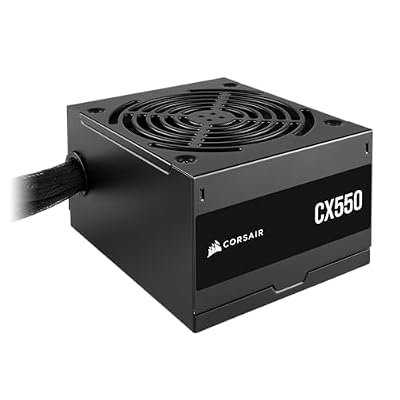
| PSU | Corsair CV550 / Deepcool PF550 550W 80+ Bronze | ~₹3,200 | Reliable brand, enough headroom for this build |
| Cabinet | Ant Esports ICE-311MT or similar | ~₹2,500 | Airflow-friendly, popular with Indian builders |
| Total | ~₹44,500 to 48,500 | Leaves room for OS, thermal paste, cables |
Now let us go through each component in detail so you understand exactly what you are buying and why.
CPU: AMD Ryzen 5 5600
Price: ~₹9,500 | Key Spec: 6 cores / 12 threads, 4.4GHz boost, 65W TDP
The Ryzen 5 5600 is one of the best value CPUs for gaming right now, period. It uses AMD’s Zen 3 architecture which brought massive single-core performance improvements over Zen 2. The 5600 specifically sits in a sweet spot where it does not bottleneck any mid-range GPU including the RX 6600, and it runs cool enough on the stock Wraith Stealth cooler that comes in the box.
For gaming, 6 cores and 12 threads is plenty. Modern games rarely use more than 6 cores efficiently, and the 5600’s high IPC means it competes with Intel’s i5-12400F while costing less in most configurations. The AM4 platform also means if you ever want to upgrade to a Ryzen 7 5800X or even a Ryzen 9 5900X later, the same motherboard supports it without buying a new board.
What to watch out for: Make sure the motherboard BIOS is updated to support Ryzen 5000 series if you are buying a B450 board. Some older B450 boards need a BIOS update using an older Ryzen CPU first, which can be a hassle. With a new B550 board, you should have no issues as B550 boards came with Ryzen 5000 support out of the box or via an easy update.
GPU: AMD RX 6600 8GB
Price: ~₹16,000 to 18,000 | Key Spec: 8GB GDDR6, 28 compute units, 100W TDP
The RX 6600 is the heart of this build and arguably the most important buying decision in the entire parts list. This card is a genuine 1080p powerhouse that beats the GTX 1650, GTX 1660 Super, and even comes close to the RTX 3050 in rasterization performance. AMD’s RDNA 2 architecture on this card is efficient, and the 8GB VRAM buffer means you will not run into memory limitations in modern games at 1080p for at least 2 to 3 more years.
In India specifically, the RX 6600 offers one of the best frame-per-rupee values at this budget tier. The RTX 3050 costs more and performs similarly or slightly worse in non-ray-traced workloads. The RX 6600 does not have as strong ray tracing performance, but ray tracing is still a performance killer on any budget GPU so you will not be using it much anyway. FSR (AMD’s upscaling tech) works on any GPU including Nvidia cards, so you can use it to boost performance in supported games.
Look for variants from Sapphire, PowerColor, MSI, or Gigabyte. Avoid no-name brands on Amazon. The single-fan variants are fine for this card because of its low 100W TDP, but a dual-fan version will run quieter if noise matters to you.
Motherboard: MSI B550M PRO-VDH
Price: ~₹7,500 | Key Spec: AM4 socket, B550 chipset, PCIe 4.0 x16, 2x DDR4 slots, M.2 NVMe
The MSI B550M PRO-VDH is a reliable Micro-ATX motherboard that does everything you need without spending extra on features you will not use. It has a solid VRM section for the Ryzen 5 5600 (which is a 65W CPU, so it is not power-hungry at all), one M.2 slot for your NVMe SSD, and PCIe 4.0 support for the GPU slot.
The B550 chipset is the right choice here. B450 boards are cheaper but have fewer PCIe lanes and older features. X570 boards are overkill for this budget and this CPU. The B550M PRO-VDH also has four USB ports on the rear and front panel headers for the two USB ports typical in budget cabinets, which covers most people’s needs just fine.
Alternative: Gigabyte B550M DS3H is another solid option at a similar price. If you end up going the Intel route (explained below), the equivalent would be a Gigabyte B660M DS3H or MSI B660M-A PRO. Both perform well with the i5-12400F.
RAM: 16GB DDR4 3200MHz (2x8GB)
Price: ~₹2,800 | Key Spec: DDR4 3200MHz, dual channel, CL16
RAM is one of the most important things to get right in a gaming PC and one of the most misunderstood. Always buy two sticks instead of one, even if the total GB is the same. Two 8GB sticks running in dual channel mode gives you a significant memory bandwidth improvement over one 16GB stick in single channel. For Ryzen CPUs specifically, this performance difference is more pronounced than on Intel because Ryzen’s Infinity Fabric uses memory bandwidth directly.
3200MHz is the sweet spot for Ryzen 5000 series CPUs. You can go up to 3600MHz, but the price difference rarely justifies the marginal performance gain. CL16 is the standard timing and works great. Brands to look for in India: Kingston Fury Beast, G.Skill Aegis, Crucial Ballistic, Corsair Vengeance LPX. All of these are well-tested with Ryzen 5000 boards.
If you want to upgrade later, the B550M PRO-VDH supports up to 128GB across two slots, though realistically going to 32GB (2x16GB) later for video editing or heavier multitasking is the most practical upgrade. For pure gaming in 2026, 16GB is still the standard and you will not feel short-changed.
SSD: 512GB NVMe (Crucial P3 or Kingston NV2)
Price: ~₹2,500 | Key Spec: PCIe Gen 3 NVMe, sequential read around 3,500 MB/s
The Crucial P3 and Kingston NV2 are the two most popular budget NVMe SSDs among Indian PC builders in 2026, and for good reason. Both offer sequential read speeds around 3,000 to 3,500 MB/s and cost around 2,400 to 2,600 rupees for 512GB. Both are from reputable brands with good warranty support in India.
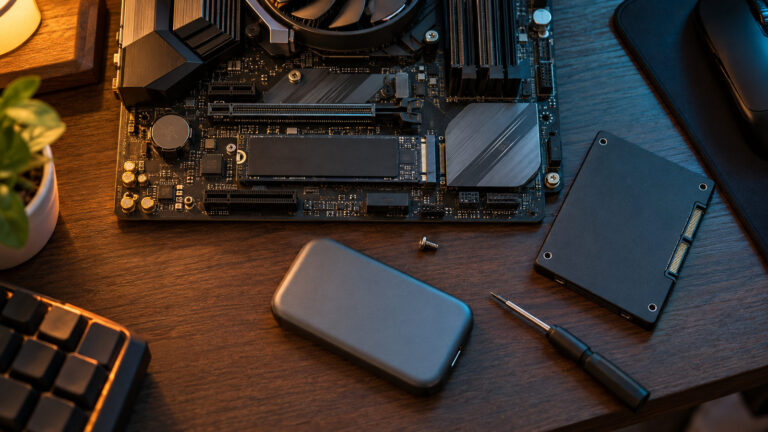
Compared to an HDD or even a SATA SSD, an NVMe drive gives you noticeably faster Windows boot times (under 15 seconds), faster game load screens, and faster file transfers. For this build, slot it into the M.2 slot on the B550M PRO-VDH and you are done, no extra cables needed.
512GB will hold Windows 11 (around 25GB), a few large games like Warzone or GTA 5 (80 to 100GB each), and some smaller titles. Plan to add a 1TB HDD or a second NVMe SSD within 3 to 6 months if you are the type who keeps a lot of games installed simultaneously. A 1TB HDD for secondary storage costs around 2,500 to 3,000 rupees and is worth adding to the build if you have even a small amount of budget remaining.
PSU: Corsair CV550 or Deepcool PF550 550W 80+ Bronze
Price: ~₹3,200 | Key Spec: 550W, 80+ Bronze efficiency, ATX form factor
The PSU is one component where Indian builders often try to save money, and it is also the one that can damage every other component if it fails. Do not buy a no-name 600W PSU for 1,500 rupees on Amazon. It is not worth the risk. Stick with Corsair, Deepcool, Seasonic, or Cooler Master at minimum.
The Ryzen 5 5600 uses 65W and the RX 6600 uses around 100W at full load. Total system power draw under full gaming load is around 220 to 250W. A 550W 80+ Bronze PSU gives plenty of headroom and runs efficiently. If you plan to upgrade to a beefier GPU later (like an RX 7600 or RTX 4060), 550W still covers you comfortably.
Deepcool PF550 is slightly cheaper than the Corsair CV550 and has been very well received in India. Both come with adequate cable length for most mid-tower and micro-tower cabinets. Avoid fully-modular PSUs at this price tier because the cheap modular connectors can sometimes cause issues. A good non-modular or semi-modular unit from a known brand is more reliable at the 3,000 to 3,500 rupee price point.
Cabinet: Ant Esports ICE-311MT or Similar
Price: ~₹2,500 | Key Spec: Micro-ATX, front mesh panel, tempered glass side panel
The Ant Esports ICE-311MT is one of the most popular budget gaming cabinets among Indian builders. It has a mesh front panel for good airflow, a tempered glass side panel, and enough room for full-length GPUs. At around 2,500 rupees, it offers a clean build experience and decent cable management options.
For this build with a Micro-ATX motherboard, a Micro-ATX or mid-tower case works perfectly. If you prefer a full ATX tower for easier cable management and better airflow, check our best gaming cabinet under 5000 guide for more options. If budget is really tight, our best gaming cabinet under 3000 guide covers even more affordable picks.
One thing to note: the case comes with one or two pre-installed fans, but adding a couple of affordable 120mm intake fans (around 300 to 400 rupees each) helps keep temperatures lower. The RX 6600 stays cool enough without extra case fans, but having 3 to 4 case fans total improves airflow and reduces overall component temperatures over time.
Benchmark Results at 1080p
These are realistic expected FPS ranges based on the Ryzen 5 5600 and RX 6600 combination. Individual results will vary based on drivers, background processes, and specific scene complexity, but these numbers represent what you can consistently expect.
| Game | Settings | Expected FPS |
|---|---|---|
| Valorant | High, 1080p | 180 to 240 FPS |
| CS2 | High, 1080p | 150 to 200 FPS |
| GTA 5 | High, 1080p | 80 to 100 FPS |
| Fortnite | High, 1080p | 100 to 130 FPS |
| Minecraft (Java) | Fancy + Shaders, 1080p | 80 to 120 FPS |
| Red Dead Redemption 2 | Medium-High, 1080p | 50 to 65 FPS |
| Cyberpunk 2077 | Medium, 1080p, No RT | 40 to 55 FPS |
| BGMI (Gameloop) | Max, 1080p | 60 FPS stable |
| Apex Legends | High, 1080p | 120 to 160 FPS |
| Call of Duty: Warzone | Medium, 1080p | 80 to 110 FPS |
A few notes on these numbers. Cyberpunk 2077 is legitimately demanding even for cards several generations newer. The 40 to 55 FPS range there is still very playable on a 60Hz monitor, and using AMD FSR 2 in quality mode can push this to 60 to 70 FPS with minimal visual difference. For all the esports titles, the numbers above easily feed a 144Hz monitor, which is what most gamers upgrading from laptops or consoles will want to pair with this build.
Alternative Build: Intel Version
The AMD build above is the primary recommendation, but Intel’s i5-12400F is worth considering. Here is how the Intel version would look:
| Component | Model | Approx Price |
|---|---|---|
| CPU | Intel Core i5-12400F | ~₹10,500 |
| Motherboard | Gigabyte B660M DS3H or MSI PRO B660M-A DDR4 | ~₹8,000 to 9,000 |
| GPU | AMD RX 6600 8GB (same as AMD build) | ~₹16,500 |
| RAM | 16GB DDR4 3200MHz 2x8GB | ~₹2,800 |
| SSD | 512GB NVMe | ~₹2,500 |
| PSU | Corsair CV550 or Deepcool PF550 | ~₹3,200 |
| Cabinet | Ant Esports or similar | ~₹2,500 |
| Total | ~₹46,000 to 50,000 |
AMD vs Intel: Which Build to Pick?
In gaming performance, the i5-12400F and Ryzen 5 5600 are extremely close. In most titles, the difference is under 5% in average FPS. The i5-12400F has a slight edge in games that benefit from higher single-core clocks, and it is a very mature and stable platform.
Pick the AMD Ryzen 5 5600 if: you want the lower total build cost, you plan to upgrade to a higher Ryzen CPU later (5800X, 5900X), or you prefer AMD’s driver ecosystem since you are already running an AMD GPU.
Pick the Intel i5-12400F if: you find a great deal on a B660 board that brings the Intel build to a similar total price, you are more comfortable with Intel systems, or you are doing some productivity work alongside gaming where Intel’s architecture has minor advantages in some applications.
Both builds use the same RX 6600 GPU, so gaming performance will be nearly identical. The CPU-GPU pairing matters less for the RX 6600 because at 1080p medium-to-high settings, the GPU is usually the limiting factor.
Where to Buy Components in India
Buying PC parts in India can be confusing because prices vary significantly between sellers and platforms. Here is a practical breakdown of where to look:
Online Options
Amazon.in is the most accessible option for most Indian buyers. Fulfilled by Amazon listings are reliable, returns are easy, and the customer service is decent. Prices are sometimes inflated by 5 to 10% compared to dedicated PC hardware stores, but the convenience factor and easy returns make it worthwhile for first-time builders. Always filter for “Fulfilled by Amazon” to avoid grey market or slow-shipping sellers.
MDComputers.in is one of India’s best-regarded dedicated PC component online stores. They carry a wide range of CPUs, GPUs, motherboards, and peripherals. Prices are often 3 to 8% lower than Amazon, and they have genuine stock of popular components. Shipping to most metro cities takes 2 to 3 days.
PCStudio.in is another reliable option, particularly for GPUs and RAM. They carry both AMD and Nvidia cards and usually have accurate stock information on the site. Worth checking before buying a GPU anywhere else.
EliteHubs.com has competitive pricing and a good selection of cabinets and PSUs. They run periodic sales and have a good return policy. Particularly useful for less common components or if the other sites are out of stock on something specific.
Offline Stores in India
Buying offline has advantages: you can negotiate on price, pick up immediately, and verify the product before paying. India has a few excellent PC hardware markets:
- SP Road, Bangalore: The go-to destination for PC builders in Bangalore. Multiple shops within walking distance of each other, competitive prices, and usually good stock of all popular components.
- Lamington Road, Mumbai: Mumbai’s main electronics and PC hardware street. You can find most components here, though stock varies. Worth visiting if you are in South Mumbai.
- Nehru Place, New Delhi: One of India’s largest electronics markets. GPU prices at Nehru Place can sometimes be lower than online if you are buying in person and the shop is trying to clear stock.
- Ritchie Street, Chennai: Chennai’s equivalent of SP Road. Good for most mainstream components.
Price comparison tip: Before finalizing any component purchase, check prices on all three or four platforms: Amazon, MDComputers, PCStudio, and EliteHubs. For a 50K build, even a 5% price difference across all components adds up to 2,000 to 2,500 rupees saved, which could cover a monitor upgrade or a second storage drive.
Upgrade Path: What to Add or Change Next
One of the reasons to build a PC instead of buying a gaming laptop is upgradability. Here is the sensible upgrade roadmap for this build:
Immediate Additions (Within 6 Months)
1TB HDD for secondary storage (~₹2,500): Once you start installing more games, 512GB fills up fast. A 1TB HDD as a secondary drive for less-played games and media files is the most affordable capacity upgrade. It connects to a free SATA port on the motherboard, no complexity involved.
144Hz 1080p Monitor (~₹8,000 to 10,000): If you are still on a 60Hz display, this is the most impactful upgrade for competitive gaming. The RX 6600 and Ryzen 5 5600 can consistently push 100+ FPS in most esports titles, and a 144Hz monitor lets you see and feel that difference. Check our best gaming monitors under 10000 guide for options.
Mid-Term Upgrades (6 to 18 Months)
1TB NVMe SSD (~₹4,500): Adding a second NVMe drive for game installation gives you fast load times on all installed games, not just the ones on your primary drive. Prices on 1TB NVMe drives continue to fall. Kingston NV2 1TB or Crucial P3 1TB are the go-to picks.
Additional 16GB RAM (~₹2,800): Going from 16GB to 32GB makes a noticeable difference if you run Chrome with many tabs open alongside games, stream, or do video editing. For pure gaming, 16GB is fine, but 32GB future-proofs you for a couple more years.
Better CPU Cooler (~₹1,500 to 3,000): If you want to push the Ryzen 5 5600 a bit harder or just want quieter operation, swapping the stock Wraith Stealth for a Deepcool AK400 or ID-Cooling SE-224-XT makes a real difference in both temperatures and noise levels.
Long-Term Upgrade (2 to 3 Years)
GPU upgrade to RX 7600 or RTX 4060 (~₹20,000 to 25,000): When you start feeling the RX 6600 struggling with upcoming AAA titles or want to step up to 1440p gaming, the RX 7600 is the natural upgrade. It fits the same PCIe slot, uses the same power connector, and delivers 30 to 40% better performance than the RX 6600. By the time you need this upgrade, prices will likely be lower than they are today.
CPU upgrade to Ryzen 7 5800X or 5700X (~₹12,000 to 14,000): The AM4 platform supports up to 16-core CPUs. If you move to content creation, heavy streaming, or just want more CPU headroom, the same motherboard supports a direct upgrade to an 8-core Ryzen 7 5700X or 5800X without any other changes.
Common Build Mistakes Indian Gamers Make
After seeing many first builds from Indian gamers on Reddit, Discord, and build forums, these are the mistakes that come up again and again. Avoid all of these and your build will go smoothly.
Mistake 1: Spending Too Much on CPU, Not Enough on GPU
This is the most common mistake. Gaming performance is 70% GPU and 30% CPU. Some first-time builders spend 15,000 on a Ryzen 7 and pair it with a GTX 1650, then wonder why games do not run well. For the same money, a Ryzen 5 5600 with an RX 6600 will deliver significantly better gaming performance. The GPU is the component that actually renders your game frames. Always prioritize the GPU within your budget.
Mistake 2: Buying Single Channel RAM
One 16GB stick instead of two 8GB sticks. The total memory is the same, but single channel has about half the memory bandwidth of dual channel. For Ryzen CPUs especially, this is a meaningful performance hit, sometimes 15% lower FPS in CPU-bound scenarios. Always buy RAM in pairs. It is not a gimmick, it is how the memory controller in modern CPUs is designed to work.
Mistake 3: Buying a Cheap No-Name PSU
A bad PSU can destroy your GPU, CPU, motherboard, and storage all at once if it fails badly. This is not hypothetical, it happens, and it is catastrophic. There is a reason experienced builders say “never go cheap on the PSU.” Spend the 3,000 to 3,500 rupees on a Corsair or Deepcool unit and protect the other 40,000 rupees worth of components. A PSU from an unknown brand at 1,200 rupees is not a bargain, it is a liability.
Mistake 4: Forgetting to Budget for Windows
Windows 11 Home costs around 4,000 to 5,000 rupees for an official retail key. Many Indian builders either use Linux with Wine or Proton for gaming (works well for most Steam games), run unactivated Windows (works fine with a watermark and some cosmetic restrictions), or buy cheap OEM keys from unofficial sellers (legally grey, but widely used). Whatever your choice, factor this in when planning your budget. Do not start the build and then realize you have no OS.
Mistake 5: Not Checking Motherboard BIOS Compatibility
If you buy a B550 motherboard that has not been used recently and the BIOS is an older version, it may not support Ryzen 5000 series CPUs out of the box. New stock B550 boards from retailers in India today usually have updated BIOS, but it is worth confirming with the seller. If you are unsure, buy the board from a retailer who can confirm the BIOS version, or specifically look for listings that mention “Ryzen 5000 Ready.” B550M PRO-VDH has been shipping with updated BIOS for well over a year now, so this should not be an issue, but it is good to know.
Mistake 6: Ignoring Case Airflow
A case that looks cool with no airflow is worse than a plain case with good airflow. High temperatures reduce GPU and CPU performance through thermal throttling and shorten the lifespan of components. Check that your case has at least one intake fan (front mesh is best) and one exhaust fan (rear). The Ant Esports ICE-311MT handles this well. If the case you like has a solid front panel instead of mesh, add extra fans or look for a different model.
Mistake 7: Not Using Cable Management
Cables stuffed in front of fans restrict airflow and look terrible. Most budget cases have some cable routing holes and a small shroud at the bottom to hide the PSU cables. Take 20 minutes to route cables behind the motherboard tray when building. It improves both airflow and the visual look of the build significantly.
Frequently Asked Questions
What is the best gaming PC build under 50000 in India in 2026?
The best gaming PC build under 50,000 in India for 2026 centers on the AMD Ryzen 5 5600 CPU paired with an RX 6600 8GB GPU. Pair those with an MSI B550M PRO-VDH motherboard, 16GB DDR4 3200MHz RAM in dual channel (2x8GB), a 512GB NVMe SSD, a 550W 80+ Bronze PSU from Corsair or Deepcool, and an Ant Esports or similar cabinet. This gives you a solid 1080p gaming machine for around 47,000 to 50,000 rupees.
Can a 50000 rupee gaming PC run Valorant at 200 FPS?
Yes, easily. On high settings at 1080p, the Ryzen 5 5600 and RX 6600 deliver 180 to 240 FPS in Valorant. Drop to medium or low settings and you can hit 280 to 320+ FPS consistently. If you are pairing this with a 144Hz or 240Hz monitor, this PC will keep up without issue.
Is the RX 6600 still worth buying in 2026?
Yes. For 1080p gaming, the RX 6600 remains one of the best value cards available in India at its price point. It has 8GB GDDR6 VRAM which handles modern game textures well, supports AMD FSR 2 and 3 for performance boosts in supported games, and runs cool and quiet thanks to its low 100W TDP. It is not a 1440p card, but for 1080p high settings gaming, it is still very capable.
Should I pick AMD Ryzen 5 5600 or Intel i5-12400F for this build?
Both are excellent. Gaming performance difference is under 5% in most titles. If the AMD build comes out cheaper at your preferred retailer, go AMD. The AM4 platform also has a longer upgrade runway since you can drop in a Ryzen 7 or 9 later without changing the board. If you find a good deal on an Intel B660 board that brings the Intel build to a similar price, the i5-12400F is equally valid.
Do I need Windows for this gaming PC build?
You need an operating system. Options include a legitimate Windows 11 Home key (around 4,000 to 5,000 rupees official, cheaper through OEM keys), unactivated Windows which works with cosmetic limitations, or Linux with Proton which handles most Steam games well. Budget for your OS choice from the start so it does not eat into your components budget at the last minute.
Can this 50K PC handle GTA 5 and GTA 5 Enhanced Edition?
Yes. Standard GTA 5 runs at 80 to 100 FPS on high settings at 1080p. GTA 5 Enhanced Edition (the Rockstar updated version) is also playable, typically 60 to 80 FPS on high settings. This build handles GTA 5 very comfortably and it is one of the better gaming experiences you can have at this budget.
How much does a complete gaming PC setup cost if I add monitor, keyboard, and mouse?
The PC build itself is around 47,000 to 50,000 rupees. A 1080p 144Hz monitor is around 8,000 to 10,000 rupees (see our best gaming monitors under 10000 guide). A decent gaming keyboard and mouse combo adds another 2,000 to 4,000 rupees. Budget around 60,000 to 65,000 rupees for a complete setup including peripherals. If you already have a monitor or peripherals from a previous setup, you save that amount.
Is a gaming PC under 50000 better than a gaming laptop at the same price?
For gaming performance, the desktop wins without question. At 50K, gaming laptops use thermally limited GPUs and reduced-wattage CPUs. The desktop build in this article uses full desktop wattage parts that perform 40 to 60% better than what any 50K gaming laptop can offer. The only reason to pick a laptop at this price is if portability is non-negotiable for you.
Where can I buy these PC components in India?
Amazon.in for convenience and easy returns. MDComputers.in, PCStudio.in, and EliteHubs.com for specialist PC hardware at better prices. Offline, SP Road in Bangalore, Lamington Road in Mumbai, Nehru Place in Delhi, and Ritchie Street in Chennai are the main PC hardware markets. Compare prices across at least two to three sources before buying, especially for the GPU which has the most price variation.
What is the minimum PSU wattage needed for the RX 6600 and Ryzen 5 5600?
The system draws around 220 to 250W under full gaming load. A 450W PSU technically covers this, but a 550W unit gives better headroom, runs more efficiently at typical gaming loads, and leaves room for future GPU upgrades. Do not go below 550W for this build, and always buy from a reputable brand like Corsair, Deepcool, Cooler Master, or Seasonic.
Can I overclock the Ryzen 5 5600 on a B550 board?
The Ryzen 5 5600 does not support traditional overclocking the way Intel’s K-series chips do, but you can use AMD’s Precision Boost Overdrive (PBO) to let the CPU boost higher within power limits. This gives a modest 3 to 5% performance improvement in lightly threaded workloads. B550 boards support PBO, so you can experiment if you want. The stock performance is already very good, so most users will not need to touch these settings.
Final Thoughts
At 50,000 rupees, you are building something that can realistically serve you for 3 to 4 years with minor upgrades along the way. The Ryzen 5 5600 and RX 6600 combination is not flashy, but it is good, and in India at this price point, it is the combination that makes the most sense right now. You get real dedicated GPU gaming, 1080p high settings across most popular titles, dual-channel RAM, NVMe storage, and a platform with a clear upgrade path.
The biggest mistake you can make is trying to shave too much off individual components to hit exactly 47K. The PSU is one place you must not compromise. The GPU is the most important single component for gaming. And always buy RAM in pairs. Get those three things right and the rest follows naturally.
If you are still figuring out the full setup, these guides will help you complete the picture:
- PC Build Under 25000: The entry-level starting point if 50K is still too much right now
- Best Gaming Cabinet Under 3000: If you want to spend as little as possible on the case
- Best Gaming Cabinet Under 5000: Better airflow and features at a slightly higher cabinet budget
- Best Gaming Monitors Under 10000: The 144Hz monitor to pair with this build
- Best Gaming Chair Under 10000 India: Long gaming sessions need the right chair
- Best UPS for Gaming PC India: Protect your build from power cuts and voltage fluctuations