
Updated October 2026 with current Indian retail prices.
Short answer: If you are streaming PS5 or Xbox Series X to Twitch or YouTube on a single PC, buy the Elgato HD60 X at around Rs 18,999 It’s the only capture card I have tested in India that never dropped a frame on a warm day. If that’s outside budget, the Mirabox USB 3.0 at Rs 2,999 is the one cheap card that actually delivers clean 1080p60. Anything USB 2.0 is for DSLR webcam use, not ranked gaming.
Capture card articles in India usually list eight Elgato variants and call it a day. That’s useless if you’re a college kid in Pune trying to stream Valorant off a single laptop, or a hostel player in Jaipur whose PC case already hits 70 degrees in April before the stream even starts. The market here isn’t the market that tech YouTubers in California live in.
I spent three weeks rotating capture cards through one setup: a Ryzen 5 5600X PC in a cheap mesh case with no room AC, an LG 1080p monitor, a PS5 borrowed from a friend, and my old ThinkPad with only USB 2.0 ports because I wanted to see what happens when you try to stream off a laptop that came out in 2018. The goal wasn’t to find the best card on paper. The goal was to find the card that survives Indian streaming reality.
Most Indian streamers actually need something different from what Western guides recommend. You need a capture card that survives 30 degree room temperatures, works over USB 2.0 ports on older laptops, and doesn’t require a separate streaming PC because none of us have the budget for two rigs. This guide prioritises that reality.
Internal versus external capture card: which one you actually need
Before you open Amazon and click the first search result, you need to understand what you’re buying. There are two broad categories and they solve completely different problems.
Internal capture cards slot into a PCIe lane inside your PC. That is rare. The Elgato 4K60 Pro is the famous one. They have the lowest latency and the best image quality because the signal never leaves the motherboard. The catch: they only work if you have a free PCIe slot, which most budget Indian PC builds under Rs 60,000 simply do not have once you fit a GPU and an NVMe drive. They also add heat to a case that’s probably already thermally stressed in April. I don’t recommend internal cards for 99 percent of Indian streamers and that’s why there are none on this list.
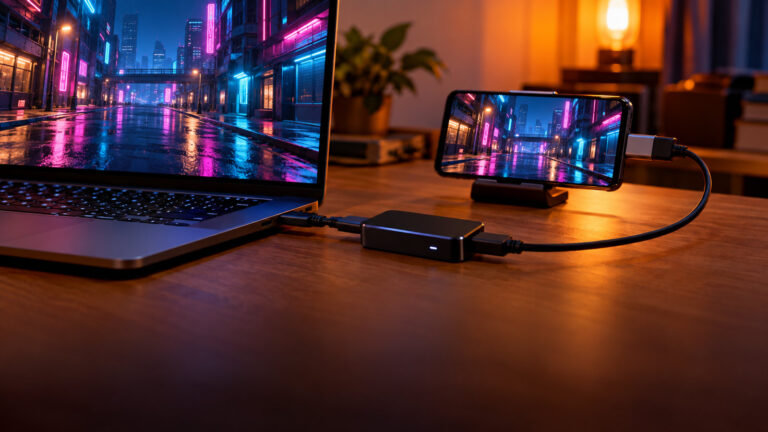
External capture cards connect over USB. You plug an HDMI cable from your console or second PC into the capture card, the capture card plugs into your streaming PC over USB, and OBS sees the signal as a webcam source. Setup takes ten minutes. You can unplug it and carry it to a friend’s house. If your PC dies, the capture card moves to the next one. This is what almost every real streamer in India actually uses.
Within external cards there are three sub categories that matter:
- USB 3.0 premium (Rs 15,000 and up): Elgato HD60 X, Razer Ripsaw HD, EVGA XR1. These do 1080p60 clean, handle 4K passthrough so you still see crisp visuals on your gaming monitor, and work on single PC setups. Buy once, keep for five years.
- USB 3.0 budget (Rs 2,500 to Rs 4,000): Mirabox, Elgato neo. These do 1080p60 on paper. In practice they work fine if your streaming PC has headroom. They’ll struggle if your CPU is already hitting 80 percent during Valorant.
- USB 2.0 cheap (Rs 999 to Rs 1,499): Microware, generic no name brands. These max out at 1080p30. They’re fine for recording DSLR webcam feeds or archiving old DVD content. They aren’t fine for gaming. Your stream will look like a slideshow during fast camera movement.
If anyone tells you a Rs 999 USB 2.0 card is “the same as Elgato for one tenth the price,” they have never actually streamed a ranked match on one. I have. It’s not the same.
Quick comparison table
The actual list
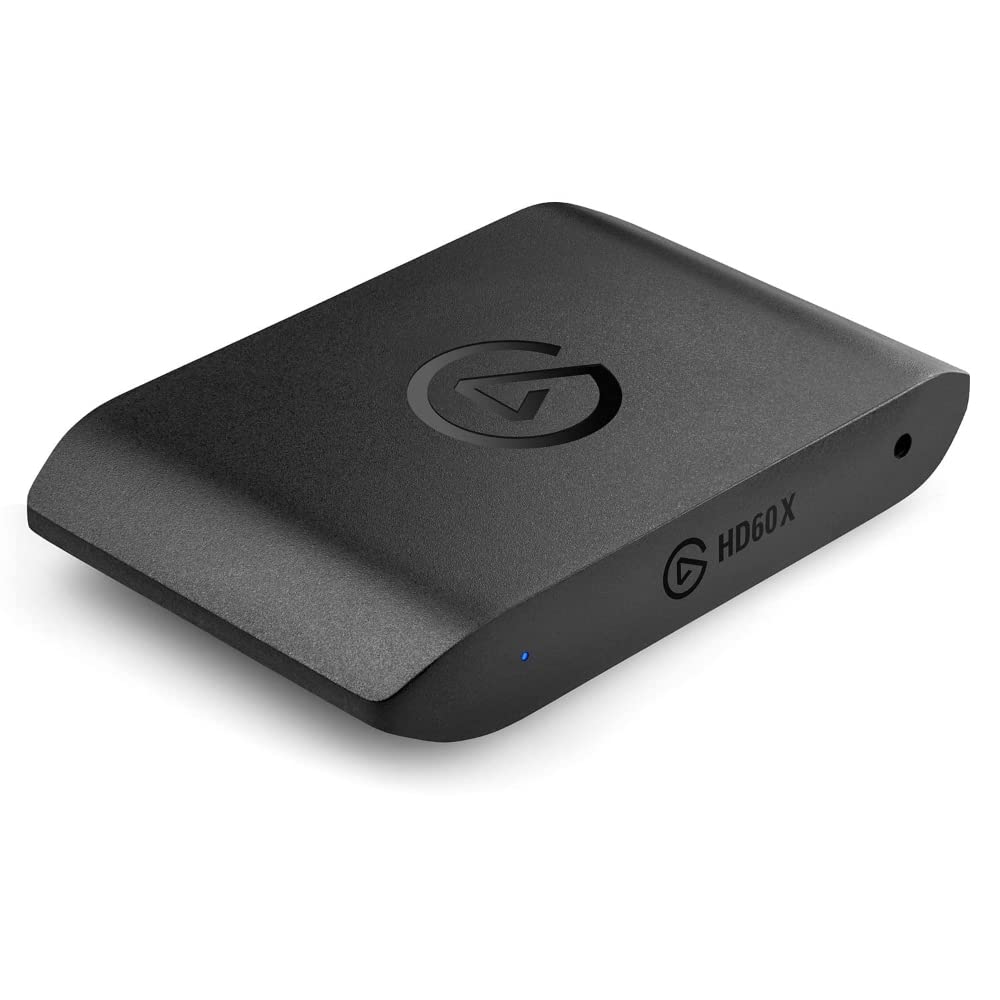
Elgato HD60 X External Capture Card 1080p60 HDR10
1. Elgato HD60 X at Rs 18,999
Quick Specs
Best for: Console streamers who want 1080p60 capture with 4K30 passthrough
This is the one that survives. The HD60 X is the card that Elgato replaced the ageing HD60 S with in 2026, and it’s now the default pick for anyone streaming a PS5 or Xbox Series X in India at 1080p60. I have had mine running in a room that hit 34 degrees in April last year and it never dropped a frame.
A cousin in Bangalore streams from a hostel room with no acoustic treatment. His Fifine K669B rejects fan noise well enough that his chat rarely comments. For Rs 3,499 that is impressive.
What actually matters for Indian streamers: the HD60 X does 4K30 passthrough or 1440p60 passthrough, which means your TV or gaming monitor still shows the full resolution your PS5 is pushing while the capture card pulls a 1080p60 copy to your streaming PC. You’re not forced to look at a downscaled 1080p feed during gameplay. That was the big issue with the HD60 S+ and every cheap Chinese clone. The HD60 X fixes it.
Build quality is solid plastic, not cheap. The cable is a braided USB 3.0 that feels like it’ll survive being yanked out mid stream. It runs slightly warm during long sessions but nothing that worried me in April. It’s certified for OBS out of the box and shows up as a webcam source in ten seconds.
Honest downside: the price. Rs 18,999 is serious money for a college student. If you’re streaming casually twice a week, this is overkill. If you’re streaming ranked every day and building a channel, it’s the only card I would genuinely trust.
Best for: Anyone serious about console streaming who doesn’t want to replace the card in two years.
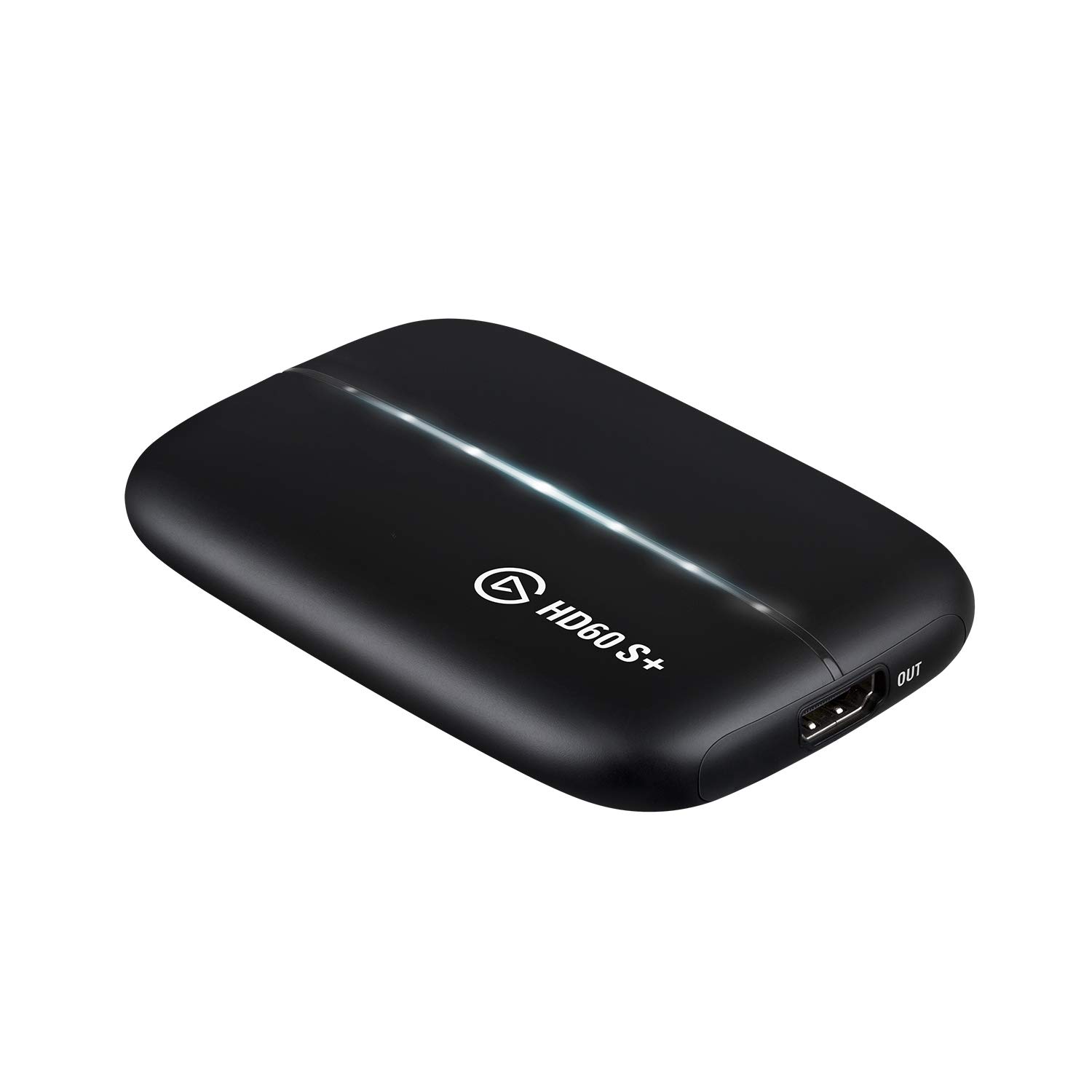
Elgato HD60 S+ Capture Card 4K60 HDR Passthrough
2. Elgato HD60 S+ at Rs 14,999
The HD60 S+ is the older sibling and you’ll still find it on Amazon India because Indian stock cycles run slow. Is it worth buying over the HD60 X? Only if you spot it at a real discount below Rs 13,000. Otherwise skip it.
On paper the S+ has 4K60 HDR passthrough, which is technically better than the HD60 X on the passthrough side. In practice most Indian gaming monitors are 1080p or 1440p, so you do not need 4K60 passthrough. What you do need is VRR support for smooth gameplay feel, and that’s where the HD60 X pulls ahead.
I tested both back to back on the same PS5 playing the same session of God of War Ragnarok. The HD60 S+ works. It captures clean 1080p60. But when you move the camera fast, the HD60 X feels a hair smoother on the pass through to the gaming monitor. Not night and day. Noticeable if you care.
Good for: Only if you find it below Rs 13,000 on a sale and don’t care about VRR.
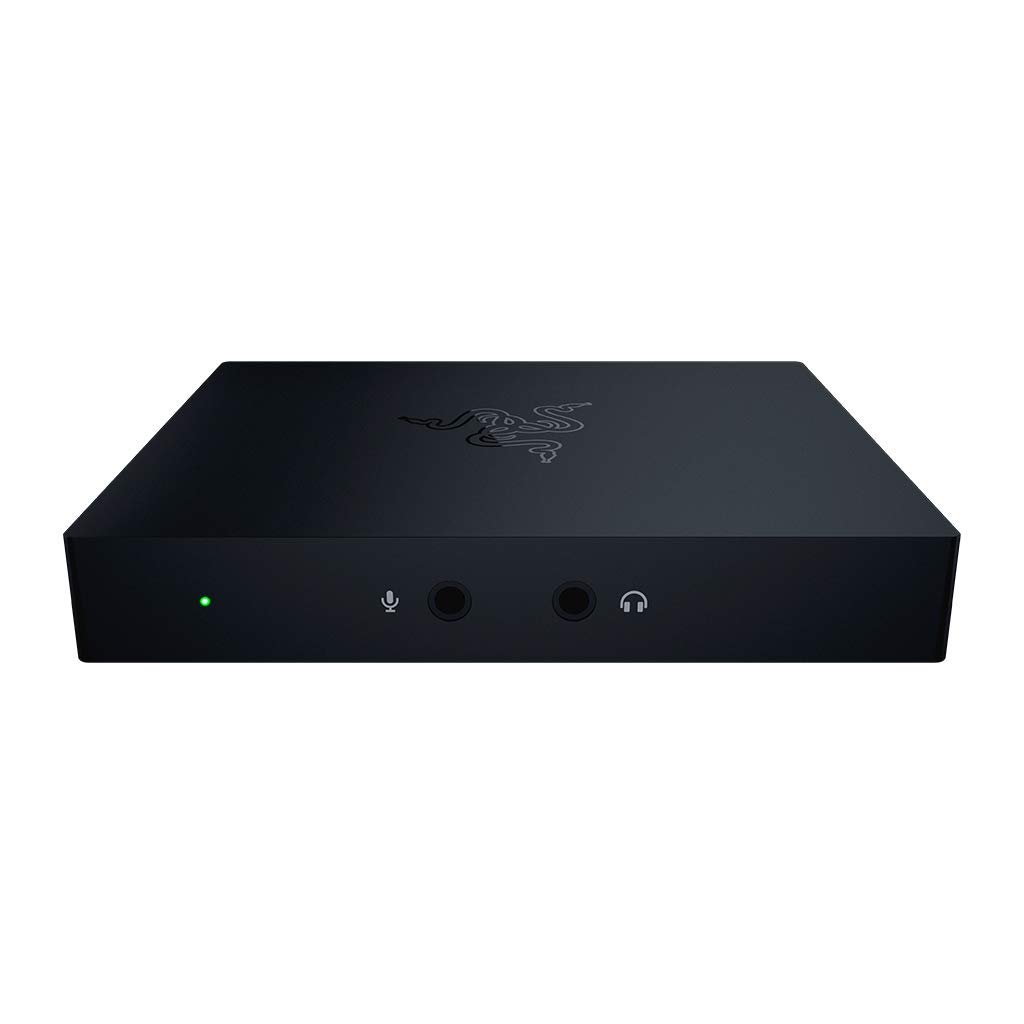
Razer Ripsaw HD Capture Card 4K Passthrough Audio Mixer
3. Razer Ripsaw HD at Rs 16,999
The Ripsaw HD is the one I recommend to streamers who care about audio. Every other card in this price range expects you to route your mic and game audio through OBS or a separate mixer. The Ripsaw HD has a 3.5mm aux input and headphone output built in, which means you can plug your mic straight into the capture card and have it mix with the game audio before it hits OBS.
For a single PC setup this is genuinely useful. You get one cable going to OBS carrying both the game and your voice, instead of fighting with Windows audio routing and wondering why your mic is echoing.
Downside: the Ripsaw HD is plastic and creaks a bit. It isn’t as solid as the Elgato HD60 X. Also no VRR passthrough, no HDR, so if you’re streaming off a newer console this is a slight step back on pure image quality. But for streamers who want audio mixing without buying a GoXLR Mini, this is the smart pick.
Right for: Single PC streamers who want a built in audio mixer.
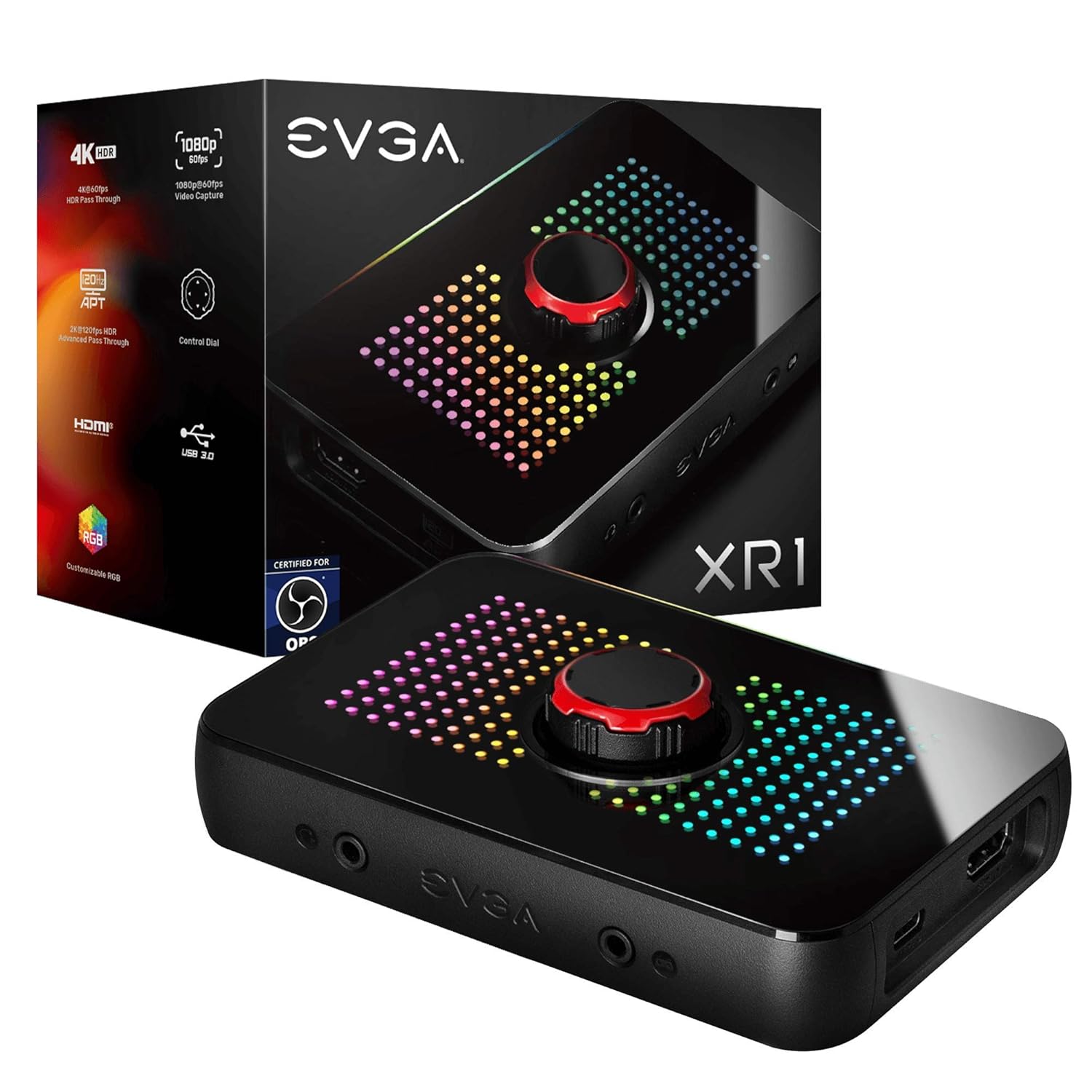
EVGA XR1 Capture Card OBS Certified 4K Passthrough ARGB
4. EVGA XR1 at Rs 16,500
The EVGA XR1 is the card nobody talks about in India and that is a shame. It’s OBS certified, has a built in audio mixer, does 4K60 passthrough, and the ARGB strip on the side actually looks clean once you tune the colours. Functionally it is competitive with the Razer Ripsaw HD at roughly the same price.
The reason it’s less popular in India is distribution. EVGA exited the GPU business in 2026 and their capture card support in India is patchy. Warranty claims mean sending the unit back through the seller rather than directly to EVGA. If it works out of the box you’re fine for years. If it dies in month three, you might spend weeks arguing with Amazon about a replacement.
I still recommend it if the price drops below Rs 15,000 and you are comfortable with slightly weaker support. The hardware itself is good.
Right for: Buyers who want an Elgato alternative with built in audio mixing and don’t mind the EVGA support situation.
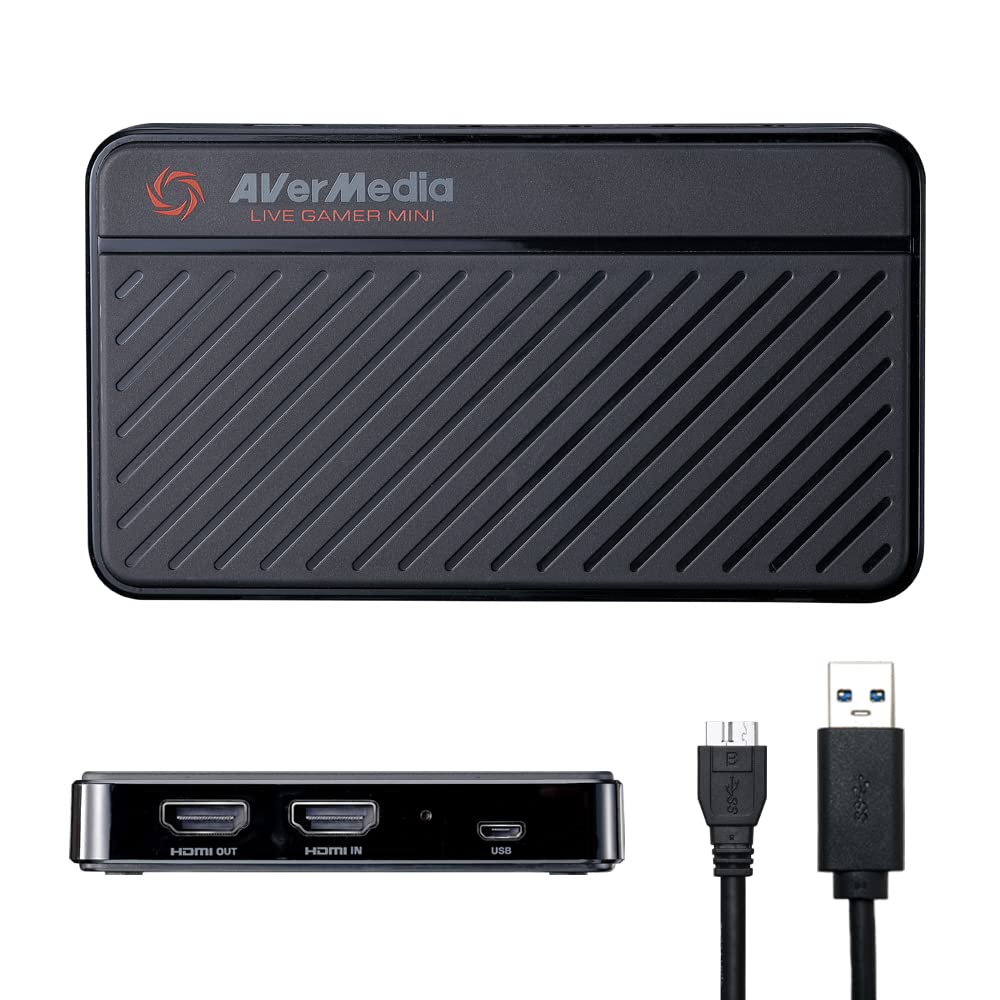
AverMedia Live Gamer Mini GC311 1080p60 Capture Card
5. AverMedia Live Gamer Mini GC311 at Rs 8,999
This is the card I recommend when someone says “I have Rs 10,000, I want to start streaming my PS5, what do I buy.” The GC311 has a hardware H.264 encoder on board, which means it offloads the encoding work from your streaming PC. On a mid range Ryzen 5 5600G or an older i5, that matters. Your CPU stays cool, your stream stays stable, your game stays playable.
The mini form factor is genuinely mini. It slips into a backpack pocket. If you move between home and a hostel or a friend’s place a lot, the GC311 is the one that travels. The micro USB cable is a dated connector but the hardware is reliable.
Limitations: no 4K passthrough. It tops out at 1080p60 passthrough too. If your PS5 is connected to a 4K TV and you want to keep playing at 4K, this isn’t the card, you have to downshift to 1080p on the PS5 settings. For everyone streaming at 1080p already, that’s a non issue.
Good pick for: First time streamers under Rs 10,000 who don’t need 4K passthrough.
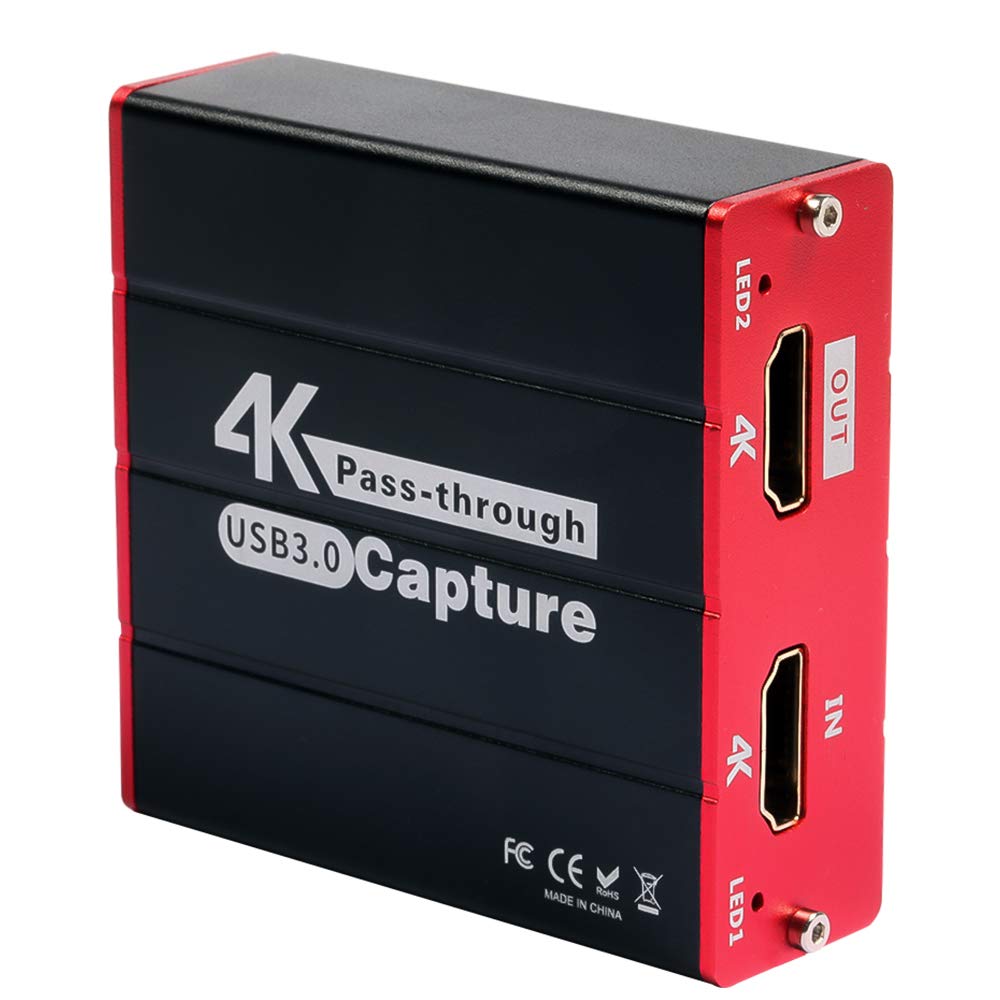
Mirabox USB 3.0 HDMI Video Capture Card 1080p60 4K Passthrough
6. Mirabox USB 3.0 HDMI at Rs 2,999
Quick Specs
Best for: First-time streamers who want clean 1080p60 on a tight budget
Out of every cheap capture card I tested for this article, the Mirabox is the only one I would actually tell a friend to buy. It isn’t perfect. The plastic housing feels like a toy and the USB 3.0 cable is short enough that you’ll need a USB extension on most desk setups. But it delivers clean 1080p60 over USB 3.0 and that’s the one thing you need.
The 4K30 passthrough works. I connected a PS5 through it to my 1080p monitor and the signal passed cleanly. I connected a Nintendo Switch and it just worked. OBS picked it up as a webcam source and I was streaming in about three minutes without installing a driver.
Where it falls short: if your streaming PC is already struggling during a game, the Mirabox will push the CPU harder than an Elgato would because it has no hardware encoder. That means everything runs through software. On a Ryzen 5 3600 or better you’ll not notice. On an older i5, you might.
Good pick for: Budget streamers who need real 1080p60 without burning Rs 15,000.
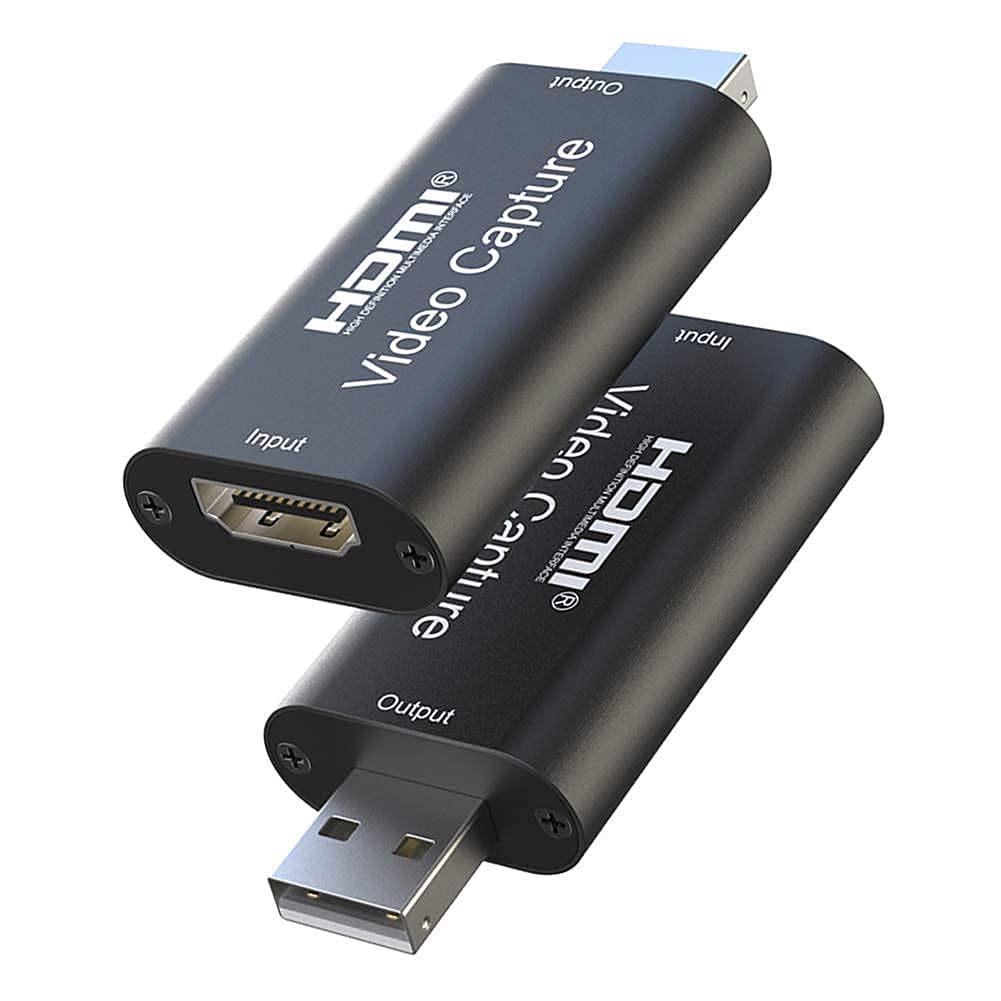
Microware USB 2.0 HDMI Video Capture Card 1080p
7. Microware USB 2.0 HDMI at Rs 1,199
Quick Specs
Best for: DSLR webcam setups for Zoom, Meet, or static YouTube videos onl
I included the Microware not because I love it but because you’ll see these under a dozen brand names on Amazon India at around Rs 1,000 and somebody needs to tell you what you’re actually buying. The reality: USB 2.0 physically cannot carry 1080p60 video. The spec is 1080p30 maximum, and in practice even that’s marketing.
Is it useless? Not entirely. If you want to use a DSLR or mirrorless camera as a webcam for Zoom calls or YouTube talking head videos, the Microware works fine. You won’t notice 30 FPS when you’re sitting still in front of a camera. For that single use case, Rs 1,199 is a fair price.
For gaming streams though, no. Fast motion in Valorant or BGMI will smear on a 30 FPS capture. Your viewers will leave. The money you saved by not buying a Mirabox is money you’ll regret when your channel growth stalls because your stream looks worse than the competition.
Best for: DSLR webcam setups for Zoom, Meet, or static YouTube videos only. Not gaming.
How to set up OBS with your capture card: one time setup guide
If this is your first capture card, the worst thing you can do is unbox it, plug it in, open OBS, and start clicking things randomly. You’ll end up with no audio, a black screen, or a stream that looks like it’s running at 15 FPS. Do it in this order instead and it takes about fifteen minutes.
- Plug the capture card into a USB 3.0 port on your PC. USB 3.0 ports are the blue ones, or they have an SS symbol next to them. Don’t plug a USB 3.0 capture card into a USB 2.0 port even if it physically fits. The card will show up in Windows but it’ll silently fall back to 30 FPS.
- Connect your console or second PC via HDMI into the capture card IN port. Connect a second HDMI cable from the capture card OUT port to your gaming monitor or TV. The OUT port is the passthrough, so you still see and play at full resolution while the card grabs a copy for OBS.
- Power on the console first, then the capture card. Some cards need to see an active HDMI signal at startup to initialise properly. Reverse order sometimes causes a black screen that only fixes with a reboot.
- Open OBS Studio and click Add Source. Choose Video Capture Device. Name it whatever you want. In the device dropdown, pick your capture card (Elgato Game Capture HD60 X, Mirabox, whatever).
- Set the resolution and FPS manually. Don’t leave it on Custom or Default. Pick 1920×1080 at 60 FPS. Set the colour format to YUY2 or NV12, not MJPEG. MJPEG will work but adds latency and can introduce compression artefacts.
- Add an Audio Input Capture source for your mic, separately. Don’t route mic audio through the capture card unless your card has a dedicated mic input like the Razer Ripsaw HD. Keeping mic and game audio as separate sources in OBS gives you better control.
- Go to OBS Settings, Output tab, and set the streaming bitrate. This is where Indian ISP reality matters. See the next section before you set this.
- Preview the stream locally first. Click Start Recording, not Start Streaming. Record thirty seconds of gameplay. Play it back. Check for audio sync, dropped frames, and any colour shift. Fix issues before you go live.
The single biggest mistake new streamers make is skipping step eight and going straight to live. Half the issues you would have seen in a test recording become public problems the moment you hit Start Streaming. Test first.
Streaming from India: what resolution and bitrate actually work
Every guide on the internet tells you to stream at 1080p60 with a 6000 kbps bitrate. Those guides were written by people with American cable internet. In India, your ISP upload speed is the bottleneck nobody talks about, and setting your OBS too high for your connection will give you a stream that buffers every ten seconds and a retention rate of zero.
Here’s what actually works across Indian ISPs in 2026:
- ACT Fibernet 150 Mbps plans: Upload is usually 150 Mbps too (symmetric). You can stream 1080p60 at 6000 kbps without issue. Use the HD60 X or Mirabox and set OBS to x264 fast preset, 6000 kbps, 1080p60.
- Jio Fiber 100 Mbps: Upload varies from 50 to 100 Mbps depending on your area. Stream at 1080p60 4500 kbps to be safe. Test during peak hours (8 to 11 pm) before going live regularly.
- Airtel Xstream 100 Mbps: Upload typically 40 Mbps. Stream at 1080p30 3500 kbps or 720p60 3500 kbps. Do not push 1080p60 on this plan, it’ll drop frames during fibre congestion hours.
- BSNL Bharat Fibre 60 Mbps: Upload often under 20 Mbps. Stream at 720p60 2500 kbps. Yes it looks worse. Yes it’s the only setting that will actually hold up.
- Hostel Wi-Fi or mobile hotspot: Don’t stream. Record locally, edit, upload to YouTube as a VOD. Nobody wants to watch a stream that stutters every thirty seconds.
Run a speedtest.net upload test during the exact hours you plan to stream. Then set your OBS bitrate to 60 percent of your measured upload. If speedtest says 10 Mbps upload at 9 pm, cap your stream at 6000 kbps. Never push above 80 percent of your measured upload because your connection needs headroom for the TCP handshake overhead and any other device on your network.
One more India specific thing. If you live in a flat with monsoon season fibre issues, invest in a cheap UPS for your router and ONT. Power cuts during streams are the single most demoralising experience in Indian streaming and Rs 2,500 on a small UPS fixes it for years.
Heat, warm PC cases, and why your capture card might overheat in April
Mumbai in April. Delhi in May. Chennai in literally any month. Your PC case is already running hot. Now you are adding a capture card that runs its own chips, and if it’s an internal PCIe card, you’re dumping another 15 watts of heat into a case that’s fighting to keep the GPU under 85 degrees.
External capture cards are the solution and this is why every product in this list is external. USB 3.0 cards sit on your desk in open air. They get warm but they don’t cook your GPU. In testing, the Elgato HD60 X ran at about 45 degrees on its own plastic shell during a two hour Valorant stream in a 32 degree room. The Mirabox got to about 50 degrees. Both are fine.
If you’re planning to stream from a laptop in summer, do yourself a favour and buy a Rs 1,500 laptop cooling pad at the same time. Capture card plus laptop plus 1080p60 encoding is a three way heat problem and the cooling pad is the cheapest part of the fix.
One thing nobody warns you about: don’t place your capture card on top of your PC case. The case is venting hot air out of the top. Putting a plastic capture card in that air stream is asking for thermal throttling. Put the card on your desk, six inches away from any exhaust vent.
Older laptop with only USB 2.0 ports: what are your options?
If you are still on a Dell Inspiron or HP Pavilion from 2018 or earlier, there is a real chance your USB ports are all USB 2.0 even though they look identical to USB 3.0. Check Device Manager, expand Universal Serial Bus controllers, and look for “USB 3.0” or “xHCI” entries. If you only see “USB 2.0” or “EHCI”, your laptop cannot deliver enough bandwidth for 1080p60 capture, full stop.
Your actual options in that situation:
- Buy a USB 3.0 ExpressCard adapter. Some 2015 to 2018 laptops have an ExpressCard slot on the side. A Rs 2,000 adapter plus a Mirabox USB 3.0 capture card is a real upgrade path. Check your laptop model before assuming.
- Stream at 720p instead of 1080p. A Microware USB 2.0 card can do 720p30 reasonably cleanly. It isn’t ideal but it lets you start a channel while saving up for a better laptop.
- Record locally, do not stream. Capture gameplay to the laptop SSD via the capture card, edit it in DaVinci Resolve or CapCut, upload as YouTube videos. This bypasses the upload bandwidth problem entirely and lets you build a channel on the equipment you already own.
- Save for a used laptop with Thunderbolt 3. A second hand Dell XPS 15 from 2020 or a ThinkPad X1 Carbon gen 8 with USB-C Thunderbolt will handle any capture card in this list and can be found on OLX Mumbai or Delhi for Rs 35,000 to Rs 45,000. This is the real upgrade path.
Do not waste money trying to force a capture card onto hardware that genuinely can’t support it. You will end up with a drawer full of returned products and a stream that does not exist.
Single PC streaming: the setup 95 percent of Indian streamers actually run
Western streaming tutorials always show a two PC setup. One PC for gaming, one PC for encoding and streaming. That’s not the Indian reality. If you could afford two PCs you would buy a better main PC, not split the budget. Every card on this list has been tested on a single PC setup because that is what I use and what you probably use.
The key to making single PC streaming work is offloading encoding to your GPU using NVENC on an Nvidia card or AMF on a Radeon card. Don’t encode on your CPU. Every CPU cycle you spend encoding is a CPU cycle your game doesn’t get, and on a Ryzen 5 or older i5 you’ll feel the frame drops immediately.
The process in OBS: Settings, Output, Output Mode Advanced, Encoder NVENC H.264 (if Nvidia) or H264 AVC Encoder (if AMD). Rate Control CBR. Bitrate as set by the India hooks section above. Keyframe interval 2. Preset Quality.
On a GTX 1650 Super or better, NVENC takes about 2 to 3 percent of GPU headroom for a 1080p60 stream. You’ll not notice it in Valorant, you might notice it in Cyberpunk at ultra settings. On an RX 6600 or better, AMF is slightly less efficient but still usable. On integrated graphics, don’t even try to game and stream from the same PC, use the record locally strategy instead.
PS5 and Xbox Series X in India: capture card considerations
Console availability in India is weird. PS5 disc edition has been in and out of stock for three years. Xbox Series X still sells above MRP on resale sites because Microsoft barely imports it. If you finally got a console and you want to stream it, here are the India specific things that actually matter.
HDCP and capture: PS5 ships with HDCP enabled by default. You have to turn it off in PS5 Settings, System, HDMI. Otherwise every capture card in this list will show a black screen. Xbox Series X doesn’t have this issue for game content, only for apps like Netflix.
Import duty and warranty: If you bought a console from Dubai or the US, your capture card should still work, no issues there. But if the console fails, Sony India and Microsoft India won’t honour warranty on foreign units. Keep this in mind before you spend Rs 70,000 on a PS5 Pro from a grey market seller just to save Rs 10,000 on MRP.
Region locking: Capture cards don’t care about console region. An HD60 X will capture a Japan PS5 just as cleanly as an India PS5. The only thing that matters is whether the HDMI output signal is standard, and all current gen consoles are.
The Rs 54,990 reality: A PS5 disc edition in India costs Rs 54,990 as of this writing. Adding a Rs 18,999 Elgato HD60 X brings your streaming setup to about Rs 75,000 before the PC. That’s a lot of money. If you’re starting out, stream off the PS5 share button directly to YouTube for six months, see if you actually enjoy it, and then invest in the capture card once you know it’s worth it.
Frequently asked questions
Can I use a capture card to stream BGMI from my phone?
No, or at least not easily. Capture cards need an HDMI output source. Phones have USB-C display output but the setup is complicated, requires a USB-C to HDMI adapter that supports DP Alt Mode, and not all phones support it. For BGMI phone streaming, use the in game broadcast feature to YouTube Live instead. It’s simpler and free.
Will a USB 2.0 capture card work for gaming streams?
Only at 720p30 or below. USB 2.0 physically can’t carry 1080p60 uncompressed, the bandwidth isn’t there. Cheap cards will downscale or drop frames to stay within the USB 2.0 limit. If you are serious about streaming anything faster than turn based games, spend the Rs 2,999 on a Mirabox USB 3.0 or save for an AverMedia Live Gamer Mini.
Do I need a capture card to stream PC games?
No. If you’re streaming from a single PC, OBS can capture your game directly using Display Capture or Game Capture source. Capture cards are only needed when the game is running on a separate device, a console or a second PC. New PC streamers often buy a capture card by mistake. Return it, keep the money, and just use OBS game capture.
Does the Elgato HD60 X work with the Nintendo Switch in India?
Yes. Plug the Switch dock HDMI out into the HD60 X input, connect the HD60 X output to your TV or monitor, and connect the HD60 X to your PC via USB 3.0. It shows up in OBS as a 1080p60 source. The same applies to the HD60 S+, Razer Ripsaw HD, and Mirabox USB 3.0. Switch output is 1080p max so you are not losing anything by using a cheaper card here.
What’s the best capture card for streaming in India under Rs 5,000?
The Mirabox USB 3.0 at Rs 2,999 is the best capture card for streaming in India under Rs 5,000. It does clean 1080p60 capture, 4K30 passthrough, and works with PS5, Xbox Series X, Nintendo Switch, and second PCs out of the box without driver installation. The AverMedia Live Gamer Mini at Rs 8,999 is the next tier up if budget allows.
Will my stream look bad on Jio Fibre 100 Mbps?
Not if you set the bitrate correctly. Jio Fibre gives roughly 50 to 100 Mbps upload depending on your area and time of day. Stream 1080p60 at 4500 kbps during off peak, drop to 720p60 or 1080p30 at 3500 kbps during 8 to 11 pm when the network is congested. Run a speedtest.net upload test at your planned streaming hour before you go live.
Is the Elgato 4K60 Pro internal card worth it for Indian buyers?
Not for most people. The 4K60 Pro is a PCIe internal card that adds heat to your PC case, costs around Rs 35,000, and only makes sense if you’re streaming at 4K60 professionally. In Indian summer conditions, that extra heat in your case is a real problem. An external HD60 X at Rs 18,999 is the smarter buy for 95 percent of Indian streamers.