

Updated October 2026 with current Indian retail prices.
Best overall: Arctic MX-4 (4g) at ₹489 (100,000+ ratings, non-conductive). Best premium: Noctua NT-H1 at ₹949. Best for overclockers: Thermal Grizzly Kryonaut at ₹494.
Key facts
- Thermal paste fills the tiny gaps between your CPU (or GPU) and its cooler so heat transfers efficiently. Old, dried-out paste is a common cause of rising temperatures.
- Most good pastes are non-conductive. The popular picks here (Arctic MX-4, Noctua NT-H1) will not short components if a little spills, far safer than conductive liquid metal, which we do not recommend for most users.
- Apply only a small amount. A pea-sized or rice-grain dot in the centre is enough, the pressure of the cooler spreads it. Too much paste is messy and can actually insulate slightly.
- Performance differences are real but small. For most builds, any quality paste keeps temperatures within a few degrees of each other; the big gains come from applying fresh paste, not from chasing the absolute best.
- Replace it when needed: on a new build, when fitting a new cooler, if temperatures climb, or every few years as paste dries out.
- Most-reviewed here: the Arctic MX-4 (100,000+ ratings) and Thermal Grizzly Kryonaut (47,000+ ratings).
Jump to your pick
Thermal paste is a small, cheap part that has a big effect on your PC temperatures: it fills the microscopic gaps between your CPU or GPU and its cooler so heat moves away efficiently. Whether you are building a PC, fitting a new cooler, or your temperatures have crept up, a fresh application of good paste helps. This guide ranks the best thermal pastes in stock on Amazon India right now, with real Amazon ratings shown for each, plus how much to apply. Prices are noted as of June 2026, so confirm the live price before buying. Building the whole rig? See our gaming PC build guide.
Quick comparison table
Prices & ratings verified on Amazon.in, June 2026. Always check the live link before buying.
| Pick | Thermal Paste | Price | Type | Best for | Buy |
|---|---|---|---|---|---|
| Best Overall | Arctic MX-4 (4g) | ₹489 | 4g non-conductive | Almost everyone | Amazon |
| Best Premium | Noctua NT-H1 | ₹949 | 3.5g non-conductive | Easy + reliable | Amazon |
| Overclockers | Thermal Grizzly Kryonaut | ₹494 | 1g high-perf | OC + hot CPUs | Amazon |
| Best Big Tube | Arctic MX-4 (8g) | ₹839 | 8g non-conductive | Multiple builds | Amazon |
| Newest High-End | Arctic MX-7 (8g) | ₹1,199 | 8g ultimate | High-end builds | Amazon |
| Best Budget | ATOMDOTS C13 | ₹299 | 2g non-conductive | Tightest budgets | Amazon |
Best thermal paste in India: Arctic MX-4
The Arctic MX-4 is the default thermal paste recommendation for almost everyone, and the trust signal is extraordinary: over 103,394 ratings at 4.4 stars, one of the most-reviewed PC products anywhere. It offers excellent heat transfer, is easy to apply (no cure time needed), and crucially is non-conductive, so a small spill will not short your components, for just ₹489 (4g). It performs within a degree or two of pricier pastes for normal use. For a new build, a cooler swap or a refresh, this is the safe, proven, value choice.

Carbon-based non-conductive thermal compound, 4g
Price verified June 2026100,000+ ratingsNon-conductive
Best premium thermal paste: Noctua NT-H1
The Noctua NT-H1 is the premium all-rounder at ₹949, from Noctua, a brand revered for cooling: a pro-grade, non-conductive paste that is famously easy and forgiving to apply (great if you are nervous about your first application), long-lasting and consistent, rated 4.5 stars over 31,150 ratings. Performance is excellent and very close to the Arctic MX-4 in real use. You pay a little more for the Noctua name, the easy application and the long shelf life. A superb choice if you want a fuss-free premium paste that simply works.

Pro-grade non-conductive thermal compound, 3.5g
Price verified June 202631,000+ ratingsVery easy to apply
Best for overclockers: Thermal Grizzly Kryonaut
The Thermal Grizzly Kryonaut is the enthusiast and overclocker favourite at ₹494, with 47,066 ratings at 4.4 stars: a high-performance, non-conductive paste designed to handle high heat loads, the go-to for people pushing a CPU hard or chasing the lowest possible temperatures. In a normal build the difference versus the Arctic MX-4 is only a degree or two, so it is overkill for most, but if you overclock or run a hot high-end chip and want every degree, Kryonaut is the proven pick. Note the tube here is 1g, enough for a few applications.

High-performance thermal paste for high heat loads
Price verified June 202647,000+ ratingsEnthusiast favourite
Best big tube: Arctic MX-4 8g
The Arctic MX-4 8g is the big-tube pick at ₹839 and the highest-rated paste here (4.7 stars over 17,724 ratings): exactly the same trusted, non-conductive MX-4 compound, just in a larger 8g tube. It is the smart buy if you build or service multiple PCs, repaste regularly, or simply want a generous supply that lasts for years, the cost per application is excellent. For a single build, the 4g version is cheaper and more than enough; choose this 8g tube if you want plenty in reserve from the most trusted paste brand.

Carbon-based non-conductive thermal compound, 8g
Price verified June 20268g large tubeHighest rated
Newest high-end: Arctic MX-7 8g
The Arctic MX-7 is Arctic’s newest ultimate-performance paste at ₹1,199 (8g): a step up from the legendary MX-4, designed for better heat transfer on high-end builds, non-conductive and well-rated at 4.7 stars over 1,296 ratings. It is newer so has fewer reviews than the MX-4, but it brings the trusted Arctic reliability with improved performance and a generous 8g tube. It is more than most builds need, but if you want Arctic’s best for a high-end CPU and plenty of it, the MX-7 is the premium-performance option from a brand you can trust.

Ultimate-performance thermal paste, 8g
Price verified June 2026Newest Arctic8g, 4.7 stars
Best budget thermal paste: ATOMDOTS C13
The ATOMDOTS C13 is the budget pick at ₹299: an affordable, non-conductive thermal paste for a budget build, at 4.2 stars over 199 ratings. It will do the basic job of transferring heat from your CPU to the cooler at the lowest price here. It is a smaller, less-established brand with far fewer reviews than the Arctic, Noctua or Thermal Grizzly options, so it is a value-first rather than a performance pick. For a tight budget build it is fine, but for only a little more, the vastly more proven Arctic MX-4 is the safer choice.

Affordable thermal paste, 2g
Price verified June 2026Cheapest hereNon-conductive
What thermal paste does and when to replace it
The surfaces of your CPU and its cooler look flat but have microscopic gaps that trap air, a poor conductor of heat. Thermal paste fills those gaps so heat moves efficiently from the chip into the cooler, keeping temperatures down. Over time the paste dries out and performs worse, which is a common reason an older PC starts running hotter or throttling. Replace thermal paste in these situations: building a new PC (if your cooler did not come with paste pre-applied), fitting a new cooler, if temperatures climb over time, or simply every few years as routine maintenance. It is a cheap part with a real impact, fresh paste alone can drop temperatures by several degrees on a PC that has dried out.
How much to apply (less than you think)
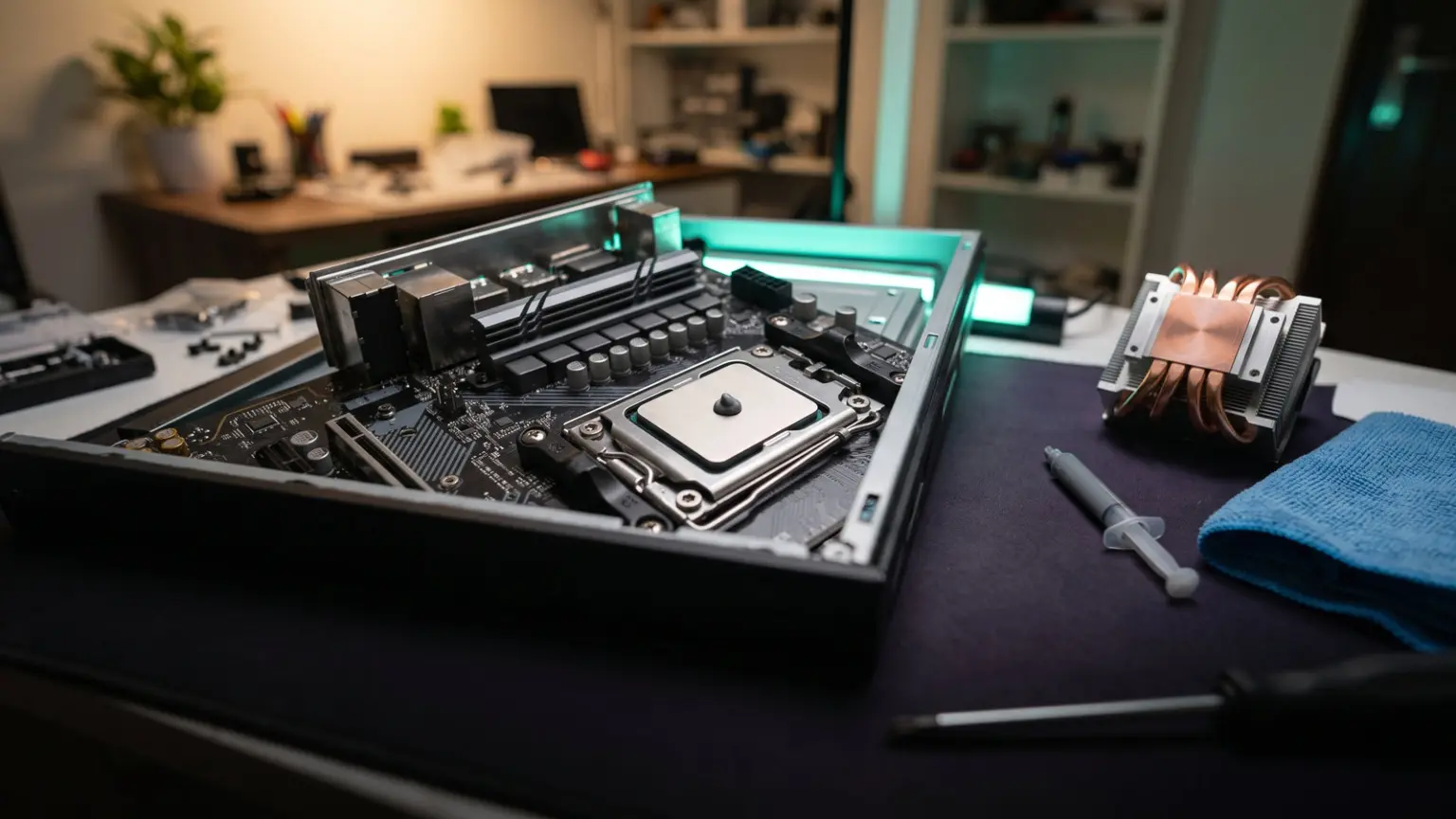
The most common mistake is using too much paste. You only need a small amount, the classic guidance is a pea-sized blob (or a grain of rice) in the centre of the CPU, and the pressure of the cooler clamping down spreads it into a thin, even layer. You do not need to spread it yourself, though some people apply a thin manual layer, both methods work. Too much paste is messy, can ooze over the edges, and a very thick layer can actually insulate slightly, the opposite of what you want. A single small tube lasts for several applications. So apply a modest dot, mount the cooler firmly and evenly, and resist the urge to add more.
Non-conductive vs conductive (liquid metal)
Most thermal pastes, including every pick here, are non-conductive: they will not conduct electricity, so if a little squeezes out onto the motherboard or socket, it will not short anything, this is what makes them safe and easy for everyone to use. Liquid metal thermal compounds offer slightly better performance but are electrically conductive and can permanently damage your hardware if they spill onto the wrong place, and they can react with aluminium coolers. We do not recommend liquid metal for most users, the small temperature gain is not worth the risk for a normal build. Stick with a quality non-conductive paste like the Arctic MX-4 or Noctua NT-H1; it is safe, easy and performs excellently.
Do expensive pastes really run cooler?
A little, but less than you might expect. Between quality pastes, the temperature difference in a normal build is usually only one to three degrees, real, but rarely enough to change how your PC performs. The big improvement comes from having fresh, properly-applied paste at all versus old, dried-out paste. So for most people, the Arctic MX-4 or Noctua NT-H1 is all you will ever need, and spending more on a premium or overclocking paste like Kryonaut only makes sense if you run a hot high-end CPU, overclock, or are chasing the absolute lowest temperatures. Do not stress about picking the single best paste; pick a trusted quality one and apply it well.
How we chose these thermal pastes
We searched Amazon India for CPU and GPU thermal pastes, then filtered for what matters: heat-transfer performance, safety (non-conductive), ease of application, value, brand reputation, and user ratings. We covered everything from a budget option to overclocking-grade and large multi-build tubes, and favoured the most trusted, heavily-reviewed pastes (the Arctic MX-4 has over 100,000 ratings). We checked every pick was in stock with its current price on Amazon.in in June 2026, and we show each paste real Amazon star rating and rating count. We did not lab-test units; picks are based on verified listings, specifications and aggregate user reviews. Apply a small amount, and confirm the live price before buying.
Affiliate disclosure: links to Amazon are affiliate links. If you buy through them, GamingNation may earn a small commission at no extra cost to you. It does not affect our picks or the order above.
Decision time
Pick the thermal paste that fits your build, then click through to verify the live price
Frequently Asked Questions
Which is the best thermal paste in India?
For almost everyone the Arctic MX-4 (around ₹489 for 4g) is the best overall, excellent performance, easy and safe to apply (non-conductive), and the most-reviewed paste in the world with 100,000+ ratings. The Noctua NT-H1 (₹949) is the best premium for easy, foolproof application, and the Thermal Grizzly Kryonaut (₹494) is the best for overclockers chasing the lowest temperatures.
When should I replace my thermal paste?
Replace it when building a new PC (if the cooler has no pre-applied paste), when fitting a new cooler, if your temperatures climb over time, or as routine maintenance every few years as the paste dries out. Dried-out paste is a common reason an older PC runs hotter or throttles. Fresh, properly-applied paste can drop temperatures by several degrees on a PC that has dried out, so it is worth doing when temps rise.
How much thermal paste should I apply?
Only a small amount, a pea-sized blob or a grain of rice in the centre of the CPU. The pressure of the cooler clamping down spreads it into a thin, even layer, so you do not need to spread it yourself (though a thin manual layer also works). Too much paste is messy and a very thick layer can slightly insulate, the opposite of what you want. A single small tube lasts for several applications, so use it sparingly.
Is thermal paste conductive or will it damage my PC?
Most thermal pastes, including all the picks here, are non-conductive, so a small spill onto the motherboard or socket will not short anything, they are safe and easy for everyone to use. Liquid metal compounds perform slightly better but are electrically conductive and can permanently damage hardware if they spill, so we do not recommend them for most users. Stick with a quality non-conductive paste like the Arctic MX-4 or Noctua NT-H1 for safety.
Does expensive thermal paste really make a difference?
Only a small one. Between quality pastes, the temperature difference in a normal build is usually just one to three degrees, real but rarely enough to change performance. The big improvement comes from having fresh, properly-applied paste versus old, dried-out paste. So for most people the Arctic MX-4 or Noctua NT-H1 is all you need; pay more for a premium or overclocking paste only if you run a hot high-end CPU or overclock and want every last degree.
Do I need thermal paste for a new CPU cooler?
Usually yes, but check first. Many CPU coolers come with thermal paste pre-applied on the contact plate, or include a small tube in the box, in which case you can use that. If yours does not, or you are reusing a cooler, you will need to apply fresh paste. It is always worth having a tube of good paste on hand for builds and repastes. If a cooler has old, crusty pre-applied paste, clean it off and apply fresh paste for the best result.
How do I apply thermal paste correctly?
Clean the old paste off the CPU and cooler with isopropyl alcohol and a lint-free cloth, then apply a small pea-sized or rice-grain dot of fresh paste in the centre of the CPU. Mount the cooler straight down and tighten its screws evenly in a cross pattern so even pressure spreads the paste into a thin layer. Avoid using too much, and do not slide the cooler around once seated. That is all it takes for a good application that lasts for years.
How much should I spend on thermal paste?
Not much, it is a cheap part. A great paste costs ₹299 to ₹1,200. Around ₹490 (Arctic MX-4) gets you the world’s most trusted non-conductive paste, plenty for several applications; ₹949 (Noctua NT-H1) adds foolproof application and a premium name. Larger 8g tubes (₹839 to ₹1,199) suit people building or repasting multiple PCs. For a single build, a small tube of Arctic MX-4 is all you need and excellent value.