
Updated October 2026 with current Indian retail prices.
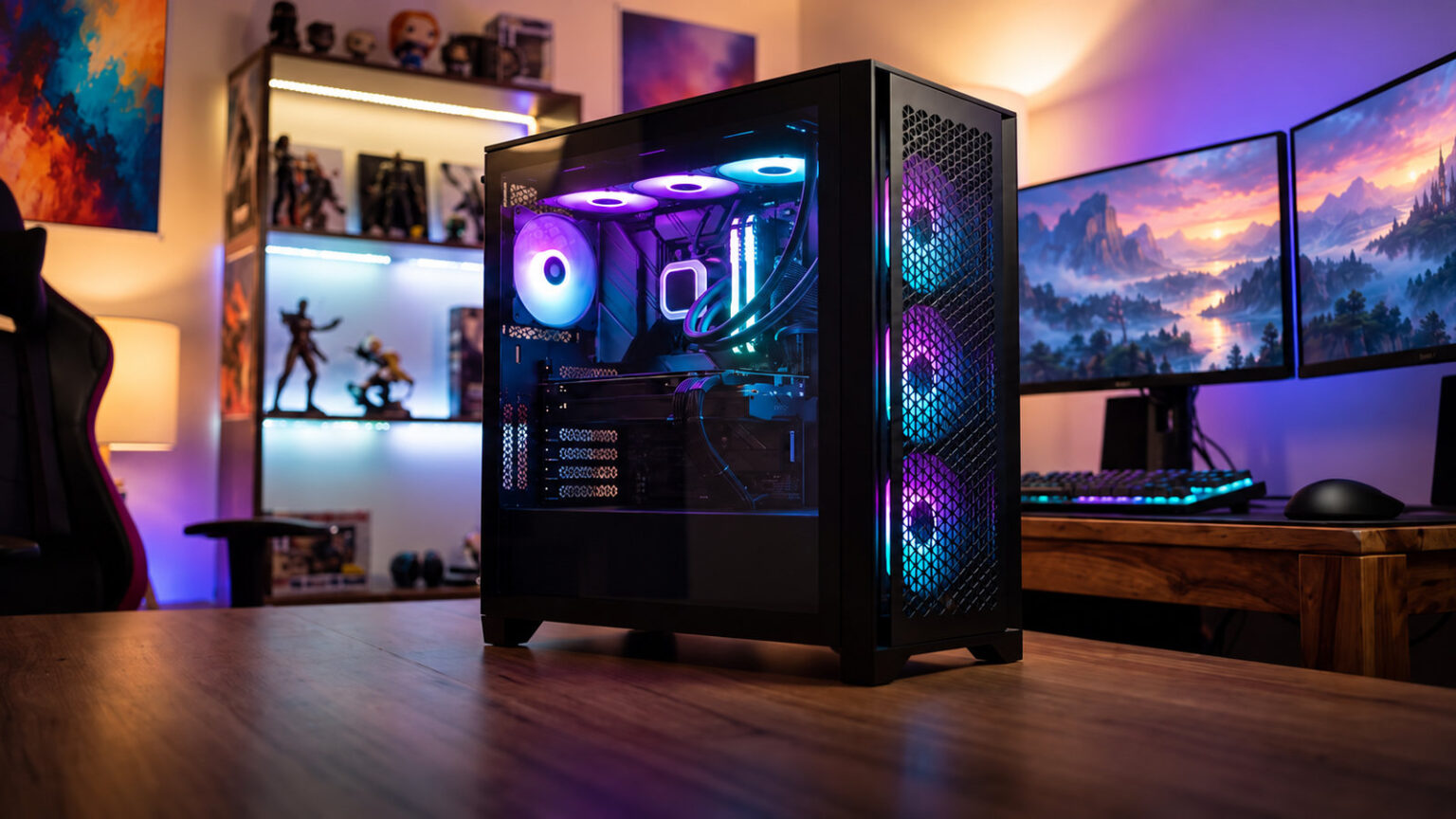
Best overall: Antec CX300 ARGB (mesh airflow, 3 ARGB fans). Best value: A-PRIORI 4-fan ARGB. Best premium showcase: Corsair 3500X ARGB.
Key facts
- Buy for airflow first, RGB second. A mesh-front case runs 10-15C cooler than a sealed glass-front one, and good thermals matter more than lighting for performance and component life.
- ARGB beats plain RGB. ARGB (addressable, 3-pin 5V) lets each LED show a different colour for rainbow and wave effects; plain RGB (4-pin 12V) is one colour at a time. Every pick here is ARGB.
- Pre-installed fans are the real saving. The A-PRIORI and Consistent White include 4 fans.
- Check RGB control before you buy. Cases sync either via a motherboard ARGB header (Aura Sync, Mystic Light, Fusion, Polychrome) or a built-in hub/remote if your board has no header. Confirm which you have.
- Measure clearance. Check the case GPU-length and CPU-cooler-height limits against your parts, and radiator support (240/360mm) if you plan an AIO liquid cooler.
Jump to your pick
A great RGB gaming cabinet does two jobs at once: it shows off your build through tempered glass with addressable lighting, and it moves enough air to keep your CPU and GPU cool. The trap is buying for looks alone and ending up with a hot, throttling PC. This guide ranks RGB and ARGB cabinets that get both right, on Amazon India, sorted by budget. Shopping to a fixed budget instead? Jump to our tier guides: cabinets under ₹5,000 and under ₹10,000.

Quick comparison table
| Pick | Cabinet | Price | RGB fans | Best for | Buy |
|---|---|---|---|---|---|
| Best Overall | Antec CX300 ARGB | Check price | 3 ARGB | Most builds, airflow + RGB | Amazon |
| Best Value | A-PRIORI 4-Fan ARGB | Check price | 4 ARGB | Most RGB per rupee | Amazon |
| Cheapest | GAMDIAS Aura GC7 | Check price | ARGB | Tightest budgets, full ATX | Amazon |
| Best White | Consistent Thunder White | Check price | 4 RGB | White-themed builds | Amazon |
| Big Builds | Zebronics E-ATX | Check price | RGB | E-ATX and full-ATX boards | Amazon |
| Premium Airflow | Corsair Frame 4000D RS ARGB | Check price | 3 RS ARGB | Proven premium builds | Amazon |
| Best Showcase | Corsair 3500X ARGB | Check price | ARGB | Panoramic glass builds | Amazon |
Best RGB gaming cabinet overall: Antec CX300 ARGB
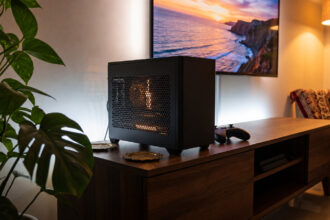
The Antec CX300 ARGB is our top pick because it leads with the thing that actually matters: airflow. The high-airflow mesh front pulls in cool air instead of choking it behind solid glass, and it still ships with 3 ARGB fans so your build glows out of the box. It takes full ATX, Micro-ATX and ITX boards, so it fits almost any build, and Antec is a long-standing case brand. On design and value it is the smartest all-round RGB buy.

Mesh-front mid-tower with 3 ARGB fans included
Mesh airflow3 ARGB fans included
Best value RGB cabinet: A-PRIORI 4-fan ARGB
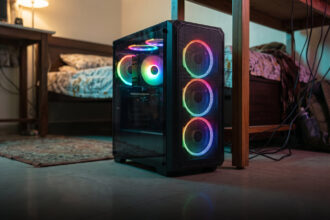
For pure value, the A-PRIORI is hard to beat: four ARGB infinity-mirror fans come pre-installed on a steel ATX mid-tower. If you want maximum lighting and airflow for the least money, start here.

Steel mid-tower with 4 ARGB infinity-mirror fans
4 ARGB fans included
Cheapest ATX RGB cabinet: GAMDIAS Aura GC7
The GAMDIAS Aura GC7 is the cheapest cabinet here that still takes a full ATX board, with up to 320mm of GPU clearance (fine for most budget and mid-range cards) and a 155mm CPU-cooler limit. Lighting is ARGB and the brand is established in budget gaming gear. Treat it as a tight-budget pick rather than a standout, and confirm fan count on the live listing before buying.

Compact ARGB mid-tower, ATX to ITX
Full ATX supportLowest price here
Best white RGB cabinet: Consistent Thunder 2004
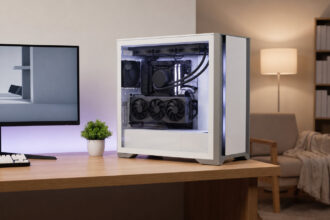
White builds are popular and genuinely hard to shop for, which is why the Consistent Thunder 2004 earns a spot: a white tempered-glass cabinet with 4 RGB cooling fans pre-installed, supporting ATX, Micro-ATX and ITX boards. It is the cleanest way to start a white-and-RGB theme without paying a premium-brand price. You should confirm on the listing whether the fans are addressable ARGB or single-colour RGB if rainbow effects matter to you.

White tempered-glass cabinet with 4 RGB fans
White build4 RGB fans included
Best RGB cabinet for big builds: Zebronics E-ATX
Most budget RGB cases top out at ATX, so if you run a larger E-ATX board the Zebronics E-ATX cabinet fills a real gap. You get E-ATX and ATX support, a high-airflow design, USB 3.0 front I/O, tempered glass and RGB fans, from a brand with wide service reach in India. For big-board builders who want lighting on a budget it is the practical choice.

E-ATX/ATX high-airflow cabinet with RGB fans
E-ATX supportUSB 3.0 + tempered glass
Best premium airflow: Corsair Frame 4000D RS ARGB
The Corsair Frame’s modular FRAME system makes cable routing and component fitting genuinely easy, the high-airflow design keeps temperatures in check, and it ships with 3 RS ARGB fans. It is the sweet spot for a premium build that still values airflow over pure spectacle.

Modular high-airflow ATX case, 3 RS ARGB fans
3 RS ARGB fans
Best RGB showcase cabinet: Corsair 3500X ARGB
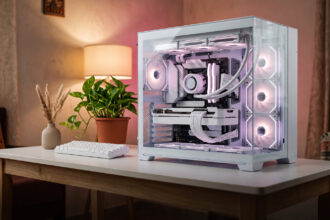
For a true showpiece, the Corsair 3500X ARGB is the one to beat: a dual-chamber layout hides all your cables and PSU in the back, while the panoramic wrap-around tempered glass gives an unobstructed view of the build. It supports reverse-connect motherboards for a cable-free front and takes ATX boards. It is the premium showcase pick, just remember a heavily glassed case needs good fans to stay cool.

Dual-chamber panoramic-glass ATX case
Panoramic glass + reverse-connect
ARGB vs RGB: what the difference actually means
RGB (Red Green Blue) lighting shows one colour across the whole strip or fan at a time. It connects to a 4-pin 12V header. ARGB (Addressable RGB) controls each LED individually, so you get rainbow, wave, comet and reactive effects, the look most people actually want. It uses a 3-pin 5V header. The two are NOT interchangeable: plugging an ARGB fan into a 12V RGB header can damage it. Every cabinet in this guide is ARGB. Before buying, check that your motherboard has a 3-pin 5V ARGB header (most boards from the last few years do); if it does not, pick a case with a built-in RGB hub or remote so you can still control the lighting.
Airflow vs RGB: do not buy looks over cooling
This is the single most important point. A sealed tempered-glass front looks great but restricts intake, and a starved case can run 10-15C hotter than a mesh-front one, which throttles your CPU and GPU and shortens their life. The fix is simple: prefer a mesh or vented front for intake (our top pick, the Antec CX300, and the Corsair Frame 4000D both do this), and make sure the case has enough fans, ideally three or more, with a front-intake and rear/top-exhaust path. A panoramic-glass showcase like the Corsair 3500X can run cool too, but only if you populate it with good fans. RGB is the bonus; airflow is the job.
How to control your cabinet RGB
There are three ways RGB cabinets are controlled. Motherboard sync is best: plug the fans into your board ARGB header and control everything in one app, Asus Aura Sync, MSI Mystic Light, Gigabyte RGB Fusion or ASRock Polychrome, so your case, RAM and GPU all match. Built-in hub or controller: many budget cases (and premium ones for extra effects) include a small hub the fans plug into, controlled by a reset-button cycle or a remote, useful when your board has no ARGB header. Remote control: the simplest, a handheld remote changes colours and modes directly. Check which method a case uses, and whether it matches your motherboard, before you buy, because it decides how easily your whole build will sync.
What to check before you buy (fit and clearance)
Motherboard size: match the case to your board, ATX is standard, Micro-ATX and ITX are smaller, E-ATX is larger (only the Zebronics E-ATX here takes it). GPU length: modern graphics cards are long, so check the case GPU-clearance figure (for example 320mm on the GAMDIAS) against your card. CPU cooler height: tall air coolers need clearance (155mm on the GAMDIAS); confirm yours fits. Radiator support: planning an AIO liquid cooler? Confirm 240mm or 360mm radiator support. Included fans: more pre-installed ARGB fans means less to buy later. Dust filters: India is dusty and humid, so removable, washable dust filters on the intake keep your build clean and cool over time. Front I/O: look for USB 3.0 (and ideally Type-C on premium cases).
How we chose these RGB cabinets
We searched Amazon India for RGB and ARGB gaming cabinets from ₹2,000 to over ₹10,000, then filtered for what matters in a real build: airflow design (mesh vs glass front), number of pre-installed ARGB fans, motherboard and GPU/radiator clearance, RGB control method, build quality and brand support in India. We did not lab-test units; picks are based on specifications. Prices move, so confirm the live price before buying.
Affiliate disclosure: links to Amazon are affiliate links. If you buy through them, GamingNation may earn a small commission at no extra cost to you. It does not affect our picks or the order above.
Decision time
Pick the RGB cabinet that matches your board, budget and airflow needs, then click through to verify the live price
Frequently Asked Questions
Which is the best RGB gaming cabinet in India?
For most builders the Antec CX300 ARGB is the best overall, because it leads with a high-airflow mesh front and still includes 3 ARGB fans, with full ATX support. For the best value, the A-PRIORI gives you four ARGB fans.
What is the difference between RGB and ARGB?
RGB lighting shows one colour at a time across the whole fan or strip (4-pin 12V). ARGB (addressable RGB) controls every LED individually for rainbow, wave and reactive effects (3-pin 5V). ARGB is what most people want, and every cabinet in this guide is ARGB. The headers are not interchangeable, so do not plug an ARGB fan into a 12V RGB header.
Is RGB or airflow more important in a cabinet?
Airflow, by a wide margin. A sealed glass-front case can run 10-15C hotter than a mesh-front one, which throttles performance and shortens component life. Buy a case with a mesh or vented front and enough fans first, then enjoy the RGB as a bonus. Our top pick, the Antec CX300, is chosen specifically because it does both.
How do I control the RGB on a gaming cabinet?
Three ways: via your motherboard ARGB header and its app (Aura Sync, Mystic Light, RGB Fusion, Polychrome) for full sync with your other parts; via a built-in hub or remote that comes with the case if your board has no header; or via a simple handheld remote. Check which method the case uses and whether it matches your motherboard before buying.
Do I need an ARGB header on my motherboard?
It is best if you have one (a 3-pin 5V ARGB header), because it lets you sync the case lighting with your motherboard, RAM and GPU in one app. Most motherboards from the last few years have one. If yours does not, choose a cabinet that includes its own RGB hub or remote so you can still control the lighting independently.
How many fans should an RGB cabinet have?
Aim for at least three, ideally with a front-intake and rear or top-exhaust path. More pre-installed ARGB fans also save money. The A-PRIORI and Consistent White here include four fans, and the Antec CX300 and Corsair picks include three.
Will a long graphics card fit in these cabinets?
Most modern GPUs are long, so always check the case GPU-clearance figure against your card. Budget cases here support around 320mm (enough for most mid-range cards); premium mid-towers like the Corsair models take longer high-end cards. If you run a large RTX-class card, confirm the exact clearance on the listing.
Are these cabinets good for liquid cooling (AIO)?
Several are. If you plan an AIO liquid cooler, check the radiator support: look for 240mm or 360mm mounting. The Corsair Frame 4000D and 3500X support larger radiators, and many budget cases support 240mm. Confirm the radiator size on the listing before buying.
Which RGB cabinet is best for a white build?
The Consistent Thunder 2004 White is the pick here, a white tempered-glass cabinet with four RGB fans already fitted, supporting ATX, Micro-ATX and ITX boards. It is the cheapest clean way to start a white-and-RGB themed PC. Confirm on the listing whether the fans are addressable ARGB if you want rainbow effects.