
Best Gaming Cabinet Under 15000 in India (2026): Premium Airflow, RGB, Liquid Cooling Ready
The ₹15,000 cabinet bracket is where things get exciting. This is not budget compromise territory anymore. At this price you are looking at full mesh fronts, multiple ARGB fans already installed, tempered glass side panels, PSU shrouds, proper cable management, and honest 360mm radiator support. The difference between a ₹5,000 cabinet and a ₹12,000 one is not just cosmetic. The steel is thicker, the fan mounts are cleaner, and the internal layout has actually been thought through by an engineer.
We already covered the tightest budget options in our best gaming cabinet under 5000 and best gaming cabinet under 3000 guides. If you are putting together a serious gaming rig, check our best gaming PC build under 50000 for the full build guide. And if the monitor is still on your list, the best gaming monitors under 10000 guide covers that side of the setup.
This article covers 8 cabinets from ₹8,000 to ₹10,500, all worth your money, with real trade-offs laid out.
Quick Reference: Best Gaming Cabinets Under 15000 at a Glance
| Cabinet | Type | Mobo Support | Pre-installed Fans | Max Radiator | Tempered Glass | Price (Approx) |
|---|---|---|---|---|---|---|
| Corsair 3500X ARGB | Mid Tower | E-ATX / ATX / mATX / ITX | 4x 120mm ARGB | 360mm (front) | Side Panel | ~₹10,000 |
| MSI MAG Pano M100R | Mid Tower | ATX / mATX / ITX | 3x 120mm ARGB | 240mm (front) | Panoramic 270° | ~₹9,000 |
| Lian Li Lancool 215 | Mid Tower | ATX / mATX / ITX | 2x 200mm ARGB | 280mm (front) | Side Panel | ~₹8,000 |
| Corsair 4000D Airflow | Mid Tower | ATX / mATX / ITX | 2x 120mm | 360mm (front) | Side Panel | ~₹10,000 |
| Antec C3 ARGB | Mid Tower | ATX / mATX / ITX | 3x 120mm ARGB | 240mm (front) | Side Panel | ~₹8,000 |
| Montech Sky Two | Mid Tower | ATX / mATX / ITX | 4x 140mm ARGB | 360mm (top) | Full Side + Top | ~₹9,000 |
| ASUS TUF GT301 | Mid Tower | ATX / mATX / ITX | 3x 120mm ARGB + 1x 140mm | 240mm (front/top) | Side Panel | ~₹10,000 |
| Deepcool CH560 | Mid Tower | E-ATX / ATX / mATX / ITX | 5x 120mm ARGB | 360mm (front/top) | Side Panel | ~₹8,000 |
The 8 Best Gaming Cabinets Under 15000 in India (2026)
1. Corsair 3500X ARGB: Best Overall Under 15000
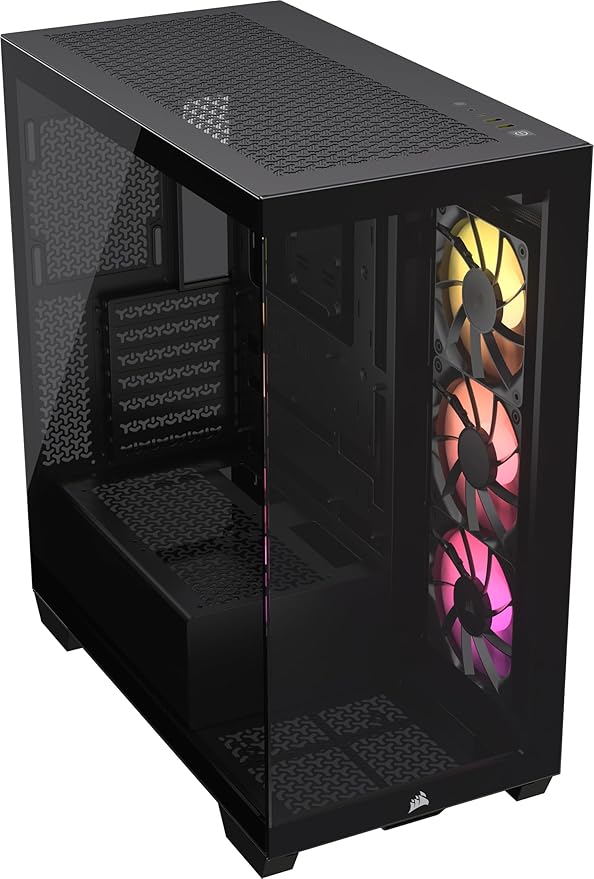
The Corsair 3500X ARGB sits at around ₹10,000 and it is probably the most complete gaming cabinet you can buy at this price in India right now. Full mesh front panel. Four 120mm iCUE LINK ARGB fans pre-installed. Supports E-ATX boards, which almost nothing else in this range does. 360mm radiator support at the front. The PSU shroud is full, the cable management cutouts have grommets on every single one, and the back panel has a decent 25mm of space for cable routing.
The iCUE compatibility is a genuine bonus if you are going with Corsair RAM or a Corsair AIO. Everything talks to each other through iCUE without individual adapters. For builds with an RTX 4070 Super or RX 7900 GRE, this cabinet provides the airflow headroom those cards need during extended Warzone or Baldur’s Gate 3 sessions in a 38-degree room.
Clearance numbers: 360mm front radiator, 120mm rear, 240mm top. GPU length up to 360mm. CPU cooler height up to 170mm. Drive support: 2x 3.5″ HDD and 2x 2.5″ SSD.
One complaint: the front mesh is a dust magnet. Clean it every 2 weeks in Indian conditions or the airflow drops noticeably within a month.
Best for: Builders who want Corsair ecosystem compatibility, E-ATX boards, or maximum airflow.
Not ideal for: Pure aesthetics builds where you want a lot of visible glass from the front.
2. Deepcool CH560: Best Fan Value Under 10000
Five pre-installed 120mm ARGB fans for ₹8,000. That is the headline. The Deepcool CH560 ships with three fans at the front and two at the top, all ARGB, all running through a single hub. This alone saves you ₹2,000 to ₹3,000 compared to buying and installing aftermarket fans in a cheaper cabinet.
The CH560 supports E-ATX boards, 360mm front and top radiators, and GPU lengths up to 400mm. That GPU clearance is exceptional. If you plan to put an RTX 4080 or a triple-slot RX 7900 XTX in there later, the CH560 has the internal volume to handle it without the GPU pressing against the front fans.
The tempered glass side panel is hinged, not screwed. Open it with one hand while the other holds a fan cable. Small thing, but after you have had to wrestle with four-screw side panels you will appreciate this. The front panel has a magnetic dust filter that pops off cleanly for washing.
Build quality is honest for the price. The steel is not as thick as Corsair’s, and the front panel plastic feels slightly cheaper. But the airflow and fan count make up for it completely. For a first serious build on a tight budget, this is the one I would hand to someone and say go with this.
Best for: Maximum pre-installed fan count, E-ATX boards, first serious gaming build.
Not ideal for: Ultra-premium feel or builds where you want to mix fan brands with different RGB ecosystems.
3. Corsair 4000D Airflow: Best Pure Airflow Cabinet Under 15000
The Corsair 4000D Airflow is the airflow benchmark for mid-towers in this price range. The front panel is almost entirely mesh with a large intake area that no competing cabinet at this price can match. Two 120mm fans come pre-installed, but the case design is so good that even with two fans it outperforms cases with four fans and a glass front panel.
Multiple independent tests have shown the 4000D Airflow running 8 to 12 degrees cooler than glass-front cases in the same thermal class. In an Indian summer with ambient temps at 38 degrees, that difference means the gap between a CPU staying at 75 degrees versus thermal throttling at 90 degrees mid-game.
Cable management on the 4000D is Corsair’s best in this price range. There is a dedicated cable bar on the back panel, rubber grommets throughout, and the PSU shroud completely hides the power supply and basement cables. Building inside the 4000D is a genuinely pleasant experience. Motherboard standoffs are pre-installed in the ATX position. The I/O panel connector is labelled clearly. No hunting for the right cable.
The only drawback compared to the 3500X is no E-ATX support and only two pre-installed fans. If you need more fans, add two more 120mm units to the front for another ₹1,500 to ₹2,000.
Best for: Thermal performance, cable management, clean builds that will last 5 years.
Not ideal for: RGB showcases or builds with E-ATX boards.
4. Lian Li Lancool 215: Best Build Quality at 8000
Lian Li makes cases for people who care about how a case is built, not just how it looks in a photo. The Lancool 215 at around ₹8,000 has steel panel thickness and fit-and-finish that most competitors do not match until ₹12,000 or more. Open the side panel and tap the chassis. You will feel the difference immediately compared to a generic mid-range cabinet.
Two large 200mm ARGB fans come pre-installed at the front. A single 200mm fan moves more air than two 120mm fans and does it more quietly. This is a significant advantage in Indian summers where you want maximum airflow at the lowest possible fan noise. The Lancool 215 is genuinely quiet during normal desktop use and only gets audible under full gaming load.
The front panel is mesh-covered, the tempered glass side panel is hinged, and the interior layout is clean. Cable routing channels are thoughtful. The USB 3.0 + Type-C front panel I/O is solid. One limitation: top radiator support only goes to 240mm, and front radiator support is also capped at 280mm. If you have a 360mm AIO on your roadmap, the Lancool 215 is not the right cabinet for it.
Best for: Premium build quality at budget price, silent gaming setups, clean aesthetics without heavy RGB.
Not ideal for: 360mm AIO liquid cooling.
5. Montech Sky Two: Best RGB Showcase Under 10000
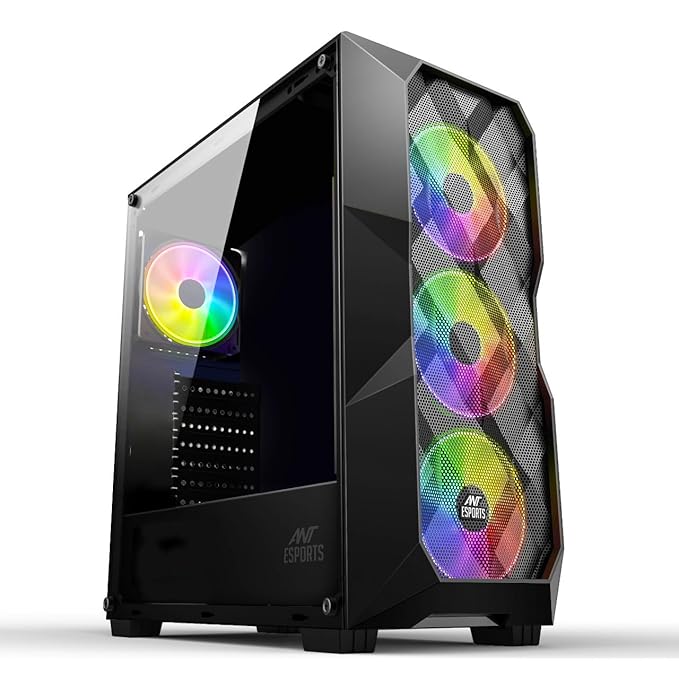
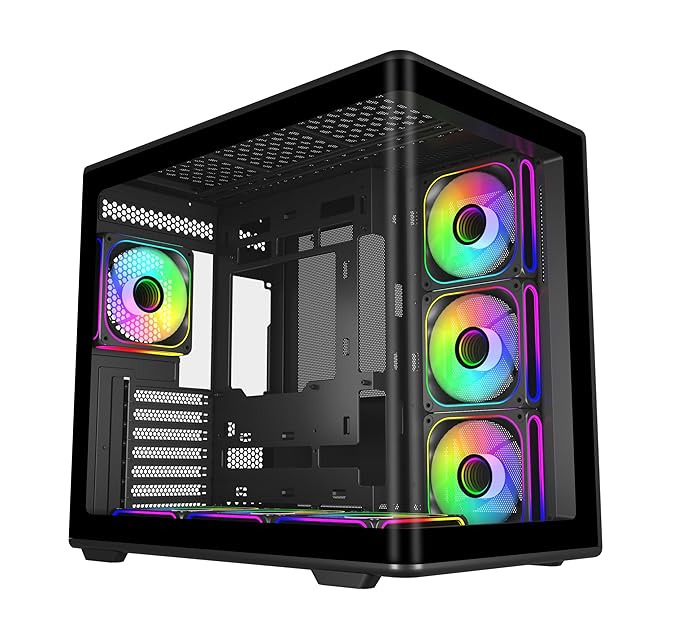
The Montech Sky Two is the most visually striking cabinet on this list. Full tempered glass side panel, tempered glass top panel, and four pre-installed 140mm ARGB fans that genuinely look impressive when the system is running. If your PC is in a place where people will see it, this is the cabinet that stops conversations.
140mm fans are inherently better than 120mm for high airflow at low noise. The four 140mm fans in the Sky Two move substantial air through the system. Top radiator support goes up to 360mm, which is unusual given the panoramic glass aesthetic. Front support goes up to 280mm. The glass top does restrict top-mounted radiator thermals slightly compared to a mesh top, so keep that in mind for custom loop setups.
The front panel intake area is smaller than the Corsair 4000D because of the glass aesthetic priority. This is an aesthetics-first, airflow-second cabinet. For a Ryzen 5 7600 or Core i5-13400 build with a mid-range GPU, the airflow is perfectly adequate. For a Core i9 or Ryzen 9 build with an RTX 4090, get the 4000D instead.
Cable management is decent. The PSU shroud covers the bottom cleanly. Back panel cable space is tight at around 20mm, but manageable with flat cables and velcro ties.
Best for: Showpiece RGB builds, streamers who show their setup on camera, clean mid-tier builds.
Not ideal for: Maximum airflow builds with high-TDP CPU and GPU combinations.
6. MSI MAG Pano M100R: Best Panoramic Glass Cabinet Under 10000
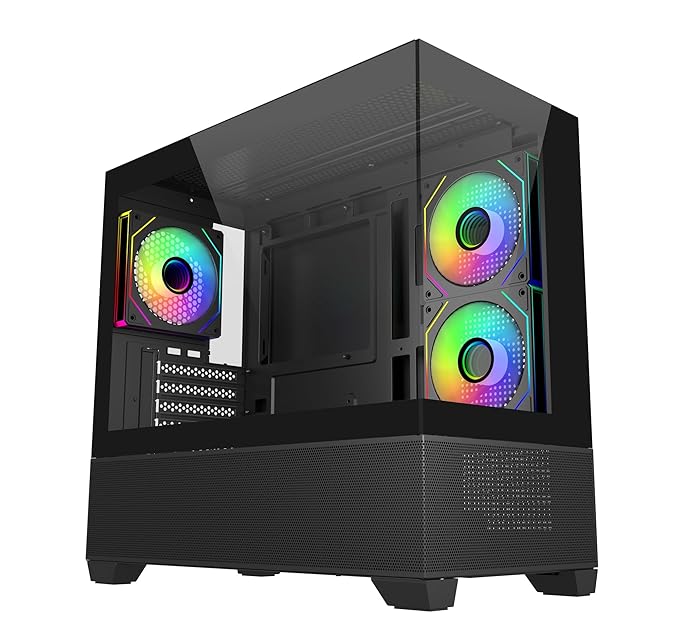
The MSI MAG Pano M100R is the most unique-looking cabinet on this list. Three sides of tempered glass give you a 270-degree view of your build. Left side panel, front panel, and top panel are all glass. The ARGB fans visible from three angles make this genuinely spectacular for a build that lives on a desk where people see it from multiple angles.
Three 120mm ARGB fans come pre-installed. The front glass panel is not ideal for pure airflow, but MSI has included mesh side vents that provide intake while keeping the glass aesthetic. Temperature performance is acceptable for mid-range builds. Not optimal, but functional.
One thing to know: the panoramic glass means the cabinet is more fragile during transport and setup. Handle it carefully. The glass panels are held in by clips, and if you are moving it around a lot, reinforce them with tape during transport.
Radiator support is 240mm front and 120mm rear. Top radiator is not ideal due to the glass top. This is strictly a mid-range build cabinet in terms of cooling. Buy it for the looks, manage the thermals with good fans and decent airflow planning.
Best for: Showcase builds, desk setups that are visible from multiple angles, Instagram-worthy gaming setups.
Not ideal for: Serious thermal management or large AIO radiator setups.
7. ASUS TUF GT301: Best for ASUS Ecosystem Builds
The ASUS TUF GT301 is designed for builders who are going deep into the ASUS TUF or ROG ecosystem. If your motherboard is a TUF Gaming B650-PLUS or your GPU is a TUF Gaming RX 7800 XT, the GT301’s TUF-branded fans sync natively through ASUS Aura Sync without any additional adapters or controllers. The aesthetic language matches across all ASUS TUF components.
Four fans come pre-installed: three 120mm ARGB fans at the front and one 140mm at the rear. The combination provides good airflow for mid-to-high-end builds. Front radiator support is up to 240mm. Top radiator support also goes to 240mm. The case does not support 360mm radiators, which is a clear limitation versus the Corsair and Deepcool options.
The steel quality and internal layout are solid. Cable management channels are clean. The PSU shroud fully covers the bottom. The side panel is hinged. Front panel includes USB 3.0, USB 2.0, headphone, and microphone jacks. One Type-C port is absent at this price point, which is a miss for 2026.
The TUF GT301 is not the best airflow cabinet on this list and not the best value either. But if you are building a cohesive TUF Gaming system and want everything to match visually and sync without effort, it is the right pick.
Best for: ASUS TUF and ROG ecosystem builds with Aura Sync RGB synchronization.
Not ideal for: 360mm AIO liquid cooling or non-ASUS component builds.
8. Antec C3 ARGB: Solid Budget Airflow Option at 8000
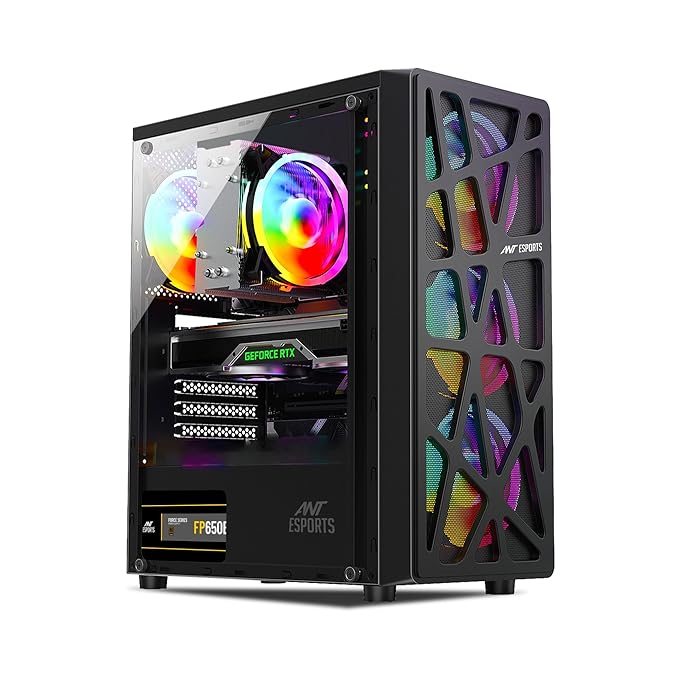
The Antec C3 ARGB is the least-talked-about cabinet on this list, which is unfair because it delivers solid value at ₹8,000. Full mesh front panel, three pre-installed 120mm ARGB fans, tempered glass side panel, and a clean black interior. It covers every basic requirement for a first gaming build without anything flashy.
Radiator support goes to 240mm at the front and 120mm at the rear. Not enough for larger AIOs, but fine for a 240mm Cooler Master Hyper 212 Halo Black or a budget 240mm AIO. Cable management is functional rather than exceptional. The PSU shroud is present but has limited cutout options. Back panel cable space is tight.
Antec’s warranty service in India is decent through their distributor network. Build quality is average but consistent. No sharp edges, no misaligned panels, nothing that would make you return it immediately.
If you are building a budget Ryzen 5 or Core i5 gaming PC and want every rupee to go into the CPU and GPU rather than the cabinet, the Antec C3 ARGB does the job without drama.
Best for: First gaming builds, budget Ryzen 5 or Core i5 builds, no-nonsense airflow on a budget.
Not ideal for: Large AIOs, premium cable management, or ARGB ecosystem synchronization.
What ₹15,000 Gets You vs ₹5,000: Real Differences
A lot of people ask whether spending ₹10,000 on a cabinet instead of ₹4,000 is worth it. The honest answer is: it depends entirely on the rest of your build. If you are building a ₹30,000 PC, a ₹5,000 cabinet is fine. If you are building a ₹70,000 PC, putting it in a ₹4,000 cabinet is genuinely counterproductive.
Steel Quality
Budget cabinets under ₹4,000 use 0.5mm to 0.6mm SGCC steel. Mid-range cabinets above ₹8,000 use 0.8mm to 1.0mm steel. The practical difference: thicker steel panels resonate less under fan vibration. A system running four fans in a thin-steel cabinet sounds noticeably more rattly than the same system in a Lian Li or Corsair. If you are particular about noise, this matters a lot.
Fan Quality
Pre-installed fans in ₹3,000 to ₹5,000 cabinets are the cheapest fluid dynamic bearing or sleeve bearing fans sourced from third-tier suppliers. They work, but they are louder and wear out faster. Above ₹8,000, fan quality jumps noticeably. The Lian Li Lancool 215’s 200mm fans are genuinely quiet. The Deepcool CH560’s five 120mm fans use better bearings that stay quiet for years.
Cable Management
Budget cabinets have basic cutouts and maybe one rubber grommet. Above ₹8,000, you get rubber grommets on every major cutout, a PSU shroud that fully hides cables in the bottom chamber, and dedicated cable tie anchors throughout the back panel. The practical result is a cleaner build that is easier to upgrade later without untangling a rat’s nest of cables.
Dust Filters
Budget cabinets often have no dust filters or cheap nylon mesh that blocks 30% of airflow when dirty. Above ₹8,000, magnetic pop-off dust filters on the front and top are standard. In Indian conditions, where construction dust and cotton fiber from AC units clog intakes constantly, a proper magnetic dust filter you can rinse every two weeks is a real quality-of-life upgrade. Budget another 30 minutes of cleaning time per month if your cabinet lacks proper dust filters.
Expansion Options
Budget cabinets have 2 to 3 storage bays and no room for additional fan mounts beyond what is included. Mid-range cabinets have dedicated mounting points for additional 120mm or 140mm fans, multiple SSD mounting spots accessible without full disassembly, and in some cases vertical GPU mount brackets.
Airflow vs Aesthetics: Which Matters More in India
This is not a neutral debate in India. Airflow wins. Every single time. Here is why.
Indian summers hit 35 to 42 degrees ambient temperature in most cities. Delhi in May averages 40 degrees. Mumbai’s humidity makes 32 degrees feel like 38. In these conditions, even a well-designed gaming PC runs 15 to 20 degrees hotter than the same system in a European country where ambient temperatures stay around 20 degrees. A PC that would sit comfortably at 75 degrees CPU in Germany is hitting 88 to 92 degrees in Pune without good airflow.
What a Glass Front Panel Actually Does
A solid glass front panel blocks the large front intake area almost completely. The case then draws air through tiny side gaps at the edges of the panel. This might be a 40mm gap on each side. Compare that to a full mesh front which lets air flow through the entire front face. The thermal difference is 8 to 15 degrees on the CPU and 5 to 10 degrees on the GPU in Indian ambient conditions.
That 10-degree difference on a GPU running Cyberpunk 2077 or GTA VI means the difference between the GPU staying at 82 degrees versus hitting 92 degrees and triggering thermal throttle. At thermal throttle, framerates drop 15 to 20 percent. Your ₹30,000 GPU is running like it cost ₹20,000 because of a glass panel.
The Smart Compromise
If you want aesthetics and airflow, the answer is glass side panel plus mesh front. Not glass front plus mesh everywhere else. The side panel shows off your build beautifully. The front mesh keeps temperatures sane. This is exactly what the Corsair 4000D Airflow and Corsair 3500X ARGB offer. Best of both situations.
Panoramic glass (three-sided glass like the Pano M100R) is purely for aesthetics-first builds. If you are running a Core i5 with a GTX 1660 Super or RX 6600, the thermal performance is fine. If you are running a Core i9 or Ryzen 9 with an RTX 4080, do not put it in a panoramic glass cabinet without adding multiple high-static-pressure fans and accepting higher temperatures.
Dust is Also an Airflow Issue
High airflow cabinets pull more air, which means they pull more dust. In India, dust accumulation is faster than in most countries. Proper magnetic dust filters solve this. Clean them every two weeks during summer. Cabinets with no proper dust filters, like many cheap options, end up with dust clogging the radiator and fan blades within 3 months, reducing airflow to near-glass-front levels.
Liquid Cooling Compatibility Guide
Not all cabinets in this range support the same radiator sizes. Getting this wrong means buying an AIO and finding it does not fit, or worse, fitting it in a position that causes pump cavitation because the radiator is mounted at the wrong angle.
240mm Radiator Support
All eight cabinets on this list support 240mm radiators. This is the minimum for mainstream liquid cooling. A 240mm AIO is adequate for Ryzen 5 7600X, Core i5-13600K, and similar mid-range CPUs. Budget AIOs like the Cooler Master Hyper 212 Halo, ID-Cooling SE-224-XT, or DeepCool AK400 are all 240mm class. Zero compatibility concerns across all picks on this list.
280mm Radiator Support
The Lian Li Lancool 215, Corsair 3500X ARGB, Corsair 4000D Airflow, Deepcool CH560, and Montech Sky Two all support 280mm radiators. A 280mm AIO provides meaningfully better cooling than 240mm for the same pump speed, because the two 140mm fans run quieter than three 120mm fans while moving equivalent or better air volume. For Ryzen 7 7700X or Core i7-13700K builds, 280mm is the sweet spot.
360mm Radiator Support
The Corsair 3500X ARGB supports 360mm at the front. The Corsair 4000D Airflow supports 360mm at the front. The Deepcool CH560 supports 360mm at both front and top. The Montech Sky Two supports 360mm at the top. For builds with a Core i9-13900K, Ryzen 9 7950X, or any high-end CPU running heavy workloads alongside gaming, 360mm is the right choice.
Important note on 360mm top mounting in the Montech Sky Two: the glass top panel limits clearance. Check the specific AIO radiator + fan stack thickness before assuming it fits. Most 25mm thick radiators with standard 25mm fans will fit, but thick radiators with 30mm fans may not.
Radiator Mounting Best Practices in India
Mount the radiator so the pump is below the radiator level or at least level with it. This prevents air from getting trapped in the pump head. The ideal configuration for most mid towers is a front-mounted radiator with the pump block at the top of the radiator, where the tubes exit at the bottom and go up to the CPU block. This keeps the pump submerged in coolant at all times and prevents the gurgling noise that happens when air gets into the pump loop in a poorly mounted configuration.
Cable Management Tips for a Clean Build
A good cabinet makes cable management easier, but you still have to do the work. Here is exactly how to get a clean build in any of the cabinets on this list.
PSU Shroud: Use It Properly
Every cabinet above ₹7,000 on this list has a PSU shroud. The shroud hides the power supply and all the cables coming out of it from the main chamber view. Route all your modular cables through the bottom chamber first, then bring only the cables you need up through the cutouts into the main chamber. Never bring extra unused cables into the main chamber. They will bunch up behind the GPU and block airflow.
Rubber Grommets
Route cables through grommets, not around them. The grommets are there to hide cables at the cable cutout edge. Push the cable through the center of the grommet, not beside it. The grommet compresses around the cable and the cutout looks clean from the front. If you route cables beside the grommet, you end up with a cable gap at the edge of the cutout that is visible through the tempered glass.
Velcro Ties Over Zip Ties
Use velcro cable ties, not plastic zip ties. Velcro ties are reusable, which means when you add a new drive or upgrade a component, you can reroute cables without cutting zip ties. Plastic zip ties require cutting every time, which creates sharp plastic nubs that can cut your hand during future upgrades. A pack of 20 velcro ties costs ₹100 to ₹150 on Amazon and lasts years.
24-Pin ATX Cable
The 24-pin ATX motherboard power cable is the most visible and most annoying cable in any build. Route it behind the motherboard tray from the PSU, bring it up through the grommet closest to the 24-pin connector on the motherboard, and use a velcro tie to press it flat against the back of the tray. Some builders use a 24-pin cable extension in a flat ribbon style. These cost ₹400 to ₹600 and completely hide the bundled cable, replacing it with a thin ribbon that barely shows.
GPU Power Cables
RTX 4000 series GPUs use a 16-pin connector that comes with an adapter from four 8-pin connectors. Route the four 8-pin cables from the PSU along the back panel and bring them together through the grommet nearest to the GPU power connector. Tape or velcro tie the four cables together before they emerge from the grommet. This creates a single clean cable run rather than four separate cables fanning out.
SATA and Peripheral Cables
Route these entirely through the back panel. There is no reason a SATA power cable should be visible in the main chamber. Connect the cable at the SSD or HDD first, bring it through the nearest grommet, and tie it flat against the back panel. If you are running multiple SATA drives, use a SATA power splitter behind the back panel rather than running multiple cables from the PSU into the main chamber.
Cabinets to Avoid at This Price
Not every cabinet priced at ₹8,000 to ₹15,000 is worth buying. A few popular names in Indian markets are overpriced, underperforming, or have real quality control problems that show up after 3 to 6 months of use.
No-Name Gaming Cabinets with Heavy RGB and Glass Everything
Search Amazon for “gaming cabinet RGB tempered glass” and you will find dozens of options from brands like Zebronics, Frontech, ibell, and similar budget Indian brands priced between ₹3,000 and ₹7,000. These often have marketing photos that look impressive. RGB strips everywhere, four glass panels, claimed “airflow” cutouts. Do not buy these for a serious build.
The issues: 0.4mm steel that flexes under hand pressure, cooling fans that fail within 6 months, sharp edges at panel joins that cut your hands during assembly, claimed radiator support that physically cannot fit most AIOs due to front panel clearance problems, and RGB controllers that stop responding after 3 months. The warranty support from these brands in India is non-existent in practice.
Cabinets with No Front Mesh at Mid-Range Prices
Some mid-range branded cabinets like older models from Antec’s NX series price themselves at ₹6,000 to ₹8,000 but ship with solid front panels or minimal mesh side intake. At this price there is no reason to accept a non-mesh front. Brands trying to sell glass-front cabinets above ₹7,000 in 2026 are selling you aesthetics at the cost of thermal performance. Skip them.
Cabinets with Proprietary Fan Connectors
Some brands (particularly lower-tier ones) ship cabinets with pre-installed fans that use proprietary connectors requiring a hub that only works with that brand’s fans. If a fan fails, you have to buy their specific replacement. ARGB fans from Corsair, Deepcool, Lian Li, and similar reputable brands use standard 5V 3-pin ARGB connectors compatible with any ARGB-capable motherboard header or standard ARGB controller. Always verify this before buying.
The ₹12,000 to ₹14,000 Sweet Spot Trap
There are some cabinets priced between ₹12,000 and ₹14,000 that do not offer meaningfully better features than the ₹9,000 to ₹10,000 options. If you cannot justify what the extra ₹3,000 to ₹4,000 buys you in terms of fan count, radiator support, build quality, or features, you are paying a branding premium. The Corsair 3500X at ₹10,000 and the Deepcool CH560 at ₹8,000 represent genuine value. Anything priced above them needs to demonstrate clear upgrades.
Frequently Asked Questions
Which is the best gaming cabinet under 15000 in India in 2026?
The Corsair 3500X ARGB and Corsair 4000D Airflow are the strongest all-round picks. For pure fan value, the Deepcool CH560 at ₹8,000 with five pre-installed fans is exceptional. For RGB showcase builds, the MSI MAG Pano M100R and Montech Sky Two stand out.
Is the Corsair 4000D available in India?
Yes. The Corsair 4000D Airflow is readily available on Amazon.in and through Corsair’s authorized Indian distributors. Prices fluctuate between ₹9,500 and ₹11,000 depending on sales and stock. Check Amazon for current pricing.
Can I fit a 280mm AIO in the Lian Li Lancool 215?
Yes. The Lancool 215 supports a 280mm radiator at the front. The two pre-installed 200mm fans need to be removed first, and you replace them with the 140mm fans that come with the AIO. The Lancool 215 does not support 360mm radiators at the front or top.
Does the Deepcool CH560 come with RGB controller software?
The CH560 includes a built-in ARGB hub that connects to your motherboard’s 5V 3-pin ARGB header. You control the lighting through your motherboard’s software (ASUS Aura Sync, Gigabyte RGB Fusion, MSI Mystic Light). No proprietary software required. If your motherboard does not have an ARGB header, a standalone ARGB controller for ₹500 to ₹800 will work.
What is the maximum GPU length supported in the Corsair 3500X ARGB?
The Corsair 3500X ARGB supports GPU lengths up to 360mm. This accommodates virtually every current GPU including triple-fan RTX 4080 Super and RX 7900 XTX models. Verify your specific GPU’s length before buying, as some limited edition triple-fan cards from Gigabyte AORUS or ASUS ROG can exceed 340mm.
Is the MSI MAG Pano M100R good for hot Indian climates?
The Pano M100R is acceptable for mid-range builds (up to RTX 4060 Ti, RX 7600 XT) in Indian conditions if you add one or two high-static-pressure 120mm fans. For high-end builds with RTX 4070 Super or above, the glass front panel limits intake airflow and temperatures will run noticeably higher than a mesh-front cabinet. In AC rooms it is fine for most builds. Without AC in Indian summers, prioritize mesh-front cabinets.
Should I buy a full tower or mid tower under 15000?
Mid tower. Full towers under ₹15,000 are larger but do not offer better quality steel, better fans, or better layout than good mid towers at this price. You end up with more empty space and a heavier, larger cabinet on your desk. Unless you are planning an extreme multi-drive NAS build or a full custom water loop with multiple radiators, mid tower is the right choice.
What fans should I add to the Corsair 4000D Airflow?
The 4000D Airflow comes with two 120mm fans. Adding two more 120mm fans at the front gives you three-fan intake and one rear exhaust, which is the optimal airflow configuration for this case. Good budget upgrades: Arctic P12 PWM PST (four-pack available on Amazon for around ₹2,000), or be quiet! Pure Wings 3 120mm. Avoid cheap no-name fans even if they look similar, the bearing quality difference is significant over 2 to 3 years of daily use.
Are gaming cabinets from Zebronics or iBell worth buying?
No, not for a serious gaming build. Both brands sell heavily RGB-focused cabinets with marketing photos that look impressive at ₹3,000 to ₹6,000. The build quality problems, thin steel, sharp edges, failing fans, and zero warranty support in practice make them a bad investment for any build above ₹30,000. Spend the extra ₹2,000 to ₹3,000 for an Antec, Deepcool, or Cooler Master cabinet.
Does cabinet size affect PSU cable length requirements?
Yes. Larger mid towers and full towers require longer cables to reach from the PSU (bottom-mounted) to the motherboard 24-pin and CPU EPS connectors (top of the board). If you are using a non-modular PSU, the standard cable lengths in most budget units are sufficient for standard mid towers. For extended mid towers like the Corsair 3500X, verify that your PSU’s CPU EPS cable is at least 600mm. Short EPS cables on budget PSUs sometimes cannot reach the top of the motherboard without strain in larger cases.
Is it worth buying a cabinet with a front USB Type-C port?
Yes if your motherboard has a Type-C front panel header (most B650 and Z790 boards have one). A front Type-C port allows you to plug in modern smartphones, SSDs, and peripherals directly without reaching to the back of the cabinet. The Corsair 3500X ARGB and Deepcool CH560 both include front Type-C ports. At ₹8,000 and above, there is no reason to accept a cabinet without it in 2026.
Can I use the MSI MAG Pano M100R for a streaming setup?
Yes, the Pano M100R works well for streaming setups where the PC is visible on camera. The 270-degree glass gives viewers a clear look at the build. For streaming PCs running OBS with a mid-range GPU (RTX 4060, RX 7600), thermal performance is adequate. Add an extra 120mm high-static-pressure fan if your room does not have AC.
Final Verdict: Which Cabinet Should You Buy?
Pick based on your actual priorities:
Best overall for serious gaming builds: Corsair 4000D Airflow. The airflow, cable management, and build quality make it the most complete choice for builds that need to last 4 to 5 years.
Best value for fan count: Deepcool CH560. Five fans pre-installed at ₹8,000 is genuinely hard to beat. Build quality is solid and E-ATX support covers future-proofing needs.
Best for Corsair RGB ecosystem: Corsair 3500X ARGB. E-ATX support, 360mm radiator, iCUE LINK integration, and four ARGB fans. The total package for a premium-feeling build.
Best for showcase RGB builds: Montech Sky Two or MSI MAG Pano M100R. If the build will be on camera or visible from multiple angles, these two make the biggest impression.
Best build quality at 8000: Lian Li Lancool 215. Lian Li’s engineering and steel quality are above everything else at this price. If you care about how a case is built more than how many fans it ships with, Lancool 215 is the pick.
The Indian gaming market is growing fast. Cabinets in this ₹8,000 to ₹15,000 bracket represent a real jump in build quality, thermal management, and aesthetics over budget options. Any of the eight picks above will serve a serious gaming build well for years. Get the one that matches your priority, mesh front for performance, glass for show, or the middle ground that does both reasonably well.
[gn_related_widget title=”You Might Also Like”]