

Updated October 2026 with current Indian retail prices.
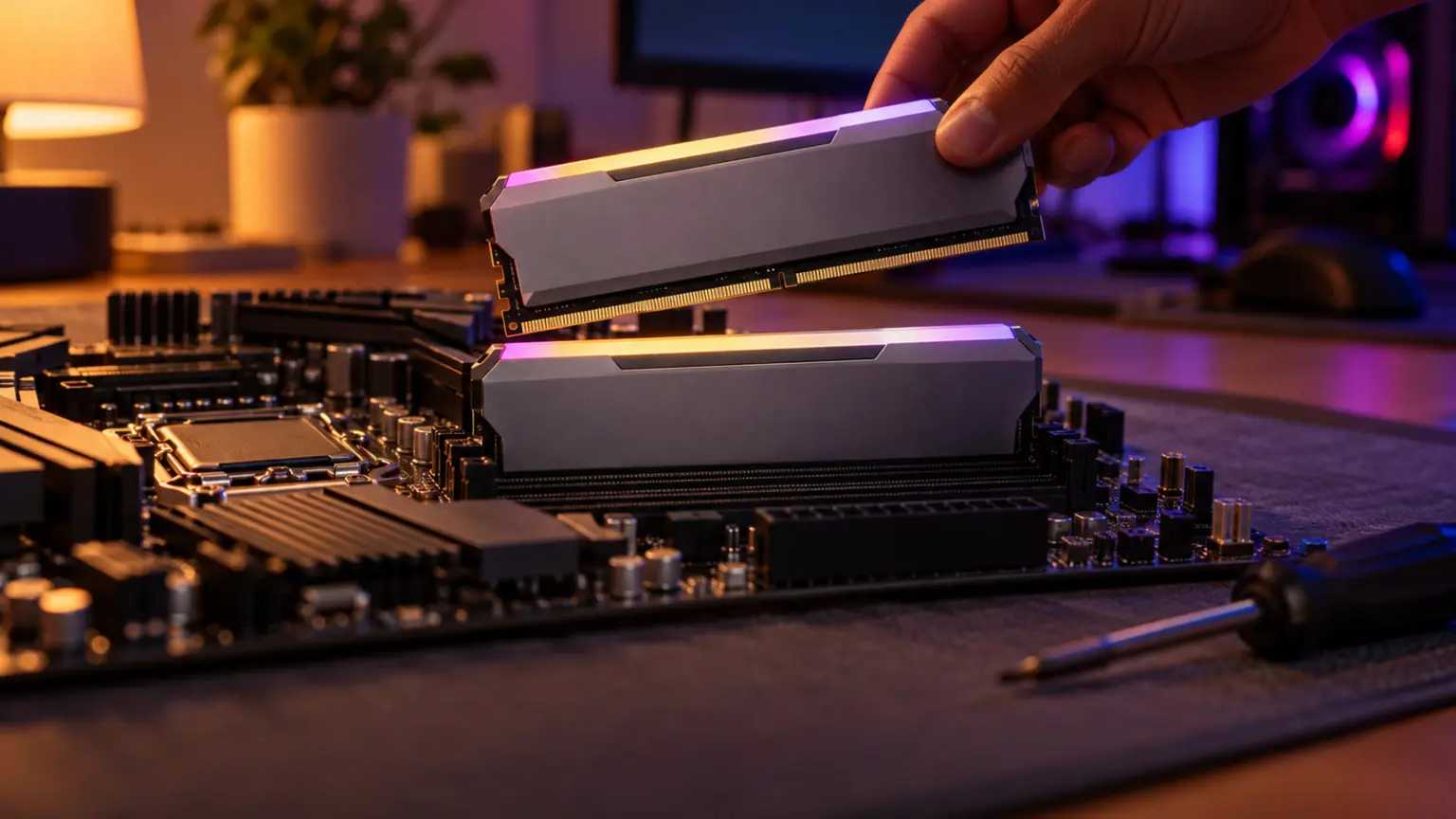
Best overall: Patriot Viper Venom DDR5 32GB 6000 (for AM5 and modern Intel). Best DDR4: Corsair Vengeance LPX 32GB 3200 (for AM4). Honest warning: a 2026 memory shortage has roughly doubled RAM prices, so these are the least-bad genuine kits, buy only if you need to upgrade now, or wait.
Key facts
- RAM prices roughly doubled in 2026. A global memory shortage driven by AI data centres pushed prices up sharply, and India was hit harder than most. Every kit here is inflated, so we picked the least-bad genuine option per tier, not bargains that no longer exist.
- Your socket decides DDR4 or DDR5, not preference. AM4 (Ryzen 5000) uses DDR4 only. AM5 (Ryzen 7000/9000) uses DDR5 only. Intel 12th to 14th gen boards take one or the other, check your motherboard. You cannot put DDR5 in a DDR4 board.
- 32GB is the 2026 baseline for a real gaming PC. 16GB still works for esports at 1080p, but 32GB is what new AAA games, streaming and multitasking want, mostly for smoother 1% lows, not higher average FPS.
- Always buy a kit (two sticks), never one. A single 16GB stick runs in single channel and loses 5 to 12 percent in CPU-heavy games versus a 2x8GB kit. Every pick here is a proper 2-stick dual-channel kit.
- Enable XMP (Intel) or EXPO (AMD) in the BIOS. Out of the box, fast RAM runs at a slow default speed. One toggle unlocks the rated speed and up to about 11 percent more FPS. Skipping this is the most common mistake.
- Speed sweet spots: DDR4-3200 or 3600 CL16 for AM4, and DDR5-6000 CL30 for AM5. Beyond those, you pay more for gains you will not feel, and on AM4 going too fast can even hurt.
Jump to your pick
The best RAM for a modern gaming PC in India in 2026 is a 32GB DDR5-6000 kit like the Patriot Viper Venom if you are on AM5 or a recent Intel board, or a 32GB DDR4-3200 kit like the Corsair Vengeance LPX if you are on the older AM4 platform. But before anything else, an honest warning that no store will give you: a global memory shortage has roughly doubled RAM prices this year, and India was hit especially hard. Every kit in this guide is inflated well above its normal price, so treat these as the least-bad genuine options if you must upgrade now, not as the bargains RAM used to be. This guide tells you which type your PC needs, how much, what speed actually matters, and the one BIOS setting most people forget, then gives 2-stick kits for each budget.
 🎁 GiveawayFREE
Quick comparison table
See current prices on Amazon.in. RAM prices are spiking and change fast, always check the live link before buying. Every pick is a 2-stick dual-channel kit.
| Pick | Kit | Price | Type | Best for | Buy |
|---|---|---|---|---|---|
| Best Overall | Patriot Viper Venom DDR5 32GB | Check price | DDR5-6000 | AM5 / modern Intel | Amazon |
| Best Latency | TeamGroup T-Create 6000 CL30 | Check price | DDR5-6000 CL30 | AM5 enthusiast | Amazon |
| Best DDR4 | Corsair Vengeance LPX 32GB | Check price | DDR4-3200 CL16 | AM4 platform | Amazon |
| DDR4 Value | Patriot Viper Steel 32GB | Check price | DDR4-3200 CL16 | AM4 budget | Amazon |
| Best RGB | Viper Venom RGB DDR5 32GB | Check price | DDR5-6000 RGB | Showcase builds | Amazon |
| Cheapest | Viper Elite II DDR4 16GB | Check price | DDR4-3200 16GB | Budget esports | Amazon |
Best overall for a modern PC: Patriot Viper Venom DDR5 32GB 6000
For a modern gaming PC on AM5 or a recent Intel board, a 32GB DDR5-6000 kit is the sweet spot, and the Patriot Viper Venom is the cheapest genuine one here. It is a true 2-stick dual-channel kit, 32GB is the 2026 baseline, and DDR5-6000 is exactly the speed these platforms want. Remember to enable EXPO or XMP in the BIOS so it runs at the rated 6000, out of the box it will idle at a slower default. Be clear-eyed about the price: this is not cheap RAM, it is inflated by the 2026 shortage like everything else, so it is the least-bad genuine option rather than a deal. If you are building or upgrading a modern PC now and cannot wait for prices to settle, this is the kit to get.

Patriot Viper Venom DDR5 32GB (2x16GB) 6000MHz
Genuine 2-stick kitLifetime warranty
Best latency: TeamGroup T-Create Expert DDR5 32GB 6000 CL30
DDR5-6000 CL30 is the timing enthusiasts and AMD both recommend as the AM5 sweet spot, and the TeamGroup T-Create Expert delivers it. The tighter CL30 latency gives a small but real gain over the more common CL36 kits, and the low-profile design clears tall CPU air coolers, a genuine practical plus. It is a clean 2-stick 32GB kit with a lifetime warranty. The catch is simply price: it costs more than the CL36 Viper Venom for a difference you will feel only in benchmarks and CPU-bound games. Buy it if you want the best gaming latency and the extra spend is comfortable, otherwise the CL36 kit above is the value-conscious pick in this inflated market.

TeamGroup T-Create Expert DDR5 32GB (2x16GB) 6000 CL30
CL30 tight timingLow-profile
Best DDR4 for AM4: Corsair Vengeance LPX 32GB 3200
A massive number of Indian gaming PCs still run on the AM4 platform (Ryzen 5000 on B550 boards), and for those the Corsair Vengeance LPX 32GB DDR4-3200 CL16 is the default, with the DDR4-3200 CL16 spec that is the AM4 sweet spot. Enable XMP in the BIOS to get the rated speed. It is inflated by the shortage like everything else, and a Patriot 32GB kit is a bit cheaper (below), but Corsair’s track record and support earn the small premium for many buyers. Note that DDR4 is end-of-life, so buy this only for an existing AM4 board, not a new build.

Corsair Vengeance LPX DDR4 32GB (2x16GB) 3200MHz CL16
Lifetime warranty
Cheapest 32GB DDR4: Patriot Viper Steel 32GB 3200
The Patriot Viper Steel is the cheapest genuine 32GB DDR4 kit here, and it runs the same DDR4-3200 CL16 spec as the pricier Corsair. For an AM4 value build in this expensive market, it is the sensible pick, a clean 2-stick 32GB kit with a lifetime warranty. You give up the brand cachet of the Corsair, but the performance is the same. Enable XMP for the rated 3200 speed. As with all DDR4, buy it only for an existing AM4 (or older Intel) board, not a new DDR5 build.
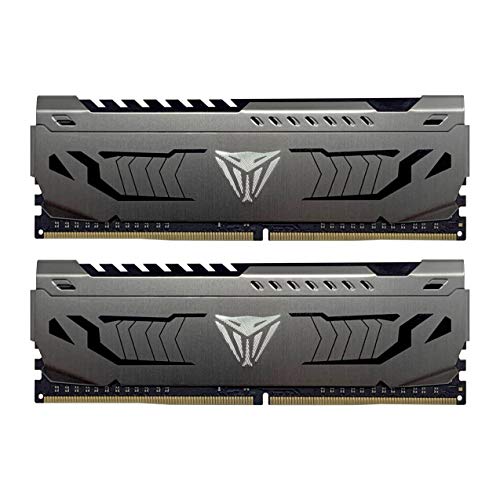
Patriot Viper Steel DDR4 32GB (2x16GB) 3200MHz CL16
Cheapest genuine 32GBLifetime warranty
Best RGB kit: Patriot Viper Venom RGB DDR5 32GB 6000
If your build has a glass side panel and you want the RAM to light up, the Patriot Viper Venom RGB DDR5 32GB 6000 is the best-value genuine RGB kit here. It is the same 6000 CL36 performance as the non-RGB Viper Venom, just with addressable RGB that syncs to most motherboard lighting software. Be honest with yourself about why you are buying it: RGB adds exactly zero to gaming performance, it is pure aesthetics. If a showcase build matters to you, this is the one to get, otherwise put that money toward your GPU. Enable EXPO or XMP for the rated speed either way.

Patriot Viper Venom RGB DDR5 32GB (2x16GB) 6000MHz
Best-value RGB DDR5Lifetime warranty
Cheapest entry: Patriot Viper Elite II DDR4 16GB 3200
The Patriot Viper Elite II is the cheapest genuine kit in this guide, a proper 16GB (2x8GB) dual-channel DDR4-3200 kit. For a tight-budget AM4 or older Intel build that mostly plays esports titles at 1080p, 16GB is still enough and this does the job. The timings are slightly looser (CL18) than the 32GB kits, which is fine at this level. The honest caveat is that 32GB is the 2026 baseline for AAA gaming, streaming and heavy multitasking, so pick 16GB only if your budget genuinely forces it, and know you may want to add another kit later. As always, it is DDR4, so only for an existing AM4 or older Intel board.

Patriot Viper Elite II DDR4 16GB (2x8GB) 3200MHz
Cheapest 2-stick kitLifetime warranty
Why RAM is so expensive right now (and whether to buy)
If RAM feels shockingly expensive in 2026, you are not imagining it. A global memory shortage, driven by chip makers pouring production into high-bandwidth memory for AI data centres, has sent DRAM prices up sharply, by well over 100 percent from late 2025, and India has been hit harder than the US or Europe. Analysts expect prices to stay high into 2027. So the honest buying advice: if you need RAM now, to finish a build or fix a system that is short on memory, buy the right kit today, because waiting is unlikely to save you money soon. But if your current RAM is fine, do not upgrade just for a few extra frames right now, this is the worst time in years to buy memory you do not strictly need. Every kit in this guide is priced up by the shortage, so we have picked the least-bad genuine option in each tier rather than pretending bargains exist.
The 60-second decision: DDR4 or DDR5?
This trips up more buyers than anything else, and it is simple once you know the rule: your motherboard socket decides the type, not your preference, and the two are not interchangeable. If you have an AM4 board (Ryzen 5000 series, like a Ryzen 5 5600 on a B550 board), you use DDR4 only. If you have an AM5 board (Ryzen 7000 or 9000 series), you use DDR5 only. On Intel, 12th to 14th gen boards come in both DDR4 and DDR5 versions, so check which one your specific motherboard has, and the newest Intel platforms are DDR5 only. You physically cannot fit a DDR5 stick in a DDR4 slot or the reverse. So the first thing to do, before you look at any kit, is find out your motherboard model and which memory it takes. For a new build, DDR5 on AM5 or current Intel is the future-proof choice; DDR4 on AM4 is still a strong value platform but a dead-end with no upgrade path beyond it.
16GB or 32GB for gaming?
In 2026, 32GB is the baseline for a proper gaming PC, and 16GB is the budget minimum. Here is the honest split: 16GB is still fine for esports titles and older or lighter games at 1080p, so on a tight budget it works. But modern AAA games increasingly use more than 16GB, and if you also stream, keep a browser full of tabs open, or run Discord and other apps while gaming, 16GB starts to run out, which shows up as stutter and worse 1 percent lows rather than a lower average frame rate. 32GB removes that ceiling for years. So buy 32GB if you play new AAA games, multitask or stream, and it is the safer choice for any mid-range or better build. Choose 16GB only if your budget genuinely forces it, and prefer a 2x8GB kit so you can add a second kit later. Going beyond 32GB, to 64GB, does nothing for gaming and is only for heavy creative or professional work.
What RAM speed actually matters
Faster RAM helps gaming, but only up to a sweet spot, and beyond that you pay for numbers you will not feel. On DDR4 (AM4), the sweet spot is 3200 or 3600 MHz at CL16. On Ryzen, 3600 CL16 keeps the memory in sync with the chip (a 1:1 Infinity Fabric ratio), and pushing much higher can actually reduce performance, so do not chase 4000-plus DDR4 for a Ryzen build. On DDR5 (AM5), the sweet spot is 6000 MHz at CL30, which is what the AMD EXPO profiles target; faster DDR5 gives tiny gains for a lot more money. One thing people miss: latency matters as much as raw speed. A lower CL number at the same speed is better, and a tighter CL14-3200 kit can beat a looser CL18-3600 one. So do not just buy the biggest MHz number, match the sweet spot for your platform and favour tighter timings. All the kits here sit at or near these sweet spots.
Turn on XMP or EXPO, or your fast RAM runs slow
This is the section no other India guide has, and it is the most common RAM mistake. When you install a new kit, it does not run at its advertised speed by default. A DDR5-6000 kit will boot at a slow safe speed like 4800, and a DDR4-3600 kit at 2133, until you switch on the memory profile in your BIOS. On Intel boards this is called XMP; on AMD boards it is called EXPO (older AMD boards use a DOCP or A-XMP option that does the same thing). You enable it once: enter the BIOS when you boot, find the XMP or EXPO setting, select the profile, save and exit. That single toggle unlocks the full rated speed and can be worth up to around 11 percent more FPS, free performance you already paid for. If you buy any kit in this guide and skip this step, you are leaving speed on the table and wondering why your fast RAM feels slow. Do it right after you build.
Always buy a kit, never a single stick
When you shop, you will see single sticks (like one 16GB stick) that look cheaper than a 2x8GB kit of the same total size. Do not buy the single stick for gaming. RAM works in dual channel when you have two matched sticks, which roughly doubles the memory bandwidth the CPU can use, and that matters a lot in games. A single stick runs in single channel and can lose 5 to 12 percent of your frame rate in CPU-heavy games, in some cases far more. So always buy a kit of two matched sticks (2x8GB for 16GB, 2x16GB for 32GB), which is why every pick in this guide is a 2-stick kit. If you already have one stick, add an identical one to run in dual channel. This is one of the easiest ways to lose or gain performance, and it costs nothing extra to get right, just buy the kit, not the lone stick.
Skip 16GB DDR5 right now, here is why
One tier we deliberately did not include is a 16GB DDR5 kit, and it is worth explaining. When we checked Amazon.in, the 16GB DDR5-6000 space was a mess: it is dominated by single 1x16GB sticks (which run in single channel and are a poor choice for gaming, as explained above), plus off-spec and badly overpriced 2x8GB kits, some at genuinely absurd prices. There is no clean, sensibly-priced 2x8GB DDR5-6000 kit worth recommending at the moment. And here is the practical part: because of the shortage pricing, a genuine 32GB DDR5 kit often costs about the same as these compromised 16GB options, so there is simply no reason to buy 16GB DDR5. The honest advice: if you are on a DDR5 platform, buy a proper 32GB kit (our top picks), and if your budget cannot stretch to that, you are better off on a 16GB or 32GB DDR4 build for now. Do not buy a single 16GB DDR5 stick to save a little money, you will lose performance to single channel.
Does more or faster RAM increase FPS?
Some, but manage your expectations, RAM is not a magic frame-rate button. Two things help: having enough RAM (so the game is not starved, which is why 32GB smooths out stutter and 1 percent lows), and running it at the right speed in dual channel (which lifts CPU-bound performance). The gains are biggest when your graphics card is not the limit: at 1080p with a strong GPU in competitive games, good RAM can add roughly 5 to 15 percent. At 1440p or 4K, where the GPU is doing the heavy lifting, the difference shrinks to a few percent at most. So RAM upgrades help most for high-refresh 1080p esports and for smoothness, and least for 4K gaming. The takeaway: buy the right amount (32GB) at the right speed in a dual-channel kit and enable XMP or EXPO, and you get all the gaming benefit RAM can offer, spending more on exotic high-speed kits beyond the sweet spot is wasted money, especially at today prices.
How we chose these RAM kits
We searched Amazon.in from an Indian address and confirmed on each product page that every pick is a genuine 2-stick kit of the correct total capacity, at the correct speed, and sold by an Amazon-fulfilled seller (the official brand store or Amazon own retail arm). We deliberately excluded the junk that pads these searches: no-name kits, single 1x16GB sticks masquerading as 16GB solutions, laptop memory showing up in desktop searches, and genuine kits at absurdly inflated prices. Because the whole market is inflated by the 2026 shortage, we picked the least-bad genuine option in each tier and said so plainly, rather than calling any of it a bargain. We did not lab-test each kit, picks are based on correct specifications, brand reliability and warranty.
Affiliate disclosure: links to Amazon are affiliate links. If you buy through them, GamingNation may earn a small commission at no extra cost to you. It does not affect our picks or the order above.
Decision time
Match your socket first (AM4 is DDR4, AM5 is DDR5), then buy a 32GB kit and enable XMP or EXPO
Frequently Asked Questions
What is the best RAM for gaming in India in 2026?
For a modern AM5 or recent Intel PC, a 32GB DDR5-6000 kit like the Patriot Viper Venom is the best overall. For the older AM4 platform, a 32GB DDR4-3200 kit like the Corsair Vengeance LPX is the pick. Note that a 2026 memory shortage has inflated all RAM prices, so these are the least-bad genuine kits, buy now only if you must upgrade.
Is DDR4 dead in 2026, or still good?
DDR4 is end-of-life (no new platforms use it) but still perfectly good for gaming on the huge AM4 install base. If you already have an AM4 board like a Ryzen 5600 on B550, DDR4-3200 CL16 is a strong, sensible choice. Just do not build a brand-new PC around DDR4, because it is a dead-end with no upgrade path, choose DDR5 on AM5 or current Intel instead.
DDR4 or DDR5, which should I buy?
Whichever your motherboard takes, it is not a preference. AM4 boards use DDR4 only; AM5 boards use DDR5 only; Intel 12th to 14th gen boards come in both versions, so check yours. You cannot fit DDR5 in a DDR4 slot. For a new build, DDR5 on AM5 or current Intel is the future-proof choice; for an existing AM4 board, buy DDR4.
Is 16GB or 32GB RAM better for gaming?
32GB is the 2026 baseline for a proper gaming PC, especially for new AAA games, streaming and multitasking, where it smooths out stutter and 1 percent lows. 16GB still works for esports and lighter games at 1080p on a tight budget. Buy 32GB if you can; choose 16GB only if your budget forces it, and get a 2x8GB kit so you can add more later.
Does faster RAM increase FPS?
Somewhat, and mostly when your CPU is the limit. At 1080p with a strong GPU, good RAM at the right speed in dual channel can add roughly 5 to 15 percent in competitive games. At 1440p or 4K, where the GPU does the work, the gain shrinks to a few percent. Having enough RAM (32GB) and enabling XMP or EXPO matters more than chasing exotic high-speed kits.
What RAM speed should I buy for gaming?
For DDR4 on AM4, aim for 3200 or 3600 MHz at CL16 (3600 CL16 is the Ryzen sweet spot). For DDR5 on AM5, aim for 6000 MHz at CL30, which AMD EXPO targets. Beyond those speeds you pay more for gains you will not feel, and on Ryzen, DDR4 above 3600 can even hurt. Lower CL latency at the same speed is better.
What are XMP and EXPO, and do I need to enable them?
Yes, always. New RAM runs at a slow default speed until you switch on its performance profile in the BIOS: XMP on Intel boards, EXPO on AMD boards (older AMD calls it DOCP). You enable it once in the BIOS, select the profile, save and exit, and it unlocks the rated speed, worth up to around 11 percent more FPS. Forgetting this is the most common RAM mistake.
Should I buy a single RAM stick or a kit of two?
Always buy a matched kit of two sticks. Two sticks run in dual channel, which roughly doubles memory bandwidth and can add 5 to 12 percent FPS in CPU-heavy games versus a single stick. A lone 16GB stick may look cheaper than a 2x8GB kit, but it runs in single channel and costs you performance. Every kit in this guide is a proper 2-stick dual-channel kit.