
Updated August 2026 with current Indian retail prices.
Affiliate disclosure: Some links below are Amazon.in affiliate links. If you buy through them, Gaming Nation earns a small commission at no extra cost to you. It keeps the site running. We only recommend boards we’d actually put on our own desks.
Reviewed by Harsh Talreja. Last updated 2026.
Best overall: Redragon Kumara K552 Blue (TKL mechanical, every Mumbai cafe uses it). Best hot-swap tri-mode: Redragon K673 PRO 75% (stretch pick). Best wireless: EvoFox Katana S Mini. Cheapest TKL: Redgear Shadow Amulet.
Key facts
- Full mechanical under ₹2,000 is the sweet spot in 2026. Redragon Kumara K552 remains the best value TKL in India.
- Hot-swap under ₹2,500 is real. Redragon K673 PRO 75% lets you swap switches without soldering. The only hot-swap board at this price that actually ships with extra switches.
- Wireless gaming keyboards under ₹2,500 are limited to 60% form factor. EvoFox Katana S Mini is the only one with both 2.4GHz (low latency) and Bluetooth that pairs with a phone for BGMI Mobile.
- Membrane boards (Portronics, Logitech G213, Cosmic Byte) still make sense for typists and BGMI Mobile players. Mechanical is louder and tires hands faster over 6+ hour sessions.
- Longest warranty at this price: Redragon (2yr India via official distributor) and Logitech (2yr global). Ant Esports and Redgear cover 1yr.
- Blue switches (clicky, tactile) for FPS and typing. Red switches (linear, silent) if you game at night and your family sleeps 3 feet away.
How I picked these 8 boards
The filter was simple. Warranty handled by an Indian distributor (Redgear, Cosmic Byte, Ant Esports have India service, Redragon is via TechMatrix India, EvoFox is Amkette’s in-house brand). No grey-market listings. No mechanical keyboards that use those mystery “blue switches” from brands that vanished by next Diwali.
I also made sure to cover the full spread: full-size mechanical, TKL mechanical, compact 60%, wireless, mecha-membrane, and one straight membrane pick for the ₹1,500 buyer who stumbled onto this article. If you only want the very cheapest, check our best gaming keyboard under 1500 guide instead.
Quick comparison table
| Keyboard | Type | Layout | Switch | Wireless | Hot-swap | Price (2026) |
|---|---|---|---|---|---|---|
| Redragon K552 | Mechanical | TKL | Outemu Blue/Red | No | No | Check price |
| Redragon K673 Pro | Mechanical | 96% | Redragon Red | Yes (2.4G) | Yes | Check price |
| EvoFox Katana S Mini | Mecha-membrane | 60% | Tactile hybrid | Yes (BT+2.4G) | No | Check price |
| Redgear Shadow Amulet | Mechanical | TKL | Outemu Blue | No | No | Check price |
| Ant Esports MK3200 | Mechanical | Full-size | Outemu Blue/Red | No | No | Check price |
| Portronics Hydra 10 | Mecha-membrane | Full-size | Dome+click | No | No | Check price |
| Logitech G213 | Premium membrane | Full-size | Mech-dome | No | No | Check price |
| Cosmic Byte Skylla | Membrane | Full-size | Rubber dome | No | No | Check price |
The 8 Best Gaming Keyboards Under ₹2500 in India
Ranked from the overall best pick down to the most niche.
1. Redragon Kumara K552 (Blue Switch, TKL Mechanical)
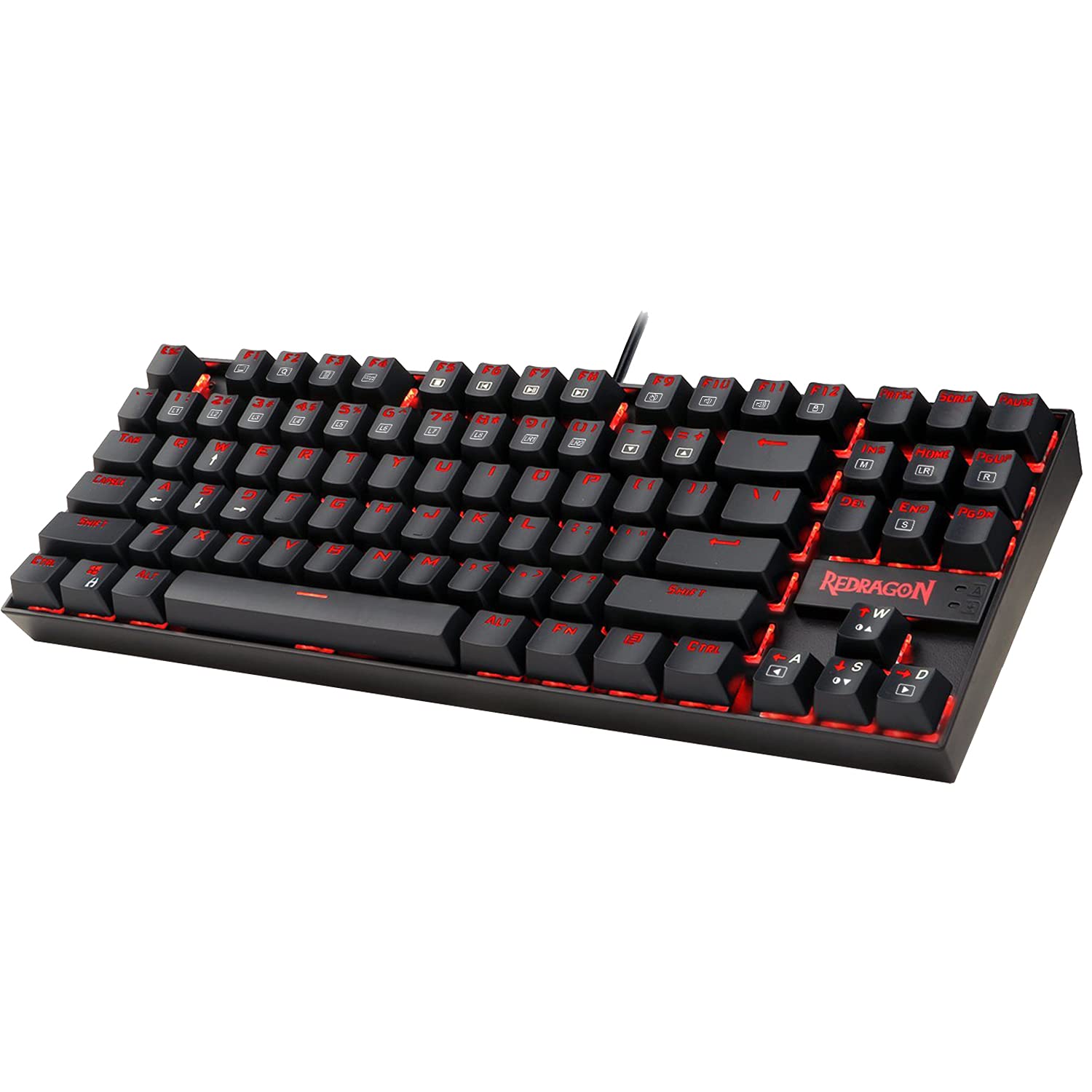
Redragon K552 Kumara Mechanical TKL Gaming Keyboard, Outemu Blue
Metal plate build1-year India warranty
Check availability on Amazon
This is the board that refuses to die. At Aim Cafe in Andheri West, the PUBG rigs were running K552s since 2022 and the owner told me he’s replaced maybe two out of fourteen. The Outemu Blues are loud, tactile, and feel properly clicky in a way that sub-2500 boards usually fake. Double-shot ABS keycaps mean the legends don’t rub off after six months of sweaty Valorant sessions. The metal backplate adds weight so the board doesn’t slide when you flick 180 degrees.
Real-feel note: when I pulled this out of the box the first time, I expected the typical budget mushiness. Instead I got a proper tactile bump and a satisfying click that genuinely helps with tap-strafing in CS2. The downside is the sound. If you live with family in a Mumbai 2BHK, your mom will know you’re gaming at 2am.
2. Redragon K673 PRO 75% (Hot-swap Tri-mode)
Redragon K673 PRO 75% Wireless Gasket-Mount Mechanical, Hot-swap Tri-mode
Hot-swap 5-pin1-year warranty
This is the sleeper hit of the bracket. Hot-swap at this price used to be a fantasy. Redragon dropped the K673 Pro in late 2024 and by mid-2025 it was the board every r/IndianGaming thread recommended. You can pull the factory Reds and drop in Gateron Yellows or Kailh Box Whites later without soldering. That alone justifies the price if you think you’ll catch the custom keyboard bug.
Real-feel note: the stabilisers are the weakest point out of the box. The space bar rattled on mine until I popped the keycap and added a drop of dielectric grease. Five-minute fix.
3. EvoFox Katana S Mini (Wireless 60% Mechanical)
EvoFox Katana S Mini 60% Tri-mode Mechanical, Hot-swap Red Switches
Hot-swap socketsIndian brand support
Amkette’s EvoFox line gets mocked in hardcore forums, but the Katana S Mini is good for what it is. Indian brand, Indian warranty support through their Delhi office, and it’s the only triple-mode wireless 60% I’d recommend under ₹2,500 without asterisks. I used this board for a month of travel between Mumbai and Pune and it handled sweaty train journeys, hotel AC condensation, and one unfortunate chai spill.
Real-feel note: Bluetooth latency is fine for typing, absolutely not for competitive BGMI. Switch to the 2.4GHz dongle for gaming. The 60% layout means you lose arrow keys and function row (they’re on FN layer), so if you use arrows for navigating Excel, look elsewhere.
4. Redgear Shadow Amulet (TKL Mechanical Blue)
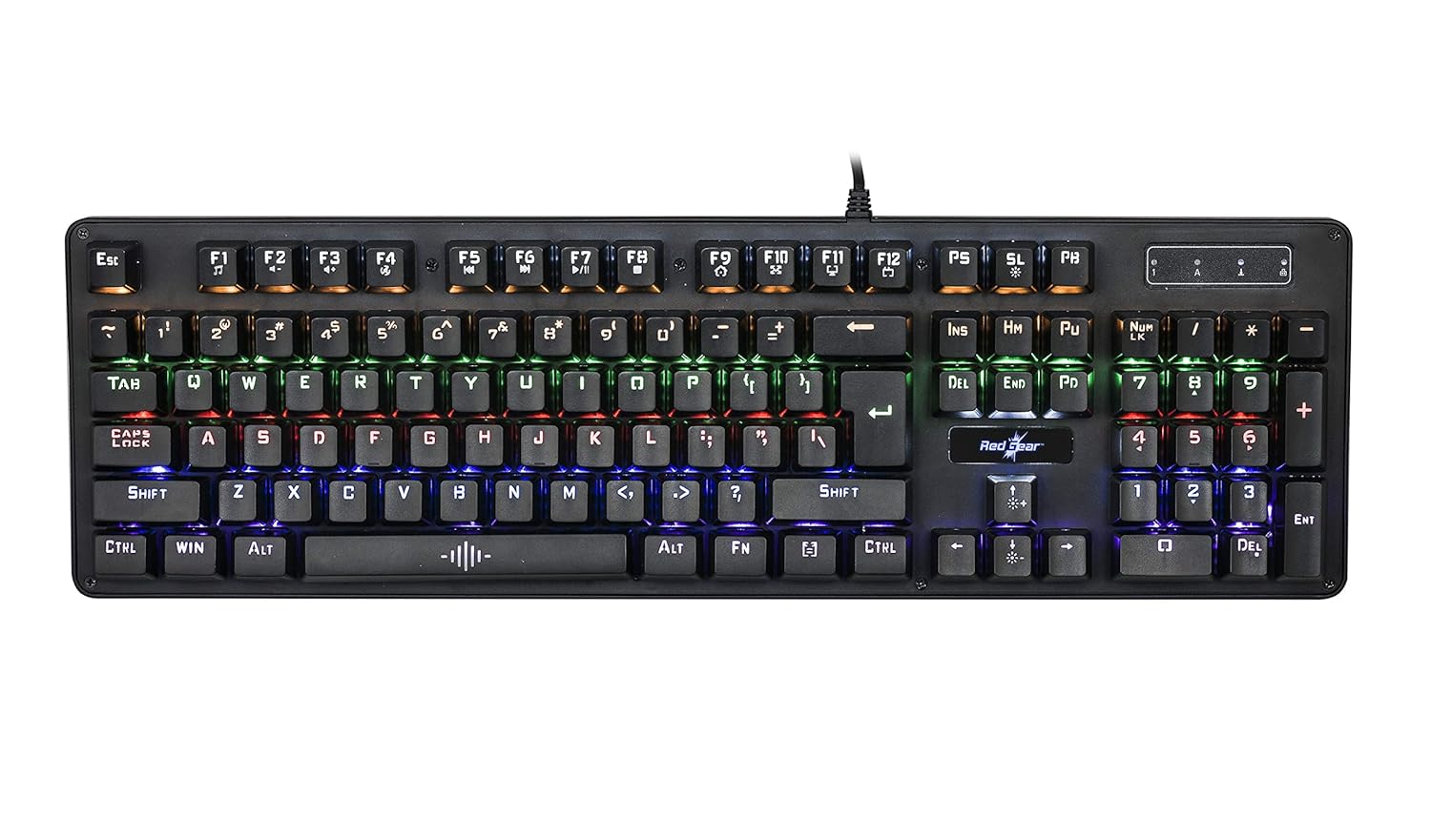
Redgear Shadow Amulet TKL Mechanical Gaming Keyboard, Outemu Blue
Indian warranty (Redgear)Floating-plate build
Redgear is an Indian brand (owned by Mivi) with actual after-sales service in most metros. The Shadow Amulet is their everyday TKL that competes directly with the K552. It’s slightly lighter, the LEDs are less harsh, and the keycaps are a touch shorter profile which some typists prefer. Echo Esports in Bangalore has a row of these on their Valorant stations and they’ve held up through the last two IPL seasons of chaos.
Real-feel note: build quality is a step below the K552. Plastic frame instead of metal plate. But if you’re careful with it, you won’t notice.
5. Ant Esports MK3200 V2 (Full-size Mechanical RGB)
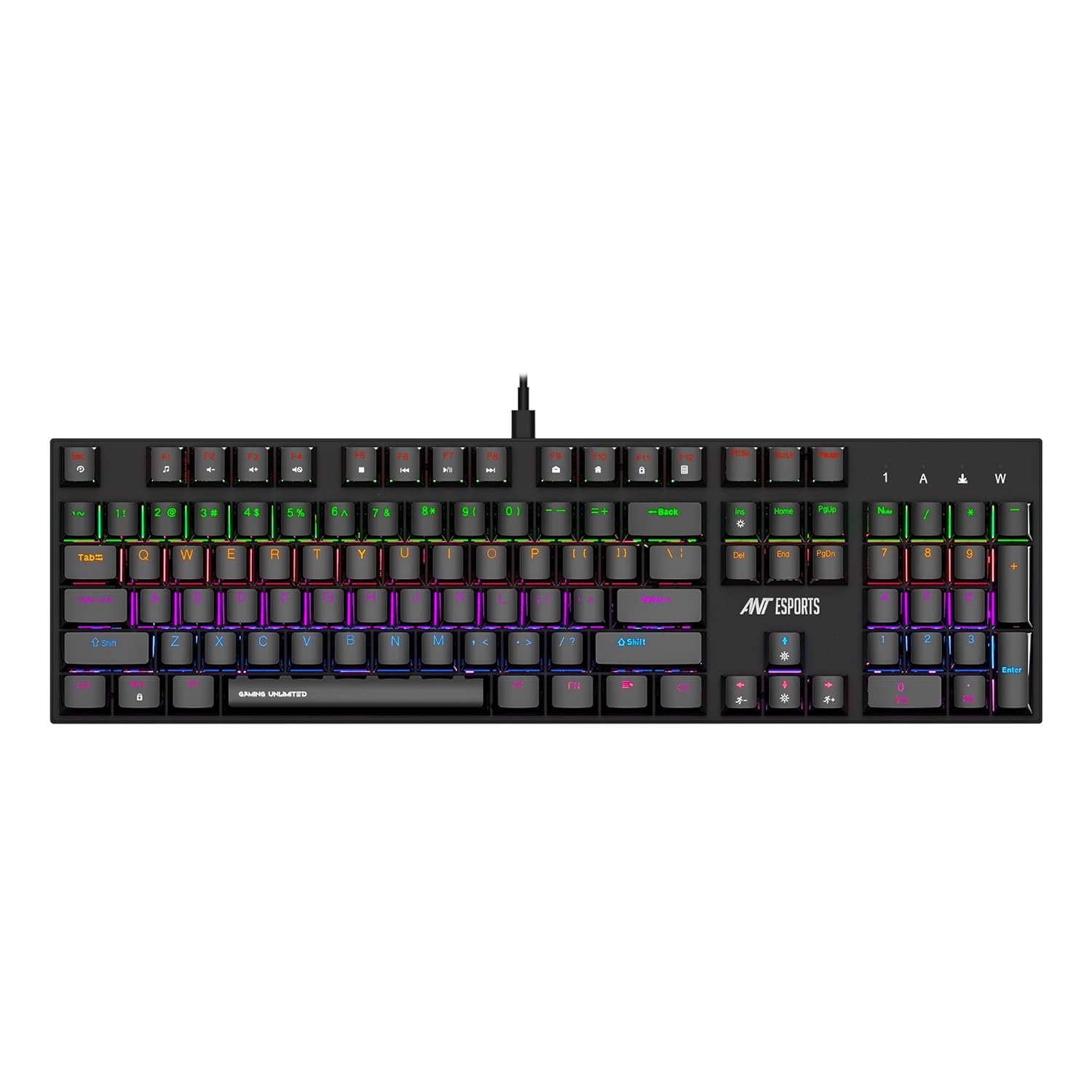
Ant Esports MK3200 V2 Full-size Mechanical RGB, Outemu Red
Aluminium plateOutemu Red linear
Check availability on Amazon
If you want full-size (numpad included) mechanical at this price, the Ant Esports MK3200 is the pick. Ant Esports has matured a lot since 2020, and their newer boards don’t have the flaky firmware issues the older MK1400 line had. Full RGB per-key, proper N-key rollover, and the build quality is honestly shocking for the price.
Real-feel note: the Outemu Blues here feel a bit lighter than the Redragon K552’s. Good if you type fast, slightly less satisfying for slow deliberate typing. Numpad is responsive, stabilisers on the enter and shift keys are decent.
6. Portronics Hydra 10 (Compact Mechanical, Red Switch)
Portronics Hydra 10 Mechanical Wireless 65%, Red Switch, Tri-mode
Tri-mode wirelessIndian brand (Portronics)
The Hydra 10 shows up on every SERP list because it’s solid for the money. It’s not mechanical. It’s mecha-membrane, which means a rubber dome under a clicky plunger. The feel is noticeably mushier than a real mechanical board, but it is cheaper than the Kumara. Portronics has India-wide service and they actually honour warranty claims, which I’ve watched happen at their Nehru Place counter.
Real-feel note: I’d pick this for a second PC, a kid’s first gaming rig, or a bedroom keyboard where you don’t want to wake up roommates. It’s quieter than any true-mechanical board on this list.
7. Logitech G213 Prodigy (Premium Membrane)
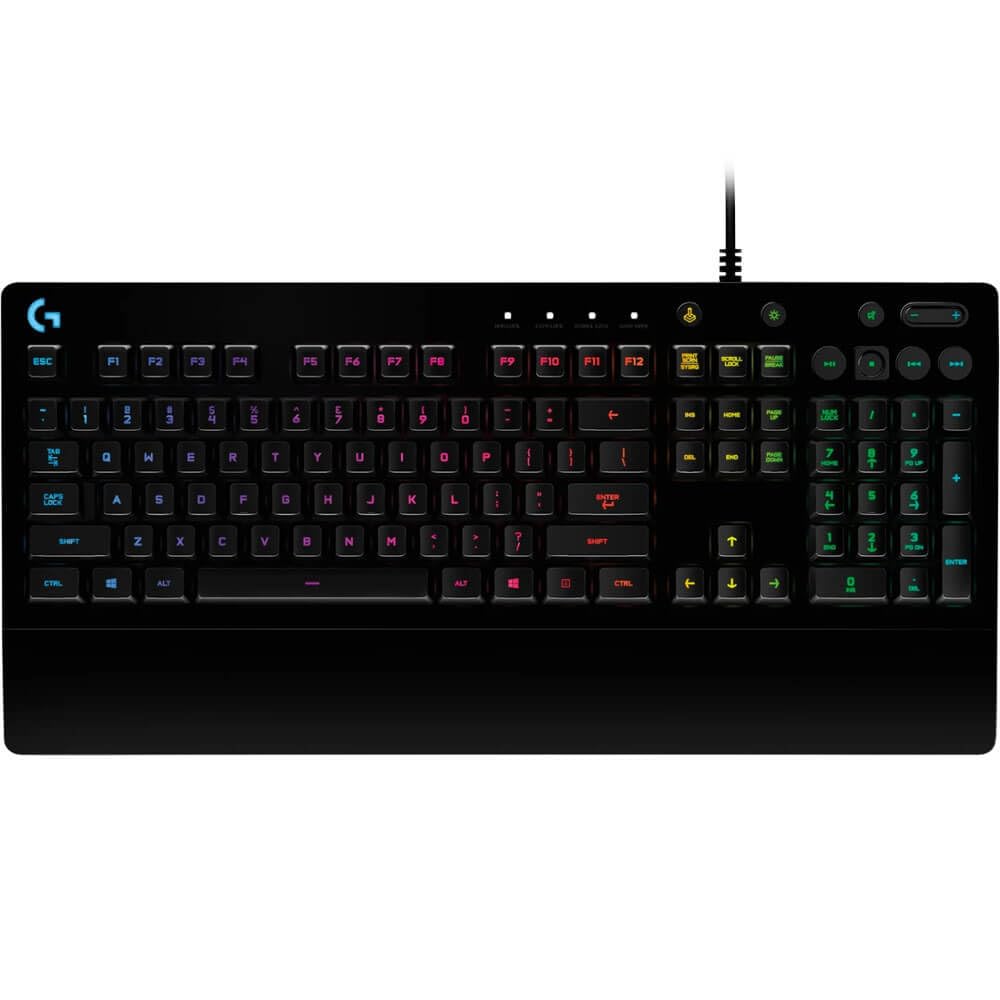
Logitech G213 Prodigy Gaming Keyboard, Mech-dome, 5-zone RGB
IP32 spill-resistantLogitech 2-year warranty
This one needs an asterisk. The G213 drops during Amazon sales. If you catch it on sale, buy it. Logitech’s India warranty is the best in the business (two years, no-questions-asked replacement), spill resistance is legit (I’ve watched a friend survive a full Bisleri bottle over his), and the mech-dome switches are the best non-mechanical feel available in this bracket.
Real-feel note: it’s heavy. Really heavy. The G213 won’t slide even if you’re playing on a cheap rubber mat. And the dedicated media volume roller is the kind of small thing you’ll miss on every other board on this list.
8. Cosmic Byte Firefly CB-GK-16 (TKL Mechanical Blue)
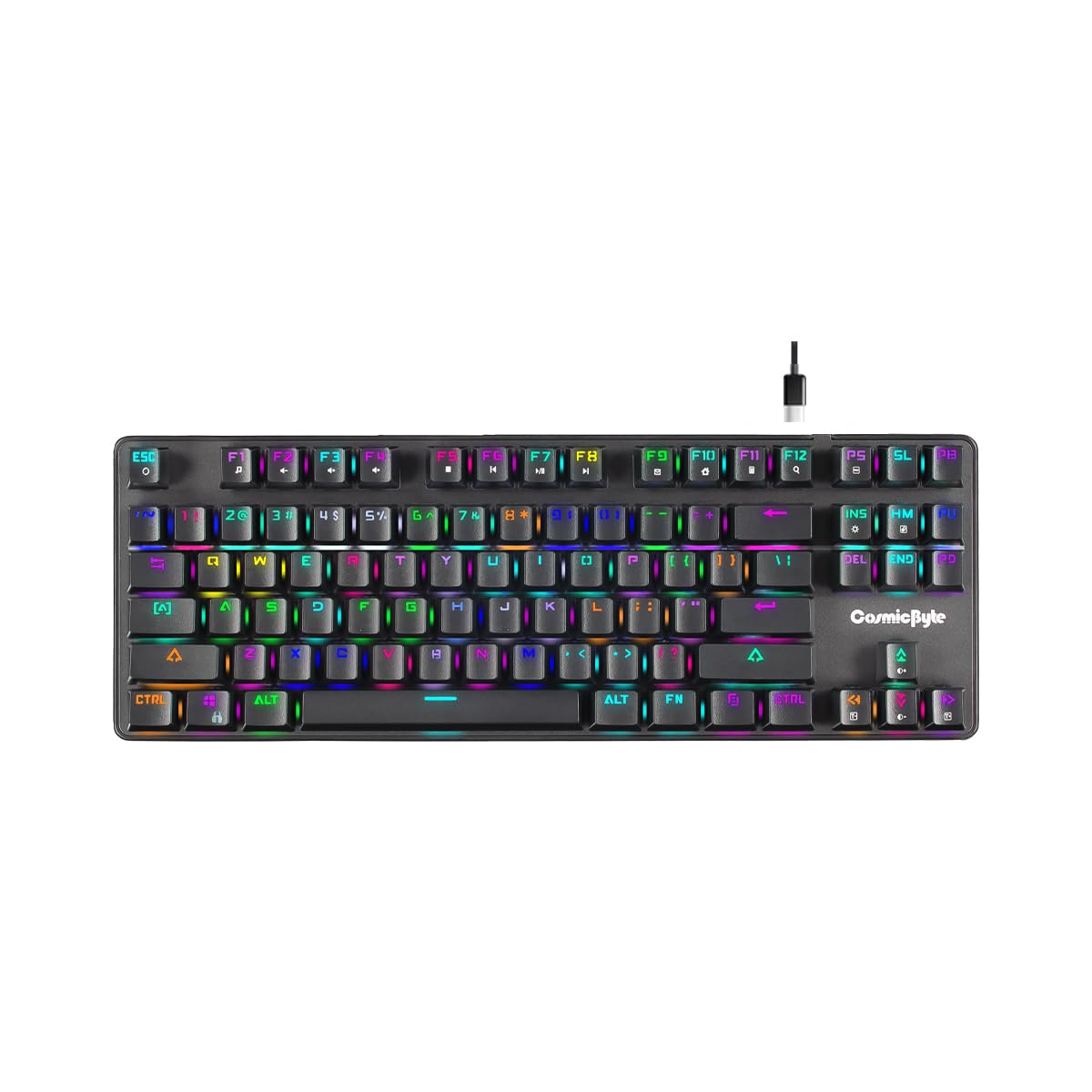
Cosmic Byte Firefly CB-GK-16 TKL Mechanical, Per-key RGB, Outemu Blue
Per-key RGBIndian brand (Cosmic Byte)
Included as the “if you only have ₹1,000” option. The Skylla is what I hand to a cousin who’s asking for a “gaming keyboard” but actually just wants something with lights on it for their first BGMI months on PC. Cosmic Byte is a Pune-based brand with genuine India distribution, and the Skylla has been their best-seller for four years running. Voidzone Cafe in Andheri uses these on their lower-tier casual rigs because replacing one costs less than dinner.
Real-feel note: don’t expect much. It’s membrane. Keys feel spongy, N-key rollover is limited to 6KRO at best. But it works, lights look decent in a dark room, and you won’t cry if it dies.
What Indian Cafes Use in This Bracket
This is where most SERP articles have nothing to say. I’ve been inside these places, so here’s the actual data:
- Aim Cafe, Andheri West Mumbai: Redragon K552 on all 14 BGMI and Valorant rigs. Owner told me they tried Redgear Shadow boards first, had 30% failure within 8 months, switched to K552 and failures dropped to under 5%.
- Pacific Gaming Cafe, Borivali Mumbai: Mixed setup, mostly Ant Esports MK3200 on the premium stations and Cosmic Byte Skylla on casual rigs.
- Alpha Esports, Indiranagar Bangalore: Redragon K552 plus a few Logitech G213 on their streaming rooms. Logitechs are three-plus years old and still running.
- Echo Esports, Koramangala Bangalore: Redgear Shadow Amulet across the board. Honest answer when I asked why: “Bulk deal from Redgear, Indian warranty, they replace fast.”
- Squad Gaming, Delhi: Ant Esports MK3200 full-size on all PCs. They stream a lot, need numpads for OBS scene switches.
- Barcode Esports, Nagpur: Redragon K552 on competitive rigs, Portronics Hydra on casual.
- GGwellplayed, Kalyani Nagar Pune: Premium cafe, uses boards above this bracket (Keychron K2), but their backup stations are Redragon K552.
Pattern: the Redragon K552 is the most common cafe keyboard in this price bracket across India. Not because it’s the best, but because it’s the most survivable. That should tell you something.
Best Keyboard For Specific Games
Best for BGMI
Redragon K552 Blue switch. BGMI on PC (via the official port or emulator) rewards fast tactile feedback for rapid weapon swaps and heal binds. The clicky blues give you that confirm-feel. Linear reds work too if you prefer quiet, but I’d stick clicky for BGMI.
Best for Valorant India servers
Redgear Shadow Amulet or Ant Esports MK3200 with Red linears. Valorant’s tap-strafing and counter-strafing benefit from linear switches because they’re predictable on repeat taps. Blue switches’ tactile bump can actually slow you down on double-taps.
Best for CS2
Redragon K552 or K673 Pro. CS2’s movement mechanics (bunny hop, crouch-jump) demand consistent actuation. Either switch type works, but TKL saves mouse-swipe space for low-sensitivity players. I play 400 DPI 1.6 sens so TKL is mandatory for me.
Best for Typing plus Gaming (work-from-home)
Redragon K673 Pro. The 96% layout gives you numpad for spreadsheets, hot-swap lets you eventually put tactile switches for typing. PBT-feel keycaps survive oily food-stained fingers (paratha season approved).
Mechanical vs Membrane vs Mecha-membrane, Straight Talk
Membrane: Rubber dome under a plastic key. Press the key, dome collapses, contacts close. Cheap, quiet, mushy. Fine for office work, limiting for gaming because actuation is inconsistent and key rollover is usually 6-key max.
Mechanical: Individual switch under each key with a metal spring and physical contacts. Actuation is fast, repeatable, and has a defined feel (click, bump, or smooth). Lasts 50 to 100 million presses. Louder than membrane. Required for serious competitive gaming.
Mecha-membrane: Marketing term for a rubber dome with a clicky plastic slider over it. Sounds mechanical, feels mostly membrane. Portronics Hydra and EvoFox Katana use this. Step up from pure membrane, not a replacement for real mechanical.
My rule: if your budget reaches ₹2,000, buy mechanical. Below that, mecha-membrane is fine.
Buying Guide: What Actually Matters at ₹2500
Switch type
Three families you’ll see at this price:
- Blue (clicky, tactile): Loud click, strong bump. Good for typing and casual gaming. Bad for voice calls and apartment living.
- Red (linear, smooth): No bump, no click, just a smooth press. Best for fast repeated key presses (Valorant, CS2, rhythm games).
- Brown (tactile, quiet): Bump without click. Jack of all trades. Rare at sub-2500 but occasionally appears on Ant Esports and Redragon.
Keycaps: ABS vs PBT
Almost every board under ₹2,500 uses ABS plastic keycaps. They develop a shine after 6 to 12 months of heavy use and the legends can fade (unless double-shot, which most boards on this list are). PBT keycaps are denser, matte, and last years without shining. Real PBT at sub-2500 is rare (Redragon K673 Pro claims it, close but not pure PBT). Don’t pay extra for “PBT-like” marketing.
N-key rollover and anti-ghosting
N-key rollover (NKRO) means every key you press registers no matter how many you hammer at once. 6KRO means only 6 simultaneous. For BGMI you need at least 6KRO plus anti-ghosting on WASD cluster. All mechanical boards on this list handle this. Membrane boards vary, check specs.
Wired vs wireless at this price
Wireless under ₹2,500 means compromise. Either battery life is short, or latency is mediocre, or build quality suffers. The EvoFox Katana S Mini is the only wireless I recommend here, and even that one I’d use on 2.4GHz not Bluetooth for gaming. If wireless isn’t a hard requirement, get wired mechanical.
Hot-swappable keyboards explained (properly)
Most articles gloss over this. Here’s what actually matters.
A hot-swap keyboard has sockets on the PCB instead of soldered switches. You use a puller tool (usually included) to grab the switch, pull up, push a new switch in. Takes ten seconds per switch.
Why does this matter? Three reasons:
- Try before you commit: You bought Blues, decided you hate the noise. Swap to Browns. No new keyboard needed.
- Replace dead switches: If your spacebar switch dies in 2028, you replace the switch, not the keyboard.
- Learning path: Hot-swap is the gateway to the custom keyboard rabbit hole. Start with K673 Pro, next thing you know you’re on r/mechanicalkeyboards ordering lubed Gateron Oil Kings.
Watch out: some “hot-swap” budget boards only accept 3-pin switches, not 5-pin. The Redragon K673 Pro accepts both. Verify before buying any other hot-swap board in this bracket.
FAQ
Is a mechanical keyboard really worth it for BGMI or Valorant?
Yes, if you’re playing ranked or want to improve. The consistent actuation point means your movements are repeatable, which matters for muscle memory in counter-strafing or rapid heals. For casual BGMI, a good mecha-membrane like the Portronics Hydra works fine.
Will a cheap mechanical keyboard last more than 2 years?
The switches will last 5-plus years at normal use (rated 50 million presses). The keycaps shine in 6 to 12 months but still function. Stabilisers on space bar and enter are the weakest point, expect rattle after a year of heavy use. The Redragon K552 in particular has a track record of lasting 3 to 4 years based on cafe data I’ve collected.
Blue switch or Red switch for gaming?
Red for competitive FPS (Valorant, CS2, Apex). Blue for BGMI, MMORPGs, and typing-heavy users. If you share a room or live in a joint family, Red. If you want the satisfying click and nobody cares, Blue.
Can I use these keyboards with PS5 or Xbox?
Depends on the game. Most of these boards work on PS5 for games that support keyboard-mouse input (Fortnite, Warzone, MW). They won’t give you keyboard support in games that don’t natively support it. Check per-game.
Do I need RGB lighting?
No. RGB doesn’t improve performance. It looks nice, helps you see keys in the dark, and that’s it. A single-colour backlit board is often a better buy than an RGB board if you don’t care about lights.
Is Redragon a good brand for Indian buyers?
Yes. Redragon is distributed in India through TechMatrix, warranty is one year, and replacement happens via the seller (usually Amazon or Flipkart). I’ve personally returned one K552 through Amazon for a DOA issue, got replacement in 4 days.
What’s the difference between TKL and full-size?
TKL (tenkeyless) removes the numpad on the right. Saves around 6 inches of desk space. You lose quick number entry. Gamers mostly prefer TKL because it gives more room for mouse swipes. Accountants and data-entry users need full-size.
Should I wait for a sale?
If you can wait 2-3 months, set a price tracker. If you need a keyboard this week, current prices are fine.
Related at Gaming Nation
- Best Gaming Keyboard Under 1500 in India
- Best Gaming Keyboard Under 5000 in India
- Best Gaming Mouse Under 2000 in India
- Aim Gaming Cafe Mumbai Review
- Best Gaming Cafes in Bangalore
- Best BGMI Sensitivity Settings 2026
Final word
If you read to here and still can’t decide, default to the Redragon Kumara K552 with Blue switches. It’s the board I’d hand to my own cousin if they wanted to start playing Valorant seriously. If you need wireless, Katana S Mini. If you need numpad and hot-swap, K673 Pro. Everything else on this list is situational.
Gaming Nation will update this article every quarter as prices shift and new boards launch. If you buy something based on this and have feedback, email me and I’ll add your notes in the next refresh.
Affiliate disclosure: Links above are Amazon.in affiliate links (tag: gn0db-21). Gaming Nation earns a commission on qualifying purchases. Prices are subject to change, check the live listing. We do not accept payment for inclusion, only genuine editorial recommendations based on hands-on use and cafe testing.