

Updated October 2026 with current Indian retail prices.
Used gaming hardware can save you serious money, but India’s second-hand market is full of mining-worn GPUs, dead-battery laptops and OLX scams. The safe path is simple: buy from certified refurbishers with a warranty (Amazon Renewed, Cashify) over raw second-hand listings, and if you do buy from a person, never pay before you test it in front of you. This guide shows you exactly where to buy and how to check a GPU, laptop or console before money changes hands.
The golden rules
- Warranty beats cheap: certified refurbished (6-month warranty) is far safer than raw OLX.
- Never pay upfront on OLX or Facebook, insist on in-person testing or cash on delivery.
- Test before you pay: run a GPU under load for 10+ minutes, check a laptop’s battery health.
- Too cheap = a trap: 60-70% below new usually means mining wear, a fault, or a scam.
Buying used is the smartest way to get more gaming power for less in India, a second-hand GPU or refurbished laptop can cost half of new. But it is also where people get burned: mining-thrashed graphics cards, laptops with dying batteries, and OLX sellers who vanish after you pay. The good news is that avoiding all of this is mostly about where you buy and how you check before paying. Here is the full safety playbook.
 🎁 GiveawayFREE
Where to buy used gaming gear safely
The single biggest safety decision is the channel. Certified refurbishers test the hardware and give you a warranty, raw marketplaces give you neither. Here is the hierarchy, safest first:
| Where | Warranty | Quality check | Risk | Best for |
|---|---|---|---|---|
| Amazon Renewed | 6 months | Refurbisher-tested | Low | Easy, protected buying |
| Cashify | 6 months + 15-day refund | 32-step QC | Low | Refurbished laptops with trust |
| Vetted refurb stores | Varies (check) | Varies | Medium | Specific deals, vet the store first |
| OLX / Facebook | None | None | High | Only with in-person test + COD |
The two safe places to start
⚠ OLX & Facebook Marketplace: highest risk
No quality check, no warranty, and the home of advance-payment scams. You can still find great deals here, but only with strict rules: meet in person, test the item fully before paying, pay cash on inspection (never advance/UPI to a stranger), and walk away from any seller who refuses a demo. If a deal feels rushed or too cheap, it is.
How to test a used GPU before you pay
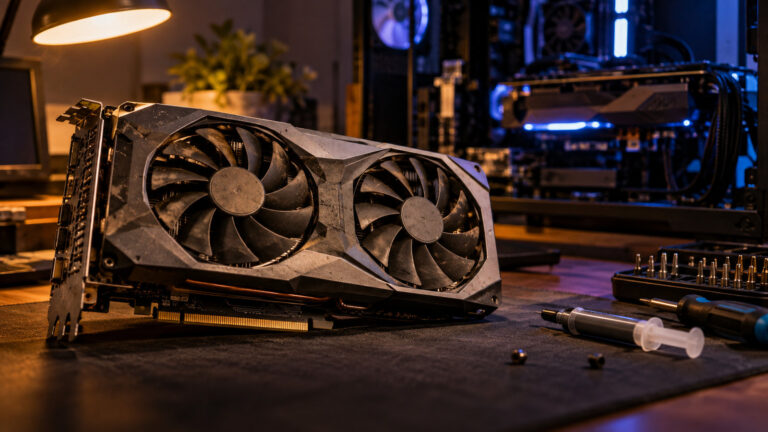
A graphics card is the riskiest used buy because mining and overheating wear are invisible from the outside. Run through this before money changes hands:
1. See it run, always. Ask the seller to run FurMark or Unigine Superposition for at least 10 minutes, in person or on a video call. No demo, no deal.
2. Watch the temperatures. Use GPU-Z or HWInfo64, under load it should stay under about 85°C with fans spinning smoothly and no rattling.
3. Check for artifacts. Any flickering, weird colours or crashes during the stress test means walk away.
4. Verify it is the real card. GPU-Z shows the true specs, if the CUDA core count or memory does not match the model name, it is a flashed-BIOS fake.
5. Inspect the board. Browned or discoloured PCB means it ran hot for a long time, corrosion on the bracket suggests a humid mining farm.
6. Price sanity check. If it is 60-70% below new, assume mining wear or a fault until proven otherwise.
Spotting a mining card
Ex-mining GPUs ran 24/7 for months and are the classic used trap. The tells: suspiciously clean on the outside but caked with dust inside, no gaming stickers or custom mods, an unusually low price, and a seller who mentions a “rig”, “farm” or “data centre”. A repasted card with fresh thermal pads is not automatically bad, but combined with these signs, keep looking. A card with its original box, receipt and remaining manufacturer warranty is always the safer pick.
Checking a used or refurbished laptop
For laptops the hidden killer is the battery. Check the battery health (Windows: run “powercfg /batteryreport”), a worn battery is the most common refurbished-laptop complaint. Then inspect the screen for dead pixels and backlight bleed, test every port and the keyboard, and run a short stress test to make sure it does not thermal-throttle or shut down. This is exactly why a certified refurbisher like Cashify (32-step check, 6-month warranty) is worth a little extra over a raw OLX laptop with no QC.
India scam patterns to avoid
The recurring ones: advance payment (seller wants UPI before you see the item, then disappears), bait-and-switch shipping (a cheaper card arrives than the one pictured), flashed-BIOS fakes (a weak GPU reprogrammed to look high-end), and the “too good to be true” price that pulls you in. The defence is the same every time: deal in person where possible, test before paying, pay on inspection, and prefer a platform with buyer protection or a warranty over a stranger’s word.
Frequently Asked Questions
Is it safe to buy a used GPU in India?
Yes, if you do it right. Buy from a certified refurbisher with a warranty where possible. If buying second-hand, always see the card run a stress test (FurMark or Unigine) for 10+ minutes, verify the specs in GPU-Z, check temperatures stay under ~85°C, and pay only after testing in person. Never pay upfront on OLX or Facebook.
Where is the safest place to buy refurbished gaming gear in India?
Certified refurbishers are safest: Amazon Renewed (6-month guarantee) and Cashify (32-step quality check, 6-month warranty, 15-day refund) are the most trusted mainstream options. They cost a little more than raw second-hand listings, but you get tested hardware and a warranty.
How do I know if a used graphics card was used for mining?
Look for a card that is clean outside but dusty inside, has no gaming stickers, is priced unusually low, or whose seller mentions a rig or farm. Check the PCB for heat discolouration and the bracket for corrosion. A mined card is not always bad, but combined with a rock-bottom price, treat it with caution and demand a stress-test demo.
Is OLX safe for buying second-hand gaming hardware?
It can be, but it is the highest-risk channel: no quality checks, no warranty, and a hotspot for advance-payment scams. Only buy if you meet in person, test the item fully, and pay cash on inspection. Never send money in advance to a seller you have not met.
Should I buy used or just build new?
If your budget is tight, a tested used GPU or certified refurbished laptop stretches it furthest. If you want zero risk and full warranty, a new build is safer, see our build guides. And if you cannot afford either right now, cloud gaming lets you play without buying hardware at all.