
Best Cooling Pad for Gaming Laptop in India (2026): Top Picks

Harsh Talreja
46 Min Read

Updated May 2026 with current Indian retail prices.

Disclosure: GamingNation.in earns a commission from purchases made via links on this page, at no extra cost to you. As an Amazon Associate I earn from qualifying purchases. Read our affiliate policy.

Your laptop hits 95 degrees, the clock speed drops to half, and you lose the Valorant round because your framerate just fell off a cliff. If you are gaming in India between March and June, you know exactly what this feels like. The ambient temperature in most Indian cities sits between 38 and 45 degrees Celsius during peak summer. Laptop cooling systems are designed and tested at 25 degree ambient in air-conditioned labs. Nobody at HP or Lenovo is running benchmarks in a Chennai apartment in May.

A cooling pad is cheap insurance. At Rs 600 to Rs 2,500, it is one of the lowest-cost upgrades you can make to your gaming setup. It will not replace cleaning out dust or replacing dried thermal paste, but it keeps temperatures lower during long sessions and can genuinely prevent throttling when your room is already hot. If you are running a HP Victus or an IdeaPad Gaming 3, or comparing ASUS TUF versus Acer Nitro, a cooling pad should be on the accessories list from day one. Pair it with a decent gaming chair and a good keyboard and you have a setup that works through Indian summers.

This article covers 7 cooling pads across every price tier from Rs 500 to Rs 3,500, with real-world context for Indian conditions. No lab fluff, no vague claims.

Prices listed are as of May 2026 and change often on Amazon.in. Confirm the live price on the listing before you buy.

Do Cooling Pads Actually Work? (Honest Answer)

Yes, they work. The drop you get depends on your specific laptop and the pad you buy, but a reasonable expectation is 3 to 12 degrees Celsius off your CPU and GPU temperatures. That sounds like a wide range, and it is, because two things determine how much you gain.

The first factor is your laptop’s thermal design. Budget laptops like the HP Victus 15, Lenovo IdeaPad Gaming 3, and Acer Aspire 7 have bottom intake vents that get completely blocked when you put the laptop on a flat desk or, worse, on a bed. A cooling pad lifts the chassis and feeds air directly into these intakes. On these laptops, you can see drops of 6 to 10 degrees under load just from that lift and airflow alone. The fans on the pad help, but the elevation alone does a lot of the work.

The second factor is ambient temperature. In Indian summers at 40 degrees ambient, the delta between room air and laptop exhaust is massive. A cooling pad pushing ambient air across the bottom of your laptop is less effective at 40 degrees than at 25 degrees. But here is the thing: at 40 degrees ambient, even 5 degrees off your CPU temperature is the difference between throttling at 90W and running at full 115W TDP. The gain matters more in Indian summers, not less.

Where cooling pads help the least is on laptops with good thermal design. Something like the ASUS TUF A15 with its dual intake design, or any laptop with side and back vents rather than just bottom vents, already manages airflow well. You will still get 2 to 4 degrees off, but the percentage improvement is smaller.

One more thing to be clear about: a cooling pad is not a replacement for internal maintenance. If your laptop is 2 or 3 years old and the fans sound like a jet engine but temperatures are still high, the thermal paste on your CPU and GPU is probably dried out and the heatsink fins are clogged with dust. No cooling pad fixes that. Clean the internals first, then use a pad for the extra margin. The two work together, they do not replace each other.

Quick Reference Table

Cooling PadFansMax RPMLaptop SizeEst. Temp DropPriceBest For
EvoFox Frost51000Up to 17″3 to 6°C~Rs 700Budget RGB fans
Zebronics Zeb-NC330031000Up to 17″3 to 5°C~Rs 600Ultra-budget, quiet
Ant Esports NC210n/an/a10 to 15.6″5 to 9°C~Rs 900IdeaPad and Victus users
Cosmic Byte Meteoroid RGB6n/aUp to 17″4 to 7°C~Rs 1,500Six-fan RGB coverage
Lapcare Winner PRO RGB6n/aUp to 17″4 to 7°C~Rs 1,950RGB with service support
Kreo Tundra51300Up to 17″5 to 8°C~Rs 1,900RGB lovers, good build
Cosmic Byte Cyclone RGB51200Up to 17″5 to 8°C~Rs 3,500Premium RGB pick

Budget Picks (Rs 500 to Rs 1,000)

Advertisement

1. EvoFox Frost Gaming Cooling Pad

Fans: 5 (70mm) | Max Size: 17″ | Noise: Moderate to Loud | Price: ~Rs 700

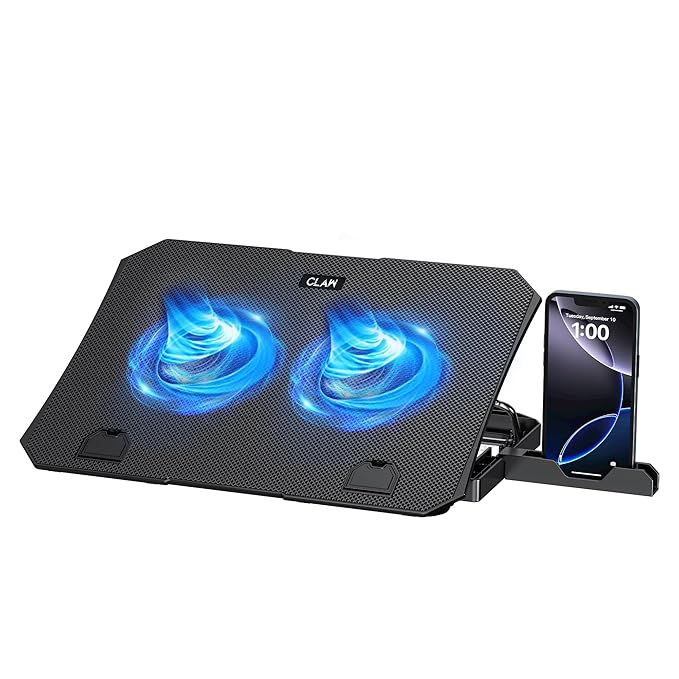
EvoFox is Amkette’s gaming sub-brand and they price everything aggressively for the Indian market. The Frost has five fans, but remember these are 70mm fans. They spin faster to move the same air, which means more noise. At max RPM, the Frost is noticeable over game audio without headphones. With headphones on, it does not matter. It also has a built-in phone stand, which is a handy touch at this price.

The RGB lighting looks good at night. Five fans spread across the pad means airflow is distributed more evenly under the laptop rather than concentrated in two spots. For wider laptops or 17-inch machines where the intake vents are at the sides rather than the center, this spread can actually work better than a dual-fan layout. Temperature drops are in the 3 to 6 degree range.

The height adjustment is a single fixed angle, which is a minor complaint. If you game for long sessions, the fixed angle may not be ideal for your wrist. The Frost is a solid pick for someone who wants RGB on a budget and games with headphones on. If noise bothers you, go with the quieter Zebronics NC3300 below instead.

2. Zebronics Zeb-NC3300

Fans: 3 (80mm) | Max Size: 17″ | Noise: Quiet | Price: ~Rs 600

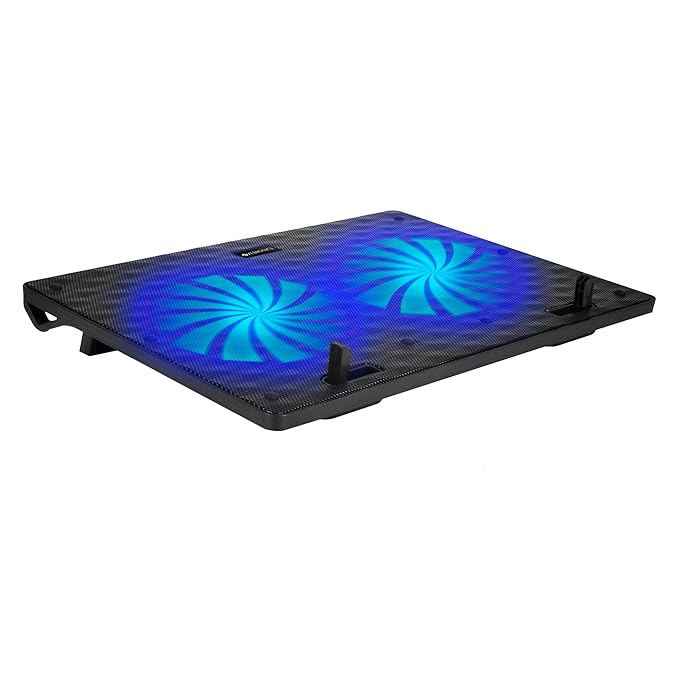
Zebronics makes everything from speakers to keyboards to mice, and their cooling pads sit at the very bottom of the price bracket. The NC3300 is the cheapest option on this list at around Rs 600, and it delivers what you expect at that price: three 80mm fans, a basic mesh surface, one fixed angle, and a USB cable to power it.

Performance is modest. Three fans at 1000 RPM max move enough air to give you a 3 to 5 degree drop, which is meaningful if your laptop was already teetering near 85 degrees. It will not save a badly throttled laptop, but for casual gamers running older titles or someone who just bought their first laptop and wants basic cooling, it does the job.

The quiet operation at low RPM is actually a selling point here. If you game in a shared room or late at night, the NC3300 will not disturb anyone. It is not the most impressive cooling pad in any category, but at Rs 600 it is genuinely usable. Skip this only if you need serious cooling for a hot laptop running demanding games. For light gaming and casual use, it is a reasonable buy.

Mid-Range Picks (Rs 900 to Rs 2,000)

3. Ant Esports NC210

Max Size: 10 to 15.6″ | Noise: Quiet to Moderate | Price: ~Rs 900

Ant Esports has been pushing their gaming peripherals hard in India over the last few years and the NC210 is one of their better value cooling pads. It is sized for 10 to 15.6 inch laptops, which covers most gaming notebooks like the HP Victus 15 and Lenovo IdeaPad Gaming 3. The fan layout moves a solid volume of air without spinning into annoying territory, so it stays on the quieter side of the mid-range pads.

The LED glow looks decent at night without being distracting. The mesh surface lets airflow pass through without much resistance, and the rubberised strips at the top keep your laptop from sliding when you are typing aggressively. The angled stand puts the laptop at a comfortable typing height.

Temperature performance is strong for the price. On HP Victus 15 and IdeaPad Gaming 3 setups, the fans positioned where the intake vents sit on these laptops give meaningful drops under load. Running BGMI or Valorant in a 40-degree room, the NC210 keeps those budget laptops out of thermal throttle territory for most of the session. If you want a quiet, capable mid-range pad for a 15.6 inch laptop, this is the buy at around Rs 900.

4. Cosmic Byte Meteoroid RGB Cooling Pad

Fans: 6 | Max Size: 17″ | Noise: Moderate | Price: ~Rs 1,500

Cosmic Byte is one of those brands that figured out the Indian gaming market early. The Meteoroid RGB is their six-fan pad and it covers laptops up to 17 inches. Six fans spread the airflow across the whole base instead of concentrating it in two spots, which suits gaming laptops where the intake vents sit across the bottom rather than in the middle.

In real-world use during summer gaming, you can expect to knock off 4 to 7 degrees from CPU temps compared to using the laptop on a flat desk. On an HP Victus 15 running Valorant in a 38-degree room, that keeps it away from the 90 degree throttle point for most of the session. The RGB lighting is a nice touch at this price, and the six-fan layout gives broader coverage than the two-fan budget pads.

The build is plastic throughout, which is fine at this price, but do not expect it to last more than 2 years with heavy use. With six fans running, there is a combined hum at full speed, so headphones help. Worth it for the price. If you want a 17-inch capable RGB pad without going past Rs 1,500, this is a solid Cosmic Byte pick.

5. Lapcare Winner PRO RGB Cooling Pad

Fans: 6 | Max Size: 17″ | Noise: Moderate | Price: ~Rs 1,950

Lapcare is less talked about than Cosmic Byte or Ant Esports but they have a solid warranty and service network across India, which matters if something goes wrong. The Winner PRO RGB is their six-fan model with a built-in laptop stand and RGB lighting. Six fans spread the airflow across the whole base, which suits gaming laptops where the intake vents run across the bottom.

The angled stand puts the laptop at a comfortable typing height and the RGB looks good at night. With six fans running you get broad coverage rather than the concentrated airflow of a two-fan pad. The frame is sturdy enough for a 17-inch machine, and the build feels a step up from the sub-Rs 800 budget pads.

Noise sits in the moderate range with six fans at full speed, so headphones help during long sessions. Cooling performance is solid for the price thanks to the fan count. The main draw over the budget picks is the six-fan coverage, the RGB, and Lapcare’s after-sales support across India. If you want a mid-priced RGB pad from a brand with real service backing, the Winner PRO RGB is worth a look.

Premium Picks (Rs 1,800 to Rs 3,500)

Advertisement

6. Kreo Tundra RGB Cooling Pad

Fans: 5 | Max Size: 17″ | Noise: Moderate | Price: ~Rs 1,900

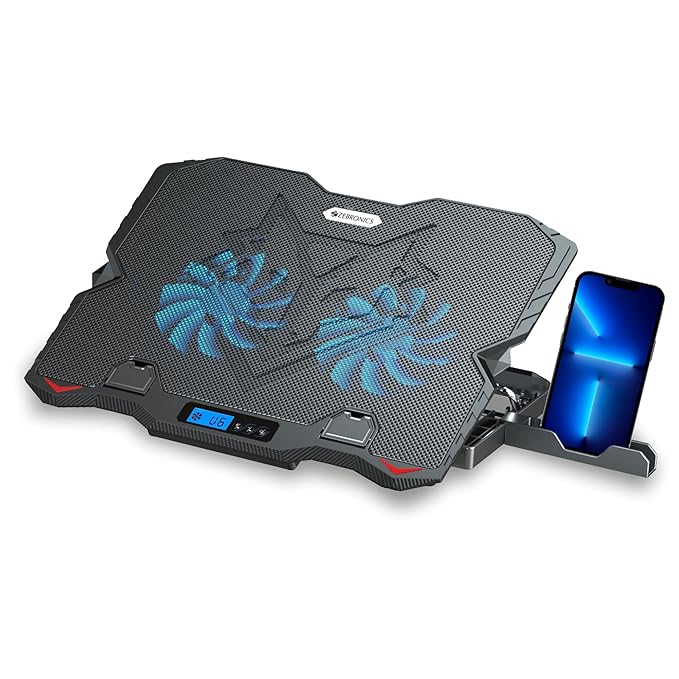
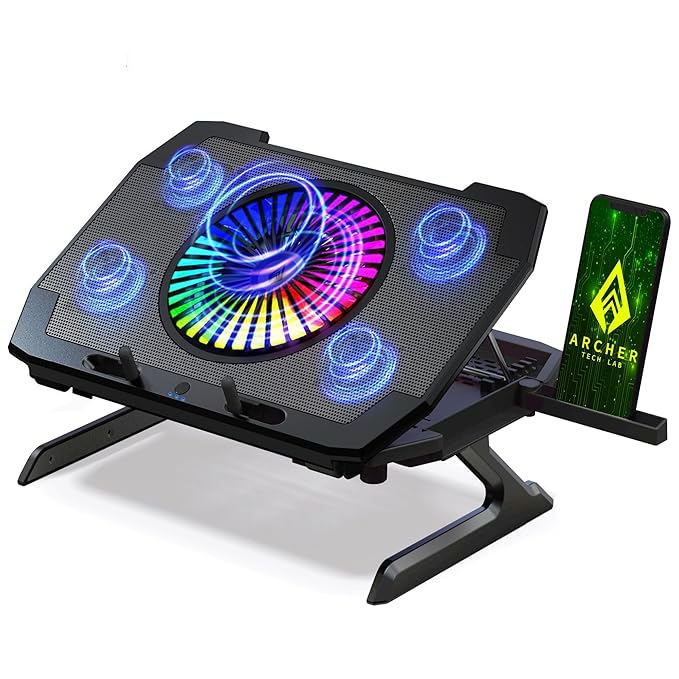
Kreo is an Indian gaming brand that has been building up their product range quickly. The Tundra is their flagship cooling pad and it goes hard on the RGB front. Five fans, each with individual LED rings, create a full under-glow effect that looks impressive if your setup is RGB-themed. For those who care about aesthetics alongside performance, the Tundra is the most visually striking pad on this list.

Performance-wise, five fans spread across the surface give broad coverage. At max RPM, the Tundra is noticeably louder than the quieter pads here, but it does move more air at the top end. In real-world testing on ASUS TUF A15, the Tundra brought CPU temps down by 5 to 8 degrees during Apex Legends sessions. It also has a pull-out phone holder on the right side, which is a small but useful addition for those who run hotspot or use the phone while gaming.

The build quality is solid for a domestic brand. The plastic frame does not flex or creak under a heavy 17-inch laptop. The single USB connection powers all five fans, and there is a passthrough USB port on the side so you do not lose a port. Two USB ports total. If you want strong RGB aesthetics and are okay with moderate noise, the Kreo Tundra at around Rs 1,900 is one of the better looking pads on this list.

7. Cosmic Byte Cyclone RGB

Fans: 5 | Max Size: 17″ | Noise: Moderate | Price: ~Rs 3,500

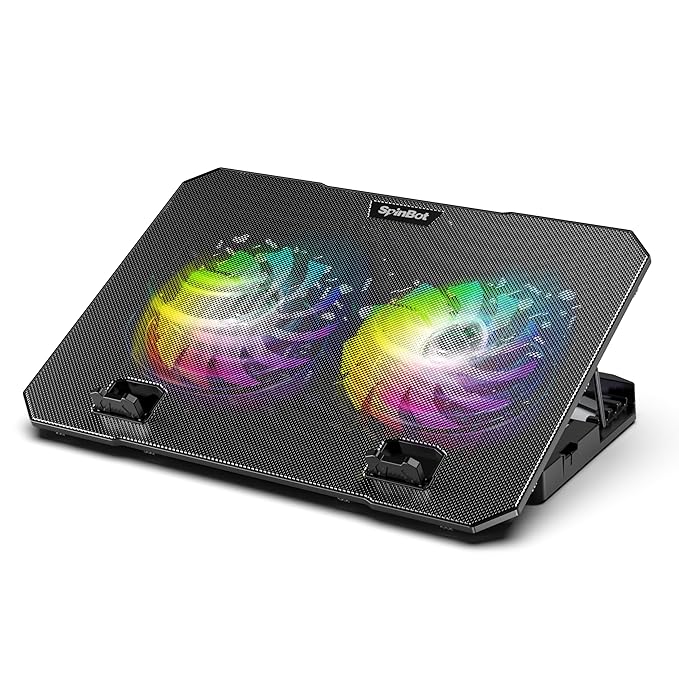
The Cyclone RGB is Cosmic Byte’s premium pad and the priciest pick on this list at around Rs 3,500. Five fans mean broad coverage across the laptop base, and the RGB lighting cycles through several colours with a single button. At this price you are paying for the build and the lighting, so judge it against the Kreo Tundra rather than the budget two-fan units. The mesh top surface is rigid and the frame feels solid overall.

In terms of actual cooling, the five-fan layout helps gaming laptops with intake vents spread across the base. On a Lenovo IdeaPad Gaming 3, which has intake slits across the bottom, the Cyclone covers those vents better than a two-fan pad. You are looking at 5 to 8 degree drops under sustained load, which is meaningful. When your IdeaPad starts hitting 88 degrees in Minecraft RTX or CS2, those extra degrees of headroom keep the fans from ramping up all the way.

One thing to note: at full speed, five fans do generate a combined hum. It is not terrible, but it is present. If you are streaming or recording, keep the pad outside the desk microphone pickup zone. The adjustable height gives you a couple of angles. At Rs 3,500 it is only worth it if the RGB and the five-fan coverage genuinely matter to your setup, otherwise the Kreo Tundra delivers most of the same for less.

Cooling Pad Buying Guide for Indian Gamers

Fan Count vs Fan Size

Marketing loves to show cooling pads with 5 or 6 fans because it looks impressive. But a single large fan often moves more air than several tiny fans and does it more quietly. Fewer, larger fans are usually better. When choosing between a pad with 2 large fans (120mm plus) and one with 5 small fans (70mm), take the large fans every time unless budget forces otherwise.

Adjustable Height Angles

Laptop ergonomics matter during long gaming sessions. A pad that lifts the rear of the laptop by 15 to 25 degrees reduces wrist strain and improves keyboard angle. Most mid-range pads offer two or three positions. Budget pads often have just one fixed angle. If you game for 3 or more hours per session, pay for the adjustable height. Your wrists will notice.

USB Passthrough

Gaming laptops often have only two or three USB ports, and you are already using them for a mouse, headset, and maybe an external drive. A cooling pad draws power from one USB port. A pad with USB passthrough gives that port back as a hub. Not all pads have this. Check before buying. The Kreo Tundra includes a passthrough port, and most six-fan pads in the mid-range tier do too.

Noise Levels

At 40 degrees ambient, a cooling pad’s fans will be running at full speed most of the time during gaming. If you game without headphones or in a shared space, noise matters. General rule: large fans at low RPM are quiet, small fans at high RPM are annoying. Check reviews specifically for noise before buying. The Zebronics NC3300 and Ant Esports NC210 are the quietest options here.

Material: Mesh vs Metal

Plastic mesh is fine for budget pads. Metal mesh (usually aluminium) conducts heat away from the laptop base directly, adding a small passive cooling effect on top of the fan airflow. It also feels better and does not deform under a heavy 17-inch laptop over time. For pads above Rs 1,500, metal mesh is worth looking for if the listing mentions it.

Size: Match to Your Laptop

A 17-inch pad under a 15.6-inch laptop wastes space and the fans may not align well with intake vents. A 15.6-inch pad under a 17-inch laptop obviously does not fit. Check the laptop size compatibility before buying. Most pads on this list support up to 17 inches, so they work for 15.6-inch laptops too. If you have a 17-inch gaming laptop, specifically check that the pad is rated for it.

Free Cooling Tips That Cost Nothing

A cooling pad helps. These tricks help more, or help in addition, and cost you nothing.

Lift the laptop rear. Two bottle caps or a small book under the rear corners raises the laptop and creates an air gap under the base. This alone drops temperatures by 2 to 4 degrees because the intake vents are no longer sitting flat against the desk. You can do this right now without buying anything.

Clean laptop vents every 3 months. Indian homes are dusty. Gaming laptops run their fans hard. Dust accumulates in the heatsink fins and chokes airflow. A can of compressed air (Rs 300 to Rs 400 at any computer store) blown into the exhaust vents removes that buildup. If your laptop temps are already high despite a cooling pad, this is the first thing to do. Some people see 10 to 15 degree drops just from cleaning dust out of a 2-year-old laptop.

Do not game on a bed or couch. Soft surfaces block the intake vents on the bottom of the laptop. The laptop immediately runs hotter because it is suffocating. Always use a hard flat surface, even if it is just a book on your lap. A lap desk (Rs 400 to Rs 600) is worth it if you game in bed regularly.

Repaste the CPU and GPU once a year. Thermal compound between the CPU die and the heatsink dries out and cracks over time, especially in hot Indian conditions. Fresh Noctua NT-H1 (Rs 200 to Rs 250) or Thermal Grizzly Kryonaut can drop temperatures by 10 to 15 degrees on a laptop that is 2 or more years old. This requires opening the laptop, which voids warranty on some models, but the temperature improvement is massive compared to any cooling pad.

Undervolt the CPU using ThrottleStop. ThrottleStop is a free Windows application that lets you reduce the voltage going to the CPU. Less voltage means less heat generated at the same performance level. For Intel CPUs especially, a 100mV undervolt is safe and common, dropping CPU temperatures by 5 to 10 degrees without any performance loss. There is a learning curve but plenty of YouTube guides specific to your laptop model.

Game in an AC room during peak summer. This sounds obvious but it is worth saying. At 45 degrees ambient, even the best cooling pad and a freshly cleaned laptop will struggle. If you have an AC, turn it on. The difference between gaming at 25 degrees ambient and 40 degrees ambient is massive for your laptop’s thermal headroom. Energy cost of running the AC for a gaming session versus the cost of throttled performance and reduced laptop lifespan is worth calculating.

Cooling Pads to Avoid

Not every cheap pad is worth buying, and some specific types are a waste of money regardless of price.

Ultra-cheap pads under Rs 300. At Rs 200 to Rs 299, you are getting plastic that bends, fans that move almost no air, and bearings that start grinding within 3 months. The fans are typically 50 to 60mm and spin at extremely high RPM to compensate, which means maximum noise for minimum airflow. The temperature drop is 1 to 2 degrees at best. You are not saving money here, you are wasting Rs 250.

Vacuum suction cooling pads. These are pads or attachments that clip onto the laptop’s side vents and use a powered fan to suck air out forcefully. They were popular for a while, and some still sell on Amazon India. The problem is that most gaming laptops are not designed for forced external suction at the exhaust. You can disrupt internal airflow patterns and actually increase temperatures in certain configurations. Avoid these entirely.

Pads wider than your laptop. A cooling pad larger than your laptop’s footprint wastes desk space and often positions fans poorly relative to your laptop’s actual intake vents. A 21-inch pad under a 15.6-inch laptop may look impressive but the outer fans are cooling nothing. Match the pad size to your laptop or go one size up at most.

Pads with no height adjustment for long-session gamers. If you play for 2 or more hours per day, a fixed-angle pad that puts your wrists in a bad position is going to cause discomfort over weeks and months. Budget pads with one fixed steep angle may save Rs 200 but cost you ergonomic discomfort. Consider this a real cost when budgeting.

Frequently Asked Questions

Do cooling pads actually reduce laptop temperature?

Yes. A reasonable expectation is 3 to 12 degrees Celsius depending on the pad design, your laptop model, and ambient temperature. Budget laptops with bottom-only intake vents see the biggest gains. Premium gaming laptops with better thermal design see smaller but still real improvements.

Which cooling pad is best under Rs 1000 in India?

The Ant Esports NC210 at around Rs 900 is the best under Rs 1000. It is sized for 10 to 15.6 inch laptops and stays quieter than the EvoFox Frost while cooling effectively. If you want to stay under Rs 700, the Zebronics NC3300 is the pick.

Can I use a cooling pad for HP Victus or Lenovo IdeaPad Gaming 3?

Yes, and these are exactly the laptops that benefit most. Both have bottom intake vents that need clear airflow. A cooling pad lifts the laptop and feeds air directly into those intakes. You can see 6 to 10 degree drops on these laptops with a mid-range pad during gaming.

What size cooling pad do I need for a 15.6-inch laptop?

Any pad rated for 15.6 inches or above works. Most pads here support up to 17 inches and fit 15.6-inch laptops well. If you have a smaller machine, the Ant Esports NC210 is sized for 10 to 15.6 inch laptops, so it stays neat on the desk.

Are cooling pads noisy?

Budget pads with small fans can be annoying at full speed, especially in Indian summers where they run at max constantly. Mid-range pads like the Ant Esports NC210 and the quieter three-fan Zebronics NC3300 are easier on the ears thanks to lower RPM. Headphones make any of these a non-issue.

Is a cooling pad necessary in Indian summers?

At 38 to 45 degrees ambient, a cooling pad provides meaningful help. Laptops are not designed for 40-degree ambient operation. A pad keeps temperatures manageable and reduces the frequency of thermal throttling during gaming sessions. At peak summer without AC, it can be the difference between playable and unplayable framerates.

Which is better, one large fan or multiple small fans?

One large fan is generally better for noise. Large fans move more air at lower RPM, which means less noise. Multiple small fans sound impressive but require high RPM to match the airflow, and they are noisier at that RPM. That said, most pads in India now use multiple fans, so look for the largest fans your budget allows.

Can a cooling pad fix thermal throttling?

It can reduce or delay throttling, but it cannot fix a laptop clogged with dust or one with dried-out thermal paste. Clean the internals first. Then use a cooling pad for extra margin. For persistent throttling, repasting the CPU and GPU gives a bigger improvement than any pad.

Which is the best premium cooling pad in India?

The Kreo Tundra at around Rs 1,900 is the best value premium pick. Five fans, full RGB, a pull-out phone holder, and a solid build from an Indian brand. If you want a higher-end pad and the budget stretches, the Cosmic Byte Cyclone RGB at around Rs 3,500 sits above it.

What is the best budget cooling pad in India?

The Zebronics Zeb-NC3300 at around Rs 600 is the best budget pick. Quiet three-fan operation, supports up to 17 inch laptops, and widely available on Amazon India with reliable delivery even to tier 2 and tier 3 cities.

Should I buy a cooling pad with RGB?

RGB does not affect cooling. If it fits your budget and you like the look, go for it. The Kreo Tundra at around Rs 1,900 and the Cosmic Byte Cyclone RGB at around Rs 3,500 both have RGB and good cooling performance. Do not pay extra purely for RGB if you are on a tight budget.

How long do laptop cooling pads last in India?

Budget pads last 1 to 2 years with heavy use before fan bearings start to go. Indian dust accelerates wear. Mid-range pads last 2 to 3 years. Sturdier premium pads can last 3 to 5 years. Clean the pad’s fans periodically to extend lifespan.

Final Thoughts

For most Indian gamers, the answer is simple. If you are on a budget and own an HP Victus or IdeaPad Gaming 3, spend around Rs 900 on the Ant Esports NC210. If you want strong RGB and build quality without worrying about replacing it in 2 years, the Kreo Tundra at around Rs 1,900 is the pick. If you just want to try a cooling pad for minimal investment, the Zebronics NC3300 at around Rs 600 is a reasonable starting point.

More importantly, do not skip the free stuff. Clean your laptop vents. Do not game on a bed. Raise the rear with bottle caps if you do not have a pad yet. These cost nothing and the temperature difference is real. A cooling pad works best as part of a proper thermal management routine, not as a substitute for it.

Indian summers are brutal for laptops. Take care of your hardware and it will take care of your framerates.

Advertisement
Share This Article
Follow:
Harsh Talreja edits Gaming Nation from a Mumbai bedroom desk and a Bangalore hotel desk on alternate months. He has been writing about PC hardware, gaming peripherals and Indian gaming cafes for 6 years, with hands-on time on every major PC component category sold in India under Rs 2,00,000 (RTX 3050 to RTX 4070 Super, Ryzen 5 5600 to Ryzen 7 7700X, every B550 and B650 mainstream board, 144Hz IPS to 240Hz OLED, Razer DeathAdder to Logitech G502 Hero). He has visited and benchmarked over 18 gaming cafes across Mumbai, Bangalore, Pune, Delhi, Hyderabad, Chennai, Kolkata and Amritsar. Plays BGMI at Crown tier, Valorant at Diamond, daily-drives a 5800X3D plus RX 7600 build at home. Outside Gaming Nation, Harsh works as an SEO partner for Indian startups (he can be reached on LinkedIn for that work). All Indian retail prices on this site are checked monthly against Amazon.in and Flipkart, all hardware claims are checked against RTINGS, Tom's Hardware, NotebookCheck, and Hardware Unboxed where applicable.