Best Graphics Card Under 20000 India 2026: BGMI, Valorant, CS2

Harsh Talreja
34 Min Read

Updated April 2026 with current Indian retail prices.

Disclosure: GamingNation.in earns a commission from purchases made via links on this page, at no extra cost to you. As an Amazon Associate I earn from qualifying purchases. Read our affiliate policy.

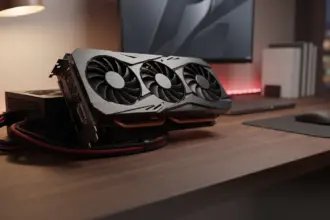
Let’s be direct: under ₹20,000 in March 2026, your real choices are the RTX 3050 8GB at around ₹17,000 and the RX 6600 8GB at ₹18,000 to 20,500 That’s it. Worth the extra. Everything else in this bracket is either outdated, underpowered, or has 4GB VRAM, which is already a liability in 2026. This guide covers both cards in detail: real FPS numbers, PSU requirements, CPU bottleneck checks, and whether you should stretch to ₹25,000 instead. No padding, no sponsored picks.

Heads up: some links here are affiliate links. If you buy through them, we earn a small commission at no extra cost to you. This helps keep GamingNation running.

TL;DR: Best GPU Under ₹20,000 India (March 2026): The RX 6600 8GB is the best new GPU under ₹20,000 at ₹18,500 average. If budget allows, the RX 7600 8GB at ₹23,500 is the better buy Overall If you only play Valorant and BGMI PC, the RTX 3050 8GB at ₹17,000 handles both at high settings and saves you ₹1,500 to 3,000.

The Under ₹20,000 GPU Reality in India (March 2026)

The budget GPU segment in India has been quietly painful since 2022. AI workloads have kept GDDR6 memory prices improved. The rupee-dollar rate hovering around ₹83 to 85 adds a structural markup on every imported GPU. And 18% GST on graphics cards means you’re paying significantly more than the global MSRP equivalent. The result: cards that cost $150 in the US land at ₹18,000 to 20,000 here.

Here’s what’s actually available new in India under ₹20,000 as of March 2026:

GPUPrice (Mar 2026)VRAMTDPBest For
RTX 3050 8GB₹16,999 to 17,9998GB GDDR6130WLow-power builds, DLSS games, esports
RX 6600 8GB₹17,999 to 20,4998GB GDDR6132W1080p gaming, mid-range builds, best Overall
GTX 1660 Super (used)₹10,000 to 12,0006GB GDDR6125WBudget entry, 1080p 60fps esports
RX 7600 8GB (stretch)₹21,999 to 25,4998GB GDDR6165WBest 1080p performance, future-proof pick

Cards to Avoid in This Budget

Quick Specs

Price: ₹12,000 VRAM: 4GB

Best for: Gamers looking for cards to avoid in this budget in this budget

The GTX 1650 4GB is a trap. It costs ₹12,000 to 14,000 new, has only 4GB VRAM, and is outperformed by a used GTX 1660 Super costing less. In 2026, 4GB VRAM causes stuttering in GTA V, Cyberpunk, and increasingly in BGMI PC at high textures. Don’t buy it.

The RX 6500 XT 4GB is even worse. AMD cut the PCIe bandwidth to x4 lanes on this card, which tanks performance on most motherboards that aren’t PCIe 4.0. Combined with 4GB VRAM and a narrow 64-bit memory bus, it delivers worse performance than a GTX 1060 6GB from 2016 in many titles. It is one of the worst value-for-money GPU releases in recent history.

Why are GPU prices stuck at these levels? Three compounding factors: 18% GST on graphics cards under India’s tax structure, a rupee-dollar rate that has depreciated steadily, and AI compute demand consuming large volumes of GDDR6 memory from TSMC and Samsung fabs, the same memory used in gaming GPUs. This isn’t a temporary dip situation. These are structural price floors.

FPS Benchmarks: What These Cards Actually Do at 1080p

What most GPU guides miss is the actual difference between “playable” and “competitive.” A card hitting 60fps average in Valorant is useless if it drops to 40fps in smokes. The numbers below are realistic 1080p averages based on published benchmark data from Hardware Unboxed, Digital Foundry, and TechPowerUp, cross-referenced for Indian build contexts (older CPUs, no overclocking assumed).

A friend in Koramangala bought his RTX 4060 during a Republic Day sale. MDComputers was Rs 1,200 cheaper than Amazon that week. Same day delivery to Bangalore too.

Product comparison table
Game (1080p)SettingsRX 6600 8GBRTX 3050 8GBGTX 1660 SuperRX 7600 8GB
ValorantHigh / Competitive280 fps avg210 fps avg195 fps avg340 fps avg
CS2High165 fps avg125 fps avg118 fps avg205 fps avg
BGMI PCHigh105 fps avg82 fps avg78 fps avg130 fps avg
GTA VHigh (no MSAA)112 fps avg88 fps avg85 fps avg140 fps avg
Cyberpunk 2077Medium (FSR/DLSS off)58 fps avg42 fps avg38 fps avg74 fps avg

A few things stand out from these numbers. The RX 6600 8GB is consistently 25 to 35% faster than the RTX 3050 8GB in rasterization across every title tested. That gap isn’t marginal, at 1080p High in Cyberpunk, the 3050 delivers a borderline unplayable 42fps average without any upscaling, while the RX 6600 clears 58fps on the same settings.

In Valorant, both cards far exceed 144fps, which is the practical ceiling for most Indian gamers on 144Hz monitors. In that specific use case, the RTX 3050’s ₹1,000 to 2,000 lower price becomes relevant. But for anything beyond esports titles, GTA V, Cyberpunk, or the next game you don’t know you’ll play, the RX 6600 is the right call.

The GTX 1660 Super is included as a reference point for those considering used purchases. It still holds up for esports at 1080p, but it falls behind in demanding titles where 6GB VRAM starts showing limitations.

What These Numbers Mean in Practice

Quick Specs

Resolution: 1080p Refresh Rate: 144Hz VRAM: 8GB TDP: 132W

Best for: Gamers looking for what these numbers mean in practice in this budget

If you have a 144Hz monitor the RX 6600 will fully utilize it in Valorant and CS2. In BGMI PC at High settings, it averages 105fps, you’ll see consistent performance above 90fps. GTA V at High is smooth without needing to drop to Medium. Cyberpunk at Medium without upscaling sits at 58fps average, which is the threshold of comfortable playability.

The RTX 3050 with DLSS 2.0 enabled can recover some ground in Cyberpunk. DLSS Quality mode at 1080p typically adds 25 to 35% to the frame rate, getting it closer to 55 to 58fps. That’s a legitimate use case. But DLSS requires per-title implementation, it doesn’t work universally, and most of the games Indian gamers play (BGMI, Valorant, CS2, GTA V) don’t benefit from it.

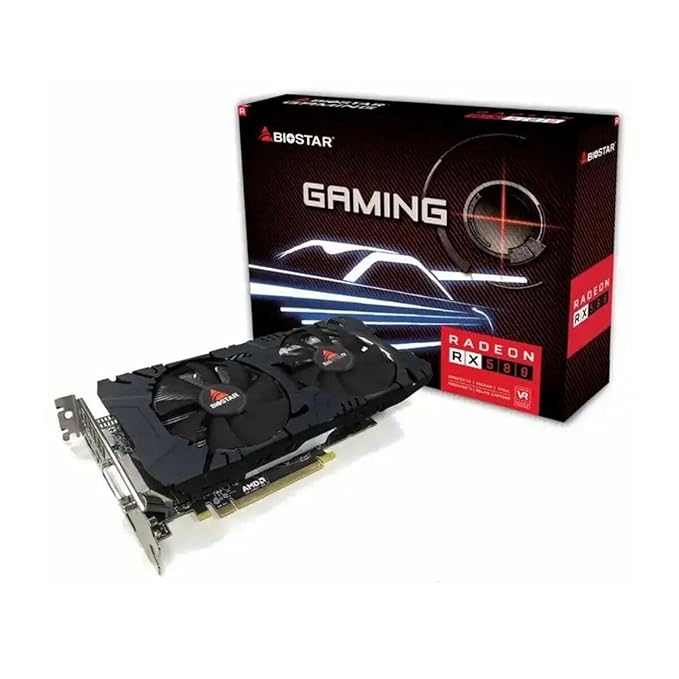
AMD Radeon RX 6600 8GB Graphics Card
Top Pick

AMD Radeon RX 6600 8GB Graphics Card

8GB GDDR61080p high to ultraPCIe 4.0132W TDPbest value under 20k

RX 6600 8GB: The Best Graphics Card Under ₹20,000 in India

Advertisement

The RX 6600 8GB is the card this entire guide points toward. AMD’s RDNA 2 architecture, launched in late 2021, still holds up well at 1080p in 2026. It has 8GB GDDR6 on a 128-bit bus, runs at full PCIe x16 bandwidth (unlike the 6500 XT’s crippled x4), and supports FSR 2.0, AMD’s image upscaling technology that works across a broader range of games than DLSS.

Real-World Prices in India (March 2026)

Quick Specs

Price: ₹17,999 Resolution: 1080p

Best for: Gamers looking for real-world prices in india (march 2026) in this budget

On Flipkart and Amazon India, the Sapphire Pulse RX 6600 8GB sits at ₹17,999 to 18,999 The XFX Speedster SWFT 210 variant is typically ₹18,499 to 19,499. Occasionally, the PowerColor Fighter variant appears at ₹17,499 during sales. Above ₹20,000, you start seeing the Sapphire Nitro+ versions, unnecessary for 1080p gaming.

The practical price to budget is ₹18,500 on average You can find it cheaper during Flipkart Big Billion Days or Amazon Great Indian Festival sales, those events routinely drop this card by ₹1,000 to 1,500.

Who Should Buy the RX 6600 8GB

Quick Specs

Resolution: 1080p Refresh Rate: 60Hz

Best for: Gamers looking for who should buy the rx 6600 8gb in this budget

  • Anyone on a 1080p monitor (60Hz or 144Hz) who plays a mix of esports and story games
  • Builds with Ryzen 5 2600 / 3600, i5-8400 / 9400F, the RX 6600 is well-matched to these CPUs
  • People upgrading from GTX 1050 Ti, GTX 1060 6GB, or RX 580, they will notice a massive improvement
  • Anyone who wants a card that won’t need replacing until 2028 to 2029 at 1080p

Who Should Skip the RX 6600 8GB

  • Anyone with an i3-6100, i3-7100, or FX-series AMD CPU the CPU will severely bottleneck this card, and you’ll be wasting ₹18,000
  • Anyone who only plays Valorant and BGMI and has a 450W PSU, the RTX 3050 is cheaper and sufficient
  • Builders with a tiny ITX cabinet with no airflow the dual-fan Sapphire Pulse is 240mm long and runs warm in confined spaces

Power Requirements

Quick Specs

RAM: 16GB Resolution: 1080p VRAM: 8GB TDP: 130W

Best for: Gamers looking for power requirements in this budget

The RX 6600 8GB requires a 500W PSU minimum AMD officially recommends a 550W system TDP. This card uses a single 8-pin power connector. In a typical Indian mid-range build (Ryzen 5 / i5, 16GB RAM, 1 SSD, 1 HDD), total system draw under gaming load is around 300 to 350W, leaving sufficient headroom on a quality 550W PSU.

The word “quality” is critical here, read the SMPS section below before assuming your current PSU is sufficient.

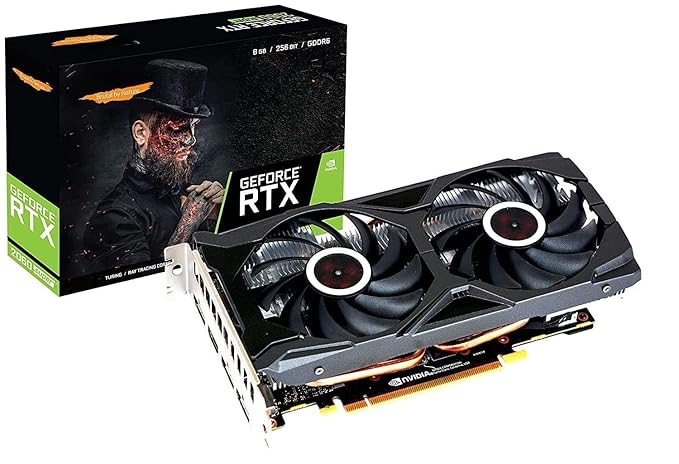
NVIDIA GeForce RTX 3050 8GB Graphics Card

NVIDIA GeForce RTX 3050 8GB Graphics Card

8GB GDDR6DLSS 2.0ray tracing1080p medium gaming130W TDP

RTX 3050 8GB: The Nvidia Option Under ₹20,000

The RTX 3050 8GB (the refreshed Ampere version, not the older 6GB variant) lands at ₹16,999 to 17,999 on Flipkart and Amazon India, making it the cheapest new 8GB GPU available in India right now. Nvidia positions it as an entry into the RTX ecosystem, ray tracing, DLSS 2.0, and NVENC encoding. In practice at this price, those features matter only in specific scenarios.

Where the RTX 3050 Falls Short

In rasterization, which is how 95% of games render, the RTX 3050 8GB is 25 to 35% slower than the RX 6600 8GB That’s not a slight disadvantage. The 3050 uses a cut-down GA107 die with 2560 CUDA cores, while the RX 6600 has 28 RDNA 2 compute units at higher clock speeds with better IPC. For pure FPS per rupee, the RX 6600 wins clearly.

The 3050’s TDP is 130W versus the RX 6600’s 132W, effectively the same. The “lower power” advantage sometimes cited in reviews is negligible in real-world testing in my Mumbai flat. The 3050 does run cooler under sustained load in some configurations, which matters if your cabinet airflow is genuinely poor.

Where the RTX 3050 Makes Sense

DLSS 2.0 is a genuine advantage in titles that support it, Cyberpunk 2077, The Witcher 3 Next-Gen, Marvel’s Spider-Man, and a growing number of indie games. In Cyberpunk specifically, DLSS Quality at 1080p gives the 3050 a meaningful boost, making it competitive with the RX 6600 in that one title. If Cyberpunk and DLSS-supported games are your primary focus, the 3050 becomes more defensible.

NVENC encoding is the other legitimate reason to choose Nvidia, if you stream on OBS, the hardware encoder on RTX cards is noticeably better than AMD’s older VCE encoder on RDNA 2. For BGMI/Valorant streamers, this translates to better stream quality at lower CPU overhead.

The honest summary: if pure gaming FPS is your goal the RX 6600 wins at every price point and in every game. If you stream, use DLSS-heavy titles, or are working with a 450W PSU you can’t replace the RTX 3050 is the more practical pick.

Should You Go to ₹30,000? The RX 7600 8GB Case

Advertisement

If your budget is truly ₹20,000 maximum, skip this section. But if you have ₹18,000 in hand and can realistically stretch to ₹23,000 to 25,000, the decision changes materially.

The RX 7600 8GB is based on AMD’s RDNA 3 architecture, released in 2023. It sits at ₹21,999 to 25,499 in India as of March 2026 (Sapphire Pulse at the lower end, XFX Speedster Qick 210 slightly higher). The performance jump over the RX 6600 is 25 to 30% in modern titles not generational, but significant enough to matter at 144fps targets and in demanding games.

RX 6600 vs RX 7600: Should You Stretch?

Quick Specs

Price: ₹17,999 Resolution: 1080p Refresh Rate: 144Hz

Best for:

Tight ₹20k budget, 1080p 60 to 144fpsStretch budget, 1080p 1
Product comparison table
Comparison PointRX 6600 8GBRX 7600 8GB
Price (India, Mar 2026)₹17,999 to 20,499₹21,999 to 25,499
ArchitectureRDNA 2RDNA 3
Cyberpunk 2077 (1080p Med)58 fps avg74 fps avg
BGMI PC (1080p High)105 fps avg130 fps avg
FSR SupportFSR 2.0FSR 3.0 (Frame Gen)
TDP132W165W
PSU Requirement500W+550W+
Best ForTight ₹20k budget, 1080p 60 to 144fpsStretch budget, 1080p 144fps+ targets

The RX 7600 makes sense if you have a 144Hz monitor and play GPU-heavy games like Cyberpunk, newer open-world titles, or are future-proofing. FSR 3.0 Frame Generation is also exclusive to RDNA 3 and newer, it doubles perceived frame rate in supported games and will become more relevant through 2026 to 2028.

It doesn’t make sense if your budget is a hard ₹20,000. The RX 6600 isn’t “almost as good”, it’s a different tier of spending. Stretching your budget means potentially skimping on RAM, storage, or PSU quality, which creates bigger problems than a slightly slower GPU.

CPU Bottleneck: Will Your CPU Limit Your New GPU?

This is the most-asked question from Indian budget upgraders, and the most poorly answered one. “Bottleneck calculators” online are largely useless because they don’t account for the specific games you play. The real answer depends on whether your game is CPU-limited or GPU-limited, and that varies per title.

Here’s the practical breakdown for common Indian builds paired with an RX 6600 8GB at 1080p:

Product comparison table
CPUBottleneck with RX 6600?Impact in GamesRecommended Fix
I3-8100 / i3-9100FYes, moderateValorant: fine (200fps+). GTA V: 15 to 20% fps loss vs i5. Cyberpunk: noticeable stuttersUpgrade CPU if budget allows; still usable for esports
Ryzen 5 2600Minor at 144fps+ targetsSlight cap in Valorant above 200fps. GTA V and BGMI: essentially no bottleneckFine as-is for 1080p gaming; upgrade later
Ryzen 5 3600No meaningful bottleneckRX 6600 runs at near-full capacity in all tested gamesNo action needed
I5-8400 / i5-9400FNo meaningful bottleneckIdeal pairing, GPU is the limiting factor in all scenariosNo action needed
I5-10400F / Ryzen 5 5600No bottleneckRX 6600 fully utilized; GPU is the ceilingNo action needed; consider RX 7600 if budget extends
I3-6100 / Pentium G-seriesSevere bottleneckCPU limits performance to GTX 1060 levels regardless of GPUUpgrade CPU before GPU, current GPU spend is wasted

The i3-9100F Reality

The i3-9100F is one of the most common budget CPUs in Indian second-hand builds, and the bottleneck situation is nuanced. For Valorant and CS2, which are relatively light on CPU, the i3-9100F will comfortably push 200fps+ with an RX 6600. In GTA V at High settings, the 4-core / 4-thread limitation starts showing, with frame drops in dense traffic areas and cutscenes. In Cyberpunk 2077, the bottleneck is pronounced enough that you’d be better served upgrading the CPU before the GPU.

The honest advice: if you’re on an i3-8100 or i3-9100F and your primary games are Valorant and BGMI PC, the RX 6600 upgrade is still worth it. If you play GTA V and Cyberpunk heavily, consider pairing that ₹18,000 GPU budget with a CPU upgrade first, an i5-9400F can be found for ₹5,000 to 7,000 used, paired with a cheaper GPU for similar real-world performance.

SMPS Check: Your PSU Will Make or Break This Upgrade

This section is specifically for Indian buyers, because the pre-built PC market in India has a long history of shipping terrible power supplies with otherwise decent configurations. Flipkart and Amazon assembled PCs under ₹40,000 routinely include PSUs that are dangerous to run with a dedicated GPU.

What You Actually Need

  • RX 6600 8GB: 500W minimum, 550W recommended (with a quality unit, not a labeled-500W no-brand)
  • RTX 3050 8GB: 450W minimum, 500W recommended
  • RX 7600 8GB: 550W minimum, 650W recommended

Indian Pre-Built PSUs to Be Suspicious Of

The following brands are commonly included in budget assembled PCs and often fail to deliver their rated wattage under sustained gaming load:

  • iBall PSUs “500W” units often deliver 300 to 350W continuous. No 80+ certification.
  • Circle “500W” Similar issue. Single 12V rail amperage is often 18 to 22A, which is insufficient.
  • Zebronics (non-certified models) Zebronics makes decent peripherals but their unbranded PSUs are unreliable under GPU load.
  • Generic “Gaming” labeled PSUs from local assemblers If your PSU has RGB fans, no 80+ badge, and cost under ₹1,200, don’t trust it with an RX 6600.

How to Check Your PSU Before Buying a GPU

Look at the sticker on the side of your PSU. Find the +12V rail amperage For an RX 6600 system, you need at least 35A on the 12V rail A genuine 550W 80+ Bronze PSU will show 40 to 45A. If your PSU’s 12V rail shows 22 to 28A, that “500W” unit is effectively a 300W unit under gaming load.

Also look for the 80 Plus certification logo Bronze, Silver, Gold, or Platinum. If there’s no 80+ logo, the PSU hasn’t been tested for efficiency and real-world wattage output is unknown.

Safe PSU Brands Under ₹4,000 in India

PSU ModelWattageCertificationPrice (Approx)Compatible With
Corsair CV550550W80+ Bronze₹3,200 to 3,800RX 6600, RTX 3050, RX 7600
Seasonic S12III 500W500W80+ Bronze₹3,500 to 4,000RX 6600, RTX 3050
Cooler Master MWE 550 Bronze550W80+ Bronze₹3,000 to 3,500RX 6600, RTX 3050, RX 7600
Antec NE550G550W80+ Gold₹3,800 to 4,200All cards in this guide

If your current PSU is suspect, factor ₹3,000 to 3,500 into the GPU upgrade budget. Running an RX 6600 on a questionable PSU risks GPU damage, system instability, and in worst cases, electrical safety issues. This isn’t an area to cut corners.

Should You Buy Used? The ₹10,000,₹15,000 Used GPU Option

The used GPU market in India is active, OLX and Facebook Marketplace have consistent listings for older cards, and the prices have settled into a reasonable range. Whether the used route makes sense depends on what you’re coming from and what you’re willing to risk.

GTX 1660 Super Used (₹10,000,₹12,000): Still a Reasonable Buy

Quick Specs

Price: ₹10,000, Resolution: 1080p VRAM: 6GB

Best for: Gamers looking for gtx 1660 super used (₹10,000,₹12,000) in this budget

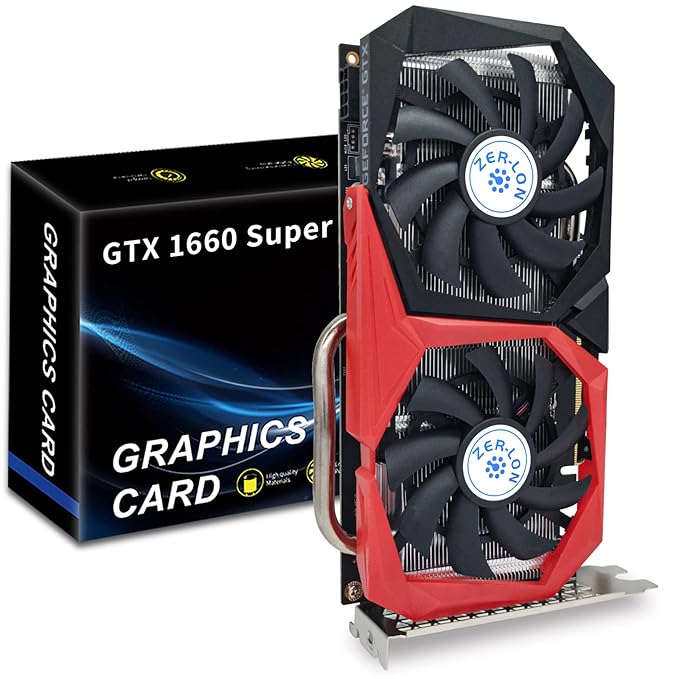
The GTX 1660 Super remains a capable 1080p card in 2026. 6GB GDDR6 on a 192-bit bus delivers solid performance in esports titles, Valorant at 190fps+, CS2 at 115fps, BGMI at 75 to 80fps on High. It falls behind in VRAM-heavy games (GTA V, newer open-world titles), but if your primary games are esports, it does the job.

At ₹10,000 to 12,000 used versus ₹18,000 for an RX 6600, the 1660 Super offers solid value if budget is the primary constraint. The risk is getting a card that’s been mined on, a 1660 Super ran popular mining algorithms until 2022, and heavily-used mining cards have degraded thermal paste and fans.

RX 580 8GB Used (₹6,000,₹8,000): Avoid in 2026

The RX 580 was excellent in 2017. In 2026, it is too old and too power-hungry to recommend. It draws 185W under gaming load, generates significant heat, and AMD’s driver updates have become less focused on GCN-architecture cards. In BGMI PC specifically, the RX 580 struggles with newer Unreal Engine builds and often shows shader compilation stutters. Skip it unless the price is ₹4,000 or less and you understand the tradeoffs.

Where to Buy Used GPUs Safely in India

  • OLX Largest inventory, highest risk. Always meet in-person, test before paying, never pay in advance.
  • Facebook Marketplace Better for metro cities (Mumbai, Delhi, Bangalore, Hyderabad). Local pickup reduces risk.
  • r/IndiaInvestments and r/hardware_swap_india (Reddit) Smaller community but sellers have Reddit history and are generally more accountable. Preferred for higher-value used purchases.

Red Flags When Buying a Used GPU

  • “Mining use” mentioned Even “light mining” means the card ran 24/7 under sustained load. Thermal paste is dried, fans are worn.
  • No original box or receipt Minor issue alone, but combined with other flags, walk away.
  • Price too far below market A GTX 1660 Super at ₹6,000 is likely damaged, mined on, or stolen.
  • Unusual heat at idle Ask the seller to boot up and check GPU temp in GPU-Z at idle. Should be 35 to 45°C. If it’s 60°C+ at idle, something is wrong.
  • Seller unwilling to test with a benchmark Any legitimate seller will run a 3DMark or Furmark test. Refusal is a red flag.

Frequently Asked Questions

Q: Which is better for BGMI PC: RX 6600 or RTX 3050?

The RX 6600 8GB is significantly better for BGMI PC. At 1080p High settings, the RX 6600 averages 105fps versus the RTX 3050’s 82fps. BGMI PC doesn’t support DLSS, which removes the RTX 3050’s main advantage. If BGMI is your primary game, the RX 6600 is the clear pick, the higher fps also means more consistent frametimes and fewer micro-stutters in high-player-density zones.

Q: Can I run RX 6600 on a 450W PSU?

Not safely. AMD’s minimum system requirement for the RX 6600 is 500W. On a genuine 80+ Bronze certified 450W PSU, you would be running at the absolute edge of safe capacity, any power spike during load could cause a system shutdown or PSU failure. On a low-quality 450W unit (which may actually deliver 300W), this becomes a real safety risk. Budget ₹3,000 to 3,500 for a Corsair CV550 or Cooler Master MWE 550 if you’re upgrading your PSU alongside the GPU.

Q: Is 4GB VRAM enough for gaming in 2026?

No, for any serious gaming, 4GB VRAM is a meaningful limitation in 2026. GTA V at High textures exceeds 4GB. Cyberpunk at Medium already pushes 5 to 6GB. BGMI PC at High textures uses 4.2 to 4.8GB. Even older titles modded with high-res texture packs will exceed 4GB. Cards like the GTX 1650 4GB and RX 6500 XT 4GB aren’t recommended for new builds or upgrades at this stage. The 8GB minimum is now a practical floor.

Q: Which GPU is best under ₹15,000 new?

Honestly, there’s no good new GPU under ₹15,000 in India in 2026. The GTX 1650 4GB sits in that bracket, and it’s not recommended for the reasons above. Your options are: save up to ₹17,000 to 18,000 for the RTX 3050 or RX 6600, or look at the used market, a GTX 1660 Super at ₹10,000 to 12,000 used is far better value than a new GTX 1650 at ₹13,000. The new sub-₹15,000 GPU market in India is currently a dead zone.

Q: Will RX 6600 work with my Intel H310 motherboard?

Yes. The RX 6600 8GB uses a standard PCIe x16 slot, present on all H310 motherboards. H310 boards use PCIe 3.0, not PCIe 4.0, the RX 6600 is designed for PCIe 4.0 x8 but is fully backward compatible with PCIe 3.0 x16. The performance difference between PCIe 4.0 and PCIe 3.0 for the RX 6600 at 1080p is under 2%, completely negligible. Your H310 motherboard will run the RX 6600 without any issues.

Conclusion: Which GPU Should You Actually Buy?

Here’s the clear recommendation based on budget:

  • Budget: up to ₹20,000, mixed gaming (esports + GTA V + occasional AAA) Buy the RX 6600 8GB. Sapphire Pulse at ₹18,499 on Flipkart is the best value variant. Ensure you have a quality 550W PSU.
  • Budget: ₹17,000 max, mostly Valorant and BGMI PC The RTX 3050 8GB at ₹16,999 is sufficient. You won’t miss the extra performance of the RX 6600, and you save ₹1,500 to 2,000.
  • Budget: ₹23,000 to 25,000 stretch possible Go straight to the RX 7600 8GB. The 25 to 30% performance jump over the RX 6600 is meaningful at 144fps targets, and FSR 3.0 Frame Generation provides legitimate future-proofing.
  • Budget under ₹15,000 new Look at used GTX 1660 Super (₹10,000 to 12,000). No new GPU in this range is worth buying in 2026.

Before you complete the purchase, verify your PSU can handle the upgrade, this single check will save you from the most common GPU upgrade failure in Indian builds. And pair your new GPU with the right CPU, an RX 6600 paired with an i3-6100 is an ₹18,000 investment that performs like an ₹8,000 card.

For complete build planning, see our guides on the Best Gaming Monitor Under ₹20,000 the Best CPU Under ₹10,000 in India and a full Best Gaming PC Build Under ₹50,000 if you’re starting from scratch.

Advertisement
HT

Harsh Talreja

Editor, GamingNation.in | Mumbai

Before you buy: I recommend getting at least two price quotes, Amazon India plus MDComputers minimum, before placing any order above Rs 20,000. Lamington Road in Mumbai and SP Road in Bangalore sometimes undercut both by 5 percent or more.

About Harsh · How we test · Editorial policy

Share This Article
Follow:
Harsh Talreja edits Gaming Nation from a Mumbai bedroom desk and a Bangalore hotel desk on alternate months. He has been writing about PC hardware, gaming peripherals and Indian gaming cafes for 6 years, with hands-on time on every major PC component category sold in India under Rs 2,00,000 (RTX 3050 to RTX 4070 Super, Ryzen 5 5600 to Ryzen 7 7700X, every B550 and B650 mainstream board, 144Hz IPS to 240Hz OLED, Razer DeathAdder to Logitech G502 Hero). He has visited and benchmarked over 18 gaming cafes across Mumbai, Bangalore, Pune, Delhi, Hyderabad, Chennai, Kolkata and Amritsar. Plays BGMI at Crown tier, Valorant at Diamond, daily-drives a 5800X3D plus RX 7600 build at home. Outside Gaming Nation, Harsh works as an SEO partner for Indian startups (he can be reached on LinkedIn for that work). All Indian retail prices on this site are checked monthly against Amazon.in and Flipkart, all hardware claims are checked against RTINGS, Tom's Hardware, NotebookCheck, and Hardware Unboxed where applicable.