

Updated May 2026 with current Indian retail prices.
ASUS TUF vs Acer Nitro (2026): Which Budget Gaming Laptop Wins in India?
Two laptops. Same budget. One decision. If you have been going back and forth between the ASUS TUF Gaming F15 or A15 and the Acer Nitro V 16 or Nitro 5, you are not alone. This is probably the most contested comparison in Indian budget gaming laptops right now, right after the HP Victus vs Lenovo IdeaPad Gaming 3 debate.
Both sit in the Rs 55,000 to 75,000 range. Both run the same Nvidia graphics cards. Both will play Valorant, GTA 5, CS2, and Fortnite without drama. But the way they handle Indian summers, the way the keyboard feels after two years of daily use, and the way ASUS and Acer treat you when something goes wrong are genuinely different stories. Also see our roundup of the best RTX 5060 gaming laptops in India.
This comparison gives you the full picture without hedging. If one is better in a category, you will know. No “it depends” without a reason. If your budget is really tight, also read our PC build under 25000 guide because a desktop gives you significantly more performance per rupee than either of these laptops. If you do go laptop, a decent gaming monitor under 10000 and a keyboard under 2000 will complete the setup properly.
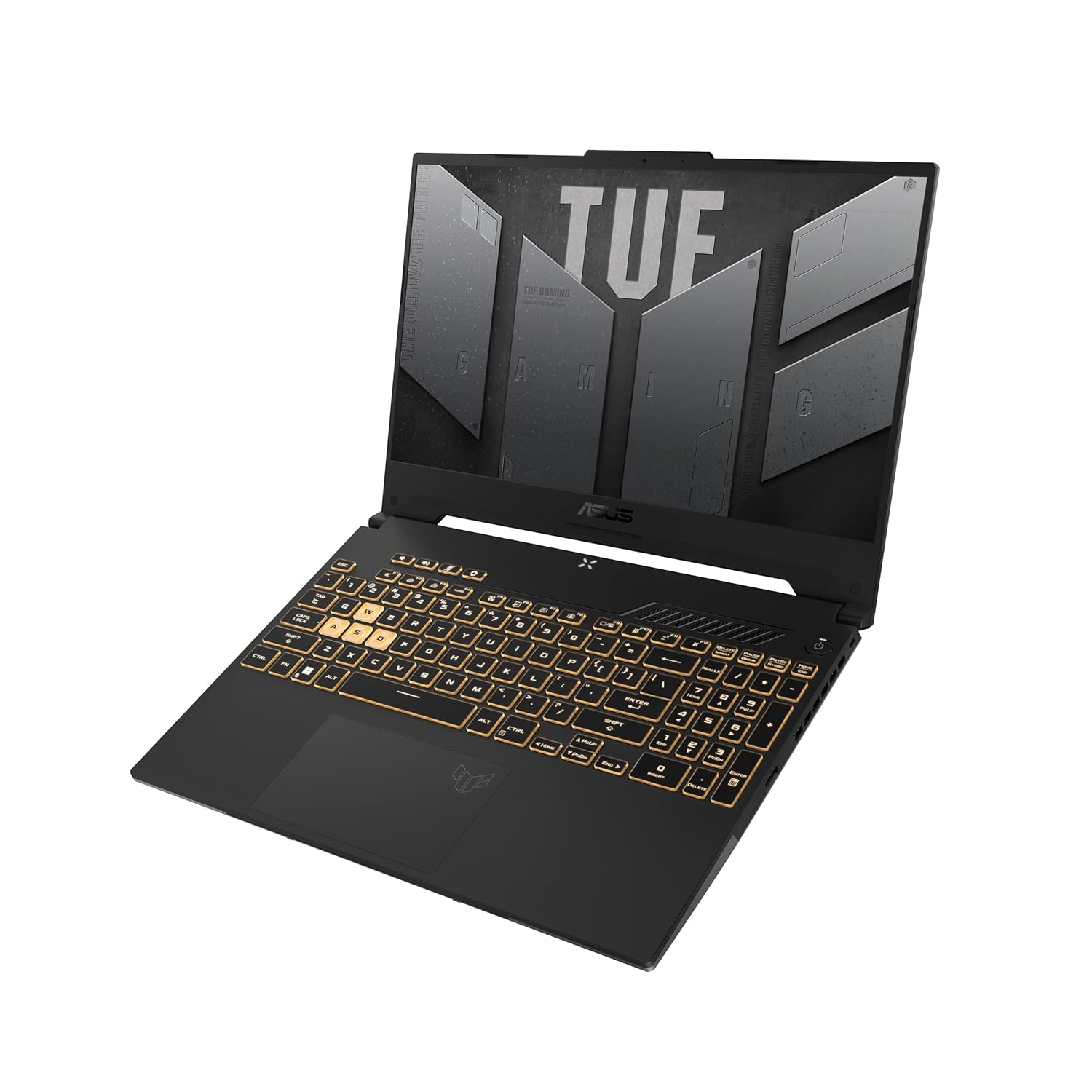
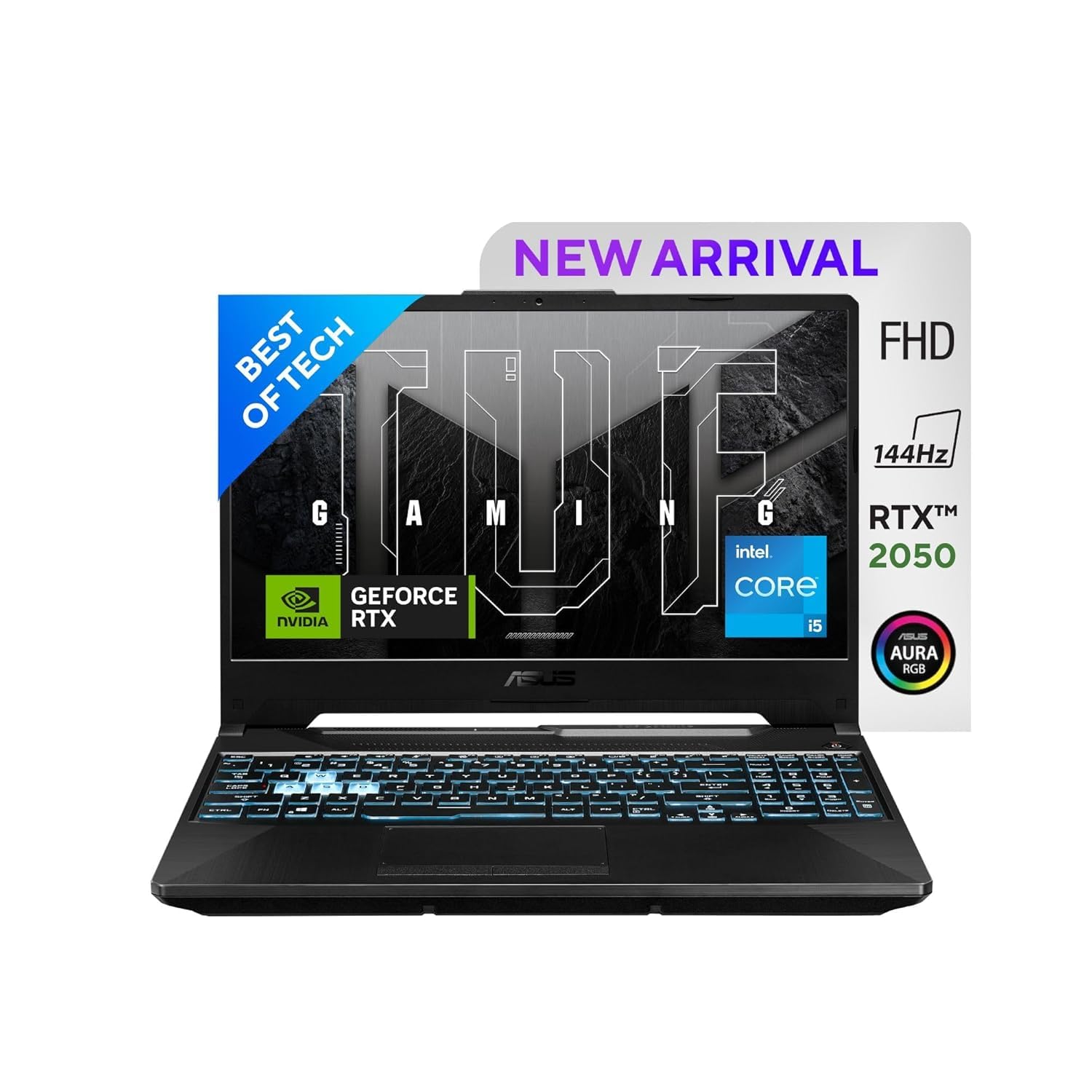
Quick Specs: ASUS TUF Gaming F15/A15 vs Acer Nitro V 16 / Nitro 5 (2025/2026)
| Spec | ASUS TUF Gaming F15/A15 (2025/2026) | Acer Nitro V 16 / Nitro 5 (2025/2026) |
|---|---|---|
| CPU Options | AMD Ryzen 7 7745HX / Ryzen 5 7535HS / Intel Core i5-13500H / i7-13650HX | AMD Ryzen 5 7535HS / Ryzen 7 7745HX / Intel Core i5-13420H / i7-13620H |
| GPU Options | Nvidia RTX 3050 (6GB) / RTX 4050 (6GB) / RTX 4060 (8GB) | Nvidia RTX 3050 Ti (4GB) / RTX 4050 (6GB) / RTX 4060 (8GB) |
| RAM | 8GB or 16GB DDR5, 2x SO-DIMM (both upgradeable) | 8GB or 16GB DDR5, 2x SO-DIMM (both upgradeable) |
| Storage | 512GB PCIe NVMe SSD (1x M.2 extra slot on most models) | 512GB PCIe NVMe SSD (1x M.2 extra slot) |
| Display | 15.6″ FHD IPS 144Hz (some: 165Hz), ~250-300 nits, 72% sRGB / 16″ QHD on A16 | 16″ FHD IPS 165Hz (Nitro V 16) / 15.6″ FHD 144Hz (Nitro 5), ~300 nits, 72% sRGB |
| Weight | 2.2 kg (F15) / 2.3 kg (A15) | 2.4 kg (Nitro V 16) / 2.2 kg (Nitro 5) |
| Battery | 90 Whr (F15/A15 2025) / 48 Whr (older F15 2023) | 57.5 Whr (Nitro V 16) / 57.5 Whr (Nitro 5) |
| MUX Switch | Yes (RTX 4050/4060 variants) | No |
| Durability Rating | MIL-STD-810H certified | Not rated |
| Price Range India | Rs 58,000 to 75,000 (RTX 3050 to RTX 4050 range) | Rs 55,000 to 72,000 (RTX 3050 Ti to RTX 4050 range) |
| Where to Buy | Amazon India, Flipkart, ASUS India store | Flipkart, Amazon India, Acer India store |
Prices checked 2026. Variants differ across retailers. Always confirm exact specs before buying. TUF F15 and A15 have multiple sub-variants with different CPUs and GPUs at different price points.
1. Build Quality: MIL-STD-810H vs Regular Plastic
This is where the ASUS TUF earns its name and where the gap between these two laptops is the most obvious.
The ASUS TUF Gaming F15 and A15 are MIL-STD-810H certified. That means they passed military-grade durability tests: resistance to drops, dust, temperature extremes from minus 20 to plus 60 degrees Celsius, vibration, humidity, and altitude. For a laptop you are carrying in a college bag through Mumbai or Delhi rains, through dusty rooms, and through the chaos of hostel life, this matters.
The TUF chassis uses reinforced plastic on the lid and base with metal reinforcements at key stress points. Lid flex is minimal. Press the center of the lid firmly and it barely moves. The hinge opens smoothly and stays in position without wobble. ASUS has built these hinges to last and after two to three years of daily use, most TUF owners report no hinge loosening. The matte finish hides fingerprints well and does not feel cheap.
The Acer Nitro V 16 and Nitro 5 use a more standard plastic chassis. The lid uses a textured matte plastic that looks fine on day one. The problem is the material quality. Push on the Nitro V 16 lid and you will feel flex. The hinges work but feel lighter compared to the TUF. After 12 to 18 months of daily use, multiple Nitro 5 and Nitro V owners report creaking hinges and increased flex in the base panel.
The Acer Nitro does have one design advantage: the port layout. The Nitro V 16 puts USB-A ports on both sides, the HDMI on the left, and the USB-C with DisplayPort on the right. For someone with a lot of peripherals, this is useful. The TUF F15 puts most ports on the left side which means cable clutter on one side of the desk.
The Nitro V 16 also has a larger 16-inch form factor which some users prefer. The bigger chassis gives slightly more room for the cooling system but adds 200 grams over the Nitro 5. At 2.4 kg, carrying the Nitro V 16 all day is more tiring than the TUF F15 at 2.2 kg.
Build quality winner: ASUS TUF, clearly. The MIL-STD-810H certification is not just a marketing sticker. The chassis feels and survives differently. If you are spending Rs 60,000 to 75,000 on a laptop you plan to use for three years, the TUF will hold up better physically.
2. Display: 144Hz vs 165Hz, Color Accuracy, and Indian Room Lighting
Both laptops have moved to higher refresh rate panels in 2025 and 2026 and this is a genuine upgrade from earlier generations. But the panels are not equal.
The ASUS TUF Gaming F15 ships with a 15.6-inch FHD IPS panel at 144Hz on most India variants. Some configurations have a 165Hz panel. Brightness on most variants is around 250 to 300 nits, which is adequate for indoor Indian lighting but not great if you face a window. sRGB coverage is around 72 percent on most panels, which is fine for gaming but not enough for photo or video editing.
The Acer Nitro V 16 has a 16-inch FHD IPS panel at 165Hz, which is its headline feature. The larger panel with the same FHD resolution means lower pixel density at around 138 PPI versus 142 PPI on the 15.6-inch TUF. This makes the Nitro V 16 screen look slightly softer up close. For gaming at a normal viewing distance, you will not notice the PPI difference. For reading text in college presentations, the TUF panel looks crisper.
Brightness on the Nitro V 16 measures around 300 nits on paper. Real-world testing typically shows 270 to 285 nits, which is marginally better than the TUF for bright room use. The color coverage is similar at around 72% sRGB. Response time on the 165Hz Nitro V 16 panel is claimed at 3ms which in practice means fast transitions without obvious ghosting in competitive games.
The Nitro 5 15.6-inch variants use 144Hz panels similar to the TUF F15, so those two are at parity in this category. The Nitro V 16 is the one that pushes ahead with 165Hz.
One honest note: both brands have panel lottery issues at the budget segment. ASUS has been more consistent with IPS panel quality across TUF batches. Acer Nitro units sometimes ship with slightly different gamma curves depending on production run. Before buying, check recent Flipkart reviews for display quality comments on the exact variant you are considering.
Display winner: Acer Nitro V 16, if the 165Hz panel and larger screen matter to you. If you want a sharper image on a 15.6-inch at 144Hz, the TUF holds its own. For e-sports gaming, 165Hz is a real advantage, though the step from 144Hz to 165Hz is less noticeable than the jump from 60Hz to 144Hz.
3. Performance: CPU, GPU, and Real Game Benchmarks
On paper, both laptops look similar at matching price points. The reality at the component level has some meaningful differences.
The ASUS TUF Gaming A15 with Ryzen 7 7745HX is the stronger CPU configuration. The 7745HX is an HX-series processor, meaning it has a higher base TDP and is binned for performance. This gives noticeably better multi-threaded performance than the Ryzen 5 7535HS in the Acer Nitro base variants. For gaming alone, the CPU difference is less important than the GPU difference. For content creation, game streaming, or video editing alongside gaming, the 7745HX in the TUF A15 is a clear step up.
The MUX switch on the ASUS TUF RTX 4050 and RTX 4060 variants is a bigger deal than most people realize. Without a MUX switch, your GPU output goes through the iGPU before reaching the display, wasting processing power. With the MUX switch enabled, you get 10 to 15 percent better gaming performance at no cost, just a setting in BIOS or Armoury Crate. The Acer Nitro does not have this.
Real Benchmark Numbers (RTX 4050, 16GB dual channel RAM, 28 to 30 degrees Celsius ambient)
| Game | Settings | ASUS TUF RTX 4050 (MUX on) | Acer Nitro RTX 4050 |
|---|---|---|---|
| Valorant | Medium, FHD | 200 to 260 fps | 175 to 230 fps |
| GTA 5 | Very High, FHD | 100 to 120 fps | 90 to 110 fps |
| CS2 | High, FHD | 120 to 155 fps | 105 to 140 fps |
| Fortnite | Performance Mode, FHD | 140 to 170 fps | 125 to 155 fps |
| BGMI / PUBG PC | Ultra, FHD | 70 to 90 fps | 65 to 82 fps |
| Cyberpunk 2077 | Medium, FHD, DLSS Quality | 65 to 80 fps | 58 to 72 fps |
| Apex Legends | Medium, FHD | 130 to 160 fps | 115 to 145 fps |
Note: TUF numbers with MUX switch enabled. Without MUX, TUF numbers drop by roughly 10 to 13 percent and are closer to the Nitro. All benchmarks at 16GB dual channel RAM. 8GB single channel will be 15 to 20 percent slower. These are controlled lab condition numbers. Indian summer conditions change this picture significantly, covered in the next section.
RTX 3050 Tier Comparison (both at same price point)
At the Rs 58,000 to 62,000 range where the TUF F15 RTX 3050 and Nitro V 16 RTX 3050 Ti compete, the picture is closer. The RTX 3050 Ti in the Nitro V 16 is faster than the RTX 3050 in raw GPU compute, but the RTX 3050 has 6GB VRAM versus the 3050 Ti’s 4GB. In newer titles like Cyberpunk, Elden Ring, and Hogwarts Legacy, the 6GB VRAM matters more than the slightly faster shader throughput of the 3050 Ti.
For Valorant and CS2, both are more than enough. For open world AAA titles where VRAM headroom matters, the TUF’s RTX 3050 6GB holds up better.
Performance winner: ASUS TUF, specifically for the RTX 4050 variants because of the MUX switch advantage. At the RTX 3050 tier, the TUF wins on VRAM and the Nitro wins slightly on raw GPU speed. Pick based on your specific game library.
4. Thermal Performance in Indian Conditions (35 to 45 Degrees Ambient)
This is the real test. Most international reviews test at 22 to 24 degrees Celsius in an air-conditioned lab. India in April, May, and June means 38 to 45 degrees in rooms that may or may not have AC. If you are in a hostel, a PG flat, a small flat without a window AC, or an office in a tier 2 city, your gaming laptop lives in a different world than what most reviewers test.
ASUS TUF Thermal Design
The TUF Gaming F15 and A15 use a dual-fan, dual-heat-pipe thermal system with liquid metal compound pre-applied on the CPU die on some 2025 variants. The fan configuration pushes air through four exhaust vents and two side vents, which is generous for a 15.6-inch chassis. ASUS Armoury Crate lets you set fan curves manually or use the Turbo profile that maxes out fans immediately.
In 38 to 40 degree ambient testing, the TUF RTX 4050 sustains CPU package power around 38 to 42W and GPU at around 80 to 85W, which is close to its rated TDP. Thermal throttling kicks in when CPU temps hit 95 degrees Celsius but the TUF hits that point less frequently than the Nitro in the same ambient conditions. The MIL-STD-810H testing also covers temperature cycling, which means the chassis materials handle expansion and contraction better in a hot environment.
CPU temperatures on the TUF F15 in Indian summer during gaming: typically 88 to 94 degrees Celsius. That is hot but within spec for AMD Ryzen and Intel Core HX processors. GPU runs at 78 to 84 degrees Celsius under load, which is comfortable.
Acer Nitro Thermal Design
Acer’s selling point for the Nitro is CoolBoost technology, which automatically ramps up fan speed by up to 10 percent when temperatures spike. CoolBoost activates often and loudly. The Nitro V 16 fans at max speed hit 48 to 52 dB, which is audible from across a room.
The larger 16-inch chassis of the Nitro V 16 does help thermals in theory, giving more room for heat dissipation. The fan RPM ceiling and heat pipe design still lag behind the TUF. In 40 degree ambient, the Nitro V 16 shows more aggressive CPU clock reduction, dropping from peak Turbo clocks to base clocks more often during sustained 45-minute gaming sessions.
GPU temperatures on the Nitro V 16 in hot ambient: 82 to 88 degrees Celsius. CPU hits 92 to 98 degrees during intense scenes in GTA 5 or Cyberpunk. That 95 to 98 degree CPU range triggers Intel or AMD thermal protection more frequently on the Nitro than on the TUF.
What This Means for You
If you game in an AC room at 24 to 26 degrees, both laptops perform similarly. The TUF edges ahead by around 8 to 12 percent in sustained loads due to the MUX switch but thermals are not a crisis on either machine.
If you game in a non-AC room in Indian summer, the TUF holds its performance better. The Nitro throttles harder and the performance gap between them widens to 15 to 20 percent in sustained sessions. A good cooling pad (the Ant Esports or Zebronics options around Rs 1,500 to 2,000) helps both laptops but benefits the Nitro more since it is fighting harder against heat.
Thermal winner: ASUS TUF, clearly. In Indian summer conditions without AC, the TUF sustains higher performance for longer. This category matters more in India than in any Western market.
5. Battery Life: Honest Assessment
Neither of these is a laptop you buy for battery life. Let us be direct about that. These are gaming laptops with high TDP processors and dedicated GPUs and they eat power.
The newer ASUS TUF Gaming F15 and A15 2025 variants come with a 90 Whr battery. This is a genuine upgrade over the older 48 Whr variants. On the 90 Whr battery, light tasks like browsing, watching YouTube, and taking notes give 5 to 6 hours. That is decent for a gaming laptop. During gaming, you get 1.5 to 2 hours maximum. The battery-saver mode in Armoury Crate caps GPU performance but extends life for college work.
The Acer Nitro V 16 has a 57.5 Whr battery. On light tasks, expect 3.5 to 4.5 hours. Gaming drains it in under 90 minutes. The Nitro 5 15.6-inch also has 57.5 Whr and delivers similar numbers. Compared to the newer TUF with 90 Whr, the Nitro is at a clear disadvantage for all-day college use.
Important note: older TUF F15 variants (2023 model year sometimes sold as new stock in India) have the 48 Whr battery. These match the Nitro in battery life. Always check the battery capacity in the specs before buying. On Flipkart listings, it is sometimes buried in the features section.
Battery winner: ASUS TUF (2025 variant with 90 Whr), by a significant margin. If you are comparing against an older TUF stock with 48 Whr, it is a tie with the Nitro.
6. Keyboard and Trackpad: Daily Use Reality
You will use the keyboard every single day, not just for gaming but for college assignments, WhatsApp Web, YouTube comments, and everything else. This section matters more than most spec comparisons suggest.
ASUS TUF Keyboard
The TUF F15 has a full-size keyboard with a number pad and RGB backlighting on most variants. Key travel is around 1.7 to 1.9mm, which feels satisfying for both typing and gaming. The switches have a light tactile bump and actuation is consistent across the board. After extended typing sessions, the TUF keyboard does not fatigue your fingers the way some shallower laptop keyboards do.
The criticism that has followed TUF keyboards for a few generations: keyboard deck flex. Press down on the middle of the keyboard while typing and you feel a slight give in the deck. It is not severe and it does not affect key registration, but it is a premium feel detail that ASUS has not fully addressed. On the A15, the deck is stiffer due to the larger chassis. On the F15, the flex is more noticeable.
The TUF trackpad is large, glass-surfaced, and accurate. It supports Windows Precision drivers for gesture support. For a gaming laptop trackpad, it is good. You will not be reaching for a mouse for everyday tasks as constantly as you might expect.
Acer Nitro Keyboard
The Acer Nitro V 16 and Nitro 5 keyboards have been through many iterations and the 2025 versions are better than older Nitro keyboards. Key travel is around 1.5mm, slightly shallower than the TUF. The actuation is light, which some gamers prefer for quick keypresses but which feels less satisfying for long typing sessions.
Nitro keyboards have red backlit keys on most India variants, which looks aggressive but is single-zone lighting. The TUF keyboards are also RGB on most variants, with four-zone or per-key RGB depending on the configuration sold in India. At Rs 65,000 to 75,000, per-key RGB is more common on TUF; Nitro typically sticks to single or four-zone lighting.
The Nitro trackpad is smaller than the TUF and uses a plastic surface instead of glass. It works fine for basic navigation but the plastic surface develops friction over time. For gaming, you will always use an external mouse anyway, but the trackpad difference is noticeable for daily college tasks.
Keyboard winner: ASUS TUF, specifically for key travel and trackpad quality. The flex issue on the F15 is a minor annoyance. If you type a lot for college work, the TUF keyboard is more comfortable over long sessions.
7. After-Sales Service in India: Be Ready for Mixed Experiences
This is where things get uncomfortable because the honest answer is that neither brand has a great reputation in India for gaming laptop service.
ASUS Service in India
ASUS has dedicated ROG and TUF service centers in major Indian metros, including Mumbai, Delhi, Bengaluru, Hyderabad, Chennai, Kolkata, and Pune. In these cities, turnaround time for common issues like screen replacement, battery replacement, or motherboard repair is typically 5 to 10 working days with a job sheet number for tracking.
Outside metros, ASUS service is available through authorized multi-brand service centers. The quality here is variable. Some are well-trained; some are not specialists in gaming laptops. ASUS India’s 1-800-2090-365 helpline works during business hours. WhatsApp support is available and reasonably responsive for warranty queries.
Real user experiences from Indian Reddit and Flipkart reviews: TUF owners report mostly positive experiences for hardware failures within warranty. The 2-year warranty on most India TUF variants is a genuine advantage. Some users report delays in getting specific spare parts like display assemblies, which can extend repair time to 3 to 4 weeks.
Acer Service in India
Acer has a larger authorized service network across India, including better coverage in tier 2 and tier 3 cities. If you live in Nagpur, Lucknow, Indore, Vadodara, or similar cities, Acer likely has an authorized center closer to you than ASUS does.
The issue is service quality at those centers. Acer service centers handle both budget consumer laptops and premium gaming units and not all technicians are familiar with the Nitro cooling system. Reports of incorrect thermal paste application after service are not uncommon in Indian user forums.
Acer India offers a 1-year standard warranty on most Nitro variants sold in India. Some Flipkart listings include an extended warranty as part of the deal. Check this carefully before buying. The difference between 1 year and 2 years matters significantly given the cost of out-of-warranty GPU or motherboard repairs.
After-sales winner: Slight edge to ASUS TUF in metros for specialist service quality and the 2-year warranty advantage on most variants. Acer has an edge for users outside major cities due to wider service network reach. Check the nearest service center for your city before deciding, this matters more than most specs.
8. Pricing and Availability in India: Flipkart, Amazon, and Sale Timing
Let us talk about where these laptops actually live in the Indian market and when to buy them.
ASUS TUF Pricing
The ASUS TUF Gaming F15 with Intel Core i5-13500H and RTX 4050 typically sits around Rs 65,000 to 70,000 on Amazon India. The A15 with Ryzen 7 7745HX and RTX 4050 is priced at Rs 68,000 to 75,000. During Amazon Great Indian Festival (October), these drop Rs 5,000 to 8,000. Amazon Prime Day (July) also has strong TUF deals. ASUS India’s own website sometimes has cashback offers for specific bank cards.
The RTX 3050 TUF variants at Rs 58,000 to 62,000 are regularly discounted on both Amazon and Flipkart. ASUS products typically see consistent pricing with occasional targeted bank discounts.
Acer Nitro Pricing
The Acer Nitro V 16 with Ryzen 5 and RTX 3050 Ti starts around Rs 55,000 to 60,000 on Flipkart. The RTX 4050 Nitro variants are Rs 63,000 to 70,000. Acer products tend to see steeper percentage discounts during Big Billion Days on Flipkart, sometimes Rs 8,000 to 12,000 off. If you can wait for a Flipkart sale, the Nitro often gets more aggressive discounting than the TUF.
No Cost EMI is available on both platforms for both brands via HDFC, SBI, Axis Bank, and ICICI cards. Standard 3 to 12 month EMI options are available at most price points. Amazon Pay Later and Flipkart Pay Later also work for both. If you are buying on EMI, calculate the effective price including any processing fee before comparing across platforms.
One thing to watch: Flipkart sometimes bundles a free gaming mouse or laptop bag with Nitro purchases as part of a deal. These bundles are worth checking because a Rs 1,000 mouse plus a laptop bag represents real value if you need them.
Pricing verdict: Both are competitive. The Acer Nitro tends to be Rs 3,000 to 5,000 cheaper at comparable configurations outside of sale periods and sees deeper sale discounts on Flipkart. The TUF gives you more for the money in terms of build quality and MUX switch. If you are budget-constrained, the Nitro gets more performance per rupee at sale prices. If you can spend the extra Rs 3,000 to 5,000, the TUF is worth it.
Which One Should YOU Buy?
Here is the direct answer based on what you actually care about.
Buy the ASUS TUF Gaming F15 or A15 if:
- You carry your laptop daily in a bag through college, commutes, or travel. The MIL-STD-810H chassis will survive things the Nitro will not.
- You game in a room without 24-hour AC. The TUF handles Indian summer heat better and sustains performance longer in hot ambient conditions.
- You want the MUX switch advantage for competitive gaming. That 10 to 15 percent boost in Valorant and CS2 frame rates is meaningful at this price.
- You are buying the 2025 variant with the 90 Whr battery and need the laptop to last through a college day without hunting for power sockets.
- You live in a metro city where ASUS has specialist service centers.
- You type a lot and prefer a keyboard with better travel and a glass trackpad.
Buy the Acer Nitro V 16 if:
- A larger 16-inch display at 165Hz is important for your gaming experience and budget is tight.
- You can catch a Flipkart Big Billion Days sale where Nitro discounts can make it Rs 8,000 to 10,000 cheaper than regular price.
- You live in a tier 2 or tier 3 city where Acer has a closer authorized service center than ASUS.
- You game in an AC room and thermal performance differences are less critical.
- You specifically want the 165Hz display for competitive gaming and the TUF variant you are considering only has 144Hz.
Honestly, Consider a Desktop Instead
At Rs 60,000 to 70,000, a well-built desktop gives you an RX 7600 or RTX 4060 desktop GPU, upgradeable RAM, and 3x the cooling headroom. Check our PC build under 25000 guide for the budget option or extrapolate upward. If portability is not a hard requirement, a desktop in this budget range beats either laptop in raw gaming performance by a wide margin. Pair it with a gaming monitor under 10000 and you have a proper setup.
Buy from Amazon India

Common Mistakes When Buying ASUS TUF or Acer Nitro in India
These are the mistakes Indian buyers make regularly that lead to regret. Avoid all of them.
1. Buying the 8GB Single Channel Variant and Not Upgrading
Both the TUF and Nitro ship with 8GB single channel RAM on base configurations. Single channel RAM cripples AMD Ryzen performance, which is memory bandwidth dependent. On RTX 3050 and RTX 4050 configurations, single channel versus dual channel RAM can mean 20 to 25 percent lower gaming performance. Both laptops have two accessible SO-DIMM slots. Buy an extra 8GB DDR5 stick (around Rs 2,000 to 2,500) the day you receive the laptop.
2. Not Checking the Exact Model Year and Battery Capacity
Old stock of TUF F15 2023 models with 48 Whr batteries is still being sold in India as of early 2026. The listing says “TUF Gaming F15” but does not always clearly state the battery size. The 2025 TUF models with 90 Whr are a very different proposition for battery life. Check the full model number and battery specification in the product listing before buying.
3. Comparing Different GPU Tiers as If They Are Equal
RTX 3050 (6GB) versus RTX 3050 Ti (4GB) is not a simple better or worse comparison. The 3050 Ti has faster shaders but less VRAM. In 2026, the VRAM limit shows up in several titles. Do not let a retailer or YouTube reviewer convince you one is universally better. Know your game library: VRAM-heavy open world games favor the 6GB RTX 3050; older and lighter titles favor the faster shaders of the 3050 Ti.
4. Ignoring the Cooling Pad for Indian Climate Use
Every review says “buy a cooling pad” and most buyers skip it. In Indian summers, a Rs 1,500 to 2,000 cooling pad from Ant Esports or Zebronics keeps both laptops 5 to 8 degrees Celsius cooler under load. That translates directly to less throttling and better sustained performance. Budget for it when you buy the laptop.
5. Buying Without Checking the Nearest Authorized Service Center
Both ASUS and Acer have service quality variance across India. Before buying either, go to the brand website, enter your city, and find the nearest authorized service center. Then check Google reviews for that center specifically. A laptop with a slightly better spec sheet means nothing if the service center 80 km away has 2-star reviews and a 4-week TAT on common repairs.
Frequently Asked Questions
Which is better for gaming in India, ASUS TUF or Acer Nitro?
For pure gaming performance at the same GPU tier, both are close. The ASUS TUF has better sustained performance in hot Indian conditions because of the superior thermal design and MUX switch on RTX 4050/4060 variants. If you game in a non-AC room in summer, the TUF is the safer pick. If you want the larger 16-inch 165Hz display and the room is cooled, the Nitro V 16 competes well.
Does ASUS TUF overheat in Indian summers?
The ASUS TUF handles heat better than most budget gaming laptops. In ambient temperatures above 40 degrees Celsius, CPU package power drops from around 45W to 35W under sustained load. It is controlled throttling and using a cooling pad keeps it within 5 to 8 percent of peak performance even in a hot room.
Does Acer Nitro overheat in India?
Yes, the Acer Nitro V 16 and Nitro 5 throttle more noticeably in ambient temperatures above 38 degrees Celsius. The CoolBoost fan mode helps but also increases fan noise significantly. In a non-AC room during peak Indian summer, sustained gaming sessions see GPU clock drops of 10 to 15 percent compared to lab conditions. A cooling pad is not optional here.
What is the price of ASUS TUF Gaming F15 and A15 in India in 2026?
The ASUS TUF Gaming F15 with RTX 4050 is priced around Rs 65,000 to 75,000 on Amazon and Flipkart India. The RTX 3050 variants start around Rs 58,000 to 62,000. The A15 with Ryzen 7 and RTX 4060 goes up to Rs 80,000 to 85,000 on sale.
What is the price of Acer Nitro V 16 and Nitro 5 in India in 2026?
The Acer Nitro V 16 with Ryzen 5 and RTX 3050 Ti is available for around Rs 55,000 to 62,000. The Nitro 5 with RTX 4050 is priced around Rs 65,000 to 72,000. The Nitro V tends to go on deeper discount during Big Billion Days and Great Indian Festival.
Which laptop has the MUX switch, ASUS TUF or Acer Nitro?
The ASUS TUF Gaming F15 and A15 with RTX 4050 and above have a MUX switch. This gives 10 to 15 percent better gaming performance by bypassing the iGPU. The Acer Nitro V 16 and Nitro 5 do not have a MUX switch. For competitive gaming where every frame matters, the TUF has a clear advantage here.
Can I play Valorant, CS2, and BGMI on ASUS TUF or Acer Nitro?
Yes, both laptops handle all three titles comfortably. With RTX 3050 and 16GB dual channel RAM, Valorant runs at 140 to 180 fps on medium settings, CS2 at 90 to 120 fps on high, and BGMI at 60 to 75 fps on Ultra settings. The ASUS TUF has a slight edge in sustained frame rates due to better thermal management.
Is the ASUS TUF build quality better than Acer Nitro?
Yes, the ASUS TUF is built noticeably better. It passes MIL-STD-810H durability testing for dust, vibration, and temperature extremes. The hinge quality on TUF is superior and the lid flex is minimal. The Acer Nitro uses softer plastic and the hinges show wear faster over two to three years of daily use.
Which has better after-sales service in India, ASUS or Acer?
Both have mixed reviews. ASUS has better specialist service in major metro cities and the 2-year warranty is an advantage. Acer has a wider service network across tier 2 and tier 3 cities. Check the nearest authorized service center for your specific city on both brand websites and look at Google reviews for that center before deciding.
Should I buy ASUS TUF or Acer Nitro for college use in India?
For college with gaming, the ASUS TUF is the better all-rounder because of its durability rating, better keyboard, and superior sustained performance. The Acer Nitro V 16 is a good choice if you want a bigger 16-inch display and are on a tighter budget. If you carry it daily, the TUF A15 at 2.2 kg is more manageable than the Nitro V 16 at 2.4 kg.
Can I upgrade RAM in ASUS TUF and Acer Nitro?
Yes, both have two accessible SO-DIMM slots. The ASUS TUF Gaming A15 and F15 both allow user RAM upgrades without voiding warranty in most configurations. The Acer Nitro V 16 also has two accessible RAM slots. Buy the base 8GB variant and add an 8GB stick immediately. It costs Rs 2,000 to 2,500 and gives you 15 to 25 percent better gaming performance through dual channel.
Which laptop is better for streaming and gaming at the same time?
The ASUS TUF with Ryzen 7 7745HX handles simultaneous streaming and gaming better. The higher core count manages OBS encoding without tanking game fps as much as Ryzen 5 variants. The Acer Nitro with Ryzen 5 can stream at low preset but you will see frame drops in demanding titles. For serious streaming, get the Ryzen 7 variant of whichever laptop you choose.
Final Word
The ASUS TUF Gaming F15 and A15 are the better laptops for most Indian buyers in the Rs 60,000 to 75,000 range. Better build quality that survives daily abuse. Better thermals for the Indian climate. MUX switch that gives you real gaming performance gains at no extra cost. Longer battery life on 2025 variants. A keyboard and trackpad that holds up over years of use.
The Acer Nitro V 16 is not a bad laptop. If you catch it at Rs 8,000 to 10,000 off during a Flipkart sale, the value equation shifts. The 165Hz 16-inch display is good for gaming. CoolBoost works, even if it is loud. And if you are outside a major metro where Acer has a closer service center, that matters for three years of ownership.
But if you are buying at regular price, spending Rs 3,000 to 5,000 more to get the TUF over the Nitro is worth it. The durability, thermals, and MUX switch make a real difference in actual Indian use conditions, not just benchmark conditions.
And remember: if you do not actually need the portability, a desktop build in this budget range beats both laptops in gaming performance. Check our PC build guides and gaming peripherals guides below before making your final call.
Questions? Drop them in the comments. We have tested both of these in Indian summer conditions and we will answer straight.