
Updated November 2026.
GTA 6 runs at 30fps on PS5 and Xbox Series X|S. TCL and Hisense TVs can add GTA 6 motion smoothing inside Game Mode for a small lag cost. Samsung Game Motion Plus allows it too, with mixed results. On LG and Sony it only works outside Game Mode, which RTINGS advises against (RTINGS).
Motion smoothing in Game Mode, brand by brand
Tap a tile to jump. Sources: RTINGS, Samsung India, LG (Canada, UK), Sony global and Xiaomi help pages, checked 24 Nov 2026.
30fps
GTA 6 target on PS5 and Xbox
8 TVs
Measured by RTINGS
+10 to 39 ms
Smoothing inside Game Mode
86 to 132 ms
Smoothing outside Game Mode
Short version: try it if your TV can smooth with Game Mode still on, and skip it if it can’t. Editions and prices are in our GTA 6 price in India guide, and install tips in our GTA 6 preload guide.
Why GTA 6 feels choppy at 30fps on your TV
Rockstar North co-studio head Rob Nelson confirmed the 30fps target before launch (TweakTown). Rockstar hasn’t confirmed a 60fps mode. Digital Foundry found the base PS5 has occasional minor frame drops, while the PS5 Pro holds a steady 30 (TechRadar).
Thinking about the Pro for this? Our PS5 Pro worth it in India piece covers the upgrade. The frame rate stays 30 on both, so the TV still matters.
Fast screens make 30fps look worse. RTINGS says OLEDs and quick LCDs hold each frame sharply, which shows as stutter and blur during pans (RTINGS). Slower panels smear frames together, which hides stutter but adds blur.
The console still sends a 60Hz signal to your TV. Each game frame simply shows twice. That is why a 120Hz TV doesn’t fix GTA 6 judder on its own. Our best TV for gaming in India list explains 60Hz and 120Hz sets.
Still on GTA V while you wait to upgrade? Note that GTA 5 left PS Plus in November.
What motion smoothing actually does
What GTA 6 motion smoothing costs in input lag
RTINGS measured lag on eight TVs with motion smoothing on and off. It used GTA V at 30fps over a 60Hz signal as a stand-in, so these aren’t GTA 6 numbers. The TVs are US models (RTINGS).

Inside Game Mode, smoothing added about 10 to 39 ms. TCL and Samsung QN80F stayed near 25 ms in total. The LG and Sony sets could only smooth outside Game Mode, and lag rose to 86 to 132 ms.
For scale, Game Mode alone sat near 10 to 15 ms on every set. In India, check your Samsung model code against the Game Bar list (M70H and above) before you expect the low-lag option.
These are display lag only. An RTINGS staff reply adds that a 30fps game may have more total system delay, which these numbers don’t include. Controller feel is a separate question, covered in our best PS5 controller in India list.
Lag isn’t the only cost. RTINGS saw artifacts on road textures while driving. KeenGamer’s writer saw slight distortion around the character’s edges on a TCL set (KeenGamer). That writer didn’t measure lag and judged it by feel.
TV motion smoothing settings by brand in India
Menus change by model year and region. The paths below come from each maker’s own help pages where we could reach them. Where we couldn’t, the row says so. Find the exact name on your TV before you change anything.
Where the setting lives, by brand
| Brand | Setting | In Game Mode? Source |
|---|---|---|
| Samsung | Game Motion Plus in the Game Bar | Mixed. Allowed with VRR off, but RTINGS results were inconclusive. Samsung India |
| LG | TruMotion, under Clarity | No on many models. LG Canada and UK help pages |
| Sony | Motionflow, under Motion | No, Game turns it off. Sony global Help Guide |
| Mi / Xiaomi | MEMC, under Motion smooth | Not stated. Older Mi and non-India Xiaomi pages |
| TCL | Motion Clarity | Yes, per RTINGS. TCL US help page |
| Hisense | Motion Processing, Custom | Yes, per RTINGS only |
| Vu | MEMC, on the spec sheet | Menu path not confirmed |
| Acer | Not found | Menu path not confirmed |
Sources linked in each brand section below. Checked 24 Nov 2026. Model years and India menus may differ.
Samsung: Game Motion Plus
Samsung India says Game Motion Plus is meant to “Enhance motion smoothness” and works with game consoles only (Samsung India). The 2026 Game Bar runs on M70H and above, plus U9000H. Turning on VRR disables it, and so does AI Gaming Optimizer.
Samsung: turn on Game Motion Plus
- 1Set Game Mode to On or AutoThen press and hold Play/Pause on the Samsung Smart Remote to open the Game Bar (per a 2022 Samsung India page; 2026 remotes may differ).
- 2Turn VRR and AI Gaming Optimizer offSamsung says either one greys out Game Motion Plus.
- 3Pick Game Motion Plus, then a levelRTINGS used Level 2 and needed a 60Hz input signal.
Sources: Samsung India Game Bar, RTINGS. Checked 24 Nov 2026.
RTINGS called its Samsung results inconclusive. The sets often seemed to stop smoothing mid-game. Outside Game Mode, Samsung’s path is Settings, Picture, Expert Settings, Auto Motion Plus Settings (Samsung US). Samsung India’s page covers 2026 sets; RTINGS also used the feature on a 2025 QN80F. Other older sets: not confirmed.
LG: TruMotion
On webOS 6.0 to webOS 24 (2021 to 2024 sets), LG’s path is All Settings, Picture, Advanced Settings, Clarity, TruMotion (LG Canada). Older sets use Picture Option instead. That page doesn’t list 2025 or 2026 menus, and LG India’s help page was not reached.
LG says TruMotion is not available in Game Mode on many models, and that motion settings can add lag (LG UK). RTINGS measured 86 ms on the C6 outside Game Mode, against 10.3 ms in it. For GTA 6, keep Game Optimizer on and TruMotion off.
Sony: Motionflow
On older Sony Android TVs, the path is Settings, BRAVIA Settings, Picture, Advanced, Motion, Motionflow (Sony Help Guide). Newer BRAVIA menus may differ. The guide for BRAVIA 9, 8, 8 II, 7 and 5 says Game content turns Motionflow off (Sony). RTINGS measured 132.4 ms with it on outside Game Mode, so leave it off.
Mi / Xiaomi: MEMC under Motion smooth
Mi India’s FAQ for the older Mi TV 4X gives Settings, Display, Motion Smooth (Mi India). A newer Xiaomi Google TV FAQ gives Display and sound, Picture, Advanced video, Motion smooth, MEMC (Xiaomi). That page is for the Philippines, so Indian menus may differ.
Neither page says whether MEMC stays on in the game picture mode. Switch Game mode on first, then check if Motion smooth is still selectable.
TCL: Motion Clarity
TCL’s US help page puts motion under Picture, Advanced settings, Motion or Motion Clarity (TCL). TCL India lists MEMC on the P6K, but we found no India menu text (TCL India). RTINGS set Motion Clarity to Custom with judder and blur at 10, inside Game Mode.
Vu and Acer: menu path not confirmed
Vu’s Glo MiniLED page lists “Motion Enhancement: Yes, MEMC” and ALLM, but no menu path (Vu). We found no official Acer TV India page on MEMC. For both, open the picture menu with Game mode on. If a MEMC or motion option still works, try a low level.
PS5 and Xbox settings to change first
On PS5, go to Settings, Screen and Video, Video Output. VRR and ALLM both live there (PlayStation India). Sony notes that VRR forces low-latency mode even with ALLM off.
That matters for Samsung, where VRR blocks Game Motion Plus. BGR adds that 30fps sits below the VRR range of many TVs, often 40Hz or 48Hz (BGR). BGR still suggests leaving VRR on as a failsafe, though it may not always engage at 30fps.
On Xbox Series X|S, LG’s help page points to Settings, General, TV and display options, Video modes (LG UK). That menu holds the VRR and ALLM toggles; turning ALLM off can drop the TV out of Game Mode.
KeenGamer turned VRR off there to use TCL smoothing. New to Xbox? Our Xbox Game Pass in India guide covers plans.
PS5 owners, note this
Still choosing a console? Compare both in our best gaming console in India guide, or check the PS5 price in India today.
Try the GTA 6 motion blur setting too
GTA 6 has its own motion blur slider under Settings, Display. Setting it to zero turns it off (TechRadar). Some OLED owners on Reddit say a middle value hides judder. Others disagree, so treat it as taste.
Motion blur is drawn by the console, so it doesn’t change the TV’s lag. That makes it the safest first step. Try a few values on a fast drive through Vice City before you touch the TV menu.
At a gaming cafe in India, ask staff before you change the TV menu. The in-game slider is a safer first try.
GTA 6 ke liye kaunsi setting rakhein? (Which setting to keep)
Simple rule: Game Mode hamesha on rakhein. Smoothing tabhi try karein jab aapka TV Game Mode ke andar hi smoothing allow kare. Agar option grey ho jaye, toh use off hi chhod dein. Prefer Hindi in the game too? See GTA 6 Hindi language support.

Five minute setup for GTA 6
- 1Turn Game Mode or ALLM onThis keeps TV lag near 10 to 15 ms on the RTINGS sets.
- 2Set GTA 6 motion blurSettings, Display in the game. Try a middle value first.
- 3Check if smoothing works in Game ModeTCL and Hisense allow it; Samsung Game Motion Plus does with mixed results. LG and Sony mostly don’t.
- 4If it works, start lowRaise it only if pans still judder. Watch roads and character edges.
- 5If it greys out, stop thereDon’t leave Game Mode to get smoothing. Lag can pass 100 ms.
Sources: RTINGS, TechRadar, Samsung India, LG, Sony. Checked 24 Nov 2026.
Buying a TV for GTA 6 in India? What matters at 30fps
BGR notes GTA 6 doesn’t need a high refresh TV (BGR). If 30fps judder bugs you, look for motion smoothing that works inside Game Mode. RTINGS liked TCL and Hisense most for this.
The models RTINGS measured are US names, so Indian listings may differ. Check the spec sheet for MEMC plus a game mode or ALLM. Our gaming TV picks for India cover 60Hz and 120Hz sets with Game Mode.
Playing at a desk instead? Monitors rarely offer motion smoothing, so the in-game motion blur setting matters more. Our guide to choosing a gaming monitor and best gaming monitor in India list help. Want to try first? A PS5 gaming cafe near you lets you judge 30fps before you buy.
No PS5 yet? Our GTA 6 without a PS5 guide covers Xbox Cloud and Remote Play. Streaming adds network delay, so pick a steady line from our best internet plan for gaming list.
Frequently Asked Questions
Does GTA 6 have a 60fps mode?
Not at launch. Rockstar North confirmed a 30fps target on PS5 and Xbox Series X|S, and no 60fps mode was announced in the reports we read up to 19 Nov 2026.
Should I turn on motion smoothing for GTA 6?
Only if your TV allows it inside Game Mode, like TCL, Hisense or Samsung Game Motion Plus (Samsung results were mixed). Outside Game Mode, RTINGS measured 86 to 132 ms of lag and advises against it.
Does motion smoothing add input lag?
Yes. In RTINGS measurements, smoothing in Game Mode added about 10 to 39 ms. Outside Game Mode the LG and Sony sets reached 86 to 132 ms.
Can LG TVs use TruMotion in Game Mode?
On many models, no. LG says TruMotion is unavailable while Game Mode is on, and that motion settings can add lag.
Do I need a 120Hz TV for GTA 6?
Not for 30fps. The console sends a 60Hz signal and the game runs at 30fps. A 60Hz TV with a good Game Mode is enough.
Why does Game Motion Plus look greyed out on my Samsung?
Samsung says VRR or AI Gaming Optimizer disables it, and it works with game consoles only. Turn VRR off on the TV or PS5, then check again.
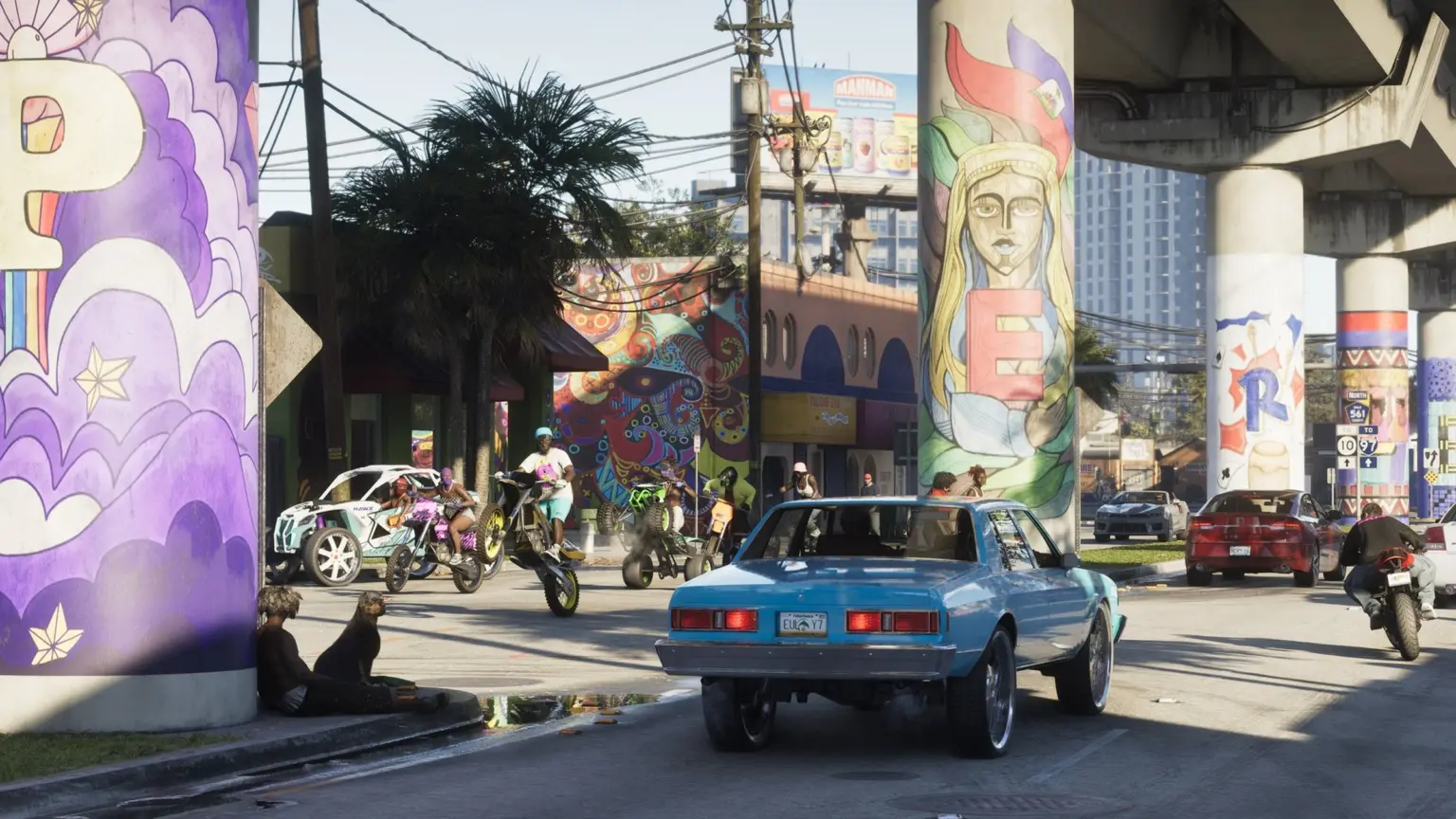
Featured image: official Grand Theft Auto VI screenshot of a Vice City street, Rockstar Games, via the Xbox India store.